
Studio One's Humanize function is an important DTM technique that adds human fluctuation to rhythms perfectly aligned by quantizing, removing their mechanical feel. By deliberately shifting the timing of notes slightly, you can create a natural groove like a live performance, which is especially effective on repeated phrases such as drums, guitar, and piano. It is easy to apply from a settings window where you can finely adjust the velocity and note start ranges, and the key to realistic sound is adding just a little, like a secret ingredient.
What Is Humanize?
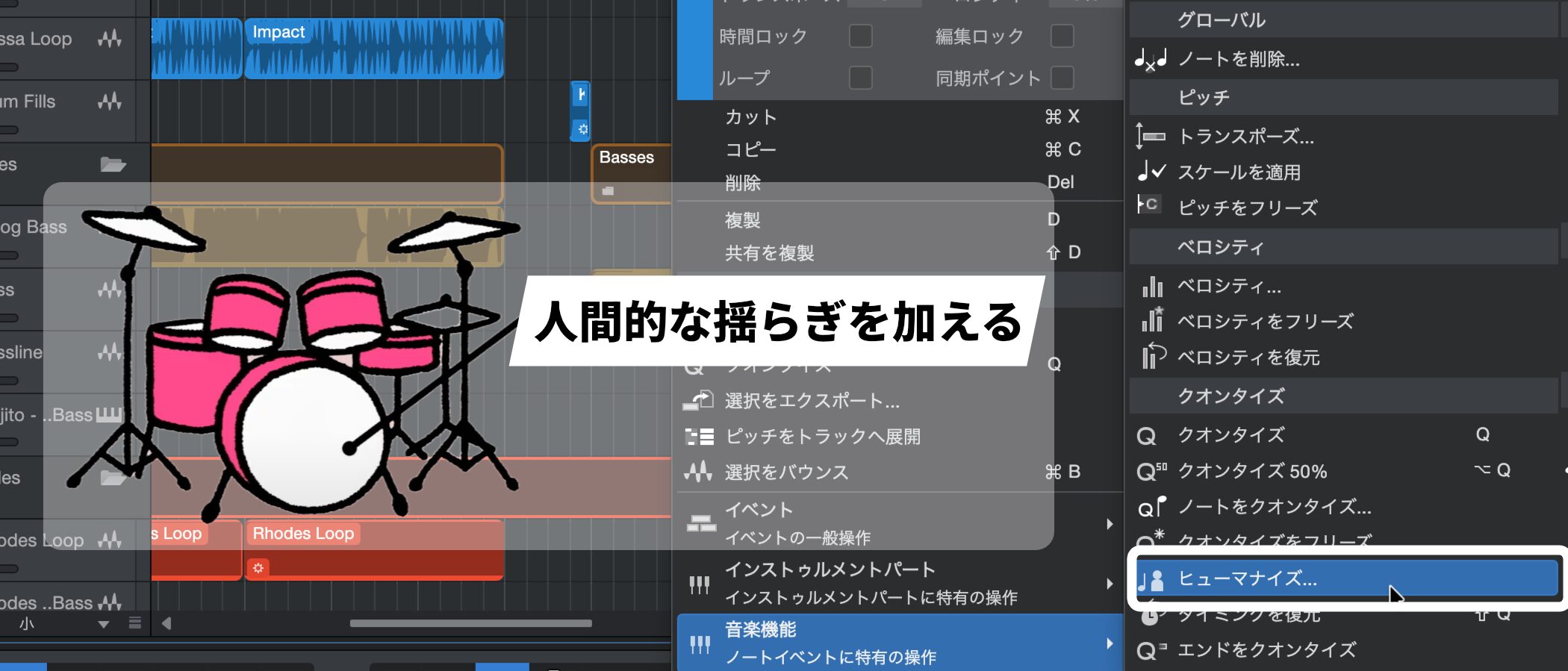
Rhythms perfectly aligned by quantizing are accurate, but they tend to sound mechanical and monotonous.
With repeated phrases like drums in particular, this can make listeners lose interest.
That's when the Humanize function, which gives your sound human fluctuation, comes in.
Humanize deliberately shifts the timing of notes slightly earlier or later to create a natural groove like a live performance.
If you feel your song is missing something, be sure to try it.
How to Apply Humanize in Studio One
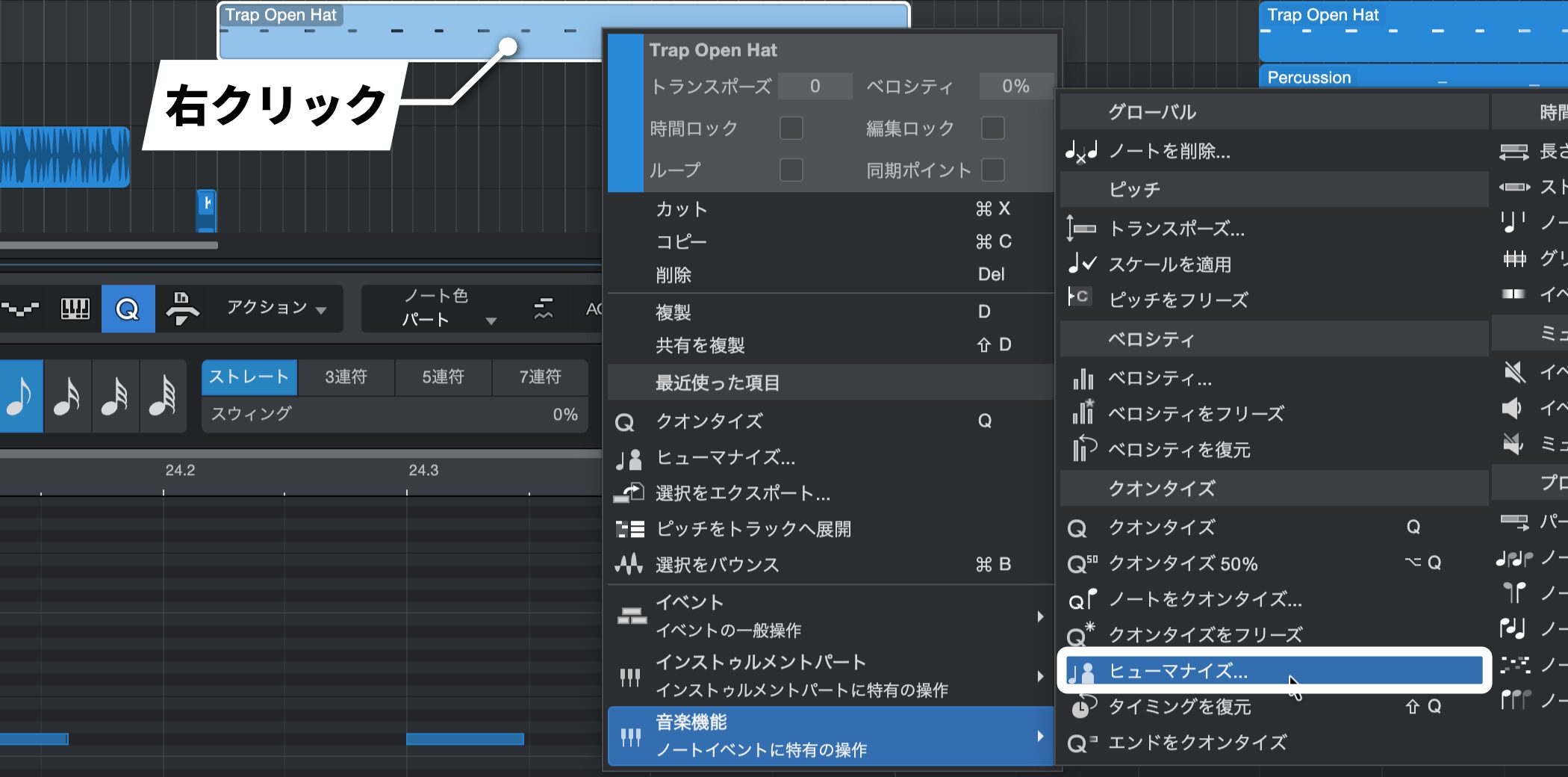
Right-click the event you want to humanize and choose "Humanize..." from the "Musical Functions" menu.
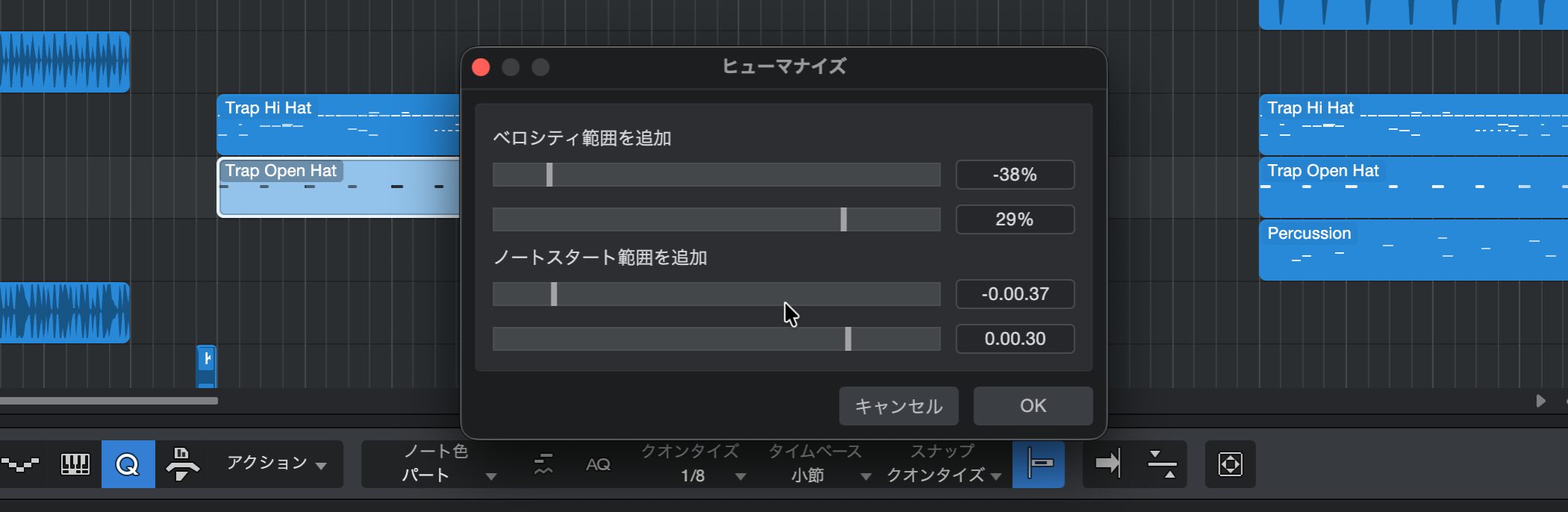
A settings window appears.
Here, you can adjust the velocity and note start ranges by dragging the bars or entering values.
When you are done, click "OK."
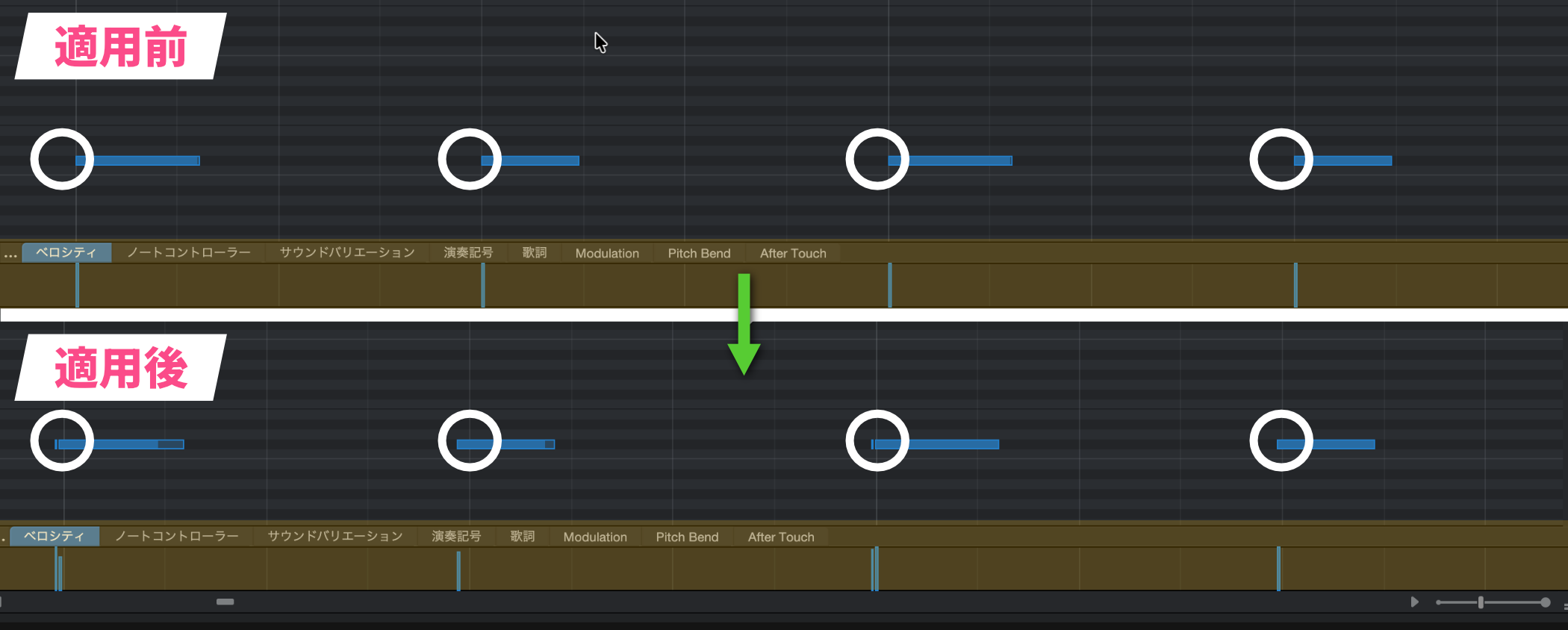
Compared with before, you can see that the velocities and note timings are now uneven.
This effect is especially effective on drum hi-hats, guitar, piano, and so on.
However, applying too much makes the whole performance fall apart, so the key is to add a small amount, like a secret ingredient.
If anything sounds unnatural after applying it, we recommend adjusting the settings and trying a few times, or fine-tuning by hand while listening.
Humanize Video
*Explained from 7:18 to 8:24.

Frequently asked questions
Q1. What is the difference between humanize and quantize?
Quantize aligns the timing of notes perfectly; it is accurate but sounds mechanical. Humanize, on the other hand, deliberately shifts the timing to add natural fluctuation and create a groove like a live performance.
Q2. Which instruments does humanize work best on?
It is especially effective on repeated phrases such as drum hi-hats, acoustic guitar, and piano. When people play these instruments, natural timing fluctuations occur, and humanize can recreate them.
Q3. My track sounded unnatural after applying humanize. What should I do?
The cause is applying too much. We recommend dragging the bars in the settings window to reduce the values and adding just a little, like a secret ingredient. Trying several times while listening and adding manual fine-tuning is also effective.
NEW ARTICLES
Latest English Articles











