

Changing the tempo within a song in Studio One is an important feature for giving your music a variety of expressions. By changing the tempo for each section, such as the chorus or verse, or gradually changing the speed across the whole song, you can create more polished musical expression. Click the tempo icon to open the tempo track, then hold Option (Mac) or Alt (Windows) and click or drag where you want, and you can easily add or change tempo settings. Setting a fine quantize value also lets you create continuous, smooth tempo changes.
Giving Your Song a Variety of Expressions
By changing the tempo within a song, you can
change the tempo for each section, such as the verse or chorus,
or add variation, such as gradually speeding the song up or slowing it down.
This Article Will Deepen Your Understanding

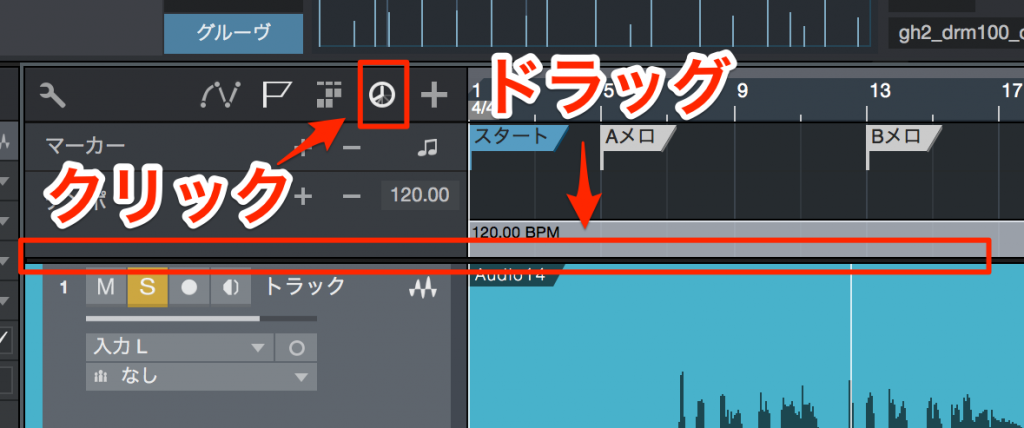
↑ Click the tempo icon outlined in red to turn it on.
The tempo track opens.
By dragging the boundary between the Arrange view and the tempo track up or down,
you can change the height of the area.
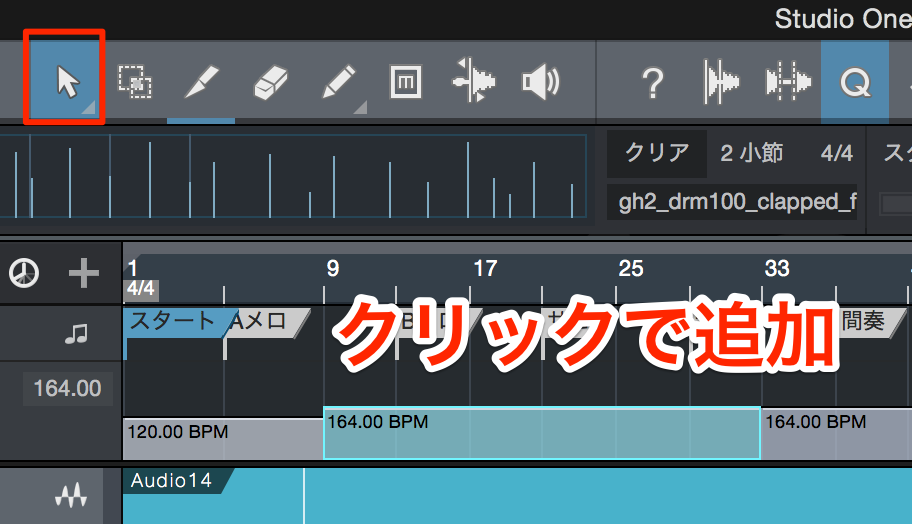
↑ Select the Arrow tool,
Mac: Option
Windows: Alt
and while holding it, click where you want the tempo to change.
A tempo change is now added.
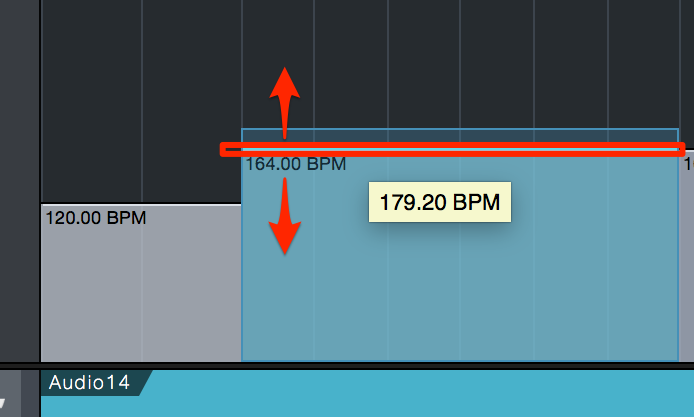
↑ Drag the tempo boundary up or down to change the tempo.
The number shown on the left is the selected tempo.
Creating Continuous Tempo Changes
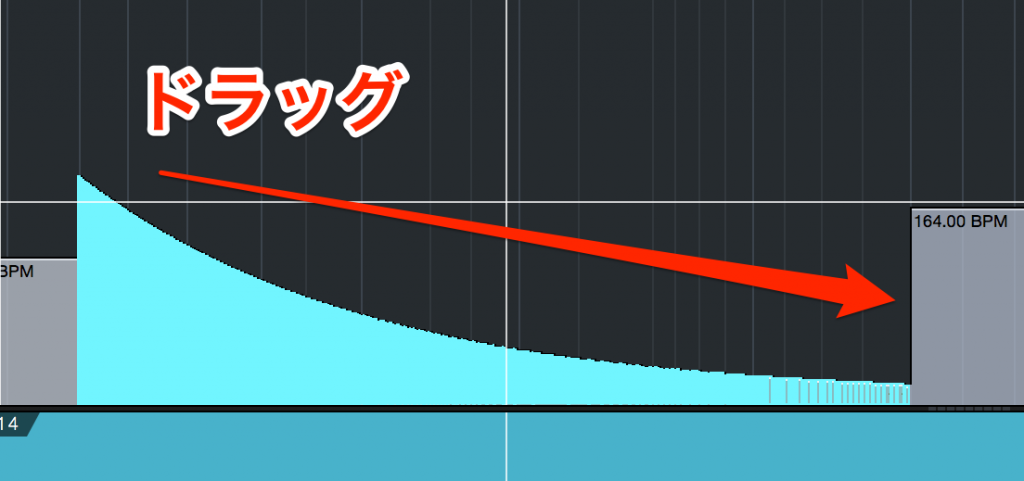
Change the quantize value to a fine value such as 32nd notes.
As explained above,
Mac: Option
Windows: Alt
while holding it, drag across where you want the tempo change and adjust the value.
This creates a continuous tempo change like this.

Frequently asked questions
Q1. How do I add a tempo change in Studio One?
Click the tempo icon to open the tempo track, select the Arrow tool, and hold Option (Mac) or Alt (Windows) while clicking where you want the tempo to change. A tempo change is then added.
Q2. Is there a way to change the tempo gradually across the song?
Change the quantize value to a fine value such as 32nd notes, then hold Option (Mac) or Alt (Windows) and drag across the section you want to change to adjust the value. This creates a continuous tempo change.
Q3. Can I adjust the size of the tempo track?
Yes. By dragging the boundary between the Arrange view and the tempo track up or down, you can freely change its height.
NEW ARTICLES
Latest English Articles











