
This article explains how to export and import MIDI files as SMF (Standard MIDI Files) in Logic Pro. Because SMF contains no sounds and consists only of lightweight MIDI data, it is useful in many production situations, such as saving drum patterns, sharing song data with other DAWs, and swapping sounds. It walks through the specific export and import steps in Logic Pro and points out precautions such as merging MIDI regions, giving both beginners and experienced users practical knowledge.
Export Your Song's MIDI Files
These are the steps for using MIDI files created in a song in other songs and DAWs.
- You want to save a favorite drum pattern
- You want to give someone just the MIDI file so they can swap in their own sounds
- You want to bring your programming into another song
It can be used in many situations like these.
This kind of MIDI file is called an SMF (Standard MIDI File).
The file contains no sounds, only MIDI data, so it is very small.
SMF (Standard MIDI File) Explained
Logic: How to Export SMF

Select the MIDI regions you want to export.
In the image, all tracks are selected, but by narrowing the selection, you can export a MIDI file containing only those tracks.

Note that if a MIDI part is split into several regions,
each region ends up on its own track, so merge them into one beforehand.
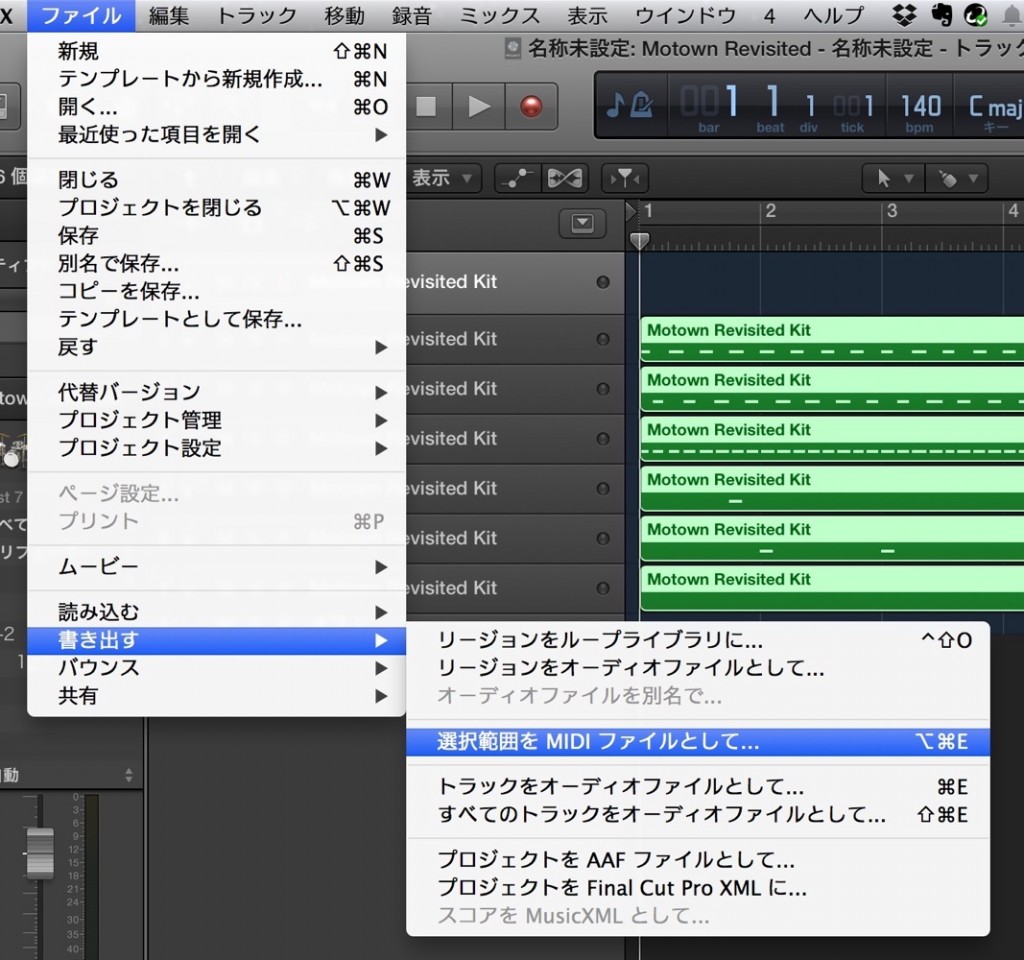
From the top menu, click "File" → "Export" → "Selection as MIDI File."
When the dialog appears, choose the export location and name, then press "Save."
Logic: How to Import SMF

From the top menu, choose "File" → "Import" and select the MIDI file you want to import.
Alternatively, drag and drop it into the project.
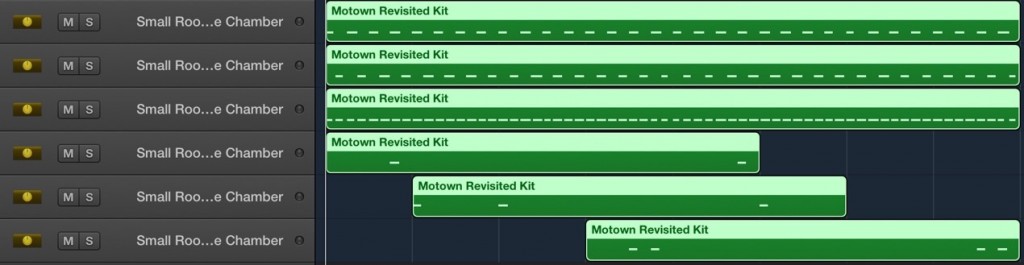
It has been imported perfectly.
Now you can swap sounds or edit the MIDI file.

Frequently asked questions
Q1. What should I watch out for when exporting MIDI files from Logic Pro?
If a MIDI part is split into several regions, each region ends up on its own track. It is important to merge multiple regions into one before exporting.
Q2. What does SMF stand for, and what are its features?
SMF stands for Standard MIDI File. Because it stores only MIDI data without sounds, the file size is very small, making it well suited to sharing data between different DAWs.
Q3. Can I bring MIDI files created in other DAWs into Logic Pro?
Yes. Select the SMF from the "File" → "Import" menu, or drag and drop it into the project window. You can then change sounds and edit it.
NEW ARTICLES
Latest English Articles











