

This article explains how to use modifier keys in Logic Pro. Combining modifier keys such as Command, Option, and Shift greatly streamlines music production, with operations such as switching tools, duplicating regions and notes, resetting faders, and time stretching. Mastering these shortcuts enables advanced editing that mouse operations alone cannot achieve, dramatically improving your speed and workflow.
Modifier Keys: Useful in All Kinds of Situations in Logic

Modifier keys are the keys on your keyboard such as
Command, Option, and Shift.
Pressing a modifier key on its own does nothing,
but using them together with specific operations has all kinds of effects.
Here are some combinations that are very handy to know.
Command
Switching Tools

You can switch the tool you are using.
Normally the left-click tool is active, but while you hold the key, the Command-click tool is active.
Option
Duplicating
Hold the key while moving a region or note to duplicate it.

Hold the key and move it to the next bar.

A copy has been created.
You can also copy insert effects and more.

Hold the key and drag.

Everything, including the settings, is copied.
Resetting to the Default Value
Hold the key and click a fader or knob
to reset its value to the default.

Hold the key and click the volume.

It returns to the default value of "0."
Switching Mute/Solo for All Tracks
This is handy for clearing mute or solo on many tracks.

Hold the key and click a solo button.

Solo is cleared on all tracks at once.
Time Stretch
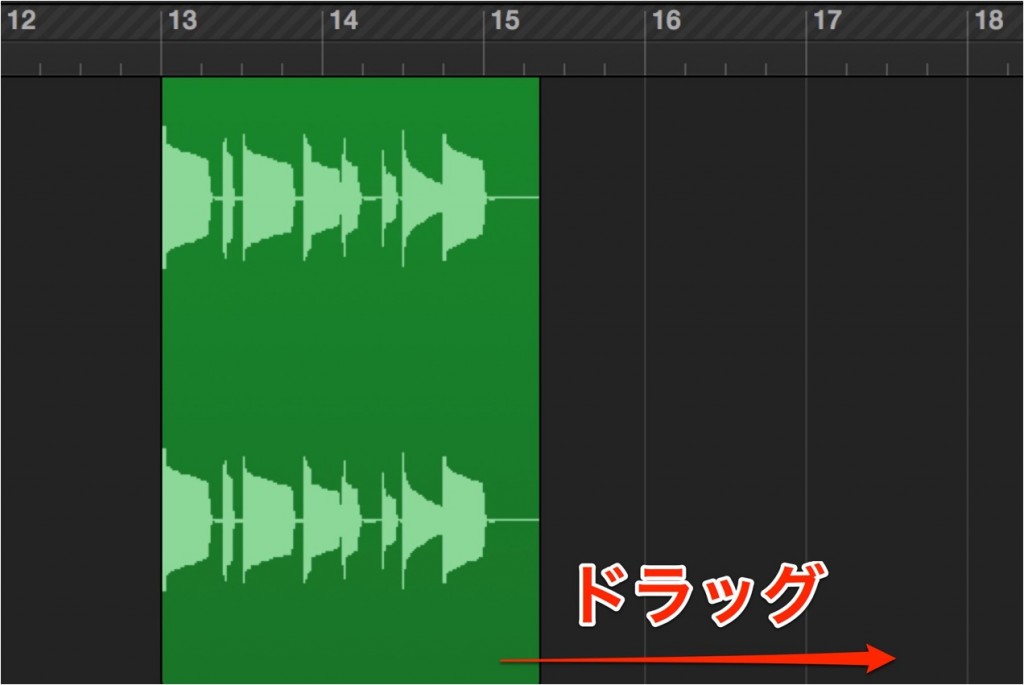
A normal drag only changes the length of the region,
but dragging while holding the key
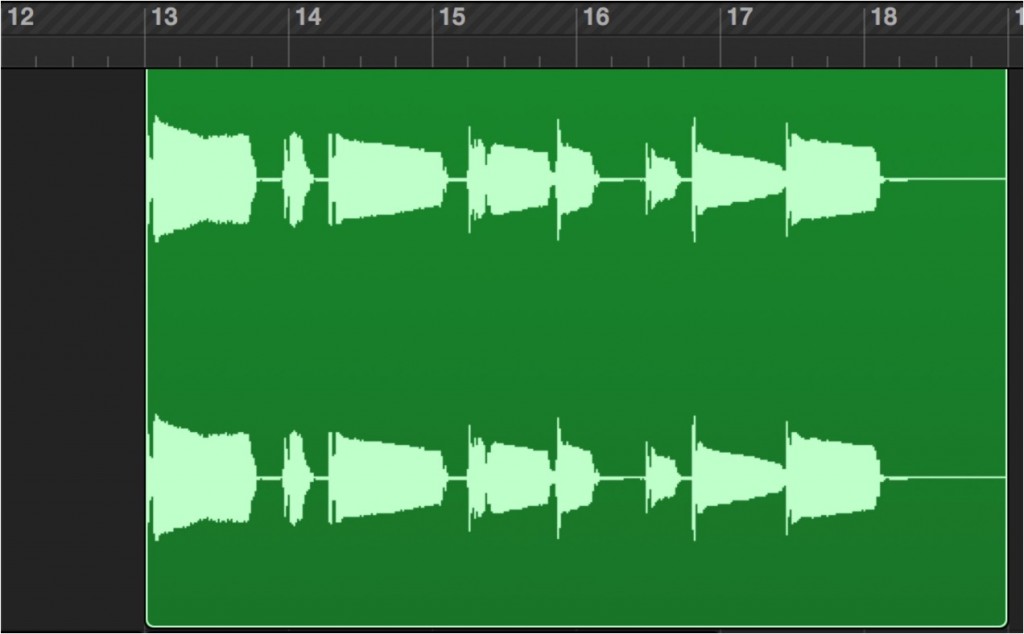
works as a time stretch, changing the speed of the contents.
Option + Shift (Different in Logic X)
Setting Multiple Notes to the Same Value

Let's make the note lengths the same.
Select the notes you want to change and drag left or right.
Normally the lengths change relatively, but

holding the keys makes them all the same length.
You can change velocity values in the same way.
*In Logic X:
- Making lengths equal: Shift
- Making velocities equal: Option

Frequently asked questions
Q1. What is the main role of the Command key in Logic Pro?
The Command key is used to switch tools. Normally the left-click tool is active, but while you hold Command it switches to the Command-click tool, letting you move between tools quickly.
Q2. What is the advantage of duplicating with the Option key?
Dragging a region or note while holding Option creates a duplicate while keeping the original. Insert effect settings are copied too, so you don't need to set them up again by hand.
Q3. What is the shortcut for resetting a fader or knob to its default value?
Hold Option and click a fader or knob to reset its value to the default (for example, 0 dB for volume).
Q4. How do I time-stretch in Logic Pro?
Hold Option and drag a region, and instead of changing the region's length it works as a time stretch that changes the speed of the contents.
NEW ARTICLES
Latest English Articles











