With the release of Logic Pro 11.1, the efficiency of music production and the quality of sound have improved significantly. The newly included "Quantec Room Simulator" is a plug-in that modernizes a legendary reverb technology trusted in the industry since the 1980s, letting you choose between two models, QRS and YardStick, for professional spatial expression. In addition, channel strips in the Mixer can now be freely reordered by drag and drop, and plug-in search has been enhanced, making track organization and effect selection much smoother. Many other practical features have also been added, such as Bounce in Place and joining Flex regions, making this an update that helps a wide range of users, from professionals to beginners, work more efficiently.
New Features That Further Improve Sound Design and Workflow
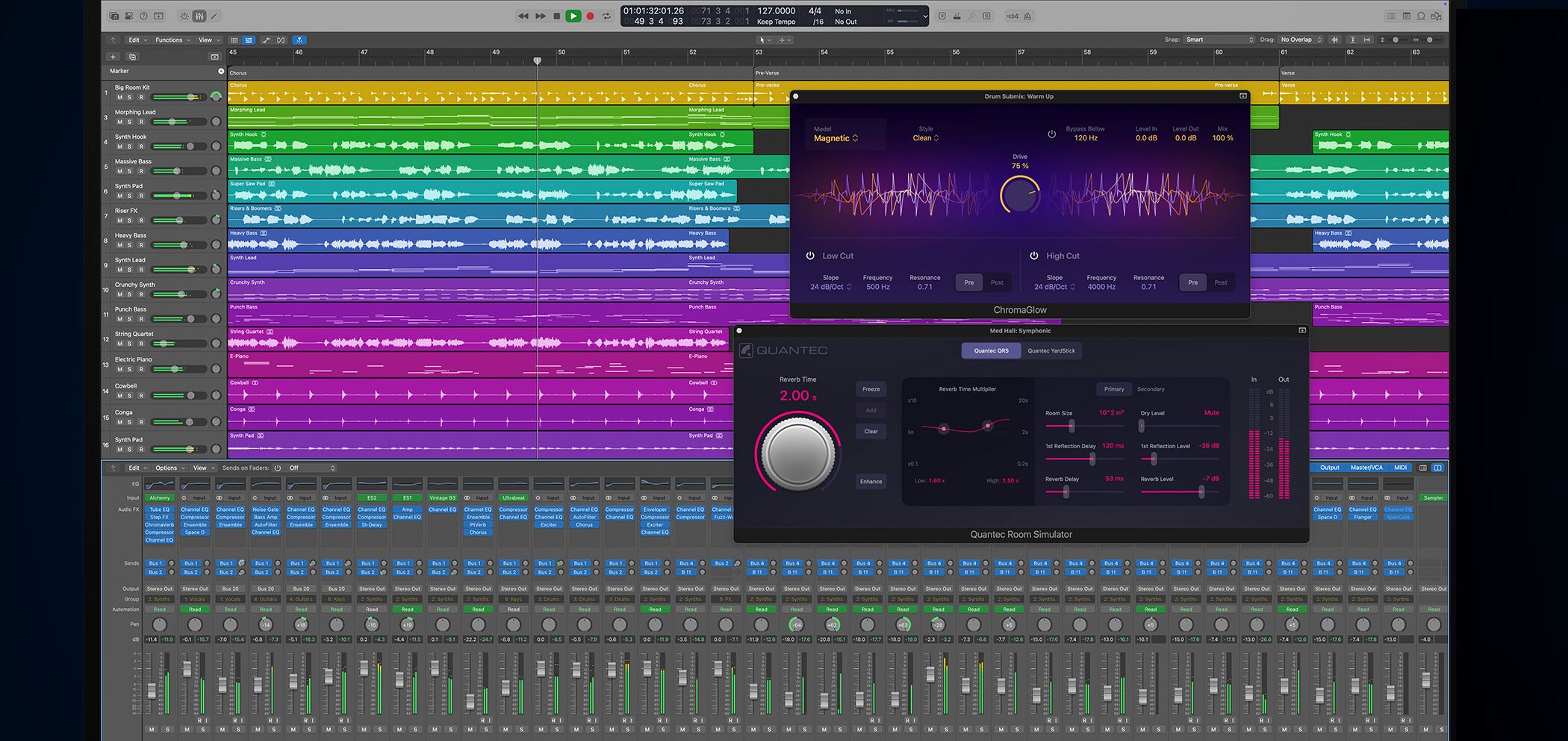
Logic Pro 11.1, the latest version of Logic Pro, has been released.
Among the new features, the most notable is the newly added reverb plug-in "Quantec Room Simulator."
A legendary reverb sound loved for many years is revived, combined with modern technology.
In addition, convenient features that dramatically improve workflow, such as reordering channel strips and searching for plug-ins, have been added.
This article explains the main new features.
Logic Pro 11.1 New Features Video
Master Logic Pro 11 in One Video
"Quantec Room Simulator": Recreating the Sound of Diverse Acoustic Spaces
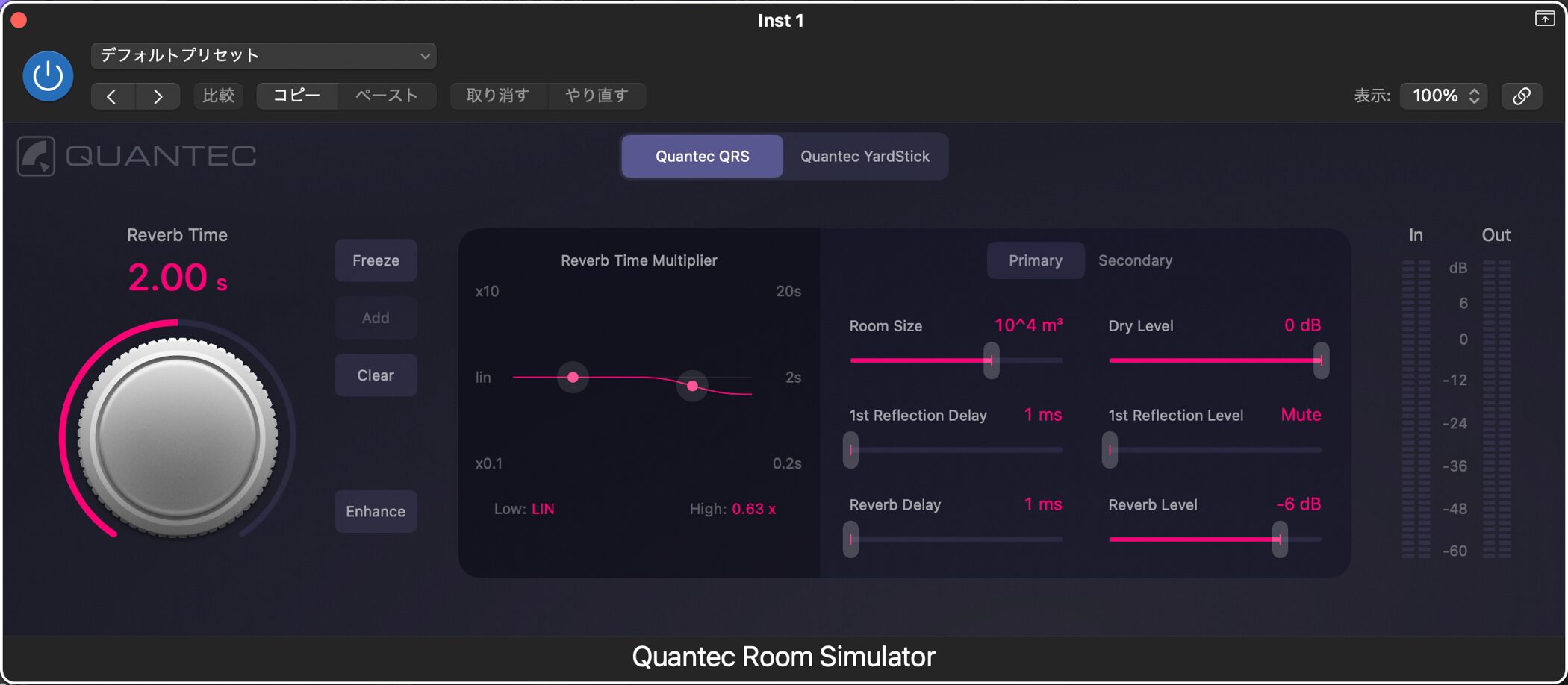
"Quantec Room Simulator" is a reverb plug-in that includes both the QRS (Quantec Room Simulator), highly regarded in the music industry since the 1980s, and the evolved YardStick model.
Each model has its own characteristics, giving you the flexibility to choose according to your purpose.
The transparent sound of the Quantec Room Simulator adds depth and space to a song, making the whole track more appealing.
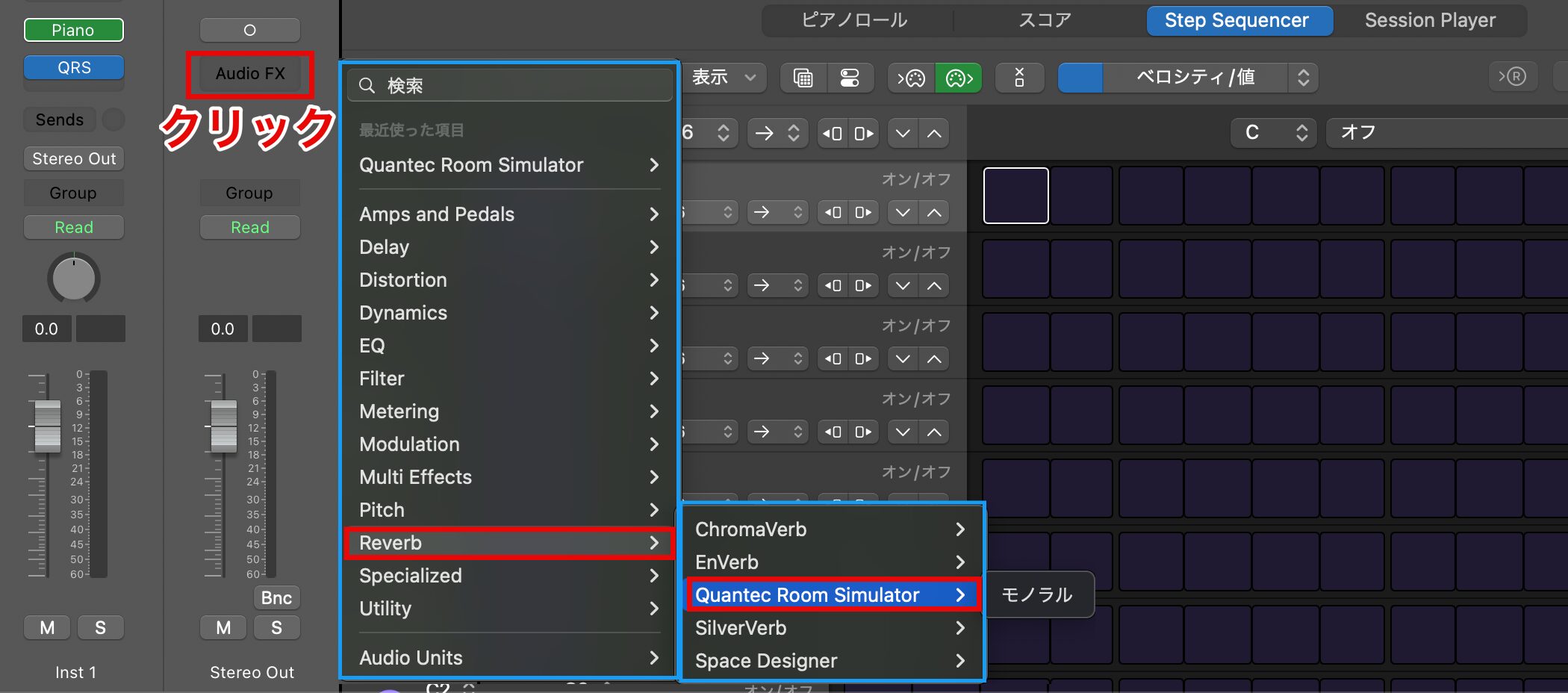
To use the Quantec Room Simulator, click "Audio FX" on a track and choose it from the "Reverb" category.
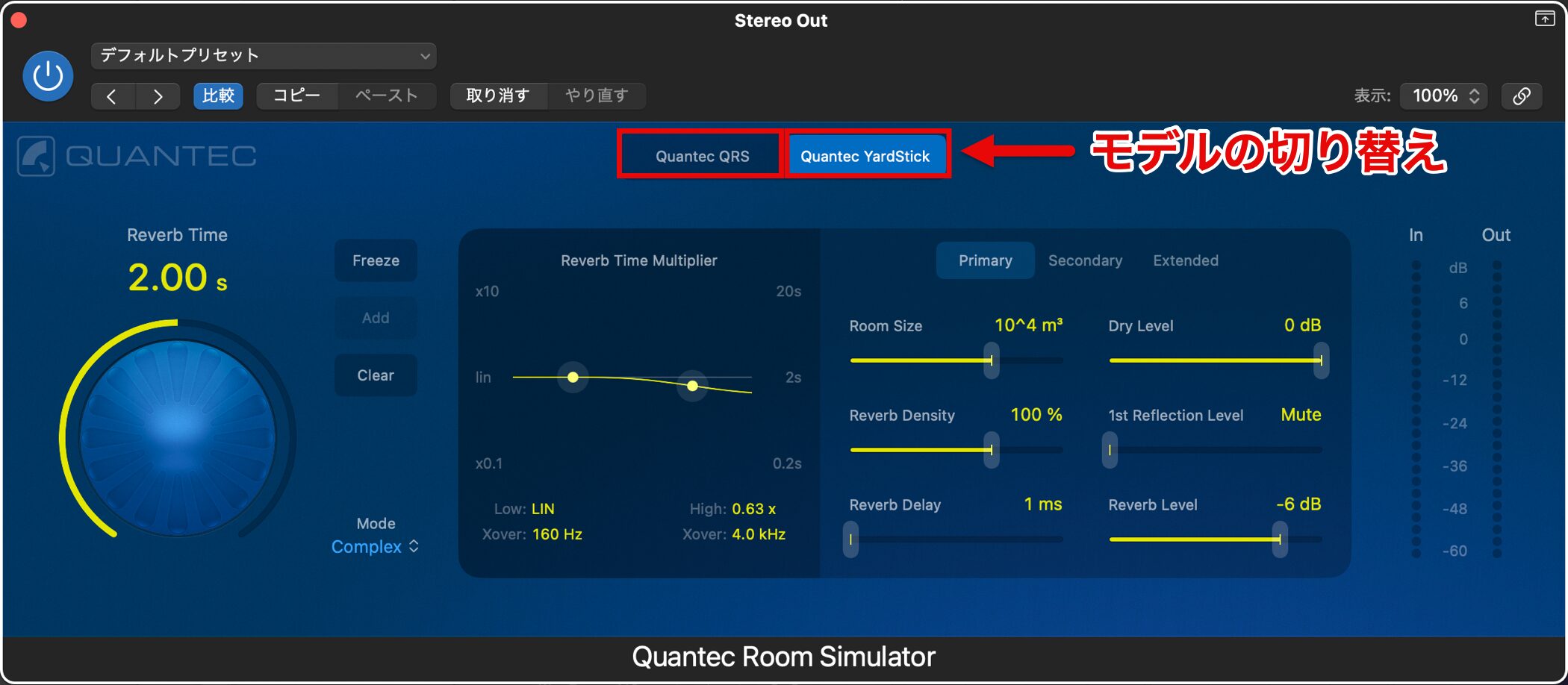
In the plug-in window, you can switch between the QRS model and the YardStick model.
- QRS model: natural, transparent reverb. Uses an algorithm that suppresses harsh metallic tones. Features a "freeze function."
- YardStick model: a modern reverb evolved from the QRS. Delivers a clearer, more precise sound.
Quantec technology has been used in studios around the world, for pop music recordings, film soundtracks and more, and is known as a highly reliable acoustic technology.
Being able to easily experience professional-grade sound is a big attraction!
Freely Organizing Channel Strips in the Mixer
Channel strips in the Mixer can now be easily reordered by drag and drop.
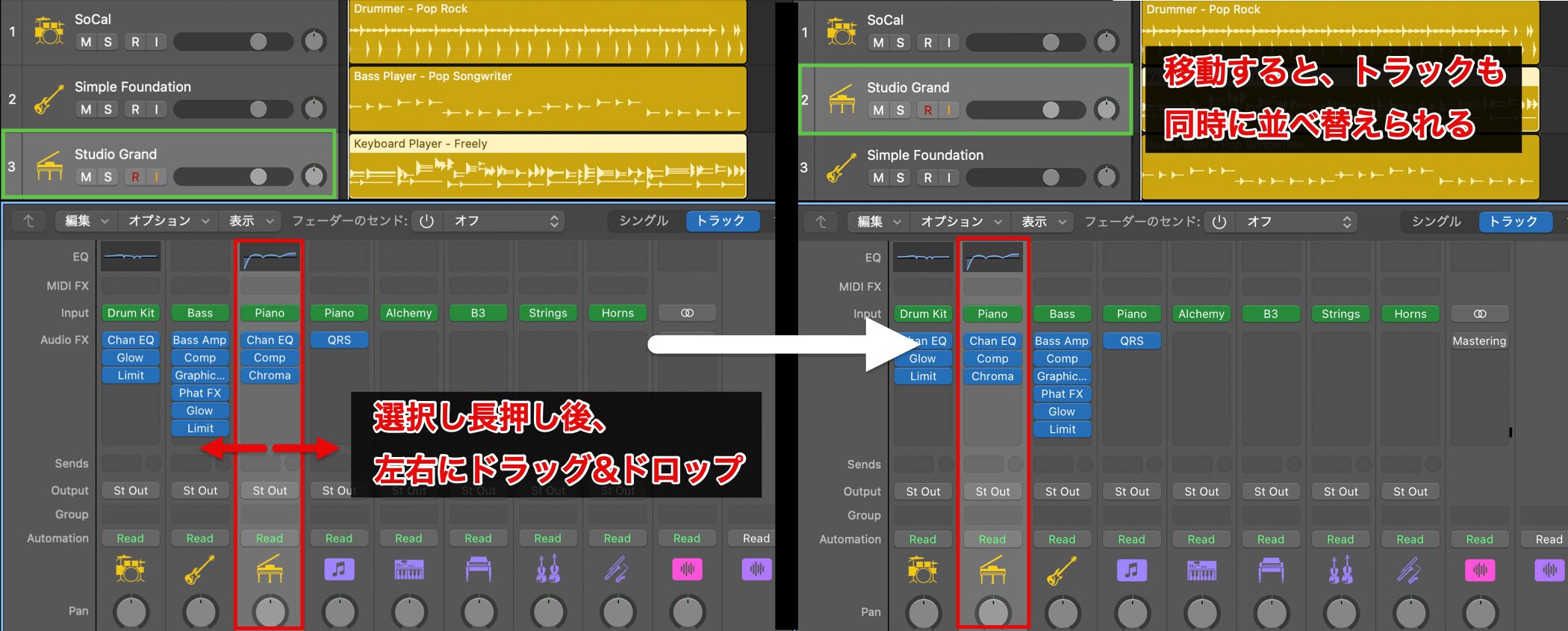
Click and hold the channel strip you want to move, and it lifts up.
Drag it left or right to move it to a new position.
When you move a channel strip assigned to a track, the corresponding track in the Tracks area is reordered at the same time.
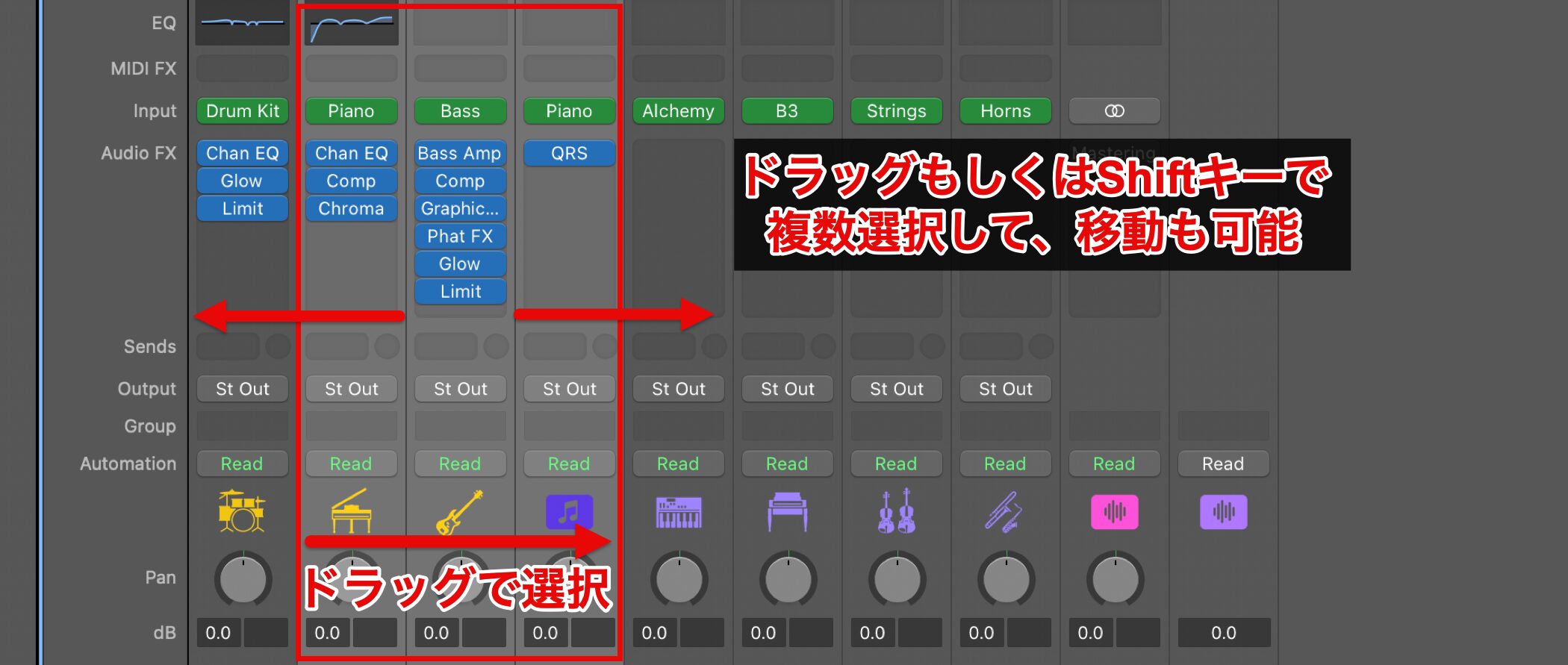
You can also select multiple channel strips by dragging or with the Shift key and move all the selected channel strips together.
If you select them while holding down the Command key, you can also move non-adjacent channel strips at the same time.
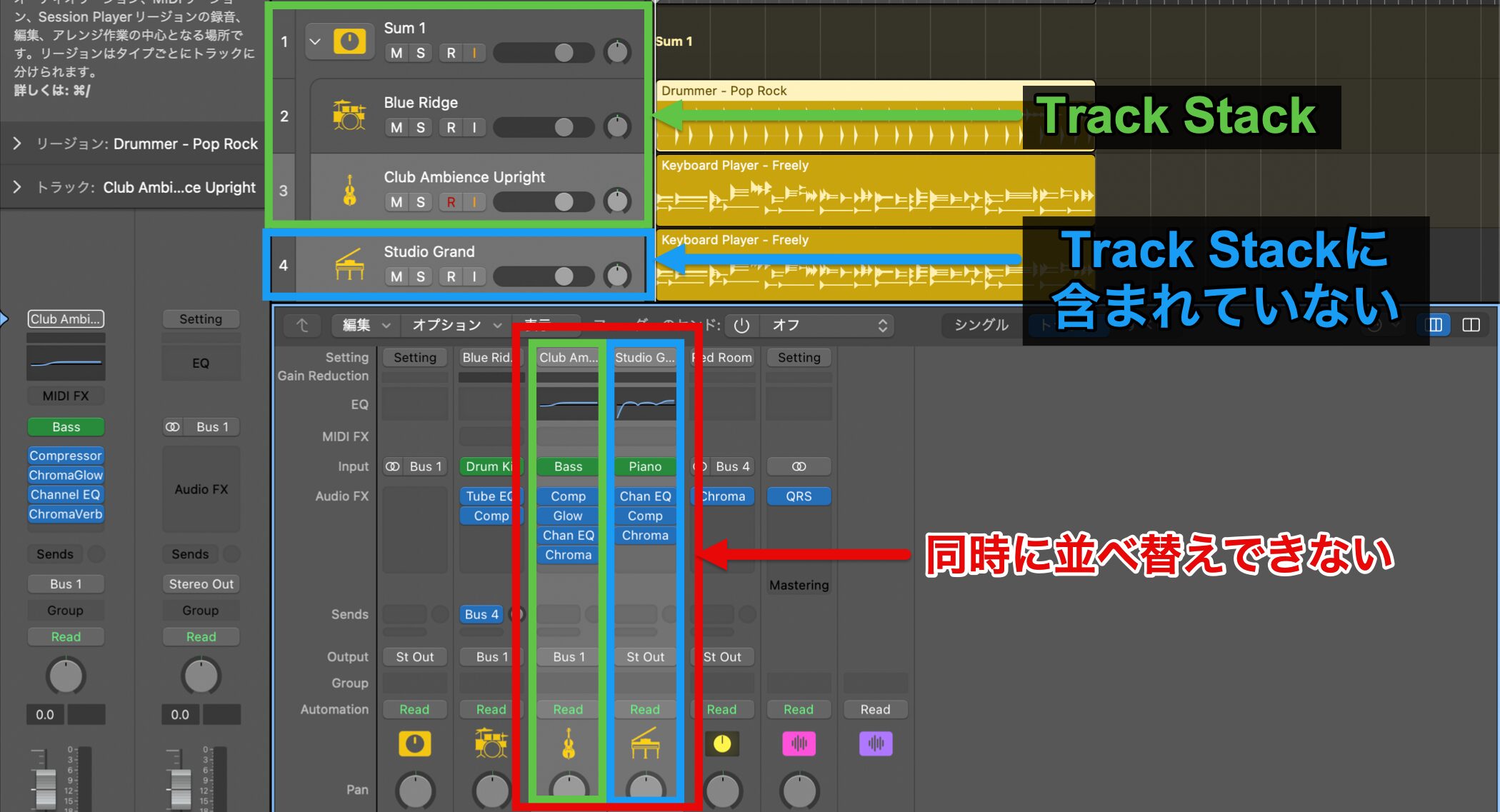
Note that channel strips inside a Track Stack and channel strips outside it cannot be reordered at the same time.
Selecting one deselects the other.
Smoother Plug-in Search
In the Mixer, you can now search for plug-ins by name and easily insert or replace them.
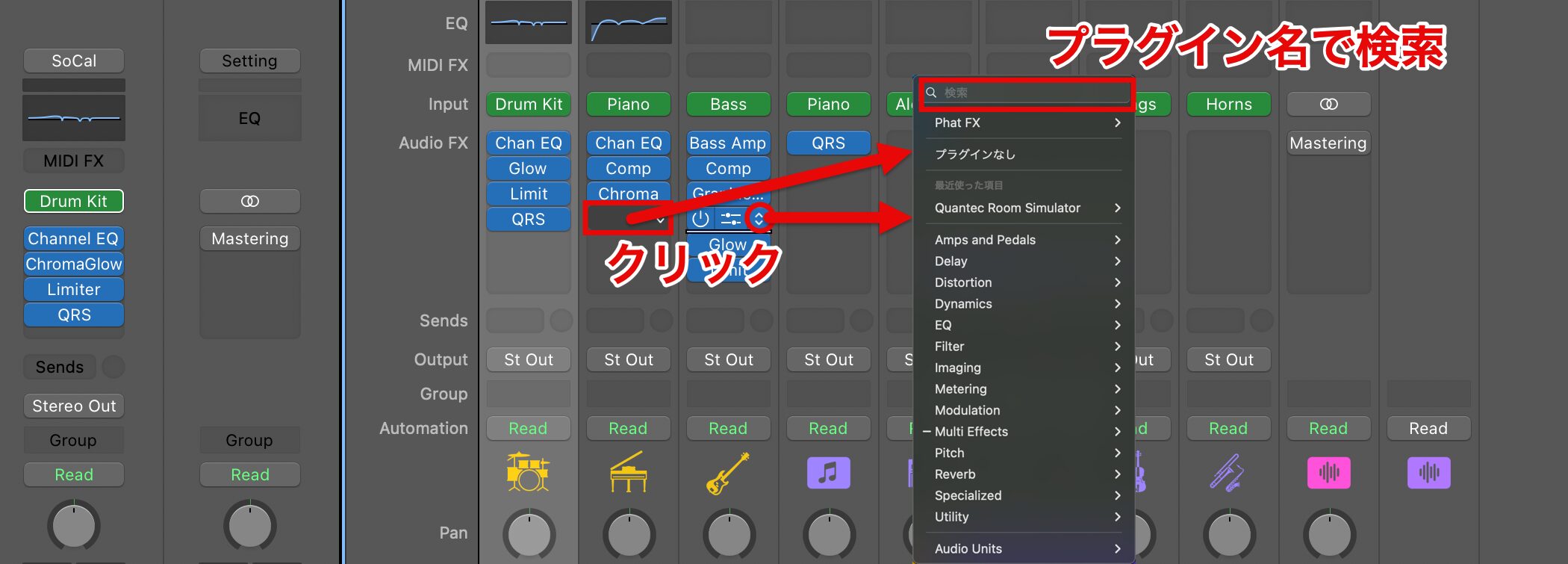
Click an empty plug-in slot, or click the up/down arrows on an existing plug-in slot, to open the plug-in menu.
Type the plug-in name in the search field at the top of the menu.
From the list of results shown as you type, choose a plug-in of the matching type (audio, instrument or MIDI) to add or replace it.
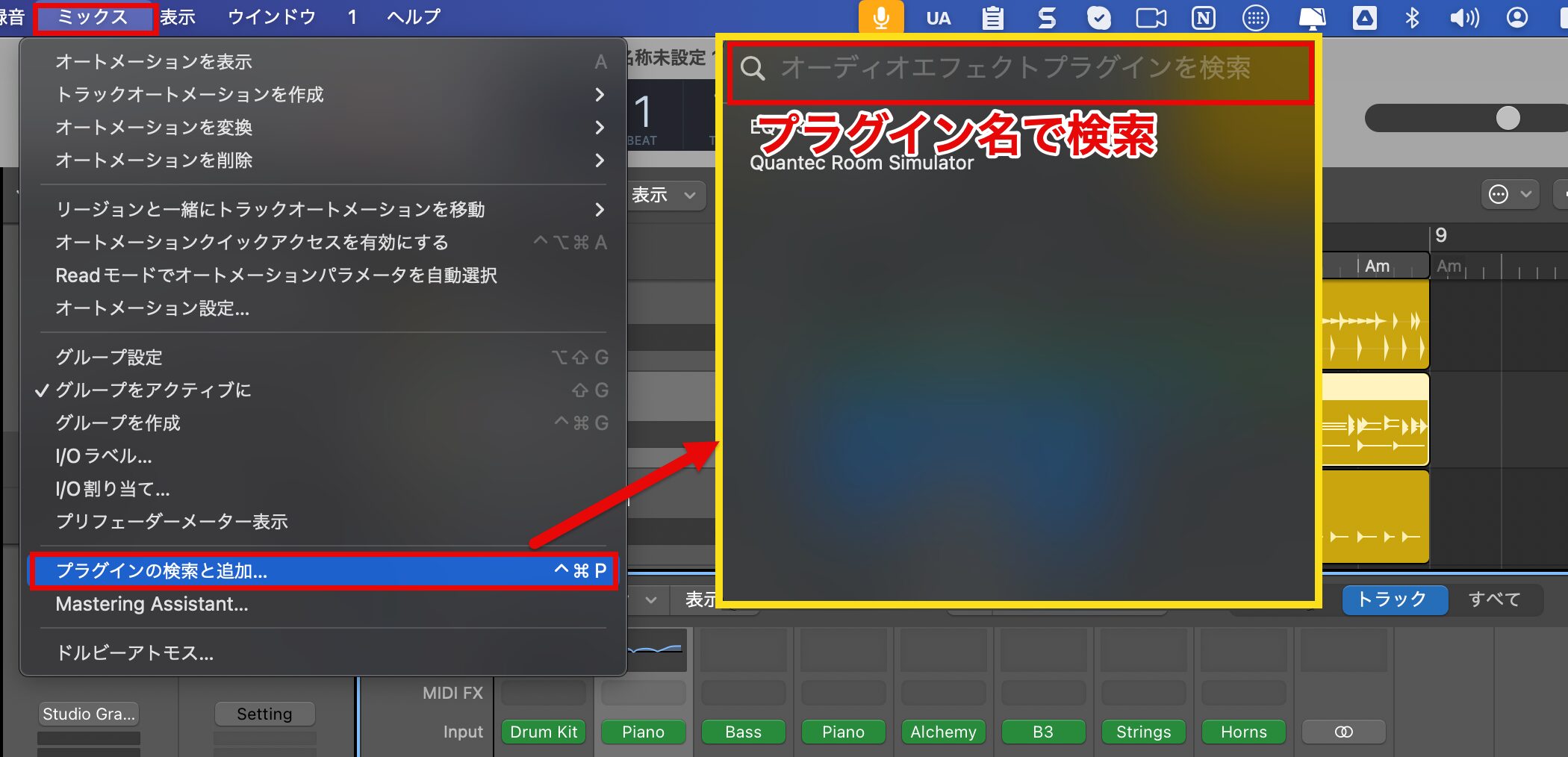
You can also use the "Search and Add Plug-in" command in the "Mix" menu to add a plug-in to the selected track in the Mixer.
The "Search and Add Plug-in" command can also be opened with Control-Command-P.
Other Features
- Bounce in Place: bounce to one file, per track or per region.
- Low frequency bypass: adjust Beat Breaker while bypassing low frequencies.
- Deleting plug-ins and sends: easily delete them with Command-click.
- Consolidated saving of sampler instruments: samples can be saved optimized in CAF format.
- Automatic recording settings: change the recording settings of software instrument tracks all at once.
- Joining Flex regions: Flex regions can be joined with the Join tool.
- Step rate chart: a chart showing lengths has been added to Step Sequencer.
- Sending to Voice Memos: songs can be shared to Voice Memos on Apple devices.
- New sound packs: "Modular Melodies" and "PomPom" have been added.
In this update, not only is the addition of the "Quantec Room Simulator" notable, but many practical improvements have also been made, such as reordering channel strips and plug-in search.
Many users have probably been waiting for these features that greatly improve workflow.
Music production with Logic Pro looks set to become even more comfortable!
Frequently Asked Questions
Q1. What are the features of the new "Quantec Room Simulator" reverb in Logic Pro 11.1?
The Quantec Room Simulator includes both the QRS model, known as an industry standard, and the evolved YardStick model. QRS delivers natural, transparent reverb, while YardStick delivers a more modern, clear sound, and you can choose according to your purpose.
Q2. How do I use the channel strip reordering feature?
Click and hold a channel strip in the Mixer until it lifts up, then drag it left or right to move it to a new position. Multiple selection is also possible: use the Shift key for adjacent strips and the Command key for non-adjacent strips to reorder them together.
Q3. What exactly can I do with the plug-in search feature?
From a plug-in slot in the Mixer, type the plug-in name in the search field and choose the matching type from the results to add or replace it. You can also open the "Search and Add Plug-in" command with Control-Command-P.
NEW ARTICLES
Latest English Articles