
In Logic Pro's Environment, fader objects are the core elements for flexibly controlling volume, pan and effect parameters. This article explains the basic operations in detail, from creating faders to resizing, moving and cabling them. Mastering these basic skills makes it possible to build complex Environments and to control automation and effects more precisely. It is essential knowledge for DTM beginners to intermediate users who want to learn Environment operations seriously.
An important Environment topic in Logic: faders
This explains "faders", the core of the Environment.
Understanding and using these "faders" properly
is a very important part of working with the Environment, so we will explain it step by step.
First, take a look at what you can do with faders.
From the next article, we will introduce how to build these Environments in order.
- Logic X
- Logic 8/9
Controlling various parameters in the Environment (Logic X)
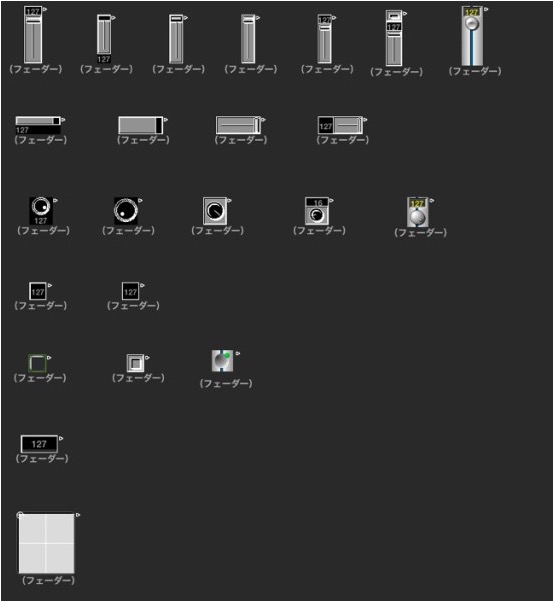
You can also control Volume, Pan and Effect parameters from the Environment.
The image above shows a collection of actual fader objects.
Creating fader objects
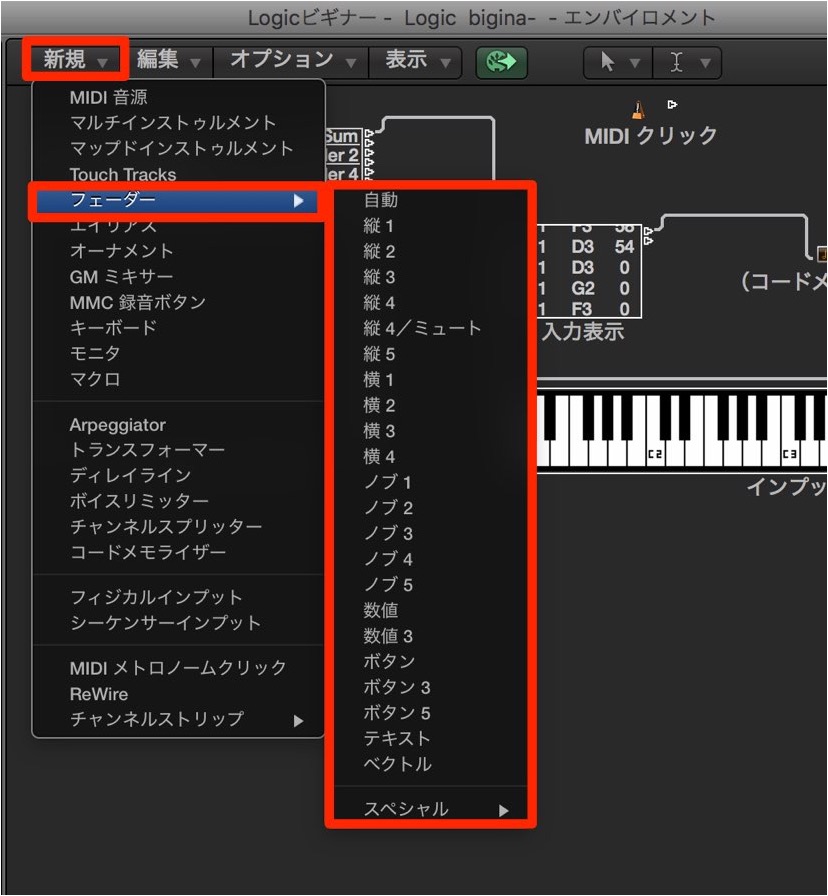
You can create them from [New] → [Fader]
in the Environment.
Resizing fader objects
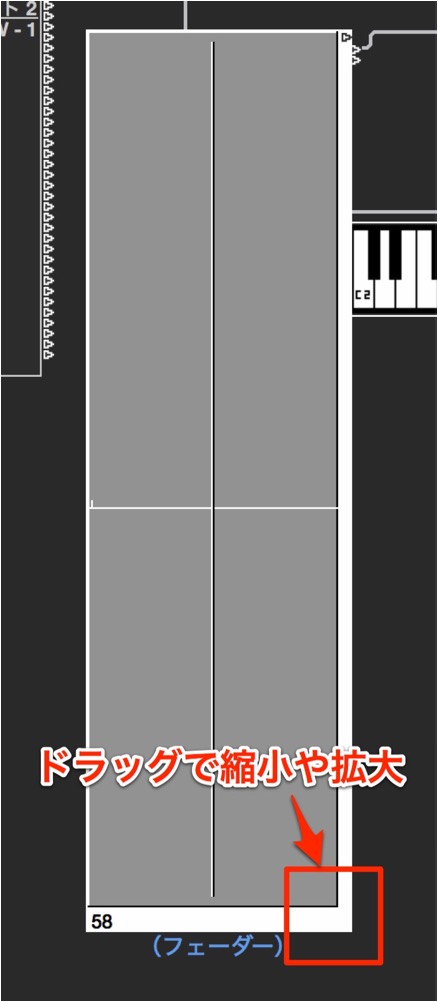
Drag the right edge to resize.
Moving fader objects
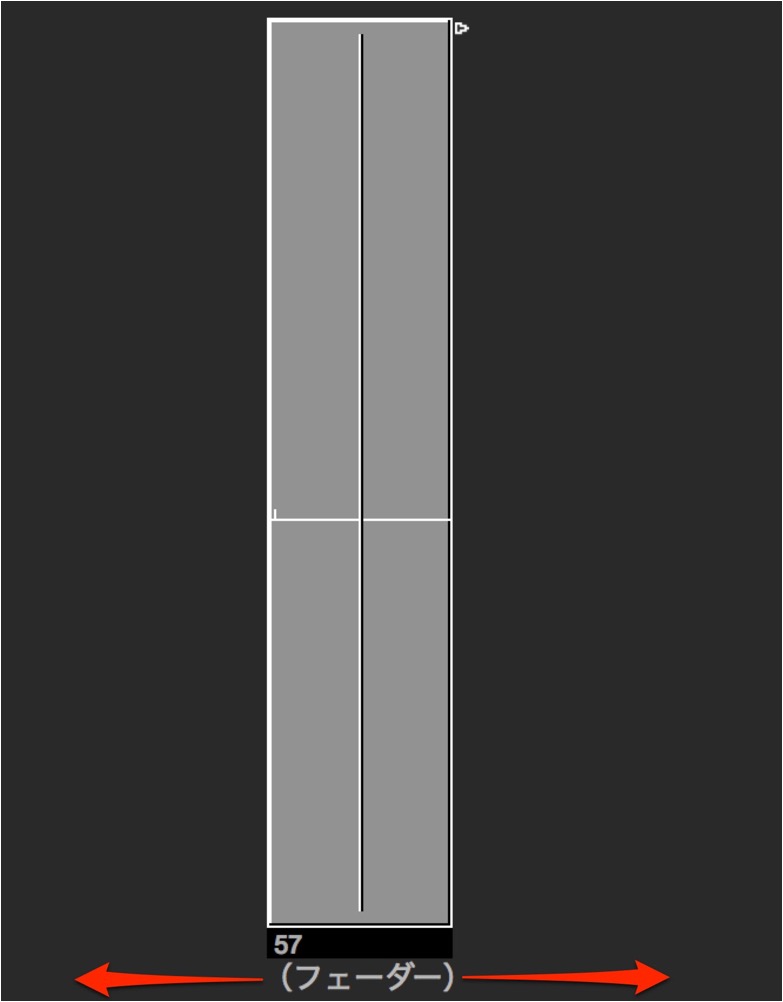
You can move it by dragging the name area (Fader).
Objects other than faders can also be moved by dragging their name area.
How to connect and delete cables
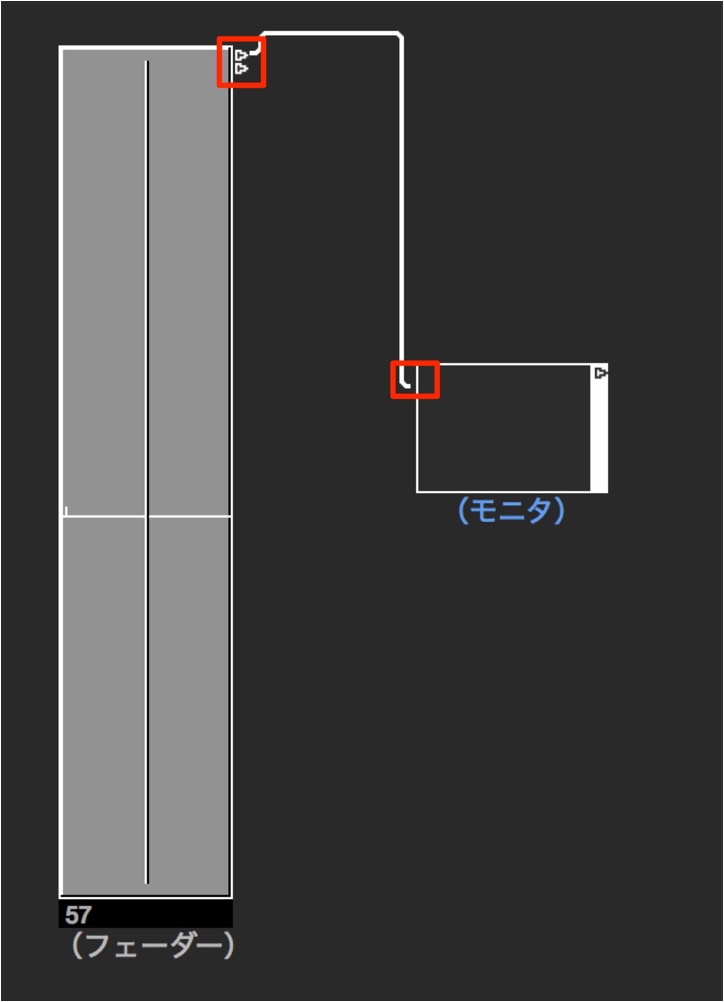
This is not limited to fader objects: drag the [▷] at the top right with the mouse.
A cable appears, and you can connect it.
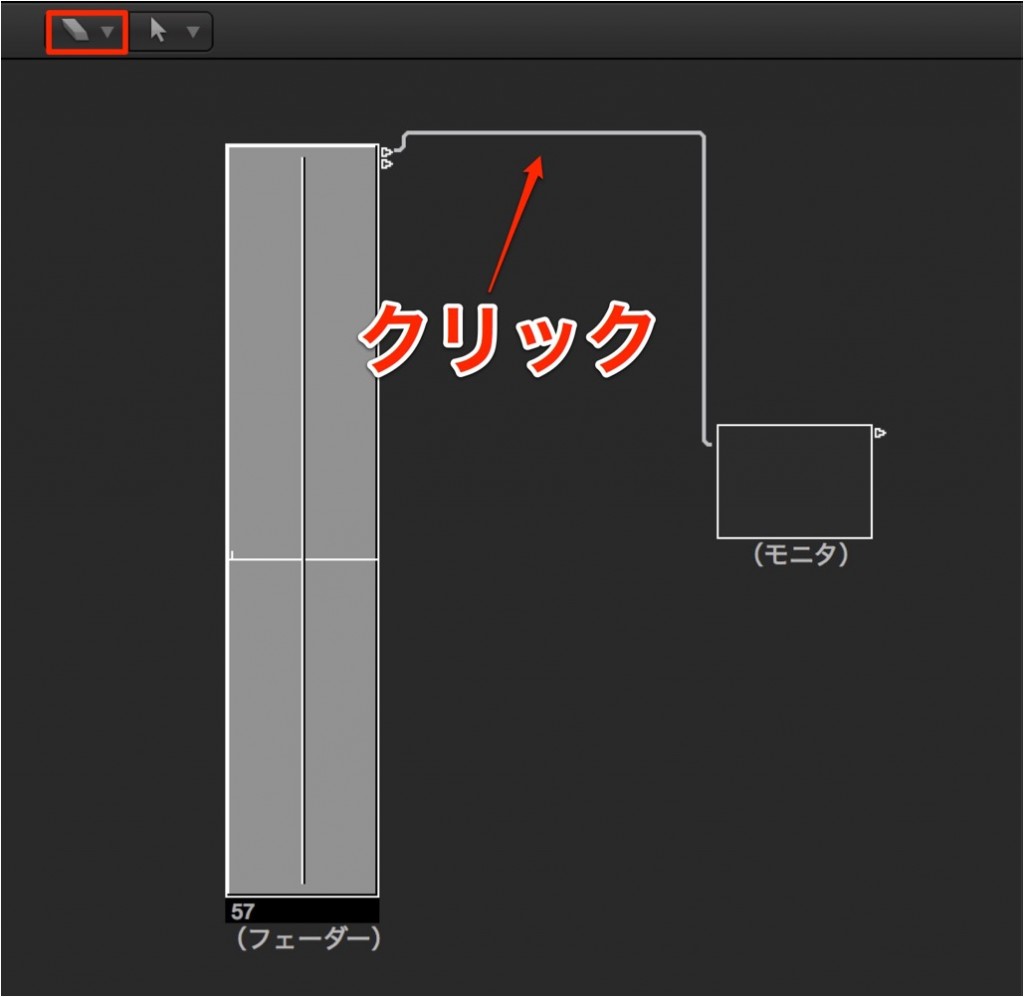
By selecting the Eraser tool from the tools,
you can delete cable connections.
Creating faders

You can add one from "New" → "Fader" in the "Environment window".

You can also control effects and more from faders!
- Logic X
- Logic 8/9

Frequently Asked Questions
Q1. How do I create a fader object in Logic Pro's Environment?
You can add one by selecting "New" → "Fader" from the Environment window. Combining multiple faders allows you to control a variety of parameters.
Q2. How can I change the size of a fader object?
Drag the right edge of the fader object with the mouse to freely enlarge or shrink it.
Q3. How do I delete unwanted cables when wiring in the Environment?
Select the Eraser tool from the Tool menu and click the cable you want to delete to remove the connection.
NEW ARTICLES
Latest English Articles











