
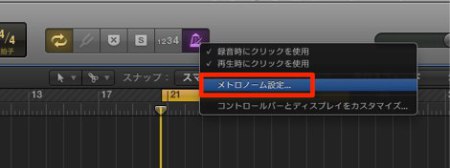
Customizing the click in Logic Pro can greatly improve the quality of your performances in DTM production. This article explains in detail how to set up the click in both Logic X and Logic 8/9. From setting when the metronome sounds to adjusting its pitch, volume, and even the length of the click sound, you can build the ideal rhythm guide for your playing style. Fine-tuning these settings improves your accuracy during real-time recording, helping you record higher-quality vocals, guitar, and MIDI performances.
Improve the Quality of Your Performances
Real-time recording is something you do constantly in music production,
from vocals and guitar to playing a MIDI keyboard.
The "click" is what you use as a rhythm guide while performing.
As it is a rhythm guide,
its settings change how easy it is to play and the performance itself.
We recommend setting up the click so you can record even better performances.
- Logic X
- Logic 8/9
How to Customize the Click in Logic X
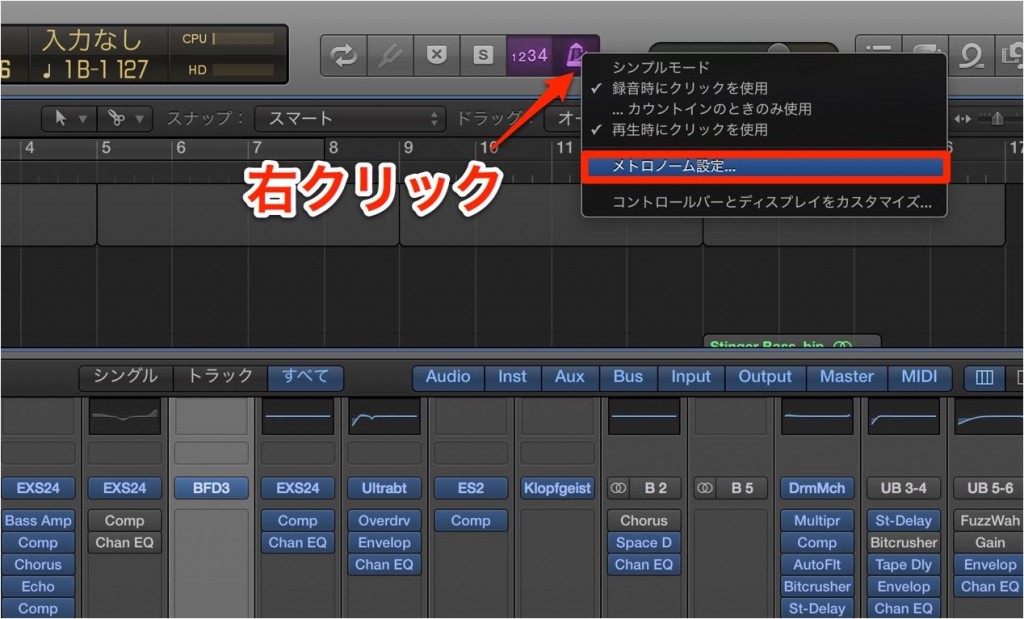
Right-click the metronome icon outlined in red and select "Metronome Settings."
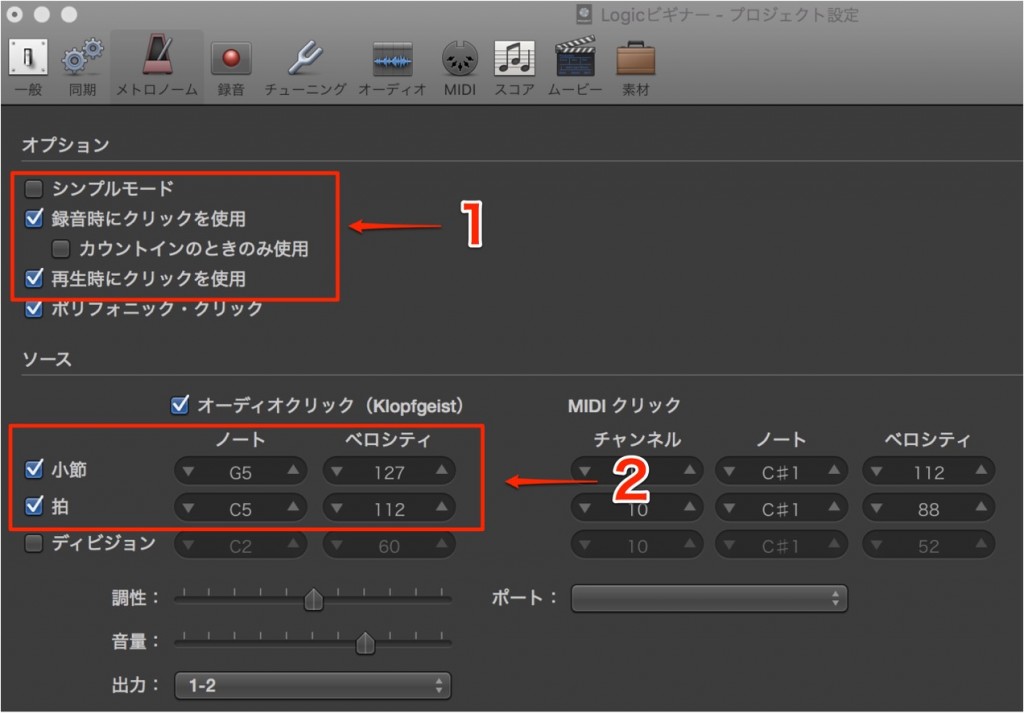
- 1_Set when the metronome sounds
- 2_Adjust the pitch and volume of the click.
"Bar" is beat 1, and "Beat" is beats 2, 3, and 4.
Try various combinations to create the sound you like.
How to Customize the Click in Logic 8/9

↑ In the Mixer window, click the area of the click track outlined in red.
*If the click track is not shown,

↑ click "All" at the upper right of the Mixer.

↑ You can choose the sound from the area outlined in red in the window.

↑ You can also adjust the click sound in detail.
- 1_Adjust the pitch of the click.
"Tune" is the coarse pitch, and "Detune" is the fine pitch in cents - 2_Adjust the length of the click sound
- 3_Adjust the volume of the click sound
Try various combinations to create the sound you like.
- Logic X
- Logic 8/9

Frequently asked questions
Q1. Do I only need the click in Logic Pro when recording MIDI?
No. In all real-time recording, including audio recording of vocals and guitar and playing a MIDI keyboard, the click is an important rhythm guide. It directly affects how easy it is to play, so we recommend always using it.
Q2. Is the click setup different in Logic X and Logic 8/9?
Yes, the operation differs. In Logic X, you right-click the metronome icon and use Metronome Settings, while in Logic 8/9 you set it from the click track in the Mixer window. You need to follow the correct steps for your version.
Q3. On what basis should I customize the click sound?
It is important to experiment to suit your playing style. Try various combinations of pitch, volume, length, and so on to find the click sound that is easiest to play to and fits the music.
NEW ARTICLES
Latest English Articles











