
After finishing a song in Logic Pro, an efficient backup is a must. This article explains how to slim down a session by deleting the rejected takes and audio files that pile up in it, then package the project and its audio files into a single folder. By selecting and deleting unused items in the Media panel and checking "Include Assets" when using "Save a Copy," you can manage scattered files in one place and prevent data loss from computer trouble or mistakes. Once you have confirmed that the backup actually opens, you can safely delete the original data.
Backing Up a Song Created in Logic
Once you have finished a song, something you should always do is back it up.
Store your data in case of computer trouble or mistakes.
Most of a song's file size is taken up by
audio files such as vocals and guitar.
Logic keeps not only the files used in the song but also every rejected take.
Here is an efficient backup method that removes these unused takes
and saves the session in a clean state.
- Logic X
- Logic 8/9
Organizing Audio Files
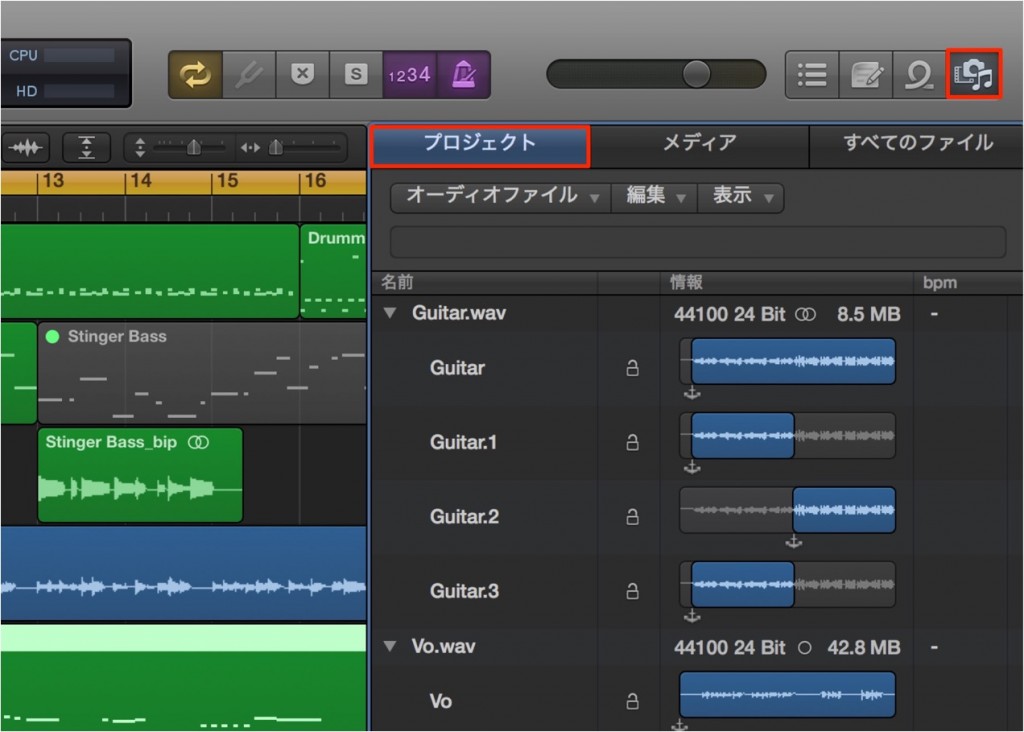
Click the "Media" button on the right side of the Arrange window
and select the "Project" tab.
Every take is stored there, including rejected takes as well as the takes used in the song.
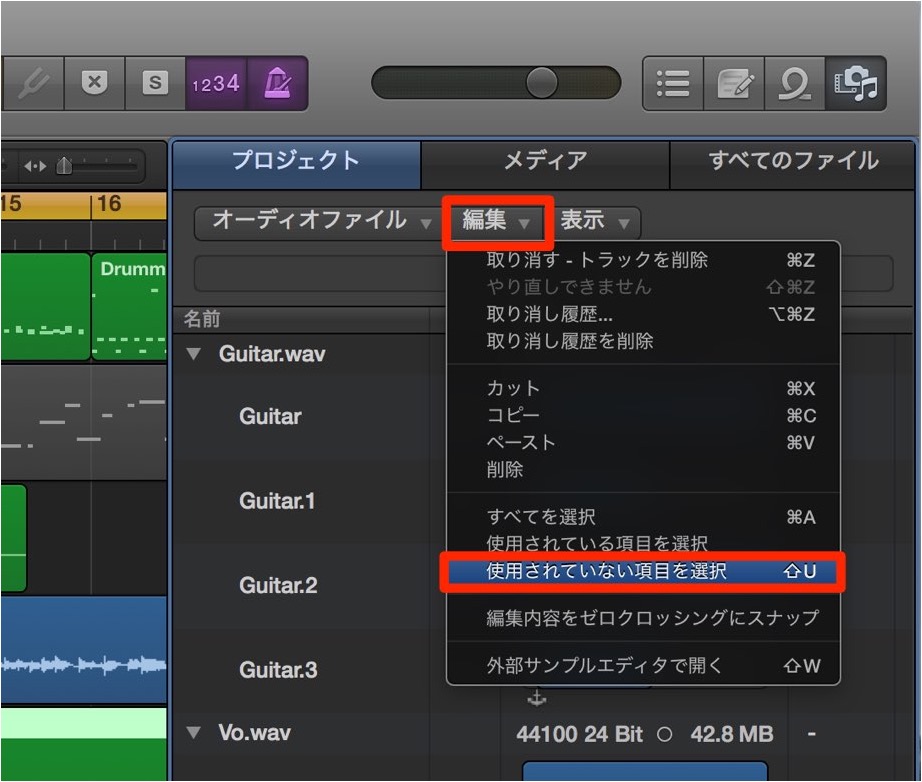
Choose "Edit" → "Select Unused."
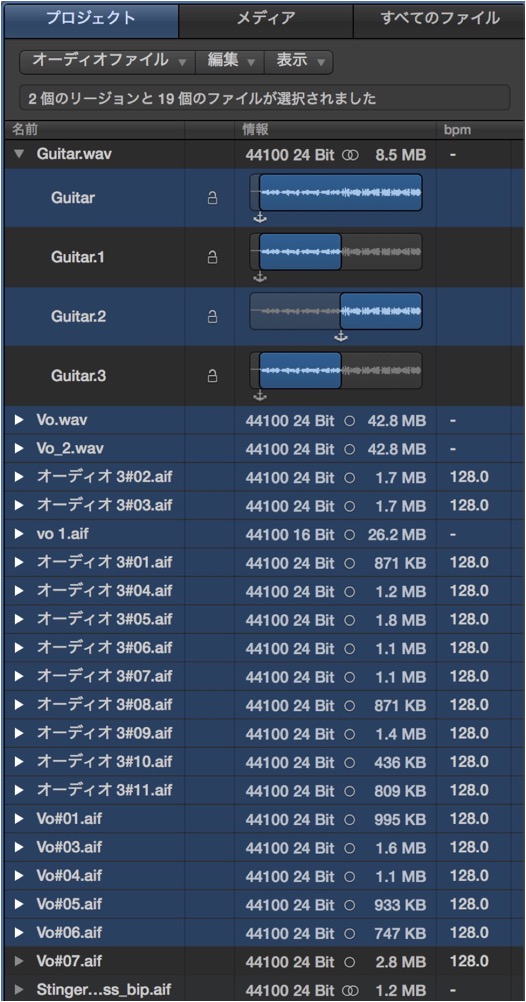
Items that are stored but not used in the session are selected like this.
Press the Delete key on your keyboard.
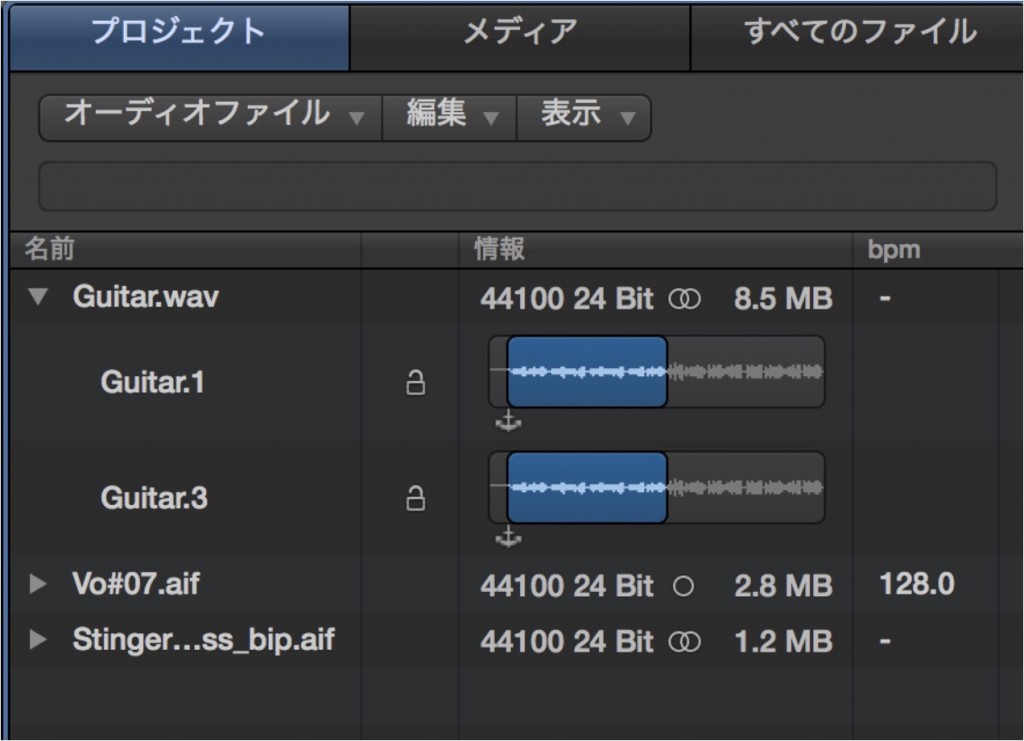
This leaves only the items you need.
Saving the Song
Even if the project and audio files are scattered in different locations,
you can package them into a single folder.
From the Logic top menu, choose "File" → "Save a Copy As."
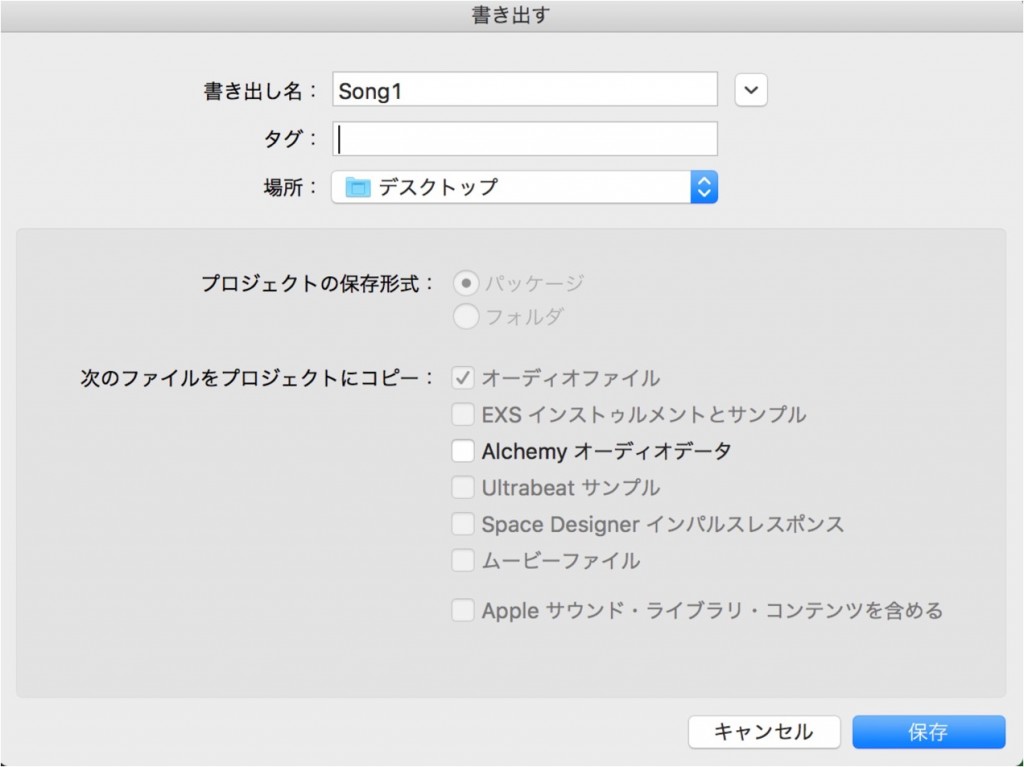
A dialog like this opens.
Check the name and location, then press "Save."

A session containing only the necessary data has been created in the specified location.
Actually open the file and make sure it opens correctly.
If there are no problems, back up this file.
You can then delete the original song data without any problem.
Organizing Audio Files

↑ From the "Media" button on the right side of the Logic Arrange window, select the "Bin" tab.
Every take is stored there, including rejected takes as well as the takes used in the song.

↑ Choose "Edit" → "Select Unused."

↑ Items that are stored but not used in the session are selected like this.
Press the Delete key on your keyboard.

↑ This leaves only the items you need.
Saving the Song
Even if the project and audio files are scattered in different locations,
you can package them into a single folder.

↑ From the Logic top menu, choose "File" → "Save a Copy As."

↑ A dialog like this opens.
1_Choose the name and location.
2_Check "Include Assets."
After checking the above, press "Save."

↑ A session containing only the necessary data has been created in the specified location.
Actually open the file and make sure it opens correctly.
If there are no problems, back up this file.
You can then delete the original song data without any problem.
- Logic X
- Logic 8/9

Frequently asked questions
Q1. Why do Logic Pro sessions become heavy?
Rejected takes and audio files created during production accumulate in the session. Deleting unused items from the Media panel can greatly reduce the file size.
Q2. What is the difference between "Save a Copy As" and "Save As"?
With the "Include Assets" option, "Save a Copy As" packages all the audio files in use into a single folder. "Save As" saves only the project file, so the audio files may remain scattered in other locations.
Q3. Is it OK to delete the original song data after backing up?
Yes. However, make sure the copied session opens reliably before deleting the original data, because troubleshooting becomes difficult if it does not open.
NEW ARTICLES
Latest English Articles











