
In music production with FL Studio, a technique called "choke" solves the overlapping sounds that occur when you build a rhythm by repeating notes rapidly. With choke set, the previous sound is cut automatically every time a new sound is triggered, giving you a crisp, rhythmic sound. The setup is very simple: just right-click the target channel and select "Cut itself". It is a basic technique used frequently in EDM production and elsewhere.
Control how each sample is triggered to suit its purpose
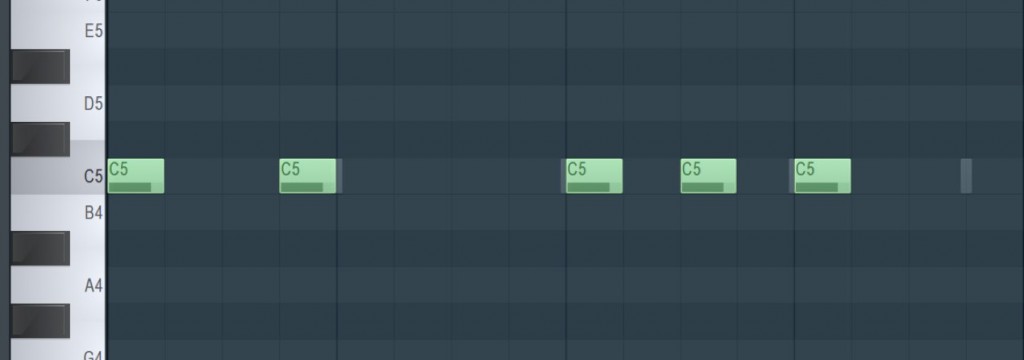
A technique often used in EDM production is building a rhythm by repeating notes rapidly.
To add rhythm to a rap sample, we programmed notes like those in the image above.
Let's check the sound.
As you can hear, the sounds overlap every time a note is triggered.
To avoid this, cutting the sound off crisply is called "choke".
Below is the sound with choke set.
Now let's look at how to set up choke in FL Studio.
Setting up choke
The setup is very simple.
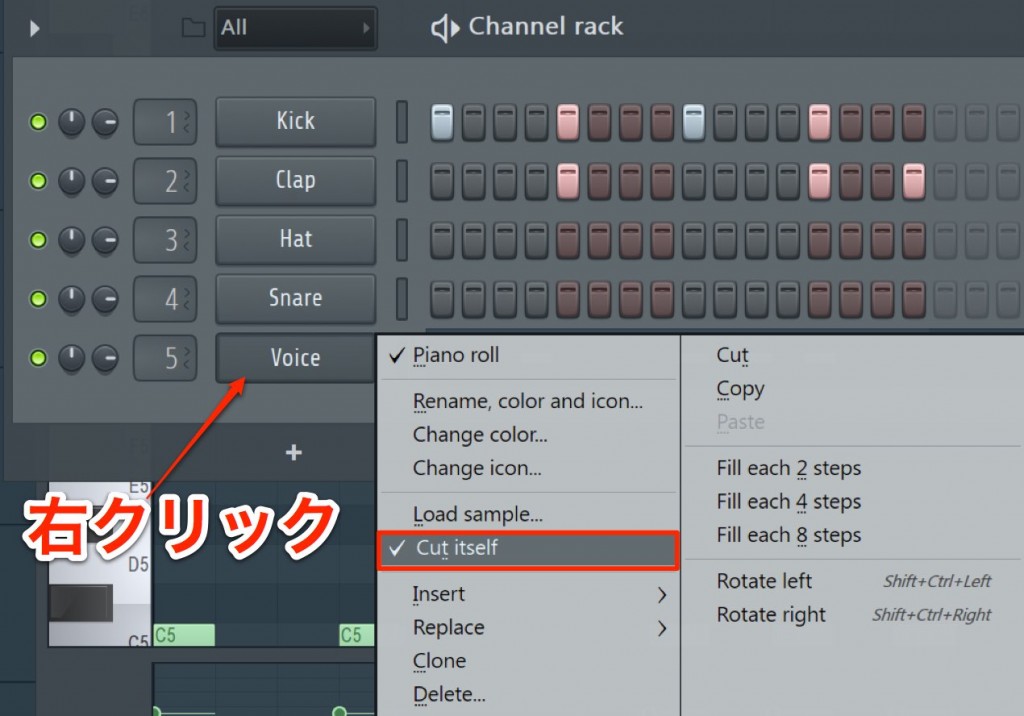
Just right-click the target channel and select "Cut itself".
The sound of a channel with this setting is always choked by each new sound.
This is a setting you will use often, so be sure to remember it.

Frequently Asked Questions
Q1. What exactly is choke (Cut itself) in FL Studio?
Choke is a function that automatically stops the previous sound when a new note is triggered. It prevents sounds from overlapping when notes are repeated rapidly, so you can create a clear, crisp rhythm.
Q2. How do I set up choke?
Just right-click the target channel and select "Cut itself" from the menu. With this setting, the sound of that channel is always choked by each new sound.
Q3. In which genres is choke especially useful?
It is used especially often in EDM and dance music. It is a handy technique wherever a rhythmic effect is needed, such as adding rhythm to rap samples or programming hi-hats and drum patterns.
NEW ARTICLES
Latest English Articles











