
As an application of send/return in FL Studio, understanding the difference between pre-fader and post-fader is essential for more refined sound design. With the default post-fader, the amount of effect changes depending on the fader value, but using Fruity Send makes pre-fader sending possible. This lets you feed a fixed amount of reverb or delay to a send track independently of the fader, enabling highly flexible effect processing on tracks such as vocals and drums.
Choose between pre and post for more flexible sound design
In the previous section, we explained send/return, which shares effects such as reverb and delay.
When you set up send/return this way,
the amount of reverb changes depending on the fader volume.
Because the sound is taken after it passes through the fader, this is called "post-fader".
However, in some cases you may want to send a fixed level
to the effect track regardless of the fader value.
Because this is taken before the fader, it is called "pre-fader".
Pre/Post explained
In many DAWs, including FL Studio, the default is post-fader,
which depends on the fader value.
Here we explain how to send pre-fader.
Using Fruity Send

In FL Studio, pre-fader sending can be achieved by loading
"Fruity Send" on the track you want to apply the send effect to.
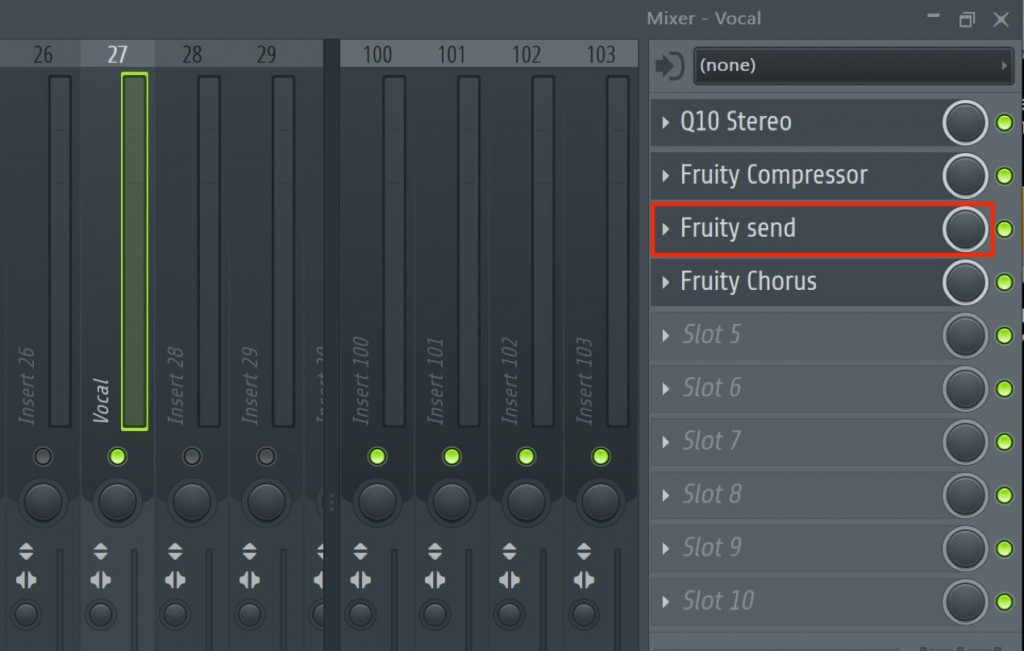
The key point is that the sound is sent at the position where "Fruity Send" is loaded.
In the image, the sound with the equalizer and compressor applied is sent to the effect track,
and the chorus below it is applied only to the original sound.
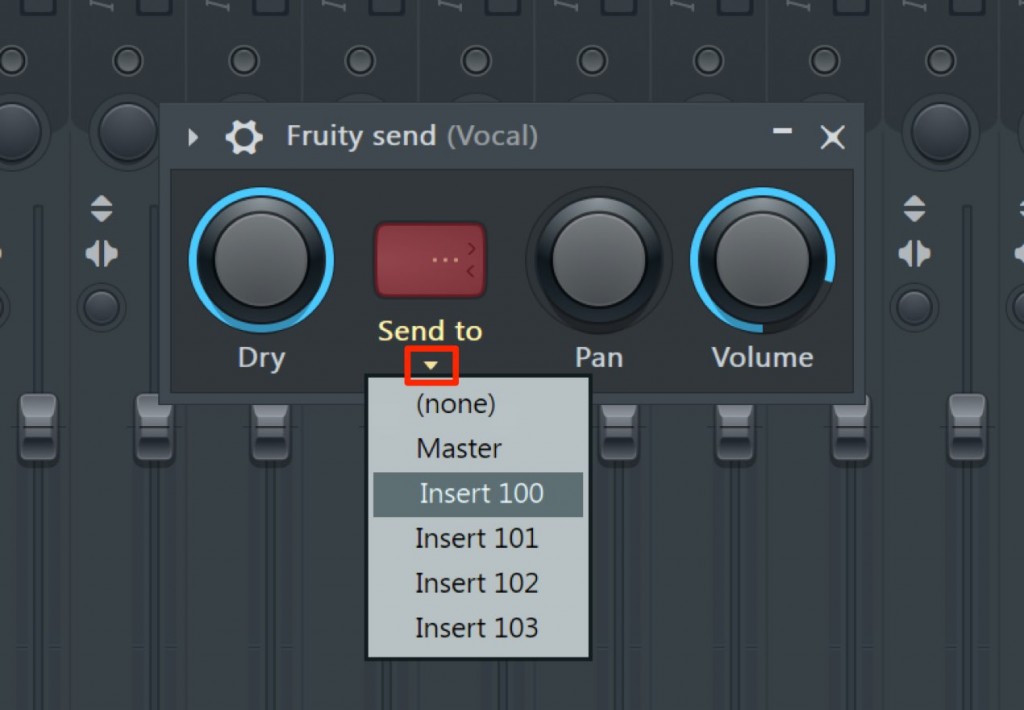
It is very simple to use.
Click the area outlined in red and specify the send track.
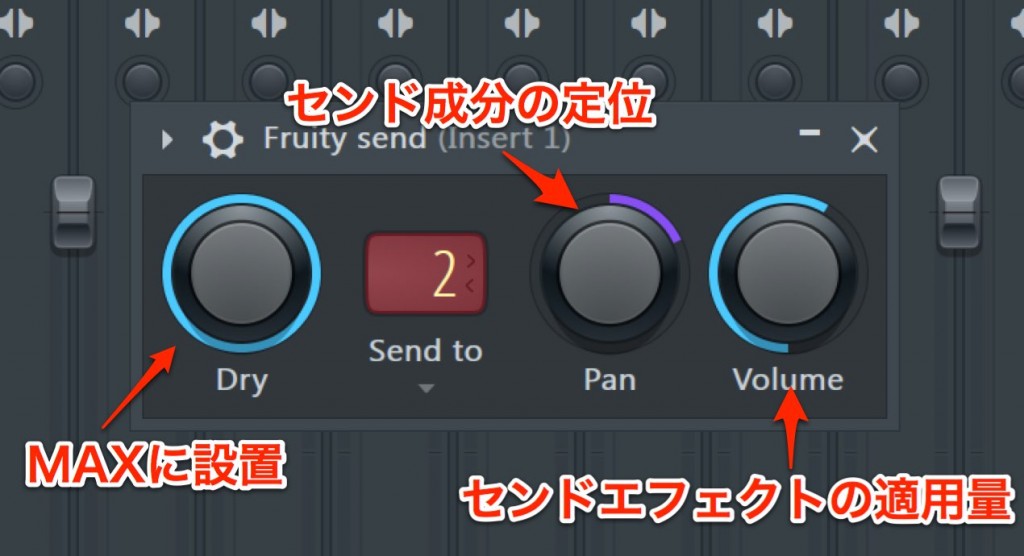
- 1_Dry controls the volume of the original sound. Set it to MAX if you want it to pass through unchanged.
- 2_You can set the pan of the send signal. For example, you can move only the reverb to the right.
- 3_The higher you raise the Volume knob, the stronger the send effect. Adjust it while listening.
This is a very handy plug-in, so please give it a try.

Frequently Asked Questions
Q1. How should I choose between pre-fader and post-fader in FL Studio?
Post-fader is useful when you want the amount of effect to follow volume adjustments. Pre-fader, on the other hand, keeps the reverb unchanged even when you lower the volume with the fader during vocal mastering, so the mix balance is easier to maintain.
Q2. What happens if I set Fruity Send's "Dry" to maximum?
Setting Dry to maximum (MAX) lets the original sound pass through unchanged before it is sent to the effect track. This is a useful setting when you only want to adjust the send signal.
Q3. Can I send multiple effects pre-fader at the same time?
Yes. By inserting several Fruity Sends on the same track and specifying a different send track for each, you can control reverb, delay, chorus and so on independently.
NEW ARTICLES
Latest English Articles











