
When producing music by combining multiple DAWs such as FL Studio and Cubase, you can bring together the strengths of both by using the ReWire standard. This article explains the ReWire setup procedure in detail and shows how to use FL Studio's rich instruments while working mainly in Cubase. You'll gain practical knowledge from setting MIDI track outputs to actual programming, and learn techniques for using multiple sounds and points to note when saving, letting everyone from DAW beginners to intermediate users greatly expand their production.
Using FL Studio as an Instrument for Another DAW

ReWire is a standard that lets different music software work together.
You can use each program's sounds in another DAW,
and playback timing is automatically synchronized, greatly expanding how you can use your software.
FL Studio supports ReWire.
You can use it as a subsystem of the DAW you mainly use now,
so you can combine the strengths of both.
Here, we explain how to set up Cubase to use FL Studio's instruments.
How to Set Up ReWire

First, launch Cubase (your DAW).
Keep FL Studio closed at this stage.
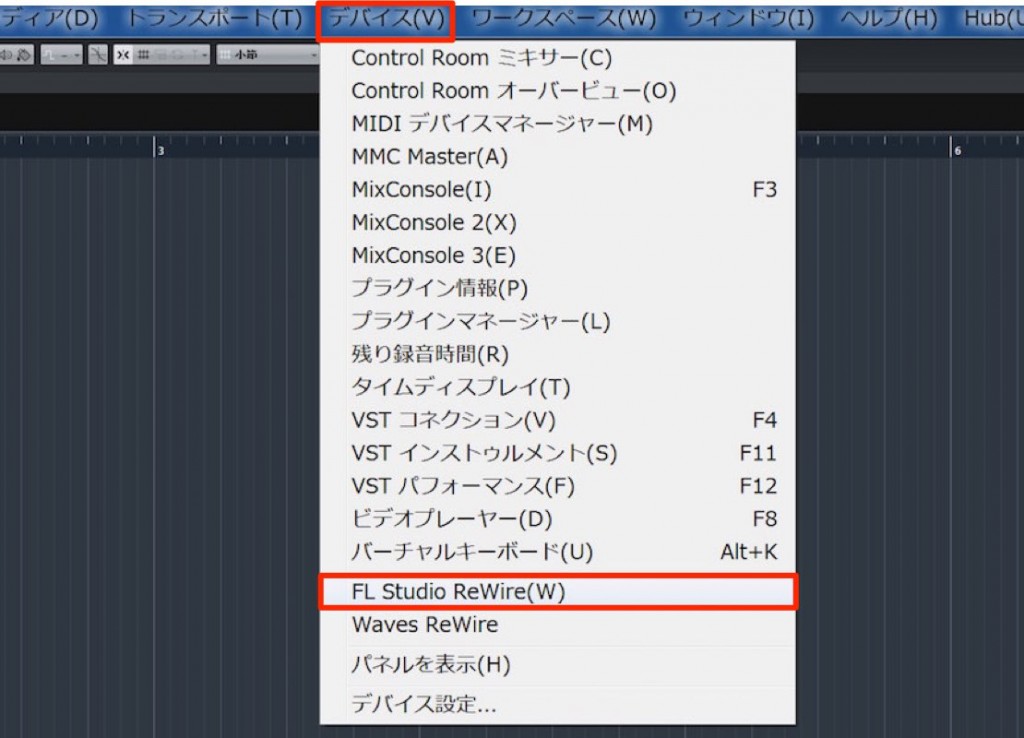
Select "Devices" > "FL Studio ReWire" from the top menu.

In the window, enable as many outputs as you need (here, all outputs),
and launch FL Studio at this stage.

Load the sounds you want to use in FL Studio.
In this state, if you program in FL Studio, the sound is output directly to Cubase.
When you play back Cubase, FL Studio follows its playback.
You can also send MIDI from Cubase, so here's how.
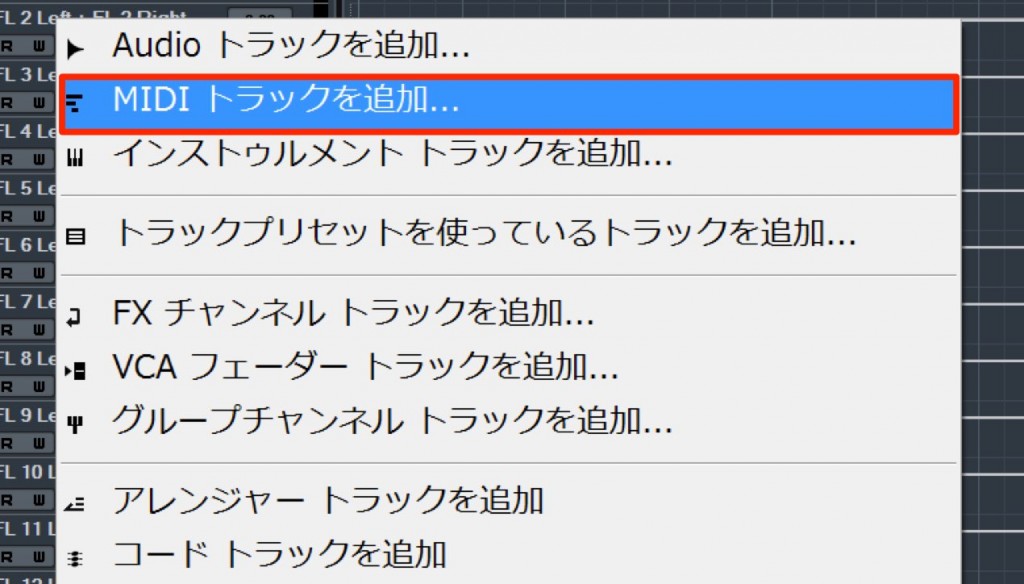
Create a MIDI track in Cubase.

If you check the MIDI track's output, the names of the channels loaded in FL Studio are displayed.
Select the sound you want to use.
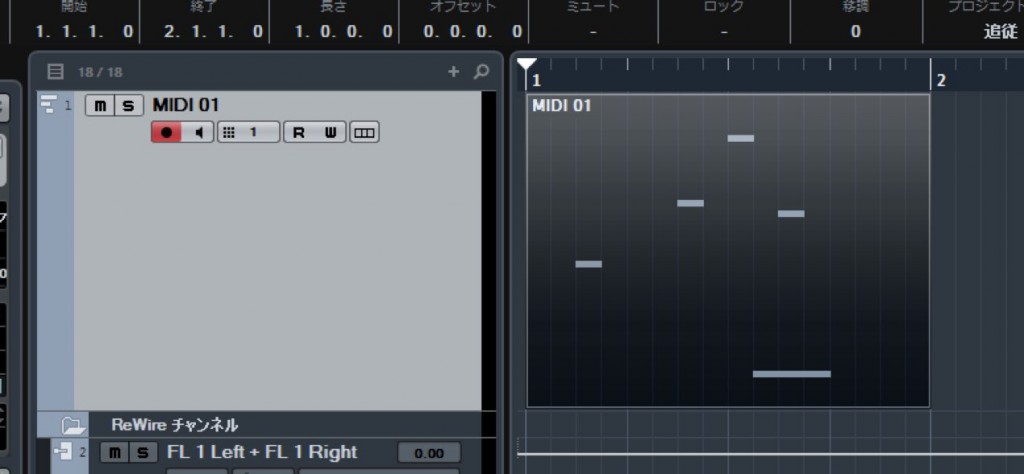
Then just program in Cubase as usual.
FL Studio's instrument plays according to what you programmed.
If you want to program a different sound,
add a MIDI track in the same way as above and assign its MIDI output to the sound you want.
Points to Note
The state of FL Studio's sounds and so on is not saved in the Cubase file.
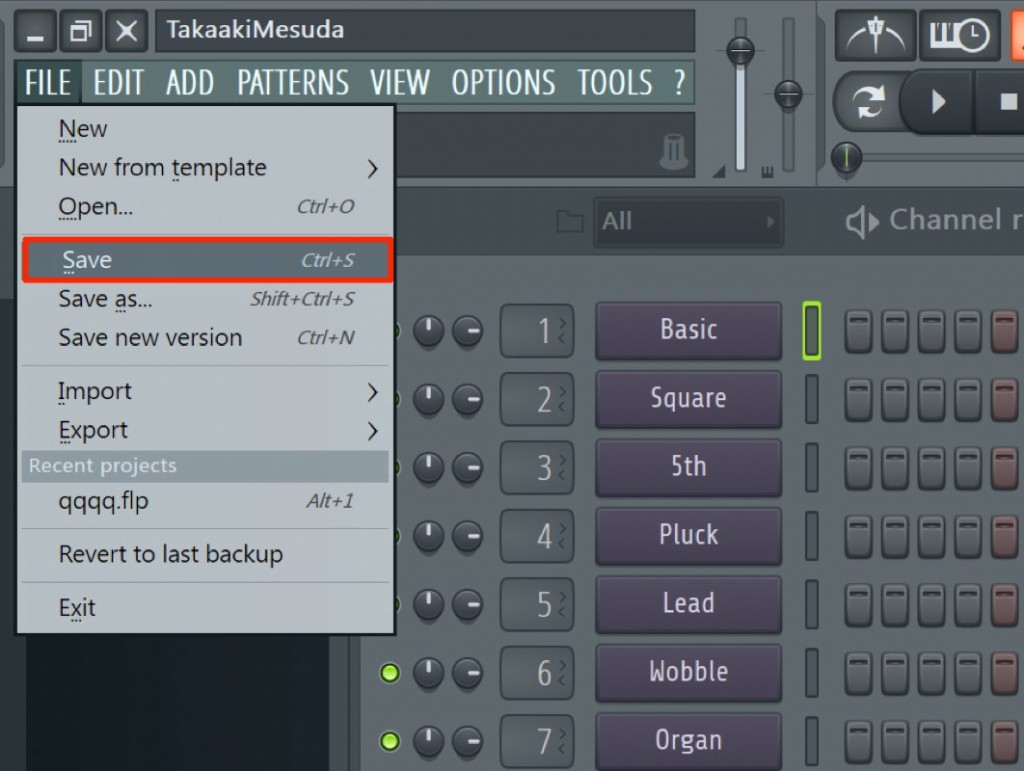
Make sure not to forget to save the FL Studio project as well,
and when you open the Cubase song, also open the FL Studio project that specifies the sounds.

Frequently Asked Questions
Q1. What is ReWire?
ReWire is a standard for linking different music production software (DAWs). You can use each program's instruments with the other and automatically synchronize playback timing, enabling production that combines the strengths of multiple DAWs.
Q2. When using FL Studio and Cubase together, which should I launch first?
It's important to launch Cubase first, select FL Studio ReWire from the Devices menu, and then launch FL Studio. They won't link correctly unless you follow this order.
Q3. Do I need to save the FL Studio project when using ReWire?
Yes, be sure to save it. The state of FL Studio's sounds is not saved in the Cubase file, so when opening the Cubase song, you need to launch the corresponding FL Studio project at the same time.
Q4. Can I use multiple different FL Studio instruments from Cubase?
Yes. By creating multiple MIDI tracks and assigning each track's output to a different FL Studio sound, you can use multiple instruments at the same time.
NEW ARTICLES
Latest English Articles











