
When mixing in Cubase, switching the pan mode greatly increases your freedom to control the stereo image. The default stereo balance panner controls position by linking the volumes of L and R, but switching to the Stereo Dual Panner lets you control the L and R channels independently. This enables finer mixing, such as swapping the left and right channels, collapsing to mono, and subtle adjustments to the stereo image, helping you create songs with a sense of depth.
Controlling the Stereo Image with Pan
An important part of mixing is the pan setting.
Using pan, you can organize frequency ranges and instruments and create a sense of space.
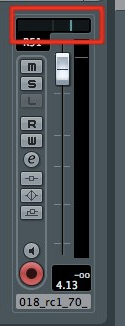
↑ Cubase's default pan mode looks like this,
and it controls position by linking the volumes of L and R.
This mode is very easy to use, but it often has limitations.
Here, we introduce how to change this pan mode.
*This pan mode applies only to stereo tracks.
Pan Mode Video
The explanation starts at 7:50.
*This uses Cubase 7, but the settings are basically the same.
Switching the Pan Mode in Cubase
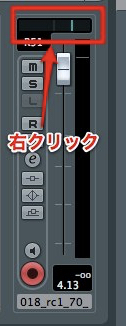
↑ Right-click the pan section outlined in red
and select "Stereo Dual Panner."
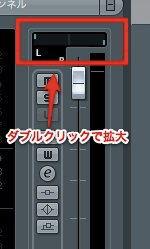
↑ The pan mode switches,
and you can now control L and R independently.
Double-click to enlarge the pan section.
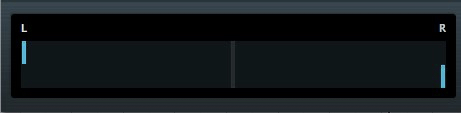
↑ This is the Stereo Dual Panner in its default position.
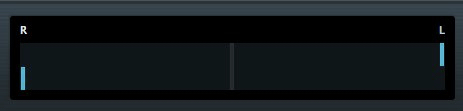
↑ You can swap L and R,
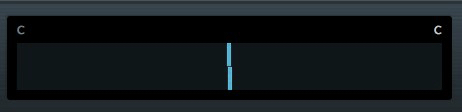
↑ or place both L and R in the center to make it mono.
All of this is possible.
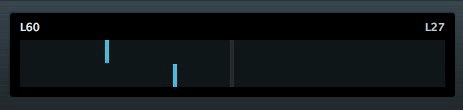
↑ You can also make subtle placement and stereo image adjustments like this.
Frequently asked questions
Q1. How do I switch the pan mode in Cubase?
Right-click the pan control and select "Stereo Dual Panner." This switches from linked L/R control to independent control, so you can freely control each channel.
Q2. Does switching the pan mode work on every track?
No. This pan mode change applies only to stereo tracks. Note that it does not apply to mono tracks.
Q3. What can I do with the Stereo Dual Panner?
It allows more flexible positioning, such as controlling the L and R channels independently, swapping the left and right channels, collapsing to mono by placing both channels in the center, and making subtle adjustments to the stereo image.
NEW ARTICLES
Latest English Articles











