
Cubase's nudge function lets you move audio events and MIDI notes quickly and precisely by a preset amount. It is far more efficient than moving regions by hand and is useful for many DTM tasks, such as fine-tuning the timing of recorded takes and extracting vocals from existing songs. It is easy to operate with keyboard shortcuts on Mac and Windows, and setting the move amount freely in the quantize menu enables more precise editing.
Move Events Quickly and Precisely
"Nudge" is a function that moves events earlier or later by a preset amount.
Compared with moving regions by hand,
you can move them quickly and precisely, which improves your efficiency.
It is also used to optimize recorded takes by shifting their timing slightly.
The video below also uses nudge for fine adjustment.
Nudge_Extracting the Vocals from an Existing Song
How to Set Up Nudge in Cubase
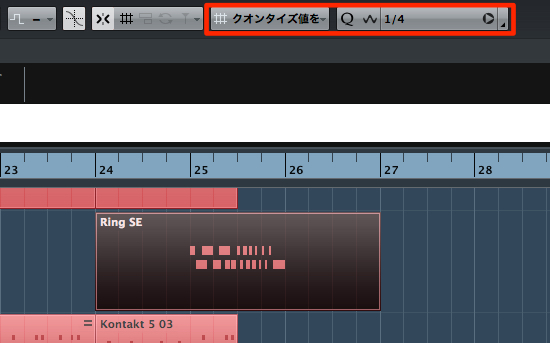
↑ From the quantize menu outlined in red,
set how far one nudge moves. Here, we chose a quarter note.
Using Nudge
It is very easy to use.
Select the event you want to nudge, then press
Mac: Command + left/right arrow
Windows: Control + left/right arrow
Of course, it moves by the amount you set above.
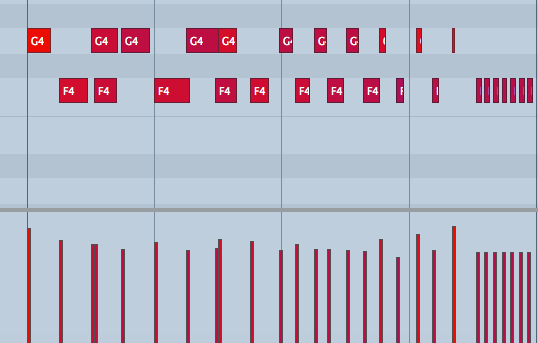
↑ Nudge can be applied not only to events
but also to MIDI notes inside an event.
Using them together is very handy.
Frequently asked questions
Q1. Can Cubase's nudge be used on MIDI notes?
Yes, nudge can be applied not only to audio events but also to notes inside MIDI parts. Using it on both events and MIDI notes lets you do more complex editing efficiently.
Q2. How do I set the nudge amount?
Set how far one nudge moves from the quantize menu. You can choose freely to suit your project, such as quarter notes or eighth notes.
Q3. What is the keyboard shortcut for nudging on Windows?
On Windows, nudge with Control + left/right arrow. The left arrow moves the event earlier and the right arrow moves it later.
NEW ARTICLES
Latest English Articles











