
When you use a drum library in Cubase, the default drum map may not match the external library's note layout, so the sounds you hear can differ from what you expect. This article explains in detail how to customize a drum map so that it matches your drum library exactly. Just create a new map from the Inspector, then play each instrument's pitch (hi-hat, snare, and so on) to check it and enter it, and you will have a comfortable environment for programming drums. It is not complicated, so even beginners can do it easily.
Matching the Drum Map to an External Library
When you want even higher quality, the next step is to buy additional sound libraries.
A wide variety of add-on libraries is available today, including plenty of drum libraries.
However, the problem here is that the drum map and the sounds actually played may not match.
Be careful, because a snare may play even though you are triggering a hi-hat.
Here, we will explain how to customize a drum map to match the drum library you use.
Customizing the Drum Map
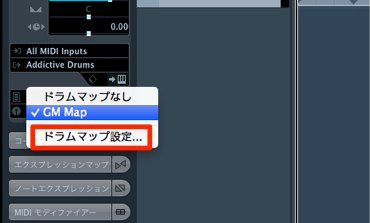
First, in the "Drum Map" section of the Inspector, select "Drum Map Setup."
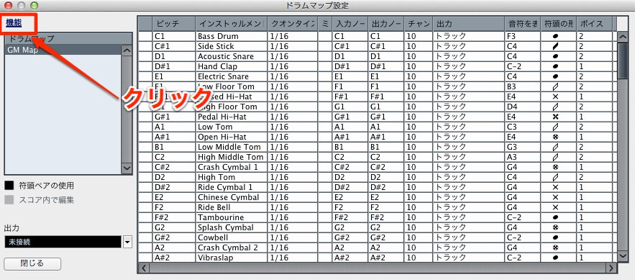
Click "Functions" (outlined in red) and select "New Map."
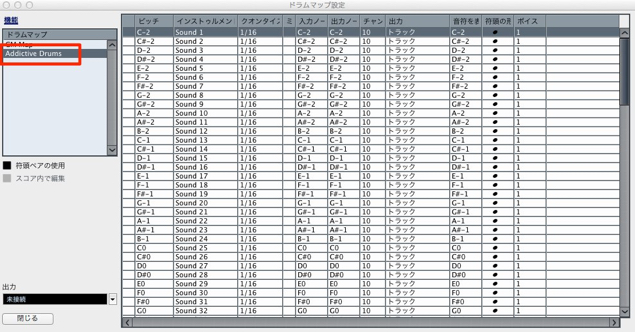
Give it any name you like and start working.
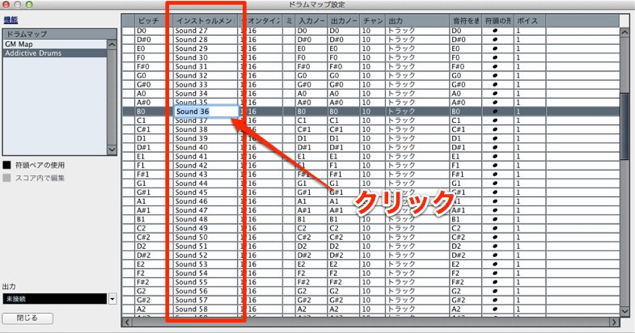
The work itself is very simple.
Click in the "Instrument" column to enter a name.
Play each pitch on the left to check the sound, and keep entering names one after another.
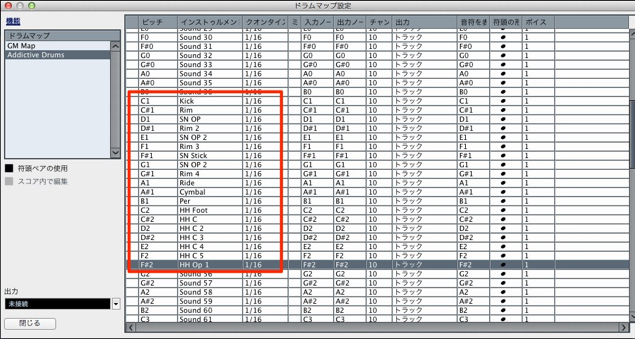
Once you have entered them,
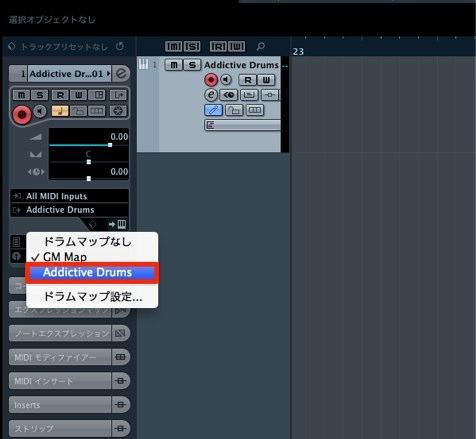
the drum map you set up is displayed.
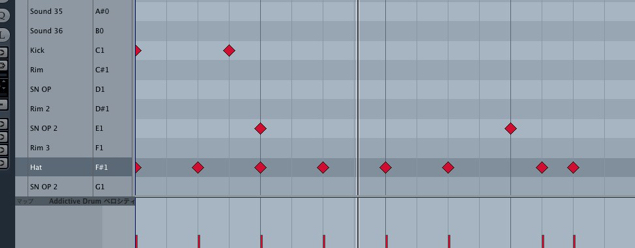
This makes programming drums much more comfortable.
Frequently asked questions
Q1. Why customize the drum map in Cubase?
When you buy an additional drum library, its note layout differs from the default drum map, which causes mismatches such as a snare sounding when you trigger a hi-hat. Customizing the map lets it match your library exactly.
Q2. Where do I start creating a new drum map?
In the Drum Map section of the Inspector, select "Drum Map Setup," then choose "New Map" from the Functions menu. Give it any name you like, and you can start working.
Q3. Do I need any special skills to customize a drum map?
No. Just click the Instrument column to enter a name, and play each pitch on the left to check it as you enter them. Even beginners can customize a drum map easily.
NEW ARTICLES
Latest English Articles











