This DTM tutorial introduces the "technique of using sidechain on reverb," which comes up often in EDM production. In four steps, adding a return track, setting up the reverb, inserting a compressor, and setting up the sidechain, you can create reverb with movement on vocal and synth sounds. Because the reverb volume changes in sync with the timing of the original sound, you get a striking sound well suited to modern EDM and trance, and it is a professional technique that even beginners can easily apply.
An Innovative Technique That Gives Reverb Movement
EDM Recipe part 5 introduces a hugely effective technique that gives movement to the reverb on vocal and synth sounds.
This one is also easy to apply, so please try it in your own production.
A Technique for Moving Reverb
- 1STEP1 – Add a return track
- 2STEP2 – Add a reverb
- 3STEP3 – Add a compressor
- 4STEP4 – Set up the sidechain
First, let's check what the sound is like when you apply what we introduce here.
In this way, you get the kind of moving sound often heard in recent EDM.
Now let's go through the process of giving reverb movement step by step.
Add a Return Track
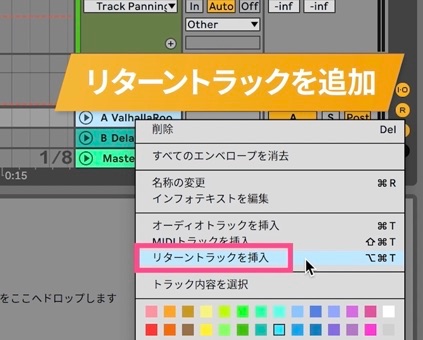
First, to separate the original sound from the reverb sound, add a [return track].
▶︎ Adding a return track
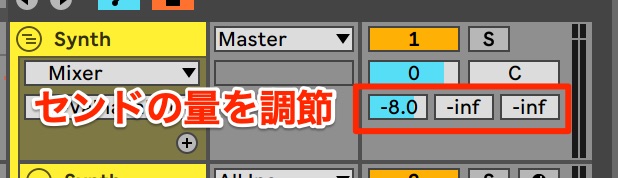
Next, adjust the [send] amount to send the sound to the return track.
Adjust the send amount until you can clearly hear the sound from the return track.
▶︎ Adjusting the send amount
Add a Reverb
Next, add a reverb to the return track.
For a reverb placed on a return track, always set Mix to 100%.
▶︎ Reverb Mix setting

The reverb used in the video is [Valhalla Room].
Of course, this can be applied with other reverbs too, so please try it with various reverbs!
▶︎ Valhalla Room
Add a Compressor
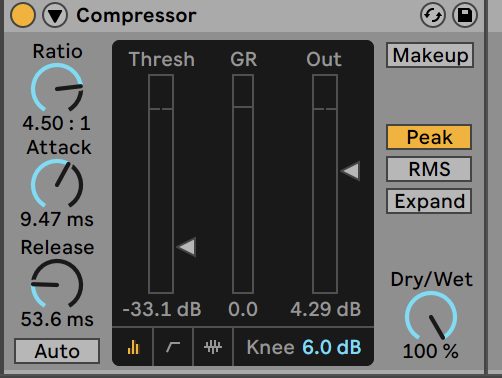
After the reverb, insert a [compressor] to add movement to the reverb.
▶︎ Compressor
Set Up the Sidechain
Next, switch the compressor's mode to [sidechain].
▶︎ Sidechain
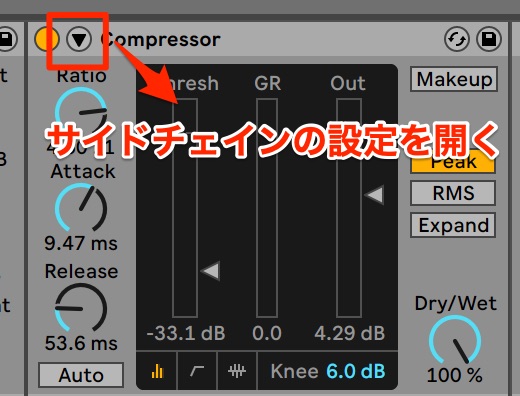
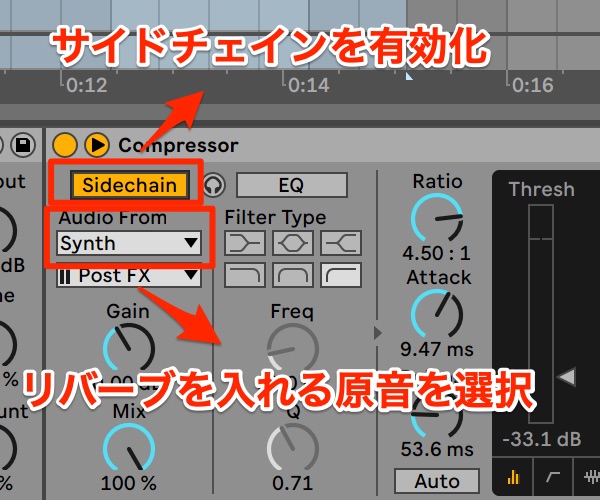
Here are the steps for setting up the sidechain.
- 1_Enable sidechain
- 2_Select the original sound's track as the input
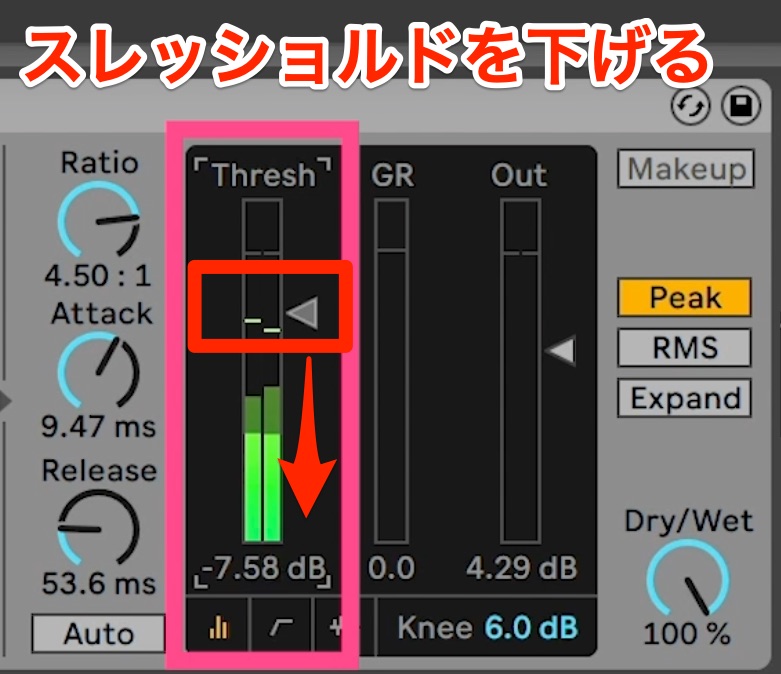
- 3_Lower the threshold
After switching to sidechain, set the input (Audio From) to [the track with the original sound] that you want to add reverb to.
▶︎ Sidechain input setting
Once set, lowering the [threshold] applies the sidechain.
Now, when the original sound comes in, the reverb volume changes with the timing of the original sound, creating a reverb sound with movement.
▶︎ Threshold
How did you find it?
It is well suited to making flashy synth and vocal sounds for EDM, trance and so on, and it has a wide range of uses.
Please try it in your own songs!
See you in the next recipe.
Frequently Asked Questions
Q1. What are the benefits of using sidechain on reverb?
The reverb volume changes automatically in time with the original sound, creating a dynamic sound with movement. It is especially effective in songs that use flashy synths and vocals, such as EDM and trance.
Q2. Can beginners apply this technique too?
Yes. It consists of four basic steps (add a return track → set up the reverb → insert a compressor → set up the sidechain) and is easy to apply. It can be done with only a DAW's basic features.
Q3. Can I use reverb plug-ins other than Valhalla Room?
Of course. In the article, Valhalla Room is just one example, and the same technique can be applied with other reverb plug-ins.
[DTM] EDM Recipe #5: Reverb & Sidechain Technique
This time, we introduce a technique that gives movement to the reverb on vocal and synth sounds. Please try it in your own production.Video: https://t.co/IMOkrRYFv2
Article: https://t.co/dWISaSfRDB#dtm #edm #composing pic.twitter.com/joubXNwwiu
— SLEEP FREAKS (@SLEEPFREAKS_DTM) May 6, 2023
NEW ARTICLES
Latest English Articles