
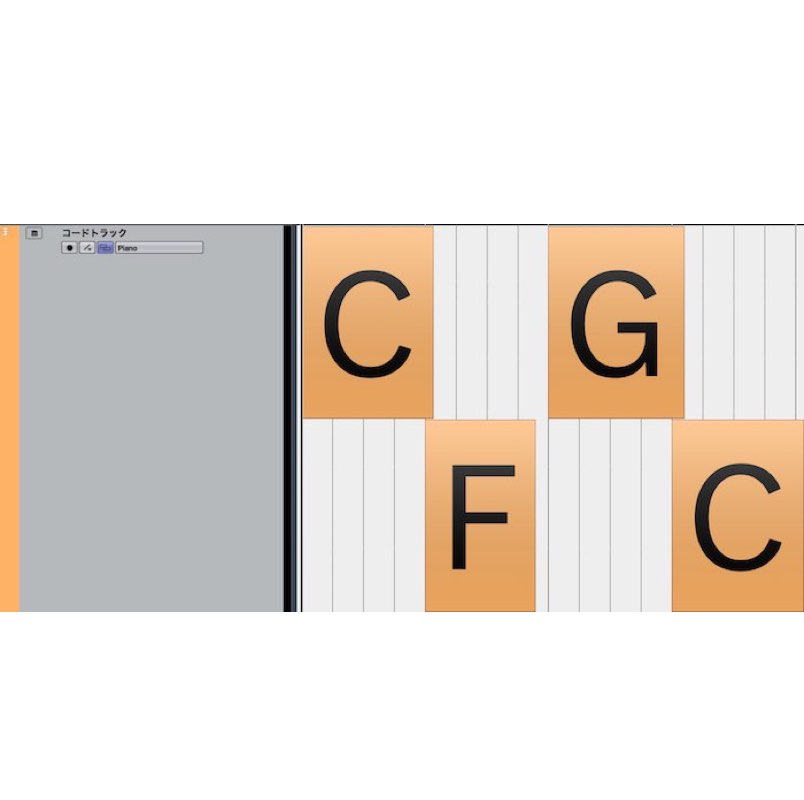
If software synths or rhythm instruments in Cubase start playing on their own unexpectedly, the Chord Track function is the likely cause. When the menu on the Chord Track is set to "Use Monitored Track," chords are played automatically on tracks that are record-enabled. You can fix this by explicitly specifying the instrument that plays the chords, or by muting the chord sound preview. In some cases, the software instrument itself has an auto-play function, and you will need to check the settings within that software.
The Event Contains No Notes, Yet Sound Plays
This time, the instrument loaded on a track plays automatically during playback...
We will explain how to solve this kind of trouble.
You haven't programmed any notes in the event, or a different phrase is programmed.
Yet mysterious pitches are sounding. If that is your situation, please check the following.
Check the Chord Track
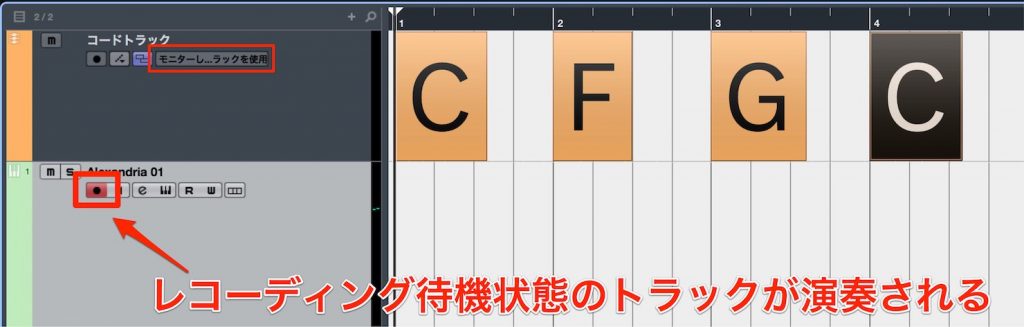
The Chord Track is one of Cubase's signature features.
In fact, this Chord Track can cause software instruments to play automatically.
When the menu on the Chord Track is set to "Use Monitored Track," chords are played on instrument tracks that are record-enabled.
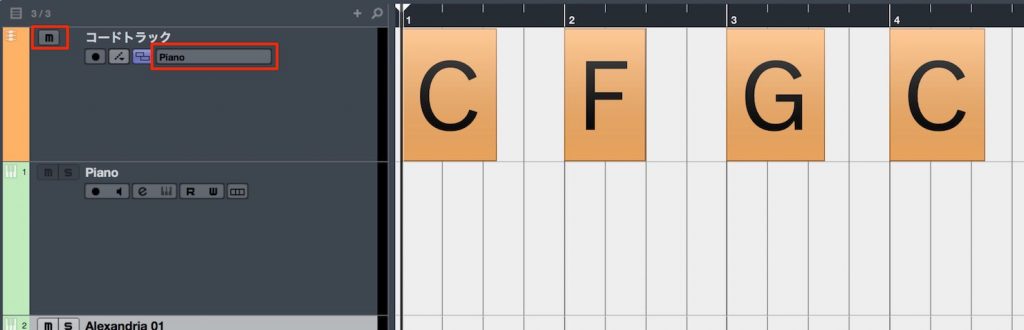
It's a good idea to specify the instrument that plays the chords from the menu, or to mute the chord sound preview.
If you hear chord sounds or mysterious performances when you play back Cubase, remember this point and fix it.
There Are Also Cases Like This
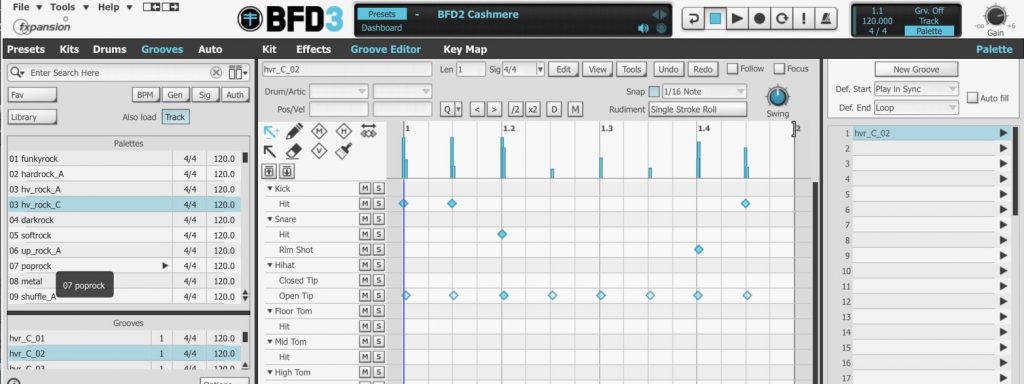
Some software instruments have instrument performances loaded within the software.
In this case, the automatic playback has nothing to do with Cubase. You need to go into the software instrument and stop the auto-play.
Frequently Asked Questions
Q1. Why does Cubase play sound even though I haven't programmed anything?
The Chord Track settings may be the cause. When the Chord Track is set to "Use Monitored Track," chords are played automatically on record-enabled tracks. Check the menu setting and change it if necessary.
Q2. How do I stop the Chord Track preview sound?
From the menu on the Chord Track, you can prevent unwanted automatic playback by explicitly specifying the instrument that plays the chords or by muting the chord sound preview.
Q3. Sound still plays even though there's nothing wrong with my Cubase settings. What should I do?
The software instrument you're using may have an auto-play function. You need to stop the auto-play in that software instrument's internal settings, not in Cubase.
NEW ARTICLES
Latest English Articles











