
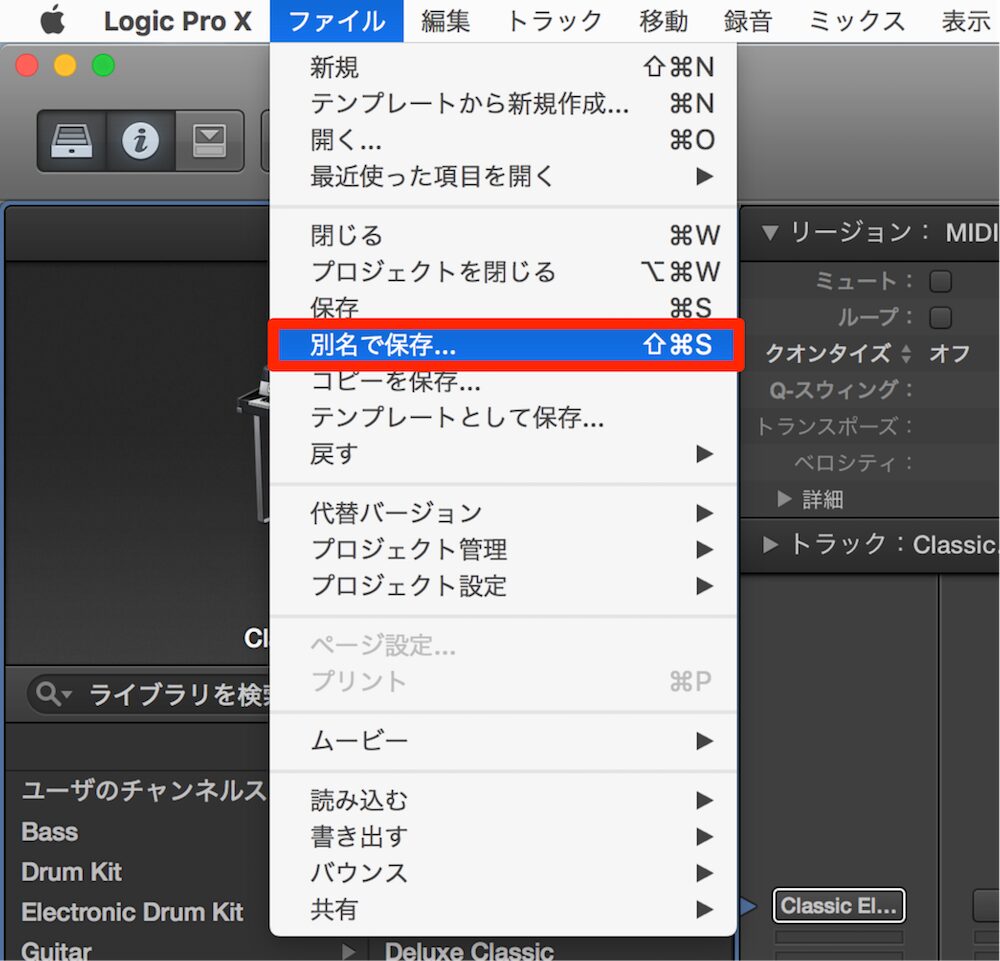
In DTM production, it is important to have a way back to earlier states of your work that undo alone cannot handle. This article explains how making "Save As" a habit lets you return to any stage of production at any time. Adopting a consistent naming rule such as "date_song title" and managing multiple versions reduces risk when trouble occurs and keeps production running efficiently. Combined with frequent saving during production (Ctrl+S/Command+S), it protects your song files from unexpected problems and data loss.
Peace of Mind Even When Undo Can't Help
When producing music, you often want to go back to an earlier state.
Undo lets you cancel operations and step back through your work,
but once you have closed a session, or after days have passed,
undo can no longer be used.

To prepare for this, get into the habit of saving your session
with "Save As" before you start working.
Naming Tips
A name like "date_song title" works well.
If you work on it several times in one day, differentiate them with names like "date_song title_take2."
Doing this lets you return the song to any state you like at any time
or check it, which is very convenient.
The Most Basic of Basics!! Save
While working, always save every time you do something.
- Mac: Command + S
- Windows: Control + S
Do not forget to save often.
Frequently asked questions
Q1. When does undo become unavailable?
Undo cannot be applied once you have closed a session or to work done several days ago. That is why managing versions with Save As is important.
Q2. What are the benefits of naming files "date_song title"?
You can see the production date at a glance and manage multiple versions of the same song in chronological order. It is very convenient for quickly returning to the state you need or reviewing past stages of production.
Q3. How often should I save?
The basic rule is to save every time you do something. Use Command+S on Mac and Control+S on Windows; saving often is key to preventing data loss.
Q4. How should I distinguish files when I work on a song several times in one day?
We recommend adding a number or version label, such as "date_song title_take2" or "date_song title_take3," to differentiate them and keep each stage of production saved.
NEW ARTICLES
Latest English Articles











