
When notes entered with the pencil tool in Logic Pro don't play a preview, the cause is that the "MIDI Out" function in the Piano Roll is disabled. Turning on MIDI Out enables real-time preview while entering notes, greatly improving efficiency. This simple setting change lets you check sounds instantly in your DAW for a stress-free production environment.
You can't hear notes entered with the pencil tool
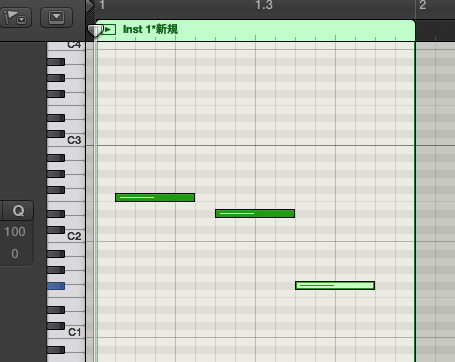
You can't preview MIDI notes entered with the "pencil tool."
Considering work efficiency, it's a painful symptom.
Here, we describe how to solve it.
Solution
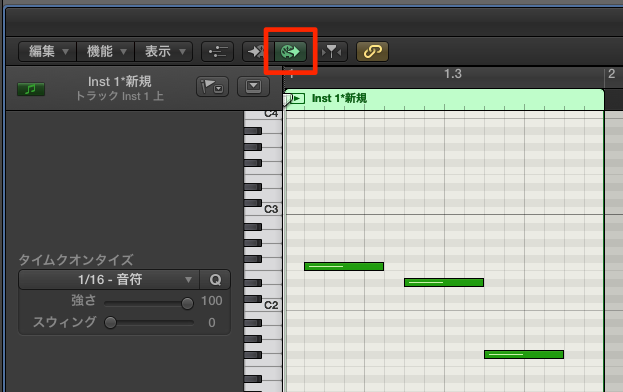
In the area outlined in red in the Piano Roll,
turn on "MIDI Out."
Now you can preview MIDI notes as you enter them.
Frequently asked questions
Q1. Why can't I hear MIDI notes when using the pencil tool in Logic?
The cause is that "MIDI Out" in the Piano Roll is disabled. Turning on MIDI Out outlined in red makes the sound preview work when entering notes.
Q2. Where is MIDI Out?
It's at the top or left of the Piano Roll, in the area outlined in red. Click it to light it up and enable it.
Q3. What should I do if there's still no MIDI sound after changing the setting?
Check your instrument selection and review your system settings. If that doesn't solve it, resetting the preference files may fix unexplained problems.
NEW ARTICLES
Latest English Articles











