
When recording in real time in Cubase, unintended MIDI CC information from your MIDI keyboard can sometimes be recorded. If CCs you don't use, such as aftertouch, get mixed in, later editing becomes tedious. This problem can be easily solved with the "MIDI Filter" function in Cubase's Preferences. Just check the parameters you want to exclude under "Record," and from the next recording onward that MIDI information will no longer be recorded, giving you a more efficient and comfortable production environment.
Unintended MIDI Information Gets Recorded
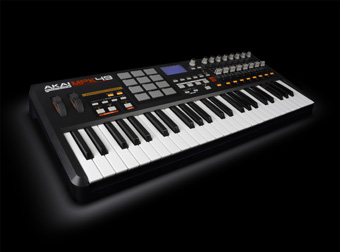
Making MIDI performances more expressive: "MIDI CC."
It lets you control all kinds of information, such as tone, volume, pan and reverb.
However, when recording in real time, unnecessary CCs may be sent from the MIDI keyboard and recorded.
A common example of this is "aftertouch".
It is a CC that applies a specified effect to the sound when you press further into a key after striking it.
It is especially valuable for expression during real-time performance.
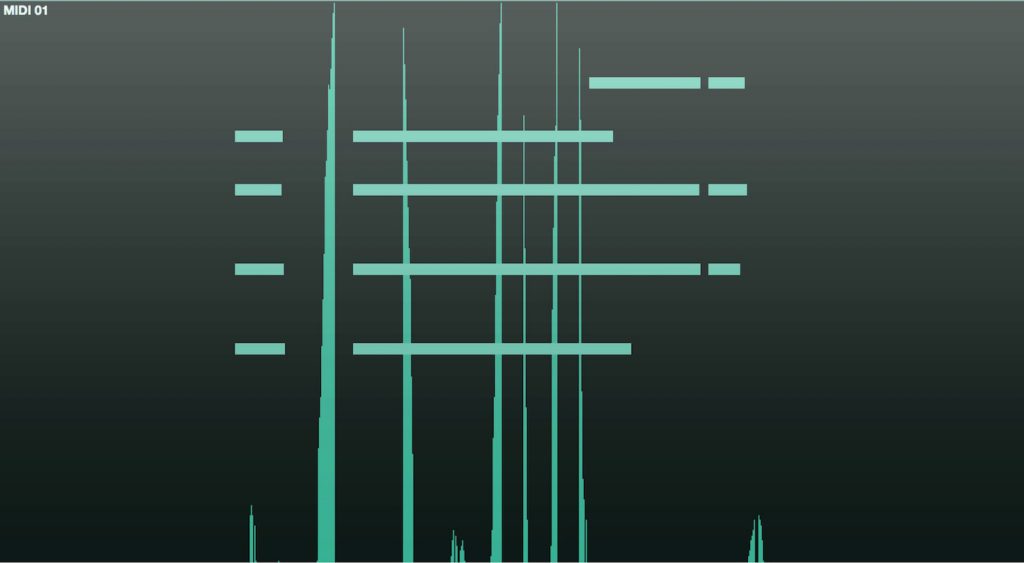
If you haven't assigned aftertouch to your instrument, there is no need to record it.
However, if aftertouch gets recorded to an event as shown in the image,
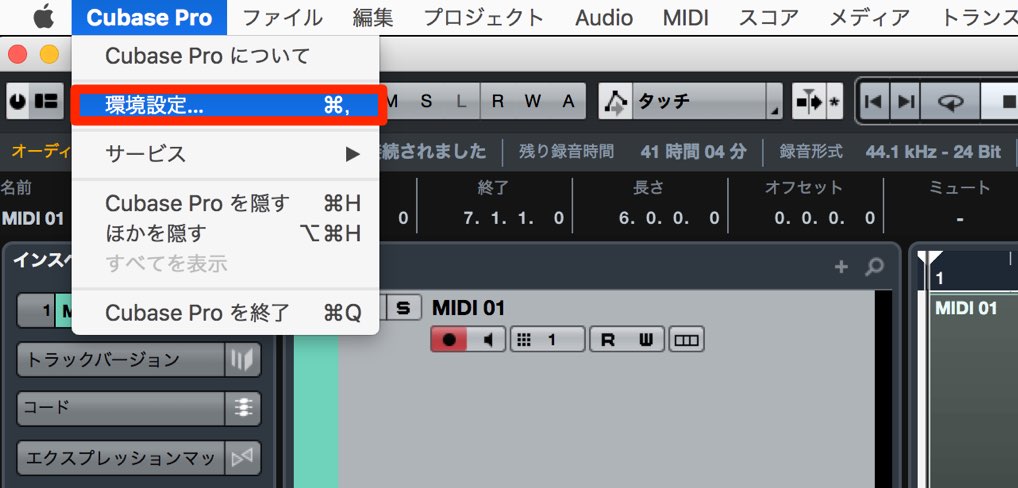
open Cubase's Preferences.
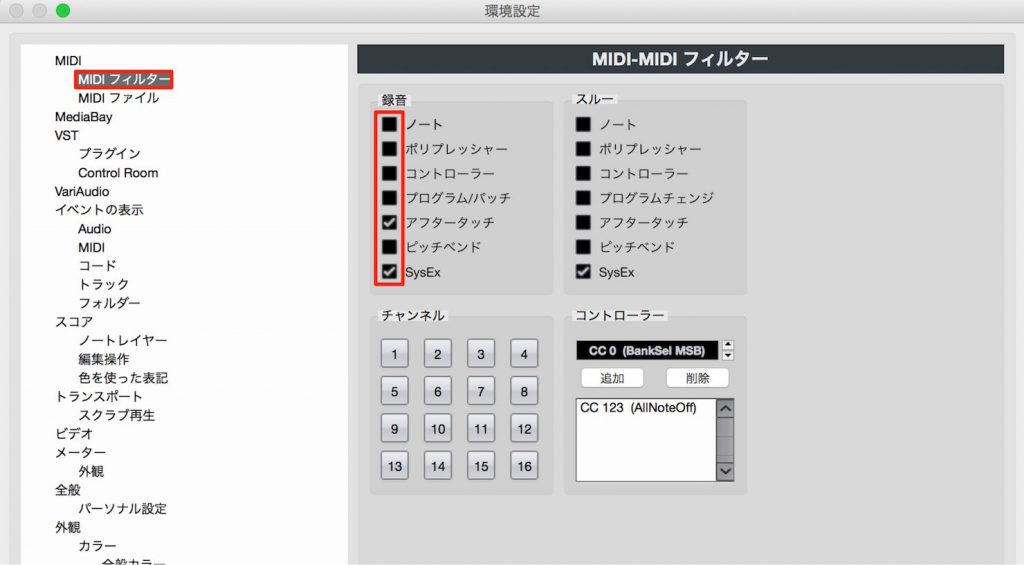
Go to the "MIDI Filter" tab and, under "Record," check the parameters you want to exclude when recording.
Here, we checked "Aftertouch."

From the next recording onward, the specified MIDI information will no longer be recorded.
We covered aftertouch in this explanation, but exclude any MIDI information you don't need so you can record comfortably.
Frequently Asked Questions
Q1. Where is Cubase's MIDI Filter function?
Open Cubase's Preferences and go to the "MIDI Filter" tab. Under "Record," select and check the parameters you want to exclude when recording.
Q2. Does excluding aftertouch affect data that has already been recorded?
No. Changes to the MIDI Filter settings apply only to subsequent recordings. They do not affect MIDI CC information that has already been recorded.
Q3. Which MIDI CC is most frequently excluded?
As mentioned in the article, aftertouch is the most common. It is generated by pressing further into a key after striking it, so it is often recorded unintentionally.
NEW ARTICLES
Latest English Articles











