
If Logic Pro 11's new "Stem Splitter" feature cannot be used on an M1 or later Mac, the cause is very likely that Logic is running through Rosetta compatibility mode. This article explains in detail how to check this and how to fix it, showing that you can enable the feature simply by unchecking "Open using Rosetta" in the application's info. However, third-party plug-ins that rely on Rosetta will stop working, so checking and managing them in advance is important. This is an essential fix for users with M1 or later chips who want to use the new features.
Features Unavailable Even on an M1 or Later Mac!?
"Logic Pro 11" has dominated the talk of the DTM world since its recent release.
Many powerful new features have been added.
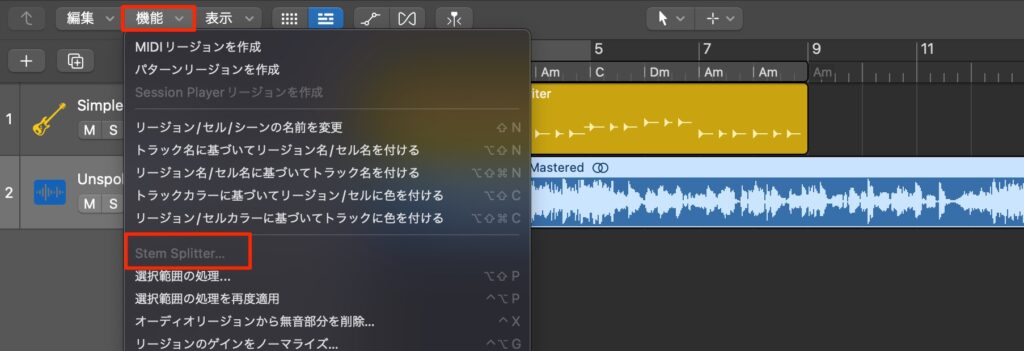
Some of these new features are not supported on Intel CPU models and only work on M1 or later chips.
However, we received comments saying that the new "Stem Splitter" feature was grayed out and unusable even on an M1 or later Mac.
Here we explain how to solve this.
Watch Out for Rosetta
This problem occurs when Logic is running using Rosetta.
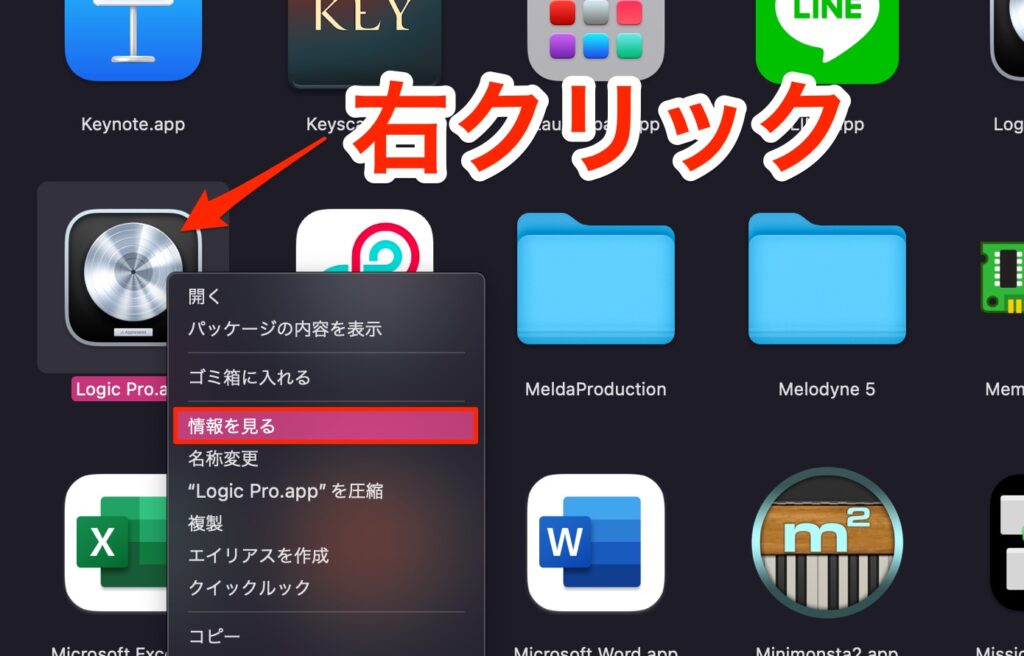
Right-click "Logic Pro" in the Applications folder and choose "Get Info."
(Command + I) does the same.
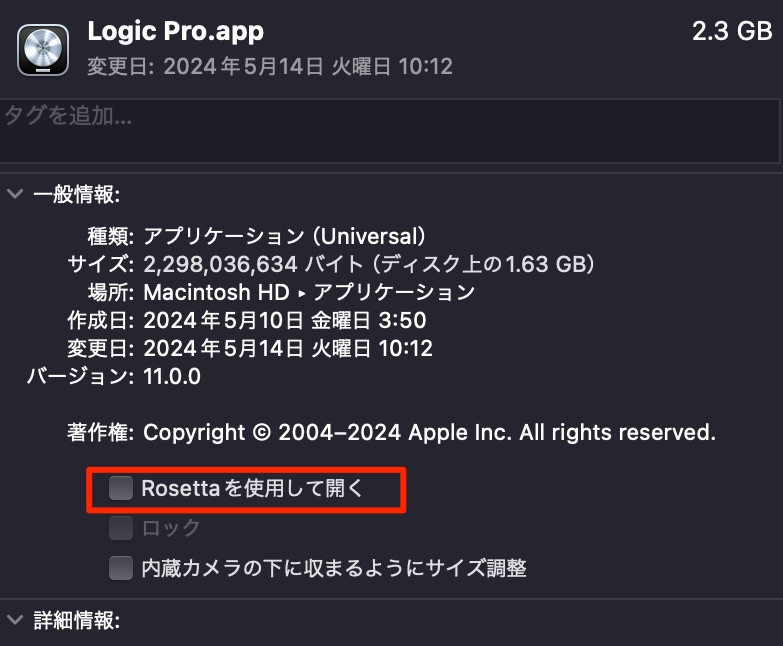
Uncheck "Open using Rosetta."
Then launch Logic Pro.

The feature is now available, as shown.
Note that if you were using third-party plug-ins that run under Rosetta, those plug-ins will stop working.
Be sure to understand and manage this in advance.
Logic Pro 11 | Notable New Features
Frequently Asked Questions
Q1. Why is Stem Splitter grayed out and unusable in Logic Pro 11?
The application is very likely running in Rosetta compatibility mode. It needs to run natively on an M1 or later Mac. Show the info for Logic Pro in the Applications folder and uncheck "Open using Rosetta."
Q2. What changes when I uncheck Open using Rosetta?
Logic Pro runs natively on M1 or later Macs, and new features such as Stem Splitter become available. However, third-party plug-ins that rely on Rosetta may stop working.
Q3. My Mac is M1 or later, but it says Stem Splitter is not supported.
Check whether Logic is running in Rosetta mode. If that does not solve it, we recommend fully restarting Logic Pro or updating the OS to the latest version.
NEW ARTICLES
Latest English Articles











