
This article explains how to fix Komplete plug-ins not appearing in Cubase on Windows. Specifying the VST install location during installation is important, but even if you have already installed them, you can easily solve the problem by specifying Native Instruments' VSTPlugins folder from the Plug-in Manager or the Plug-in Information settings. The steps differ by Cubase version, so you can follow the ones that match your environment.
Check the VST selection during installation
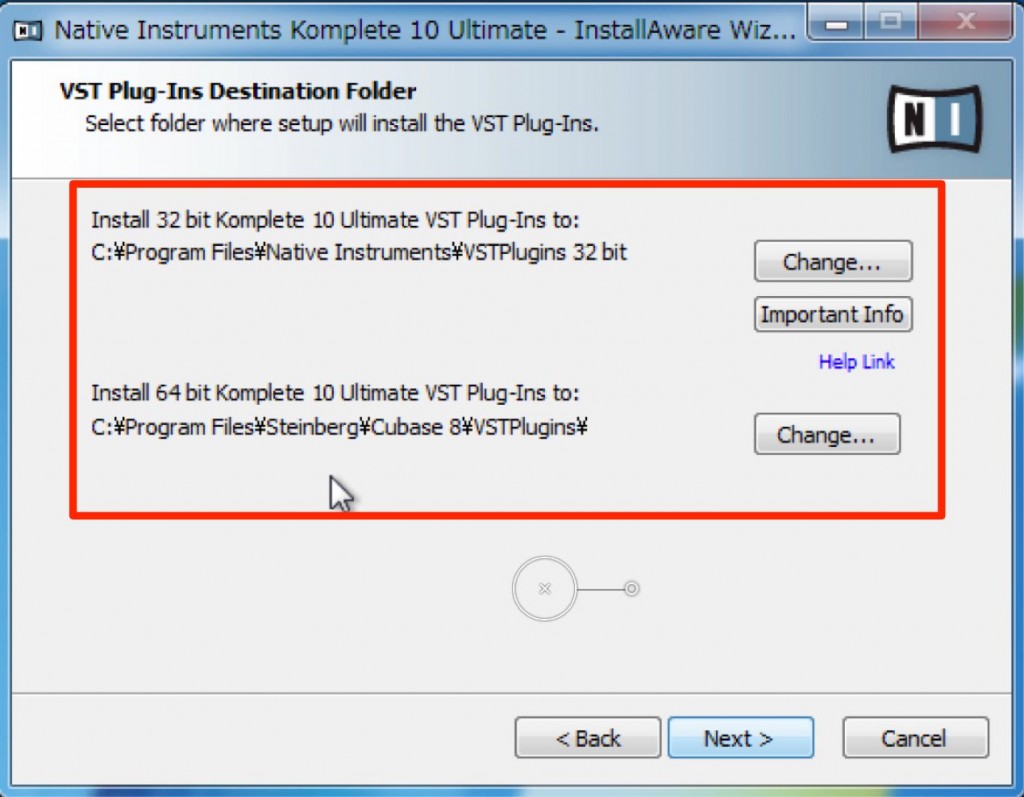
When installing Komplete,
you can specify where the VST plug-ins are installed.
Setting the install location to the following lets Cubase recognize the products.
- "32-bit"
C drive → Program Files (x86) → Steinberg → Cubase → VSTPlugins - "64-bit"
C drive → Program Files → Steinberg → Cubase → VSTPlugins
However, if you have already finished installing, there is still a solution.
This time, we introduce the easiest method.
Solution
- Cubase 8
- Cubase 7.5 and earlier
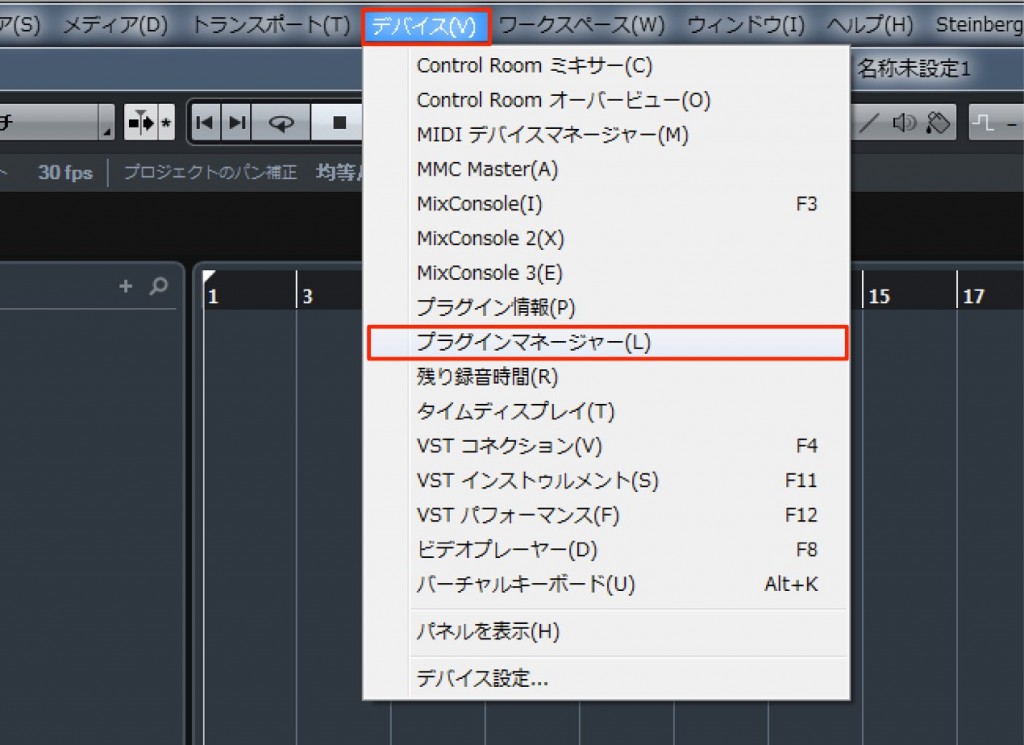
Select "Devices" → "Plug-in Manager."

Click "1" to show the window,
then click the "+" at "2."

- C drive → "Program Files" → "Native Instruments" → "VSTPlugins"
Specify this folder.
*Choose the "32-bit/64-bit" folder that matches your Cubase.
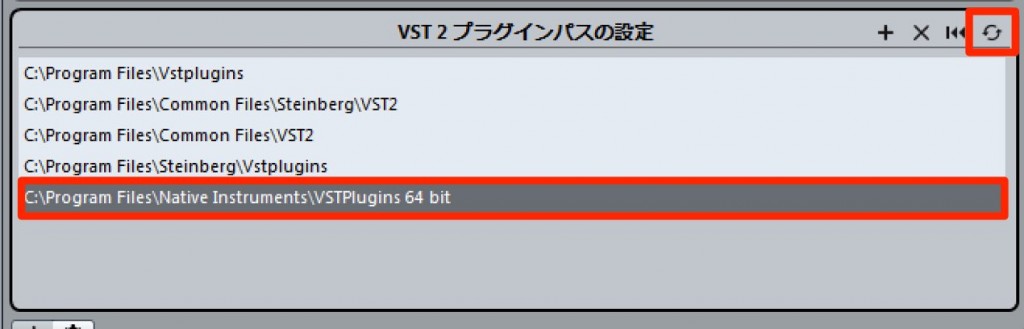
Confirm that the folder has been added, then click the "update icon."
Komplete products will now be recognized.

Select "Devices" → "Plug-in Information."

Select "VST Plug-ins," then select "VST 2.x Plug-in Paths."
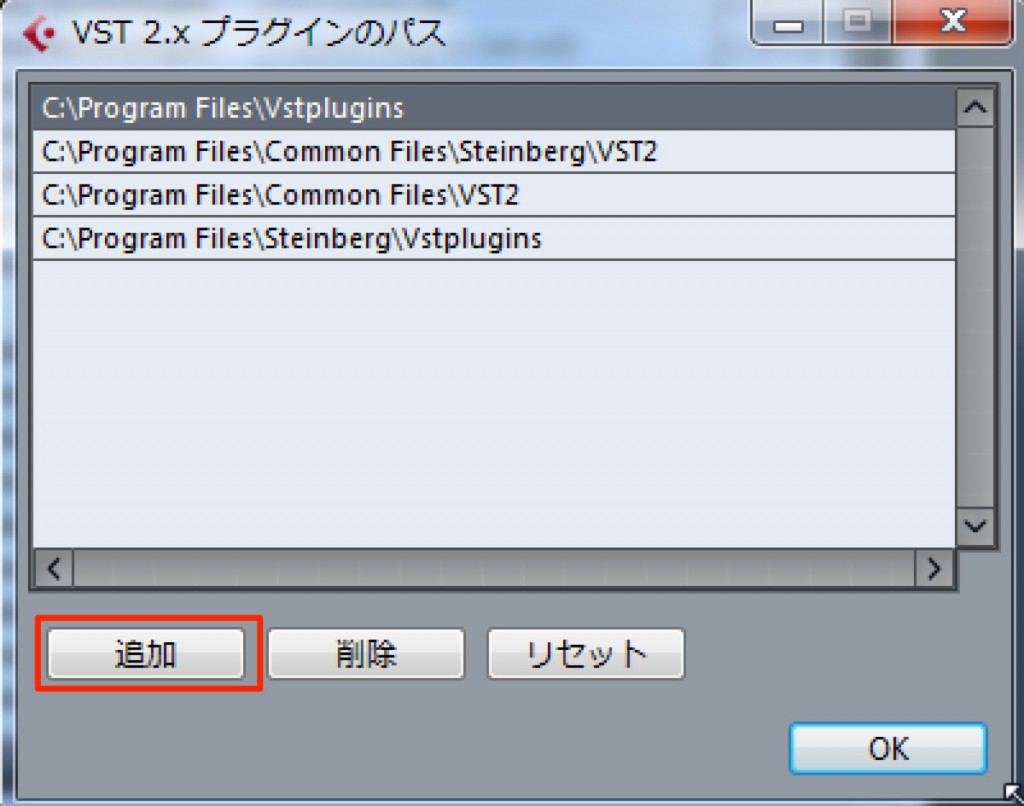
Select "Add."
- C drive → "Program Files" → "Native Instruments" → "VSTPlugins"
Specify this folder.
*Choose the "32-bit/64-bit" folder that matches your Cubase.

Confirm that the folder has been added, then click "Update."
Komplete products will now be recognized.
- Cubase 8
- Cubase 7.5 and earlier
Frequently asked questions
Q1. Why isn't Komplete recognized in Cubase?
The main cause is that the VST plug-ins weren't saved to the correct folder during installation. You need to specify the correct VST folder path for your Cubase version and your OS's bit depth.
Q2. If I have already installed Komplete, how can I get it recognized?
Add the "Native Instruments" → "VSTPlugins" folder inside "Program Files" from Cubase's Plug-in Manager or Plug-in Information settings, then click the update icon.
Q3. Should I choose the 32-bit or 64-bit folder?
Choose the one that matches your version of Cubase. If you use 64-bit Cubase, specify the 64-bit folder; for the 32-bit version, specify the 32-bit folder.
NEW ARTICLES
Latest English Articles











