
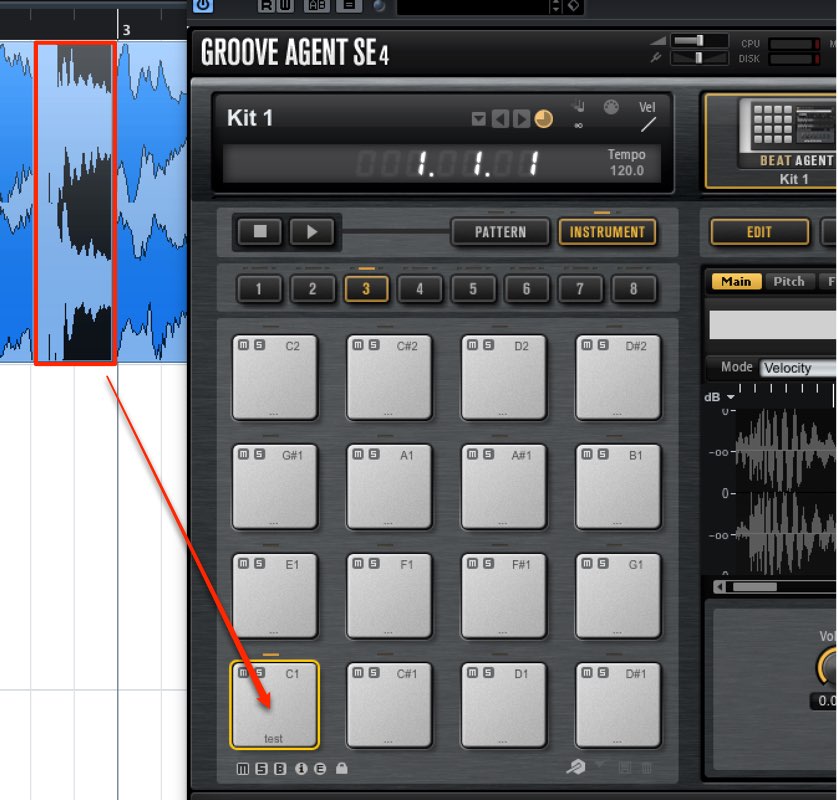
When slice events loaded into Groove Agent make no sound, the cause is that the project folder's path contains Japanese (non-English) characters. This problem can be easily solved by renaming the folder in English and reloading the material. It is a path-related problem beginners often run into, and similar problems can occur in many DAWs and plug-ins, so it is useful basic troubleshooting knowledge.
Problem loading sounds in Groove Agent

"Groove Agent" lets you easily use sliced events
as material for programming.
However, the loaded material may not make any sound.
This time, we describe how to solve this.
Solution
The solution is very simple.

Is your project folder named in Japanese (non-English characters)?
Check this.

Rename the folder with Japanese characters in English.
Load the material again.
Now the sound plays properly.
Frequently asked questions
Q1. Why don't samples loaded into Groove Agent output any sound?
The most common cause is that the project folder path contains Japanese (non-English) characters. Some plug-ins can't correctly load paths that include such characters, so renaming the folder in English solves it.
Q2. What should I do after changing the project folder's path?
After renaming the path in English, load the material into Groove Agent again. The slice events will then output sound normally.
Q3. Do similar path problems occur in other DAWs?
Yes, similar problems have been reported with DAWs such as Cubase and plug-in suites such as Komplete. English-only paths are often recommended for cross-platform compatibility.
NEW ARTICLES
Latest English Articles











