
When your DAW or soft synths aren't working properly on a Mac, repairing disk permissions can be an effective solution. Because it detects and repairs file corruption and errors, it can address many music production problems. You simply open Disk Utility and run "Verify Disk Permissions" and "Repair Disk Permissions," and doing this regularly helps keep your computer stable. It is a basic maintenance step to try first, especially when you face problems that aren't caused by physical failure.
For computer problems and malfunctions

Your DAW or soft synths behave strangely, or the computer itself isn't running well...
Many causes are possible, including physical failure.
Among the fixes, we explain one that is easy to do
and highly effective: "repairing disk permissions".
It can find and repair file corruption and errors that cause problems.
How to repair disk permissions
First, open "Disk Utility."
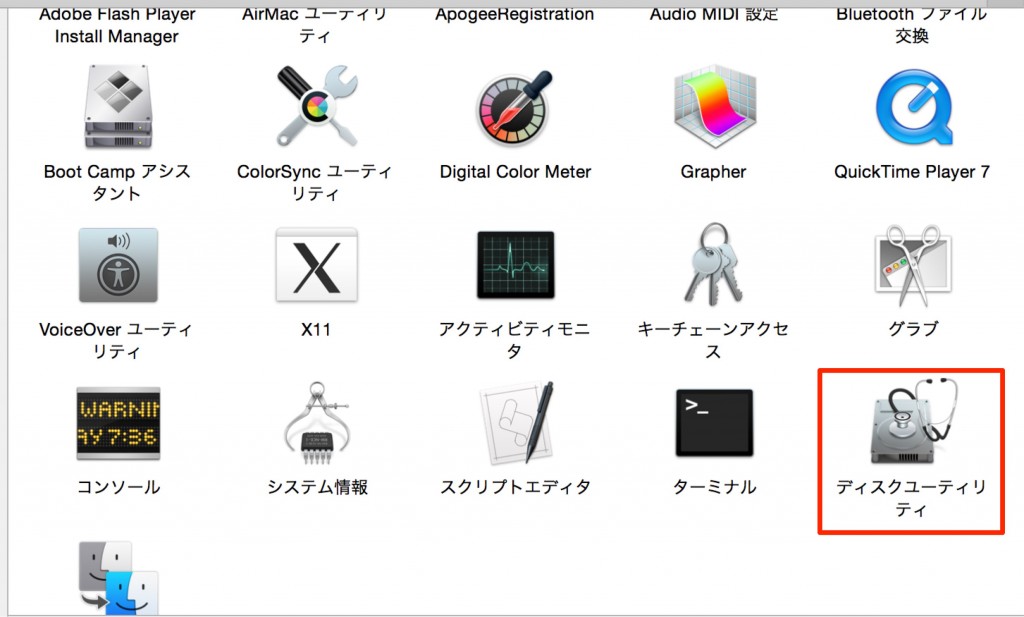
- From the desktop, press "Command + Shift + U"
Launch "Disk Utility" from there.
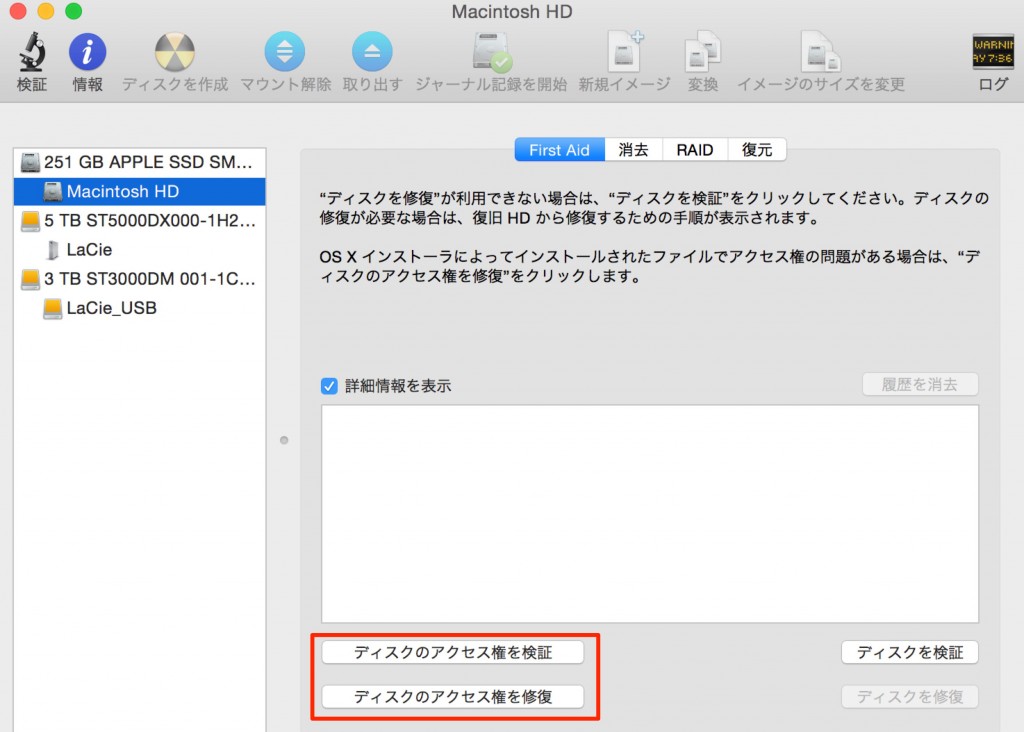
Select your startup drive and run "Verify Disk Permissions."
If errors are shown, select "Repair Disk Permissions" below it.
*It may take a while, and the computer may run slowly in the meantime
Once everything has finished, you can simply close the window.
The repair is now complete.
It's easy to do, so try repairing permissions regularly.
Frequently asked questions
Q1. What should I do when my DAW runs slowly on a Mac?
We recommend repairing disk permissions. Open Disk Utility via Command + Shift + U and run "Verify Disk Permissions" → "Repair Disk Permissions." This may resolve file errors and improve performance.
Q2. How long does repairing disk permissions take?
The time depends on the drive's capacity and the number of files, but it can take from a few minutes to several tens of minutes. The computer may run slowly during the repair, so we recommend quitting other applications.
Q3. How often should I repair disk permissions?
We recommend doing it regularly. About once a month is a guideline, but it is also effective to run it as soon as you notice problems with your DAW or soft synths. Making it a habit as preventive maintenance helps avoid problems.
NEW ARTICLES
Latest English Articles











