

The TASCAM DA-3000 is a master recorder and AD/DA converter that can greatly improve the mixing environment of DTM users. Its high-precision DA conversion, which processes the left and right signals on separate chips, improves the sound quality of output from your DAW and prevents changes in sound quality when bouncing. Through hands-on testing, this article shows that using the DA-3000 improves high-frequency separation and yields a smooth, well-balanced frequency response, clearly demonstrating the sound quality benefits of dedicated hardware even in a home production environment.
Improve the Sound Quality of Your Monitoring Environment and of Songs Exported from Your DAW
For DTM users, mixing is a path everyone takes.
When doing this work, stabilizing the sound quality of your monitor speakers and headphones and monitoring sound accurately is a very important factor in improving the quality of your songs.
Many of you have probably also experienced the problem of the sound quality changing when exporting a finished song from your DAW as an audio file such as WAV.
This time, we bring the DA-3000 master recorder/AD-DA converter from TASCAM (TEAC Corporation) into a DTM environment and test how much a dedicated DA unit changes the sound of a song.
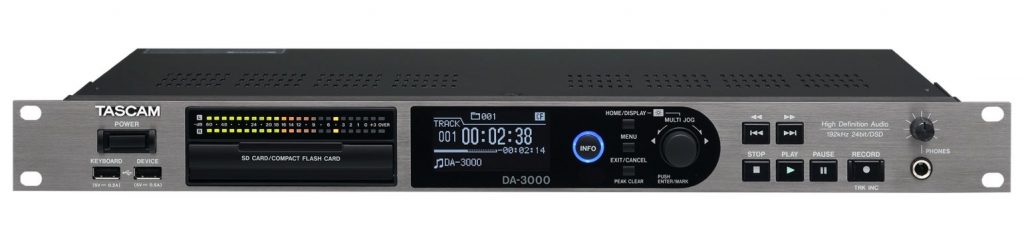
Broadly speaking, the DA-3000 has the following two functions.
- AD and DA converters processed with a high-precision clock reference
- A recorder capable of recording up to 192 kHz/24-bit in PCM format and up to 5.6 MHz in DSD format
Its specs make it useful not only for studio DAW systems but also for home production environments, so we will explain them in order.
What Is an AD/DA Converter?
Many of you have probably heard the term AD/DA converter.
It may sound difficult, but it actually isn't.
A: Stands for analog.
D: Stands for digital.
And since converter means something that converts,
- AD converter: The section that converts analog signals into digital signals
Example: Recording vocals or guitar into a DAW
Example: Making a Skype call using a computer's built-in microphone
- DA converter: The section that converts digital signals into analog signals
Example: Playing DAW sound through speakers or headphones
Example: Playing iTunes and listening to music from a computer's built-in speakers
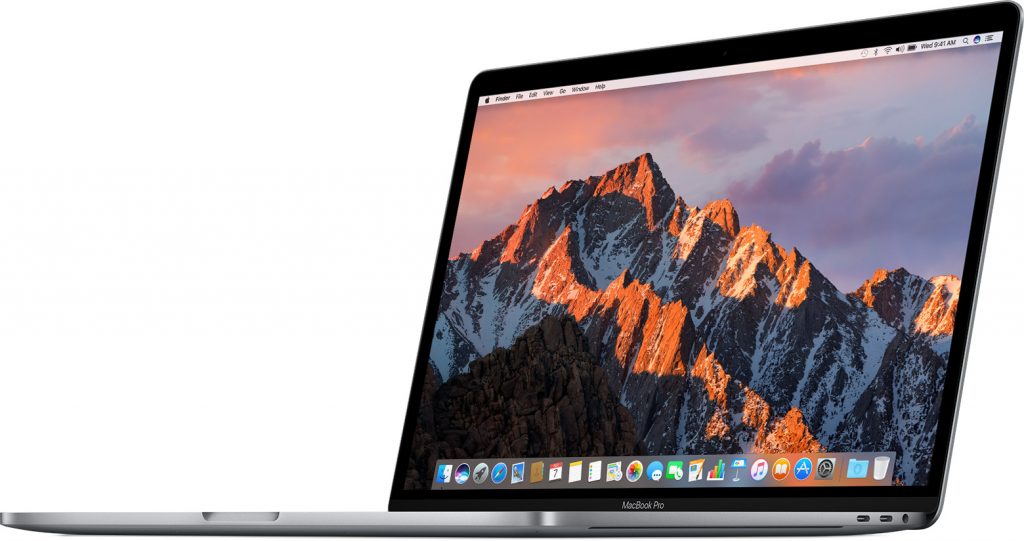
As you can see, AD/DA converters are nothing special. They are built into computers, audio interfaces, and even iPhones.
So why use a separate AD/DA converter?
Because the precision and quality of the conversion are superior.
Whereas many of these devices process a stereo signal on a single chip, this unit processes the left and right signals on separate chips.
Because conversion from digital to analog audio signals is performed with high precision, this means that it can faithfully reproduce the original sound.
Using the DA-3000 as a DA Converter
Here, we use the DA-3000 as a DA (digital-to-analog) converter.
First, a normal setup looks like this.
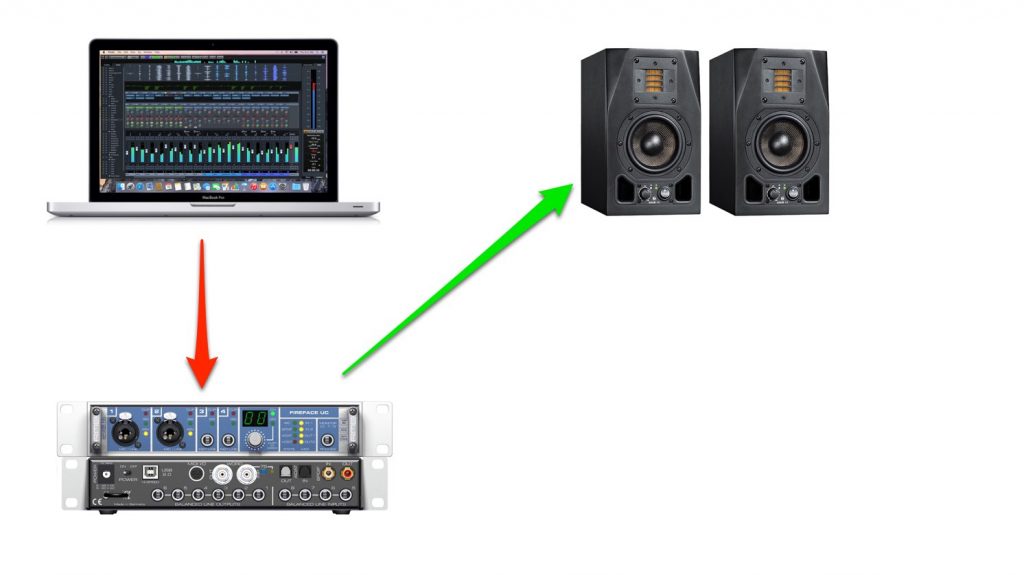
What comes out of the DAW is a digital signal.
The audio interface receives this digital signal, converts it to an analog signal (DA), and outputs it to the speakers and headphones.
When going through the DA-3000, it looks like this.
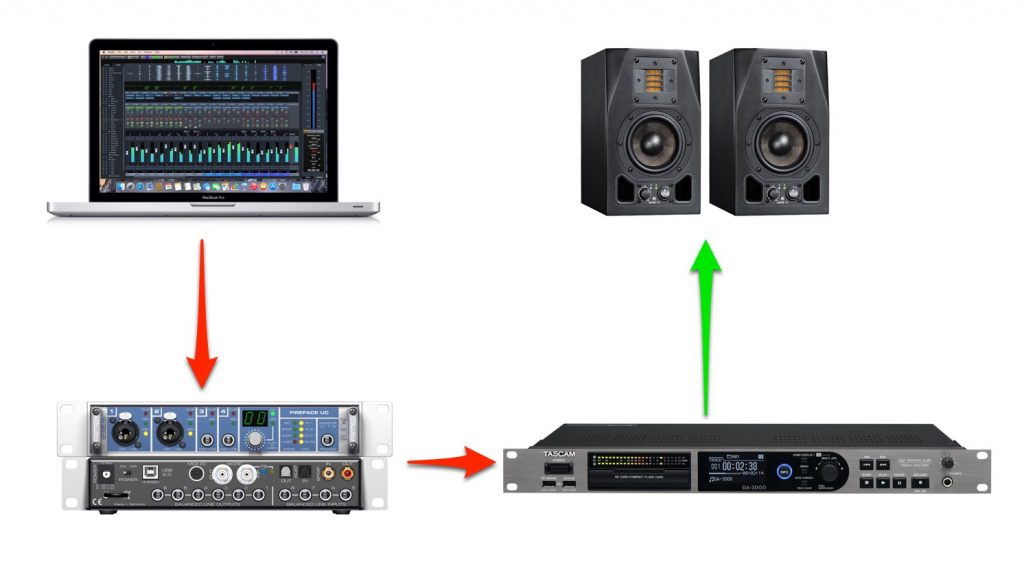
It is the same up to the point where the audio interface receives the signal from the DAW, but instead of converting it to analog there, the signal is sent to the DA-3000 as a digital signal.
The most important point to note is that you need an audio interface that supports digital output.
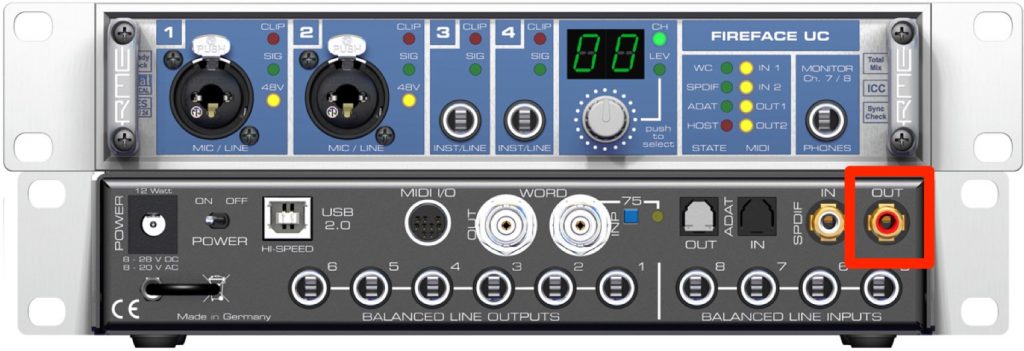
If your audio interface supports digital output, it has a connector called S/PDIF output.
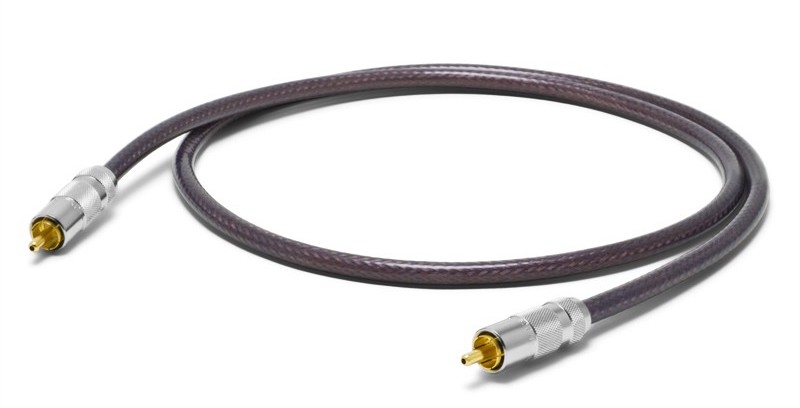
Connect it to the S/PDIF input of the DA-3000 using an S/PDIF cable.
Set up your audio interface so that sound is output from S/PDIF.
Now the DAW's digital signal flows all the way to the DA-3000.
Using the DA-3000 as a Master Recorder
For DTM users, a master recorder is probably an unfamiliar piece of equipment.
First, let's look at how a master recorder is used.
What Is a Master Recorder?
It is a device for storing the master data of a mastered song, and it records stereo audio.
In DTM, you create the master data by bouncing in your DAW and exporting an audio file such as WAV or AIFF.
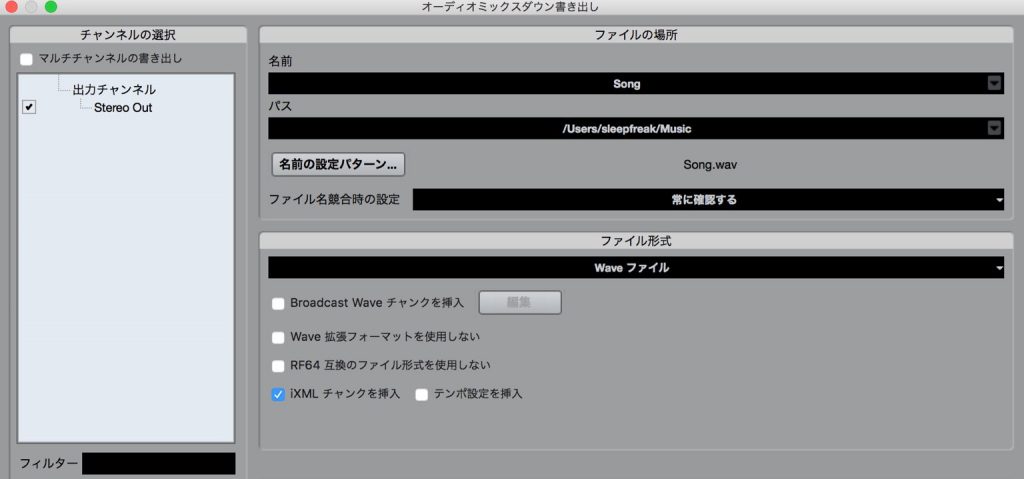
At this point, it is quite common for the sound quality to change during the bounce because of instruments or plug-ins.
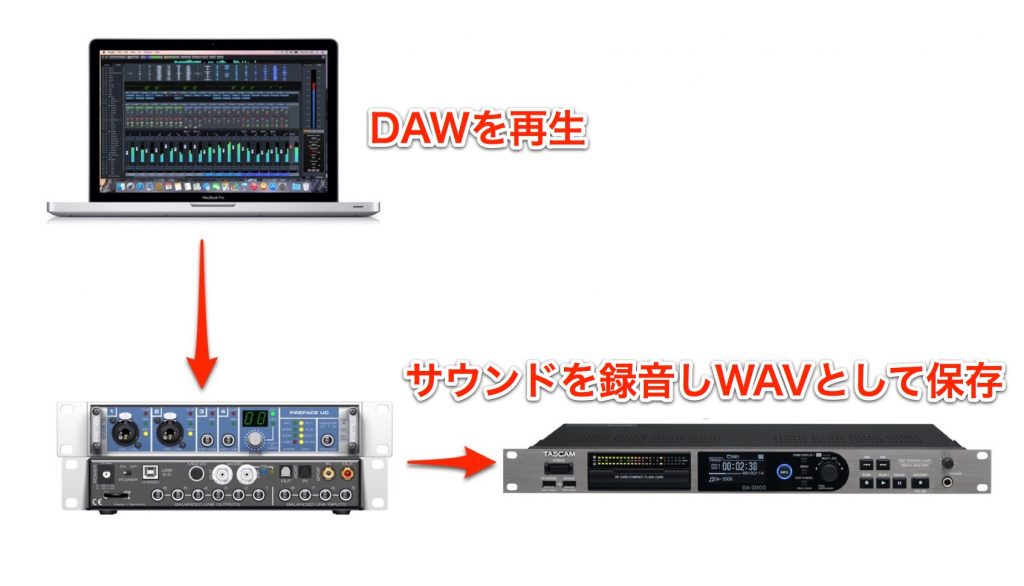
A master recorder is a device that records the sound that plays when you play back the DAW, in order to prevent changes in sound quality caused by bouncing.
Comparing the Sound
We prepared an audio file (WAV) bounced in Cubase.
Let's compare this file with a file recorded on the DA-3000.
- File bounced in Cubase
- File recorded with the DA-3000
As you can hear, the impression of the sound is different.
The file bounced in Cubase has relatively more midrange information and calmer highs, while the track recorded on the DA-3000 has a slightly lighter midrange and highs that cut through.
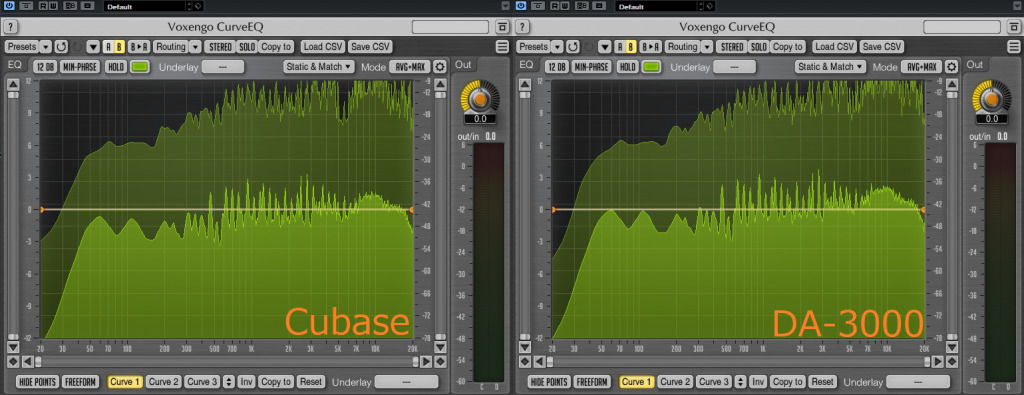
The difference in the highs also shows up in the spectrum: you can see that the DA-3000 has more information around 6 kHz on average.
Final Thoughts
After completing the tests, it became clear that an external DA converter makes a clear difference in sound even in a home environment.
My personal impression of the DA-3000's sound is a well-balanced, uncolored frequency response. The highs in particular are smooth with good separation, which made masking adjustments and reverb tweaks during mixing very easy.
The audio interface used in this article was a Fireface UCX, but I suspect the difference the DA-3000 makes will be more pronounced depending on the price range of the audio interface.
If I have the opportunity, I would like to test this as well.
Written by Tomoki Miyakawa
Frequently Asked Questions
Q1. What is an AD/DA converter?
It is a device that converts between analog and digital signals. AD converts analog to digital, and DA converts digital to analog. Converters are built into computers and audio interfaces, but dedicated units like the DA-3000 process the left and right channels on separate chips, giving more precise conversion and better sound quality.
Q2. What do I need to connect the DA-3000 to my DAW?
You need an audio interface that supports digital output. Connect the audio interface's S/PDIF output to the DA-3000's S/PDIF input with an S/PDIF cable, and enable output from S/PDIF in the audio interface's settings.
Q3. What is the difference between bouncing and recording?
When a DAW bounces to a file, the sound quality can change because of instruments or plug-ins. On the other hand, recording the playback directly with a master recorder prevents these changes and faithfully captures the sound you actually hear.
Q4. Will I notice the effect in a home production environment?
Yes, the effect is clear. In the article's tests, using the DA-3000 gave a slightly lighter midrange and highs that cut through, and spectrum analysis confirmed more information around 6 kHz. The effect may be even stronger depending on the price range of your audio interface.
NEW ARTICLES
Latest English Articles











