
This article explains how to set up your monitoring environment, which greatly affects the accuracy of mixing in DTM production. You can learn specific checkpoints such as placing speakers at ear height, arranging them symmetrically, and using cables of the same make and length. It also stresses the importance of monitoring through speakers rather than only headphones, giving you the knowledge to make accurate listening judgments, avoid misguided mixes, and reach a professional finished sound.
Your Monitoring Environment Is Extremely Important
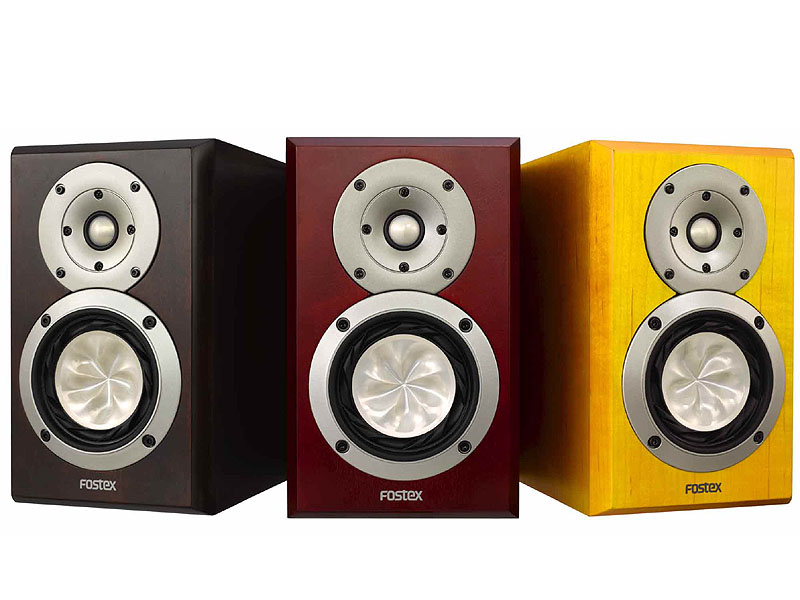
Mixing is a delicate process of fine-tuning each track to bring a song to completion.
Your monitoring environment is essential for understanding the results of your EQ, compression, and volume adjustments.
Since you make decisions and apply EQ and compression based on what you hear from your monitors,
poor monitoring naturally leads to a misguided mix.
Setting up your monitoring environment and hearing the sound accurately is the starting line for mixing.
Monitoring Checkpoints
Place the Speakers at Ear Height
Sound from typical speakers travels in a straight line.
Aligning the speakers with your ear height lets you monitor all frequency ranges in good balance.
Change the height of your desk or place blocks under the speakers
to adjust them to the best height.
Use Speaker Cables of the Same Make and Length
There are of course two speakers, left and right, so you need two speaker cables.
The point to watch is that they must be exactly the same cable.
If the left and right cables differ, the tone can change, or the phase can worsen and blur the outline of the sound.
Position the Speakers Symmetrically
This is necessary for judging volume balance, panning, and so on accurately.
It is something you can do right away, and it is the most effective method.
Also, angle the left and right speakers slightly inward
and sit where the sound from the two speakers meets in a straight line for an even better result.
Check in Various Monitoring Environments
This tends to be especially true for people in big cities like Tokyo,
but some people do all their mixing on headphones out of consideration for their neighbors.
Of course, sometimes there is no choice, but for the final check of your mix,
please listen through speakers. Simply listening through the air reveals many things,
and makes it easier to grasp the sense of depth from reverb.
Pay particular attention to the volume balance of the vocals.
Frequently asked questions
Q1. Why is the monitoring environment important for mixing in DTM?
Because you judge EQ and compressor adjustments based on what you hear from your monitors, an unsuitable monitoring environment leads to a misguided mix. Hearing the sound accurately is the starting line for mixing.
Q2. Can I use any speaker cables?
Always use left and right speaker cables of the same make and length. Using different cables can change the tone and worsen the phase, blurring the outline of the sound.
Q3. Is it OK to complete a mix using only headphones?
We recommend doing the final check of your mix through speakers. Sound traveling through the air lets you accurately judge the sense of depth from reverb and the volume balance of the vocals, resulting in a more polished mix.
NEW ARTICLES
Latest English Articles











