
The reason a song finished in DTM sounds quieter than a commercial CD is a lack of sound density. This article explains how to raise loudness by inserting a limiter on the master track and adjusting its threshold. A limiter is a plug-in that compresses the sound so it does not exceed a set level, filling in the gaps in the sound to create a powerful result. By learning specific methods and adjustment tips through waveform comparisons, you can produce songs closer to professional loudness levels.
About Raising a Song's Loudness
You finish a song, burn it to CD, and listen, only to find it is clearly quieter than commercial CDs...
I think everyone has had that experience.
Of course, louder is not always better,
but doesn't everyone want a powerful sound?
Loudness Explained (Video)
Purchase the Product
This is the maximizer we recommend, used in the video (at 5:35). It can raise loudness to the maximum very naturally.
Just Raising the Volume Is No Good
If you raise the volume of each track in your DTM software because the song is too quiet,
the sound will clip and ruin the song.
That is where a plug-in called a limiter comes in.
What Is a Limiter?
Selected questions and answers from the YouTube video

When I put the maximizer in Cubase's channel strip on the master track and set its output to 0 dB, it still clips. Why? If I insert a limiter instead and set its output to 0 dB, no clipping occurs. I think I understand limiters correctly, but is my understanding of maximizers wrong? If you set a maximizer's output to 0 dB, shouldn't the level never exceed it? I want to raise loudness by turning up Optimize with the channel strip maximizer's output at 0, but I do not understand why it clips. Please explain.

If the maximizer's output is set to 0 dB, possible causes are: the master track fader is above 0 dB, or some effect is applied after the maximizer. How about these points?
Dear Sleepfreaks, I always learn from your videos. This is a beginner question, but I would appreciate it if you could answer. Waves L3-series maximizers have no input display, so it does not bother me, but with maximizers that have an input level, for example when I insert only the iZotope Ozone maximizer, the input level immediately goes into the red. Since the output is kept from going into the red, can I ignore it? Just inserting the iZotope Ozone maximizer greatly changes the input level and the overall mix, and I am struggling with it.
Most recent DAWs use 32-bit float or higher internal processing, so in terms of sound quality, it is fine as long as the master output is not clipping in the end. However, if there is too little headroom during mastering, processing becomes difficult and it is also hard to monitor dynamics visually. If possible, it is better to turn down Ozone's input or lower the volume of each track before that stage. It is also a good idea to check which process in Ozone is raising the level by bypassing them one at a time.
Is it strange to use a limiter and a maximizer together?
No, it is not strange at all. If it achieves the sound you want, please use them together. In that case, be careful not to apply dithering twice. We look forward to your continued support.
It is a plug-in that compresses the sound so it does not exceed a set level, increasing its density.
(In this case, 0.)
When the density increases, the sound becomes louder and sounds more powerful.
Compare a Commercial CD with Your Own
Import a commercial CD and your own work into your DAW and compare the waveforms.
Pay particular attention to the chorus, where the energy and volume peak.
A commercial CD has a waveform like a solid brick, densely packed with sound,
while your own will probably look jagged, with gaps in the sound.
These gaps are why it sounds quieter
Raise the Sound Density with a Limiter
Now let's apply a limiter!!
Apply a limiter to the master track in your DAW.
As the name suggests, the master track is where the sound of every track comes together.
Applying a limiter to the master track
is the same as applying the limiter to all the tracks.
How Loudness Works and How to Raise It
The explanation starts at 3:04
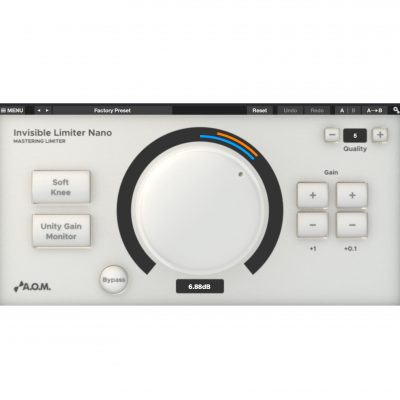
How to Use a Limiter
A limiter has a knob called Threshold,
which adjusts how much the sound is compressed.
You should hear that the more negative the value, the higher the loudness.
However, if you overdo it, the sound becomes overcompressed and unnatural,
so adjust it while checking with your ears.
When you finish adjusting, export to WAV or MP3 as usual and give it a listen.
It should clearly be louder and more powerful.
With just this little work, you can make your song sound better.
Be sure to give it a try.
Frequently asked questions
Q1. Why do I need a limiter instead of just raising the volume?
Simply raising the volume causes clipping (distortion) and ruins the song. A limiter compresses the sound while increasing its density, achieving powerful loudness without clipping.
Q2. Which track should I insert the limiter on?
Inserting it on the master track is best, as it affects all the tracks at once. This applies the same limiter processing to every track.
Q3. How far can I lower the threshold?
The more negative the value, the higher the loudness, but overdoing it overcompresses the sound and makes it unnatural, so always adjust it while checking with your ears.
NEW ARTICLES
Latest English Articles











