

An audio interface, essential for making music on a computer, is gear that delivers noise-free, high-quality recording and stable monitoring. This article introduces five recommended audio interfaces carefully chosen by a music store clerk, from compact models for beginners to high-performance professional products. Steinberg's UR22mk2 comes with a DAW and is ideal for getting started, Focusrite's Scarlett 2i2 G2 excels in recording quality, and Audient's iD14 is known for its warm, analog-like sound. Add Universal Audio's Arrow, a new model supporting Thunderbolt 3, and you can choose according to your production style and budget.
Why do you need an audio interface?
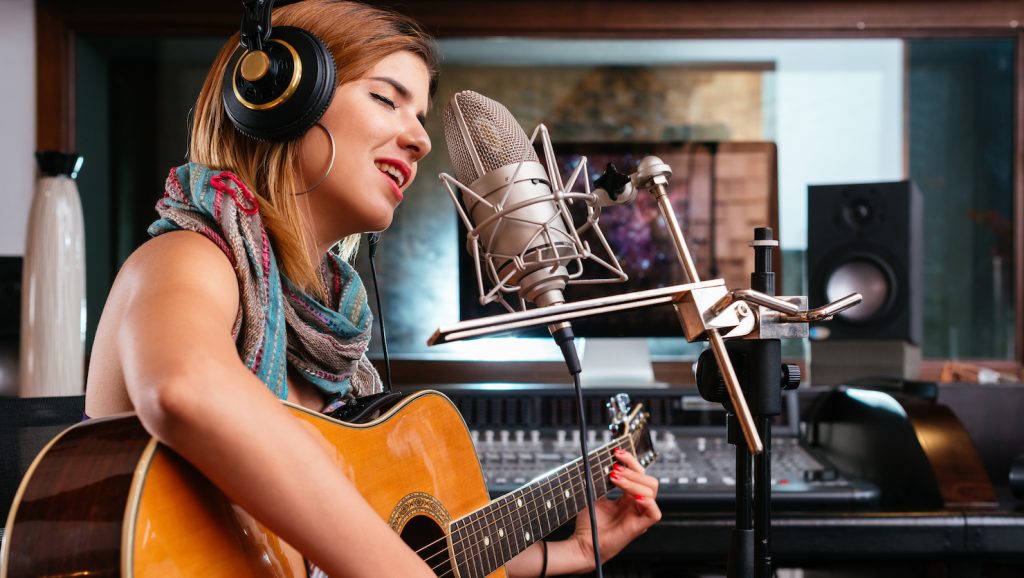
This time I'd like to introduce audio interfaces, the cornerstone of composing on a computer.
When you record vocals or instruments on a computer, or want to hear your work in progress through speakers or headphones, you need a piece of gear called an audio interface.
Some computers have earphone and mic jacks, but if you use them, there's a very high chance of noise.
Even when recording scratch vocals, a clean recording makes the sound easier to adjust, so you can express the image of your song more vividly.
Now let's introduce the top five recommended audio interfaces.
Steinberg UR22mk2
The first one I'd like to introduce is Steinberg's "UR22mk2."
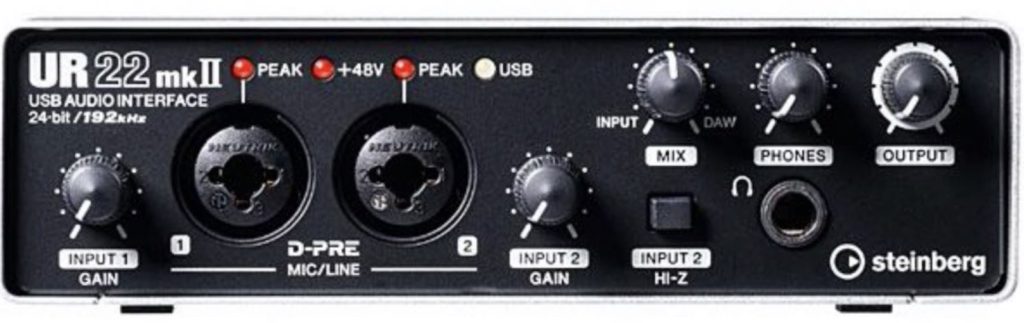
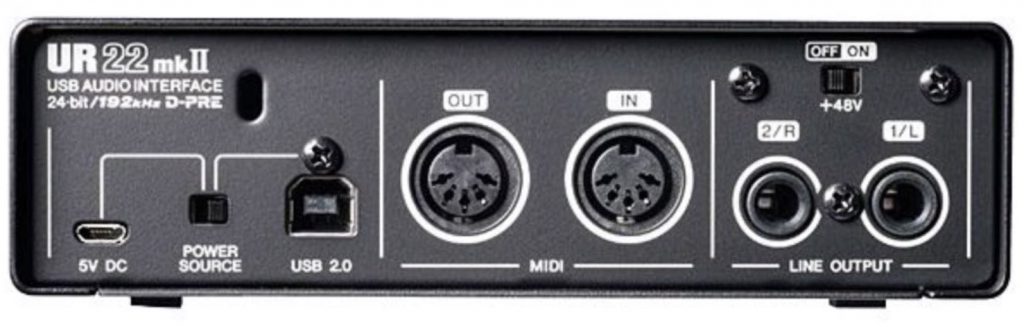
It has two inputs and a headphone jack on the front, and two LINE OUTs on the back for sending sound to speakers.
It even has MIDI IN/OUT, making it a very thoughtfully equipped unit.
The body is compact, and its selling point is a good balance that can accommodate any gear you add later.
It also comes with "CUBASE AI", a lite version of CUBASE, the best-selling DAW software in Japan.
It's the perfect product for anyone who wants to try CUBASE for now.
It also has a 5V DC jack, so another plus is that it supports people planning to produce on iOS devices.
✳︎ Please note that using it with iOS requires a Lightning to USB Camera Adapter.
Focusrite Scarlett 2i2 G2
Next is Focusrite's "Scarlett 2i2 G2."
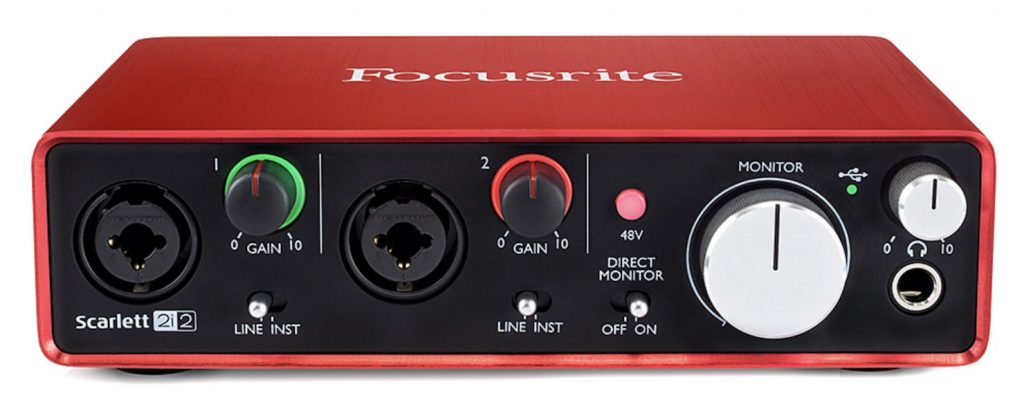
The product's feature is its excellent recording sound.
Compared with other models in the 10,000-yen range, the sound gives a very fine-grained impression.
It also comes with "Pro Tools | First," widely used in professional settings, and "Ableton Live Lite," a DAW that lets you shape ideas right away.
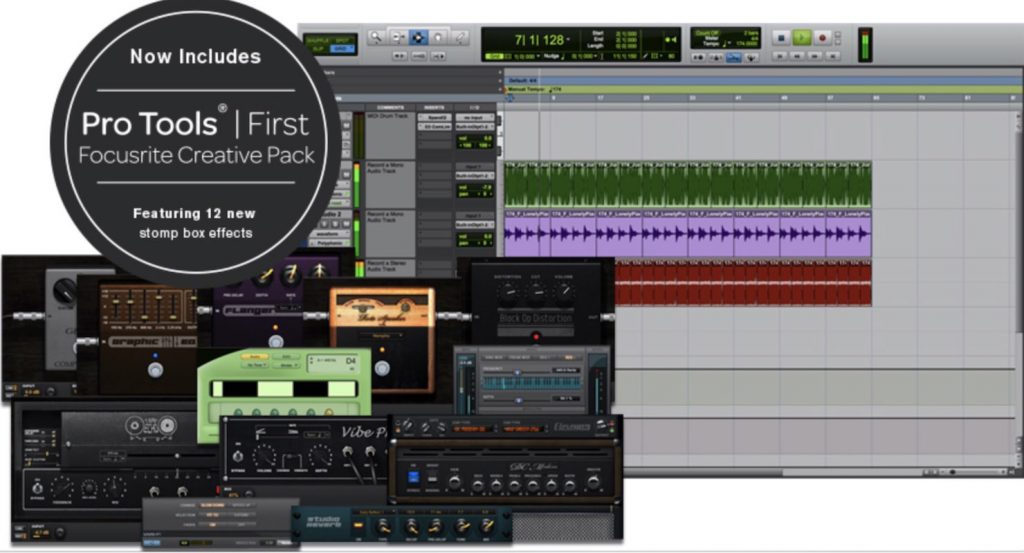
This is also a well-balanced product, but it has no MIDI ports, so if you want to connect external synthesizers and the like, you'll need a separate MIDI interface.
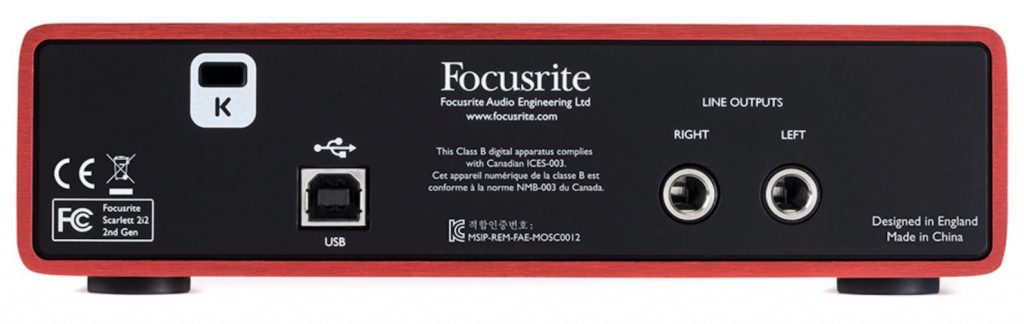
A product highly recommended for those who want to try professional Pro Tools or want to record vocals and instruments in higher quality at home.
Audient iD14
Next is Audient's "iD14."
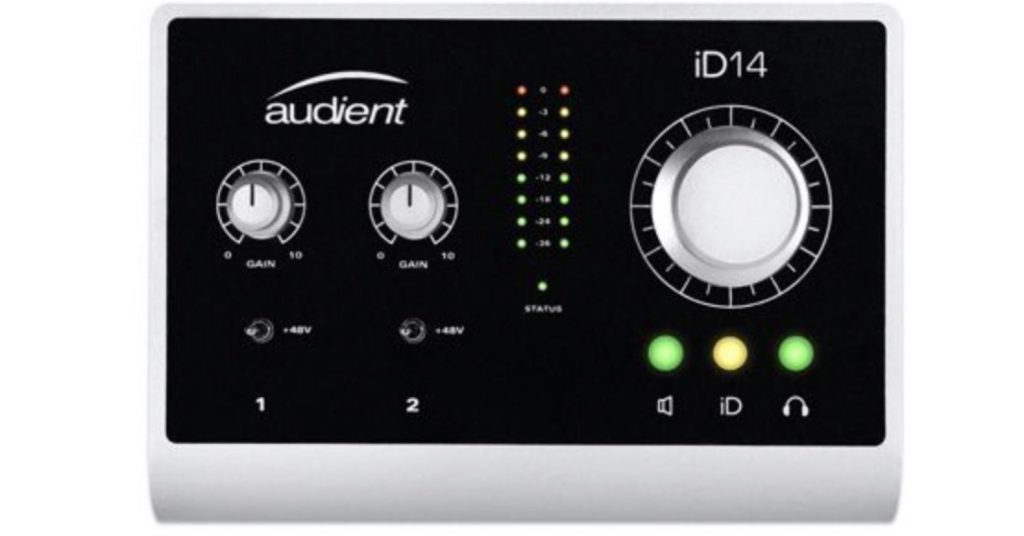
Audient has released many very high-quality products and has earned great trust from professionals.
This product makes full use of that technology and can be used by amateurs and pros alike.
It's by no means cheap, but even compared with models in this price range, it boasts unbelievably high-quality recording and monitoring sound.
The sound is warm and full of analog character, and it's a product I especially recommend for those making music centered on acoustic sounds, such as rock, jazz and pop.
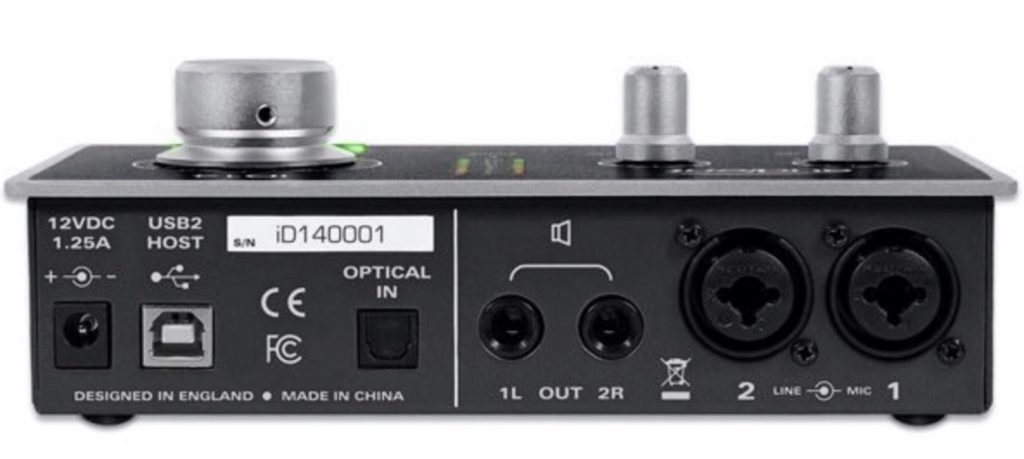
For inputs, the front has one instrument input and one headphone jack, and the back has two mic preamp inputs and two LINE OUTs.
It also has an OPTICAL input.
Also, besides controlling speaker/headphone volume with the dial on the unit, you can assign any parameter in your DAW to this dial and control it.
For example, it's handy when you want to record or draw automation while actually touching a soft synth's parameters.
This unit combines all kinds of features, but no DAW is included with this product, so if you don't have one, you'll need to get DAW software as well.
A product highly recommended for those who like an analog-like sound or are looking for a high-quality audio interface while keeping the budget down.
Universal Audio Arrow
The next product is Universal Audio's much-talked-about "Arrow."
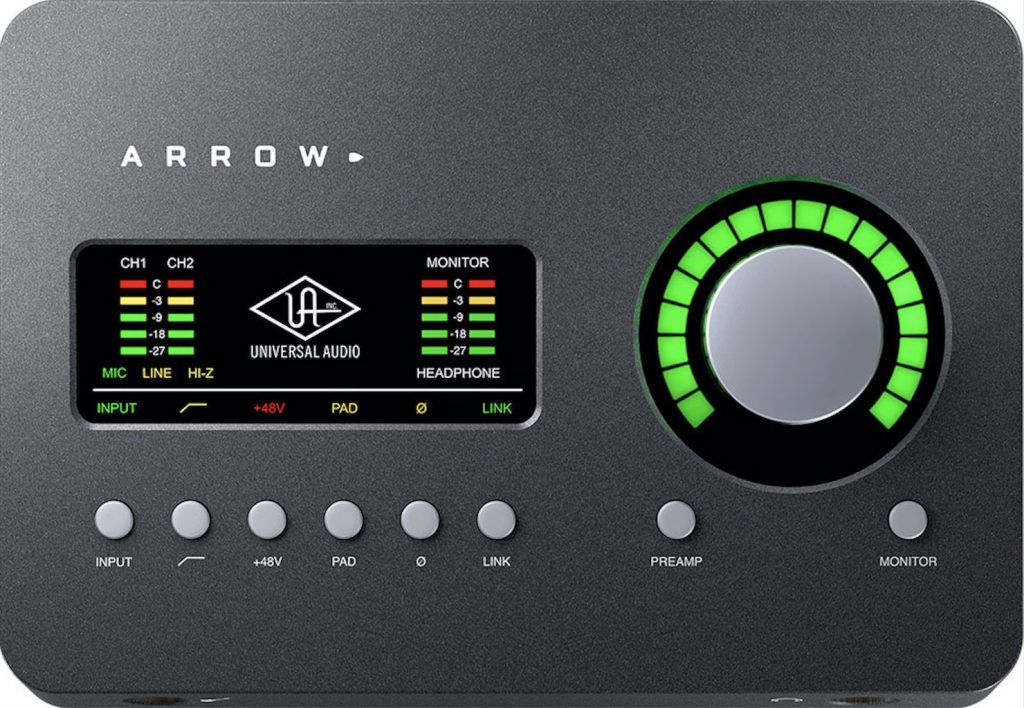
Its features are the latest connector, "Thunderbolt 3," and the ability to use UAD plug-ins on the go.
UAD plug-ins is the collective name for plug-ins of legendary compressors, EQs, mic preamps and so on that can be processed by the CPU built into this audio interface.
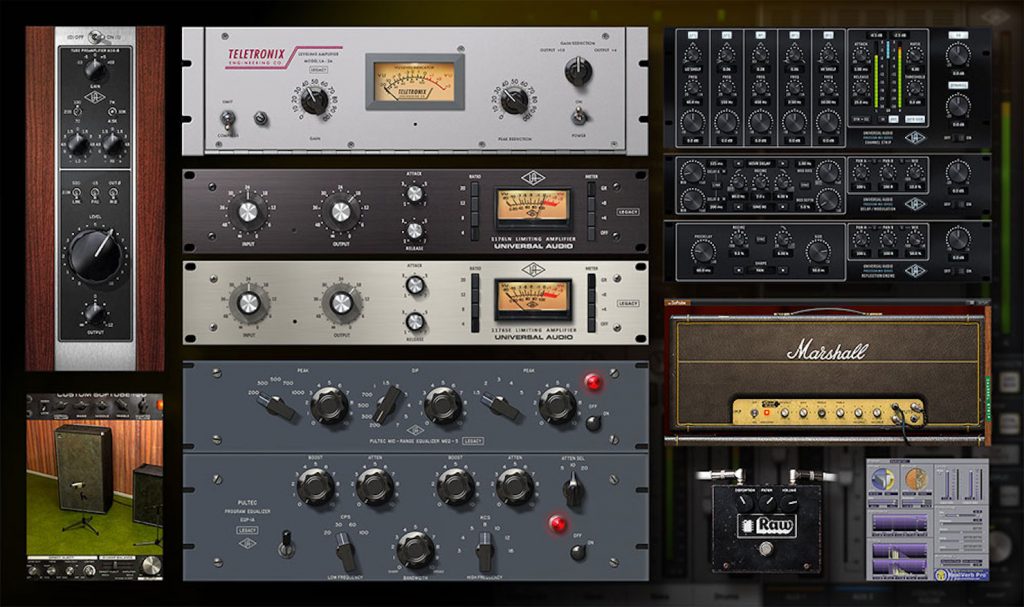
The quality of UAD plug-ins is highly rated by pros and amateurs alike, and they're used in many studios.
Connecting the Arrow lets you use these high-quality plug-ins.
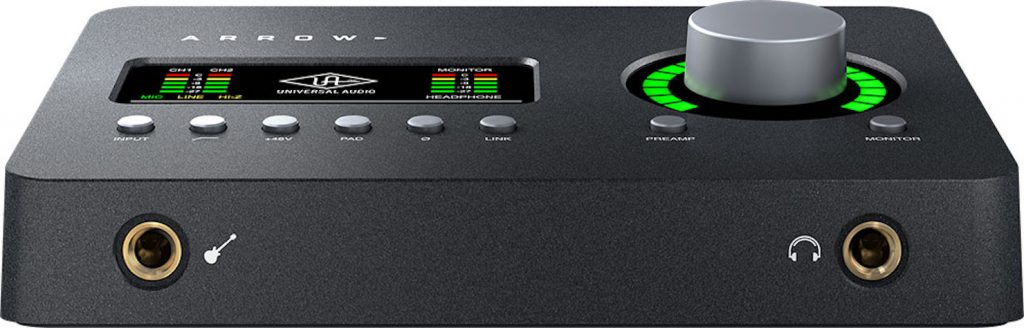
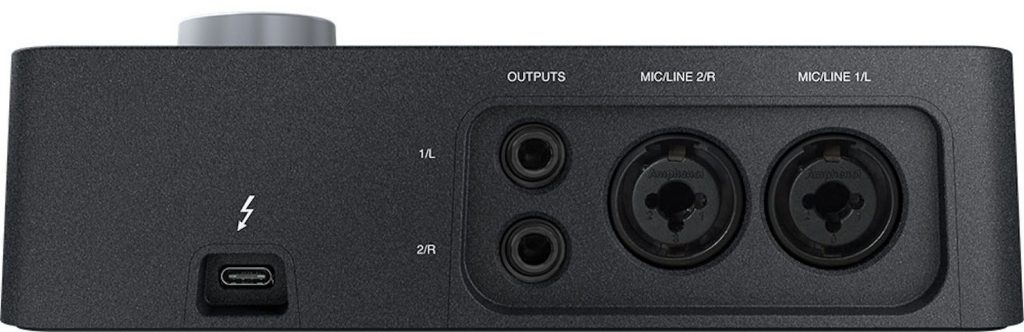
It has a simple layout: a D.I. and headphone jack on the front, and two mic preamps and two LINE OUTs on the back.
The top of the unit has buttons for operating each parameter, allowing comfortable control.
The recording and monitoring sound is also analog-like, with characteristically crisp mids and highs.
Recommended for those who want to seriously learn mixing and mastering too or those who mainly record instruments.
One caveat: it can't be connected or used unless your computer has a "Thunderbolt 3 port."
These days many computers have USB Type-C ports, but they look like the same connector while being a different standard, so please be careful about this.
This product also doesn't come with DAW software, so you'll need to get DAW software separately.
RME Babyface Pro
Finally, we introduce RME's "Babyface Pro."
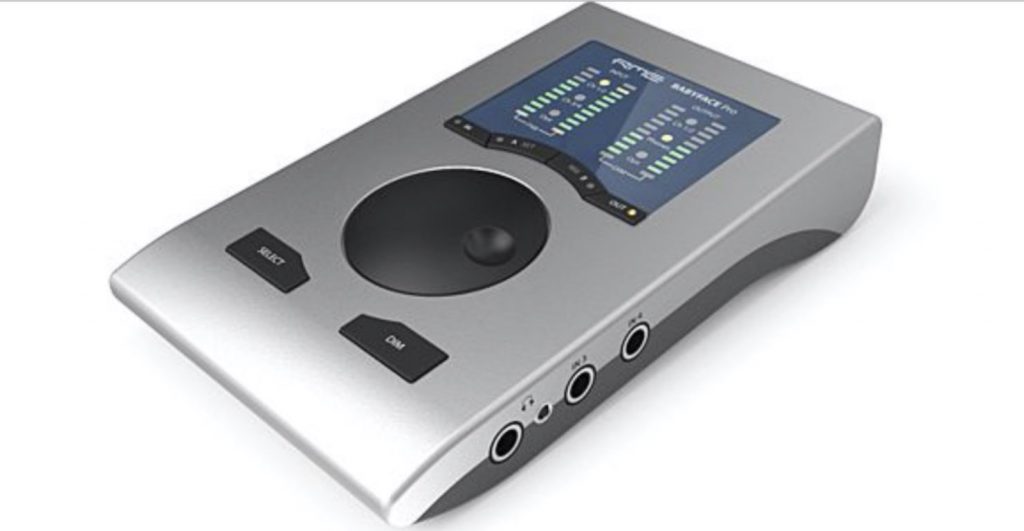
It has many fans among professionals, and from this compact body you'd never imagine, it boasts high-quality recording and monitoring sound.
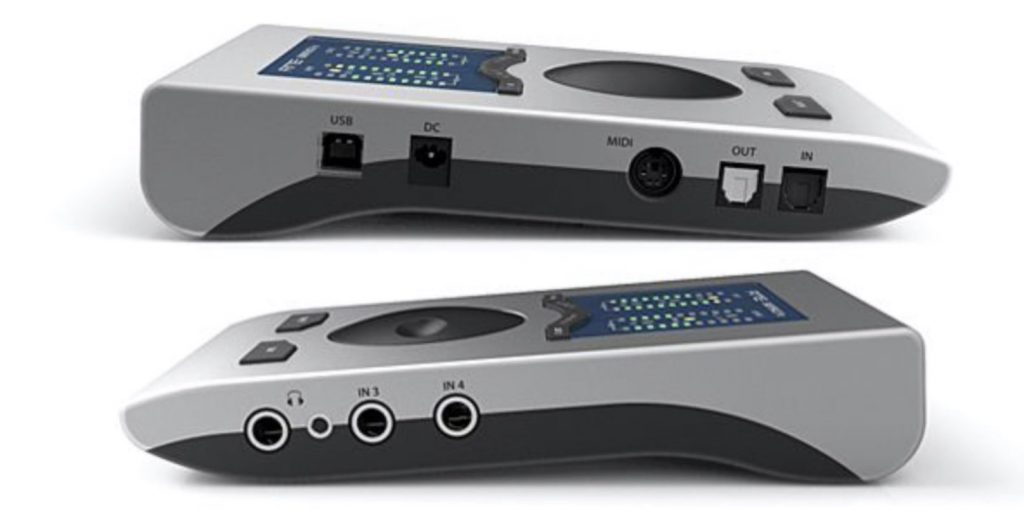
One side of the unit has two headphone jacks and two LINE INs, and the other side has OPTICAL IN/OUT, MIDI ports (the included breakout cable is required to use them) and a USB port.
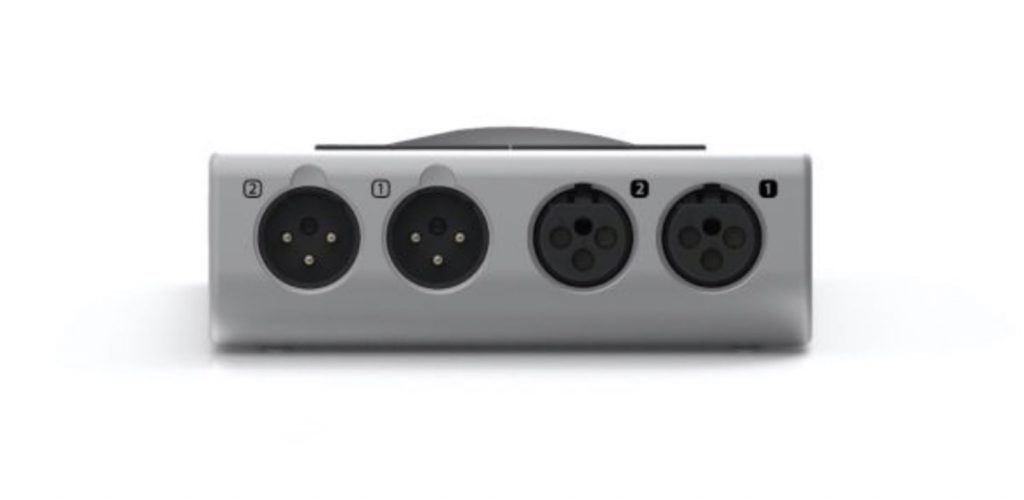
And the back of the unit has two XLR INs and two XLR OUTs.
Both the recording and monitoring sound are crisp and clear, and even when monitoring on headphones or earphones, it renders sound in very fine detail.
For example, you can accurately tell where each instrument is sounding, and even the reverb tails come through clearly and cleanly.
Genre-wise, it pairs well with programmed, electronic sounds, and since it's compact and bus-powered, it's also great for portability.
It's the most expensive of the ones introduced this time, but not many things this size can produce this much sound.
It will shine for DTM, of course, and there's no doubt it will make listening to music more enjoyable too.
About the cables used for recording
Lastly, when recording instruments with an audio interface, please pay attention to the cables too.
No matter how good an audio interface you get, if you don't care about the cables you connect, noise can occur or the sound can come out thin.
We recommend cables made by CANARE.
Some music stores have places where you can try various cables, so if you're unsure, it's a good idea to ask them.
What did you think?
This time we introduced five audio interfaces.
We carefully selected products that all offer great value for money, so we hope this helps you choose.
Next time we'll feature a top five of different gear, so stay tuned!
Frequently asked questions
Q1. Can't I record through my computer's earphone jack without an audio interface?
Using the earphone or mic jack built into a computer is very likely to produce noise. To record with clean sound quality, we recommend using an audio interface.
Q2. Which audio interface is for beginners?
We recommend the Steinberg UR22mk2. It's compact, comes with the DAW software "CUBASE AI" and its well-balanced specs suit beginners.
Q3. I want to connect external synthesizers such as a MIDI keyboard. Which product should I choose?
Choose the Steinberg UR22mk2 or Universal Audio Arrow, which have MIDI IN/OUT, or if a product has no MIDI ports, prepare a separate MIDI interface.
Q4. What's the difference between the Audient iD14 and the Universal Audio Arrow?
The iD14 is known for its warm, analog-like sound, while the Arrow has crisp mids and highs suited to mixing and mastering. The Arrow also lets you use high-quality UAD plug-ins.
Q5. Can I use them with a MacBook or iPad?
The UR22mk2 supports iOS via its 5V DC jack, but a Lightning to USB Camera Adapter is required. The Arrow can be used if the computer has a "Thunderbolt 3 port."
About the author
be-bee (Shun Ito)
Born in 1987. A Logic Pro X and Ableton Live user.
After returning from studying in the US, graduated from music school and made a debut as a composer.
Composes and arranges mainly EDM and pop, and also works as an engineer.
Twitter ID: @bebee330
Instagram ID: https://www.instagram.com/bu_e_bu/
YouTube channel: https://www.youtube.com/user/murmur330
NEW ARTICLES
Latest English Articles











