

"Sounds.com," a music production sample site newly launched by Native Instruments, is a platform offering a library of over 500,000 royalty-free sounds. Loops, samples and sound packs are categorized across diverse genres such as classical, pop, rock and trap, with new material added every day. It has detailed search by conditions such as genre, tempo and key, plus excellent preview features, and can be used from Japan with a free account. A paid version is also planned for Japan in the future, making it a new service worth watching for everyone from DTM beginners to advanced users.
Over 500,000 royalty-free sounds already

Native Instruments has opened a music production sample site, "Sounds.com (beta)."
Sounds.com is a service providing loops, samples and sound packs for creators in every music genre, and it already offers a library of over 500,000 royalty-free sounds.
These sounds are categorized by music genre, such as classical, pop, rock and trap, and new sounds are added every day.
Currently, the service area (paid version) is the US only, but Japan support is of course also in view.
You can also create and use a free account from Japan.
Signing up for Sounds.com
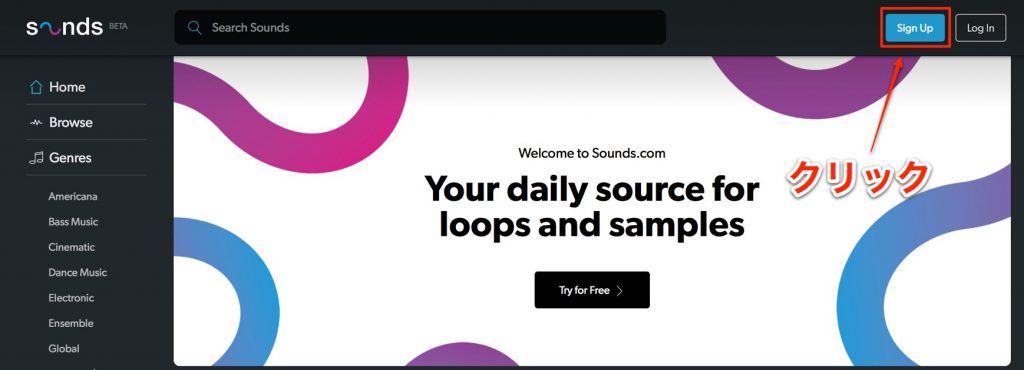
Click "Sign Up" at the top right.
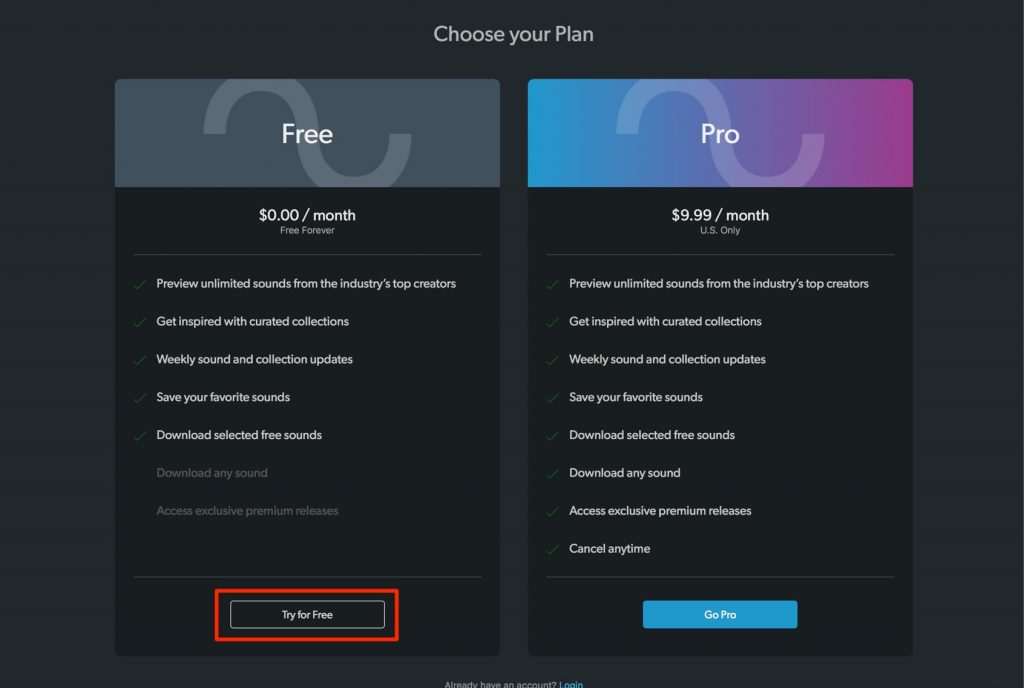
Click "Try for Free."
The paid version is US-only, so click "Try for Free."
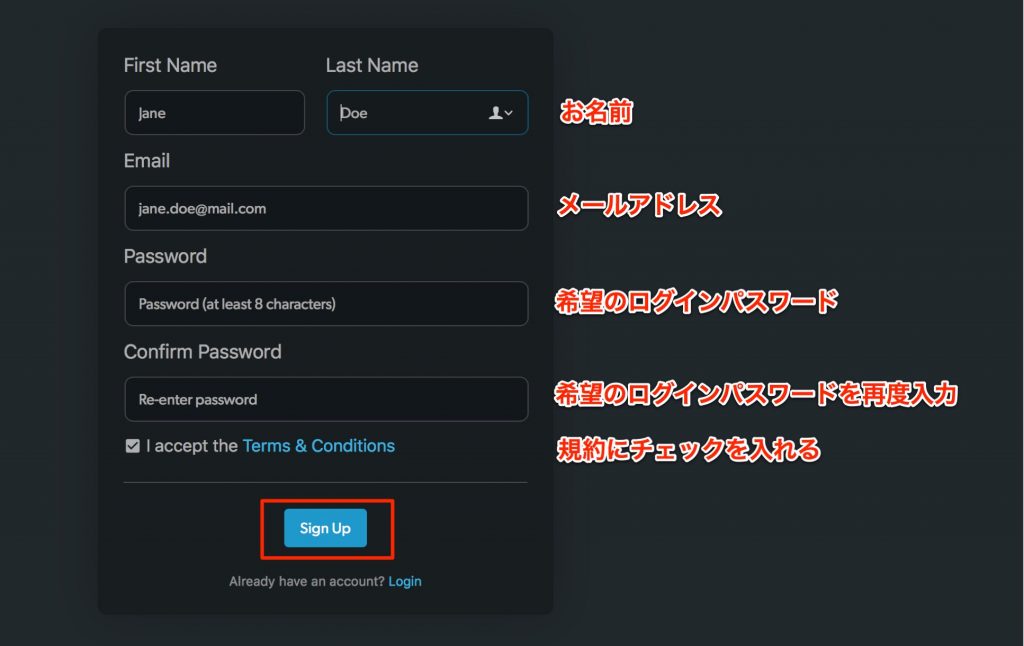
Fill in the required fields and click "Sign Up."
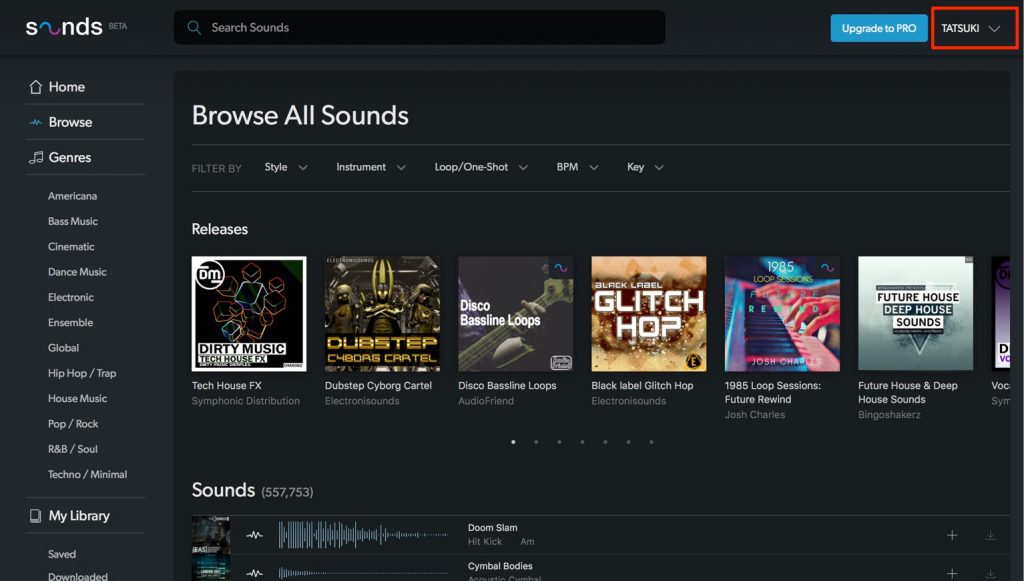
After entering them, you're immediately logged in.
Excellent usability, including sound previews
Previewing and searching the sound library is also excellent.
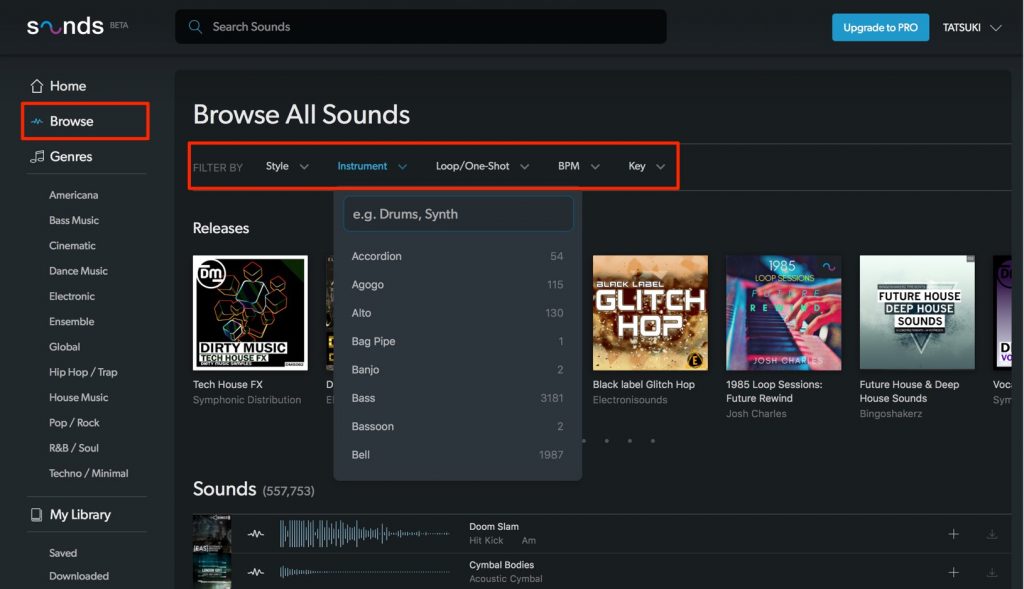
From "Browse," you can search by conditions such as style, genre, loops, one-shot samples, tempo and key to match the material you're looking for.
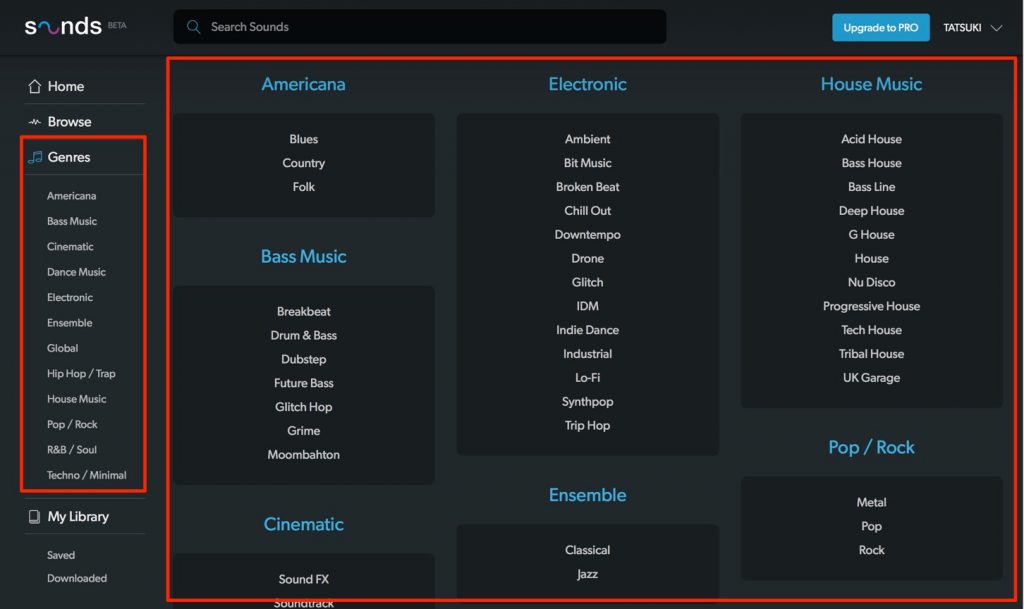
"Genres" specializes in searching for sounds from the music genre you want.
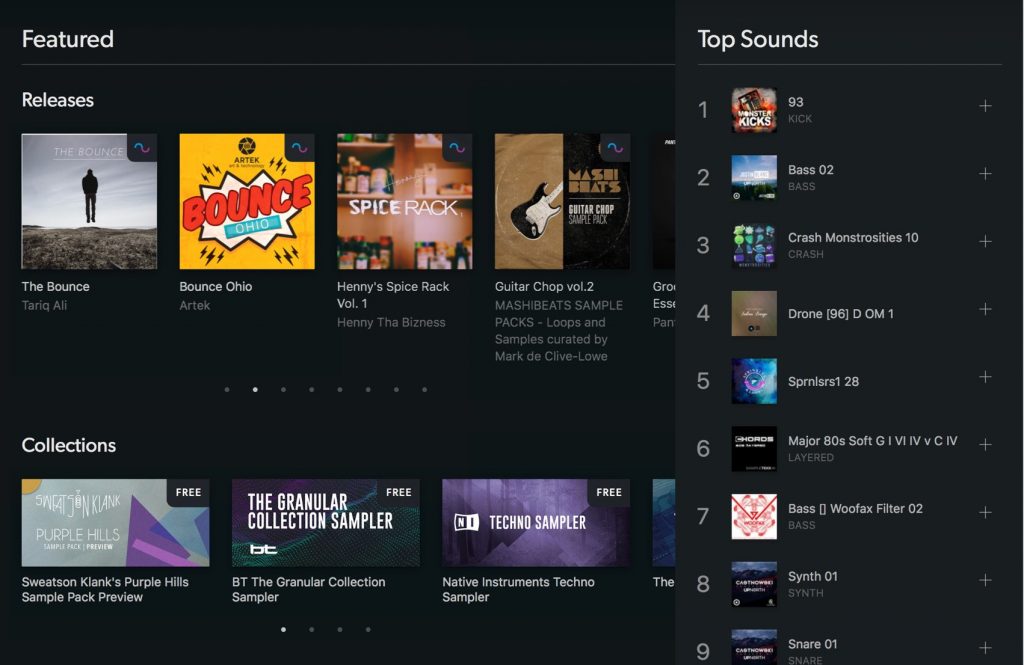
Clicking a sound library lets you preview its demo.
Once you find a demo you like, click the demo's cover art.
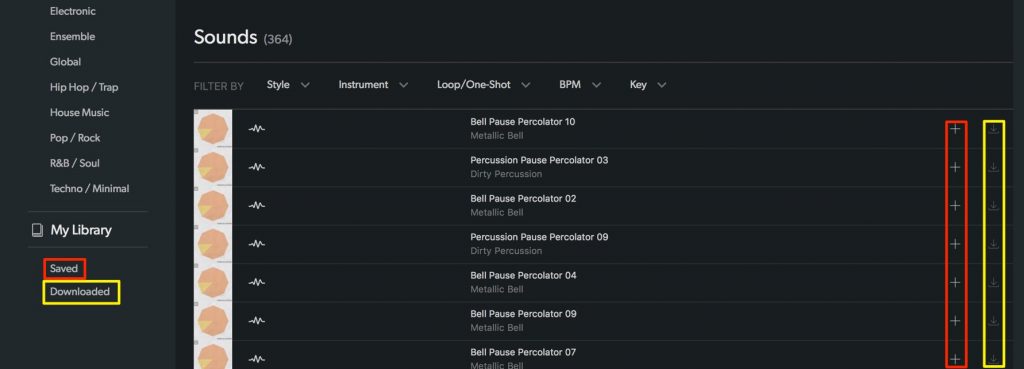
As you can see, each item is provided as separate parts.
"+" adds the sound to your favorites (Saved), and "↓" lets you download it instantly.
*Free members are limited in the files they can download.
A $9.99/month paid membership is also available
Sounds.com offers a $9.99/month paid membership that lets you download every sound on Sounds.com.
Free account
- Unlimited previews of royalty-free sounds by industry-leading creators
- Free sounds and collections updated weekly
- Discover the best sounds with cutting-edge audio recognition technology
- Download selected sounds for free
- Free forever
Pro account ($9.99/month special introductory price)
In addition to all the features of the Free account, you get the following.
During the beta test period, the service is available in the US only.
- Download every sound on Sounds.com
- Access to exclusive premium releases added weekly
- Cancel your membership anytime
Currently you can't sign up for the paid service from Japan, but it's packed with high-quality sounds that would quickly pay for themselves once it's supported.
While hoping for Japan support, be sure to sign up for a free membership and check out the material!
Frequently asked questions
Q1. Can I use Sounds.com from Japan?
First of all, you can create and use a free account from Japan. The paid version ($9.99/month) is currently US-only, but support for Japan is planned. Even with a free account, you get unlimited previews of free sounds updated weekly and free downloads of selected sounds.
Q2. What format are the sounds on Sounds.com provided in?
The article doesn't specify a format, but it shows that each item is provided as multiple files. We recommend checking the official site for details. Also, the downloadable file formats may differ between free and paid members.
Q3. Since the sounds are royalty-free, can I use them commercially?
They're described as royalty-free, but whether commercial use is allowed isn't stated in the article. Be sure to check Sounds.com's terms of use and license conditions to confirm whether commercial use is permitted before using them.
NEW ARTICLES
Latest English Articles











