
nana is known as a music-sharing app, but it can be a very effective means of promotion and monetization for DTM producers. This article explains how to post your own songs on nana, have many vocalists sing them, and help your music spread. You will learn practical know-how for DTMers to succeed on nana, from high-quality recording using an audio interface such as the iRig HD 2 to setting up your account and promotion strategies using the community feature. Songs that easily get buried on YouTube or Niconico Douga benefit from nana's "singing" mechanism, which deepens listeners' attachment and makes it easier to reach more people.
If you are a vocalist, you have surely heard of the music app nana at least once.
However, it may not be a very familiar service to people who do DTM day to day.
This time, we would like to introduce ways to make use of nana from a DTM perspective.
What Is nana?
nana is an iOS/Android app for posting "I tried..." covers and performances. As of April 2017, it has surpassed about 3.5 million downloads and is used in 113 countries around the world.

Under the concept of "connecting the world through music," its distinctive feature is that, depending on your ideas, you can use it in a wide variety of ways: not only singing songs someone else uploaded, but also layering instruments, adding lyrics or writing stories.
Within a 90-second time frame, people of all ages and nationalities post every day, centered on younger generations such as junior high and high school girls.
Why DTMers Use nana
As mentioned above, nana is not very familiar to people who use DTM, and a major reason for that is the overwhelming proportion of "people who post singing."

About 90% of users are so-called "utaite" (cover singers), and only a small number compose or arrange.
So why would DTMers deliberately use nana?
The reason is that the music you post can be "sung" and "shared" by others.
By posting songs on nana, you can have people you don't know sing your songs, and other singers who hear those covers sing them again, and so on. The ease with which this chain reaction occurs is the app's distinctive feature and biggest advantage.
These days, music posted to YouTube or Niconico Douga often doesn't get many plays or is just listened to in passing. On nana, however, the action of "singing" makes singers and listeners more likely to engage with a song with greater attachment.
The Process Leading Up to Posting a Song
nana is currently available only on smartphones, so install the app on your iOS or Android device in advance.
Here, we will explain using an iPhone.
Registering an Account

After installing the app, launch it and a screen like this appears. Tap "Start Now."
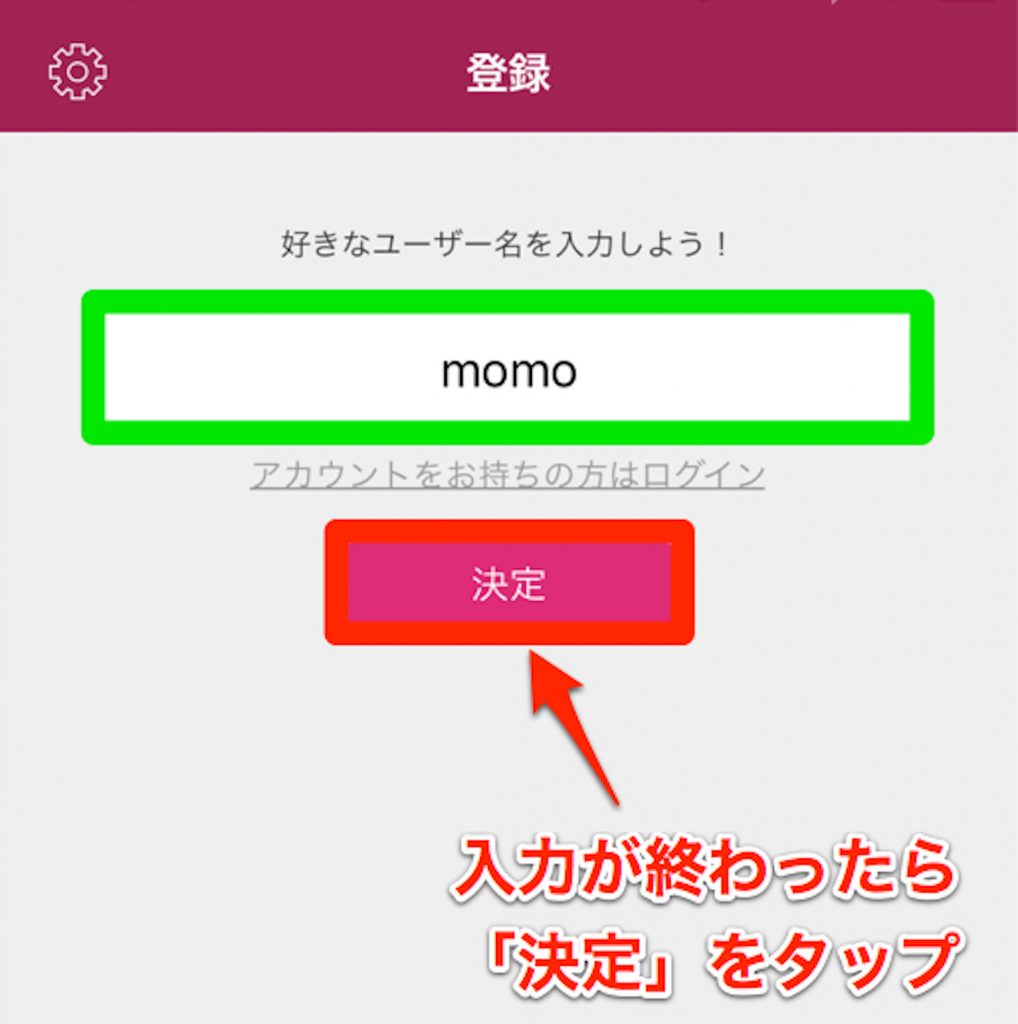
Set your user name.
You can change the user name you choose here later.
That completes the minimum setup.
You can post a song right away, but we recommend setting up your profile and other details first.

You can view your currently public profile on "My Page" at the lower right of the screen.
By tapping the gear icon at the upper left, you can configure various settings such as your profile image, description and Twitter or Facebook account authentication.
Once the settings are done, it's finally time to post a song.
What You Need to Post Songs
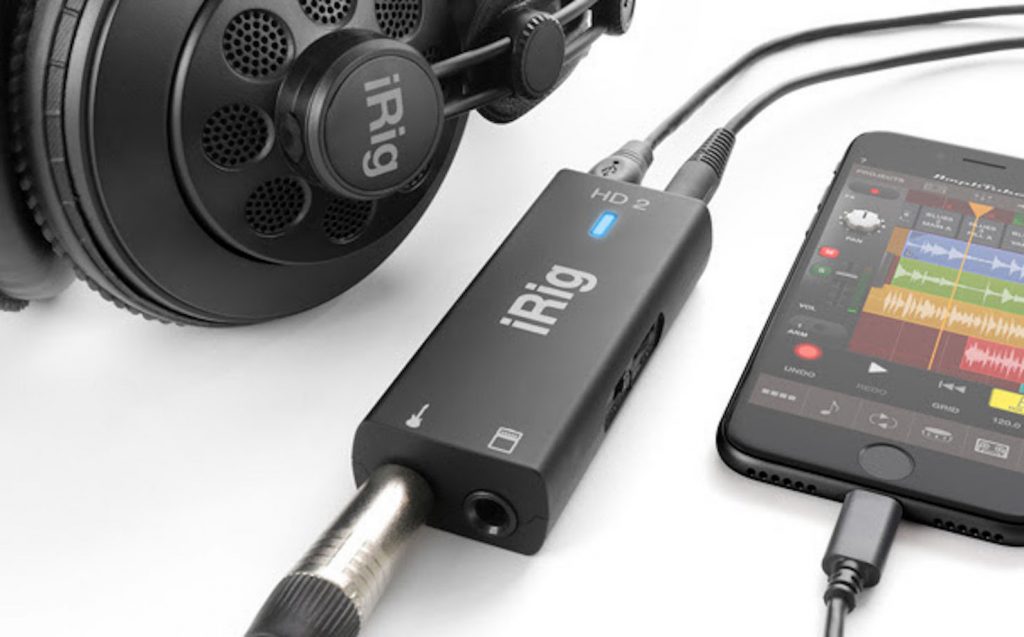
You could play audio made on your computer through speakers and record it with the iPhone's microphone, but the sound quality inevitably degrades.
So this time, we will explain using the "iRig HD 2" released by IK Multimedia.
We use an iPhone in this explanation, but if you use an Android device, you can record in the same way using the "iRig UA", also released by IK Multimedia.
*Be sure to check that your device is supported before purchasing
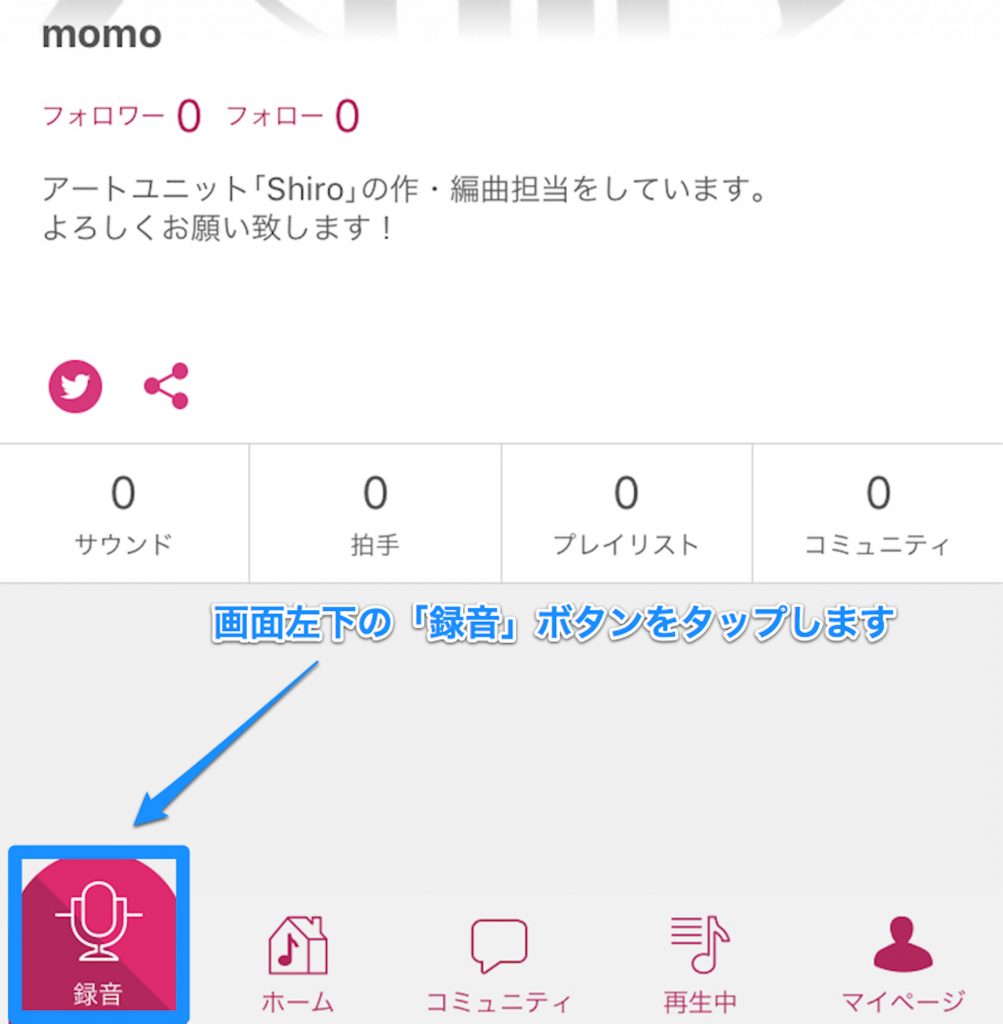
First, let's prepare to record.
Press the "Record" button at the lower left of the screen to switch screens.
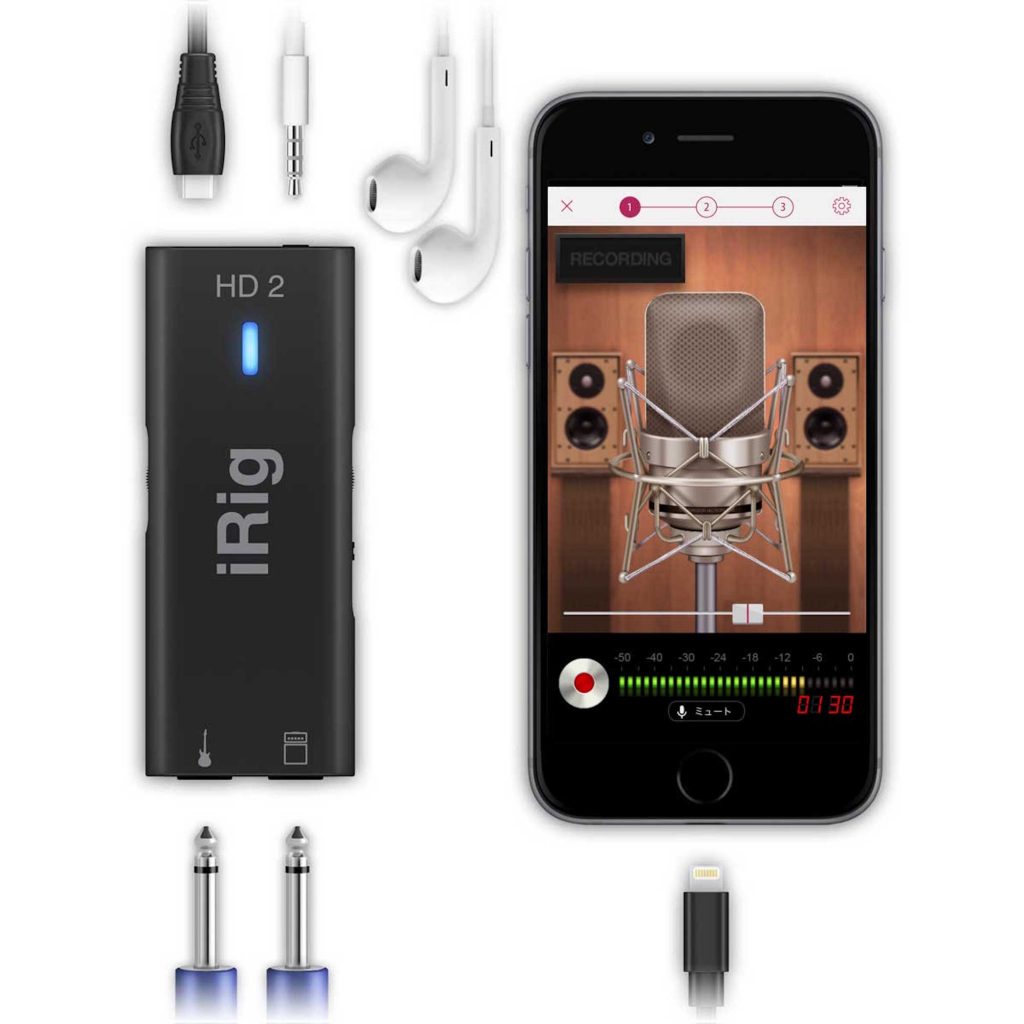
Next, connect the iRig HD.
The connection order is
Computer's headphone jack or audio interface
->
iRig HD 2
->
iPhone.
An important point to note here is that nana currently records in mono only.
So when recording from an audio interface or similar, it is best to set the output to mono.
When you actually play music, the meter on the iPhone screen responds, so set an appropriate level.

With the iRig HD 2, the input is basically set automatically just by connecting it, but if "it's connected but not responding...," check in the iPhone's Control Center whether the input is set to "iRig HD 2."
Now let's finally record.

When you tap the record button, a 5-second countdown starts, and then recording begins.
By playing the music on your computer at the same time, you can record the song you made.

When you stop recording, the recorded audio plays back automatically.
Check here that it was recorded properly, and adjust the volume and so on.
You can also apply effects, but in many cases your track will already be processed, so unless you have a particular reason, you don't need to set anything.
Tap "Retake" if you want to record again, or "OK" if there are no problems.

When you press "OK," the screen switches to one for entering information about the song.
Enter the song title, category, comments and so on here.
When you have entered everything, tap "Post" at the upper right of the screen.
Your post is now complete.

You can check posted songs from My Page.
(Addendum) Uploading to nana from GarageBand for iOS
We ran a series on using GarageBand for iOS to "finish a song and upload it to nana."
- "I want to compose, but I don't know how..."
- "I can come up with melodies, but I can't play an instrument..."
If you have concerns like these, we hope you will make use of these articles.
Making Use of the Community Feature
Simply posting a song won't get it discovered easily.
So let's promote it using the "community feature", one of nana's distinctive features.

Tap "Community" at the bottom center of the screen to display various groups.
From here, you can find communities by category or keyword search.

Depending on how you think about it, there are many ways to use it, such as joining a community like "Please listen to my original songs!" or promoting your songs in a community like "EDM lovers, gather round."
The reverse approach is also interesting: listening to vocals posted by someone else and adding music to them.
Join communities that interest you one after another and promote your songs so people will listen to them.
Of course, discovering and enjoying the songs and vocals posted by others is also part of the appeal.
nana has many other features as well, and it is evolving every day.
Someone listens to the audio you worked hard on and adds vocals, someone else is moved by hearing it, and it spreads further and further.
It is a one-of-a-kind service that lets you build better connections with many people through music, so be sure to make use of it.
There was also a campaign for DTMers, with an entry deadline of 23:59 on May 14, 2017. (This campaign has ended)
(Clicking the image below took you to the entry page)

It was a chance to win great prizes, so why not take it as an opportunity to post?
Thank you for reading to the end.
About the Author

momo (Mamoru Tanoue)
Born in 1995. Digital Performer user. Moved from Fukuoka to Tokyo as a composer after graduating from music school.
Debuted as a writer in August 2017, composing and arranging for Tsukicula's "STARDUST."
With the motto "songs that pierce the heart," momo is a multi-player who handles everything from lyrics, composition and arrangement to recording.
Also active as the composer and arranger of the art unit "Shiro."
Twitter ID: @momo_tanoue
Shiro : @shiro_unit or https://www.shiro.space/
Frequently Asked Questions
Q1. What benefits does nana offer DTMers?
By posting your own songs, you can have them sung by an unspecified number of vocalists. Because your music spreads with vocals attached, it reaches more people more easily than ordinary posts on YouTube and the like, and listeners tend to develop a deeper attachment to the songs.
Q2. What equipment do I need to post songs on nana?
A smartphone is essential. For high-quality recording, we recommend using an audio interface such as the iRig HD 2 (for iPhone) or iRig UA (for Android). By connecting these to your computer's output, you can post high-quality audio to nana.
Q3. How can I get more people to discover my songs on nana?
Actively using the community feature is important. By joining communities related to your genre or keywords, or promoting your songs in groups like "Please listen to my original songs," you can effectively reach your target audience.
Q4. What should I watch out for when recording on nana?
nana currently supports mono recording only. When recording from an audio interface, it's important to set the output to mono.
NEW ARTICLES
Latest English Articles











