
iTunes is known as music management software, but it can also manage video files, so you can efficiently organize and store video lesson materials for DTM. You can add videos with a simple drag and drop, and transfer them to your iPhone or iPad in just a few clicks. It is a feature that makes using video content for learning DTM more convenient, and one that students should make good use of.
Download URL (free): http://www.apple.com/jp/itunes/download/

It has firmly established its position,
and besides managing music, it can also handle videos.
You can also transfer videos to your iPhone or iPad.
How to Add Videos
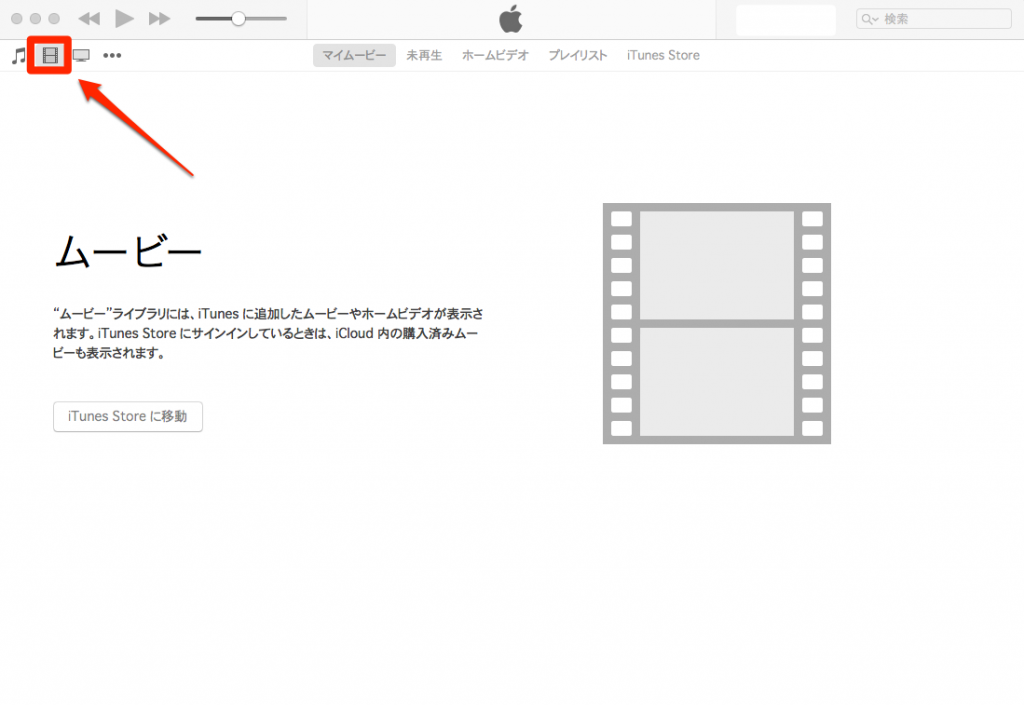
Switch from "Music" to "Movies."
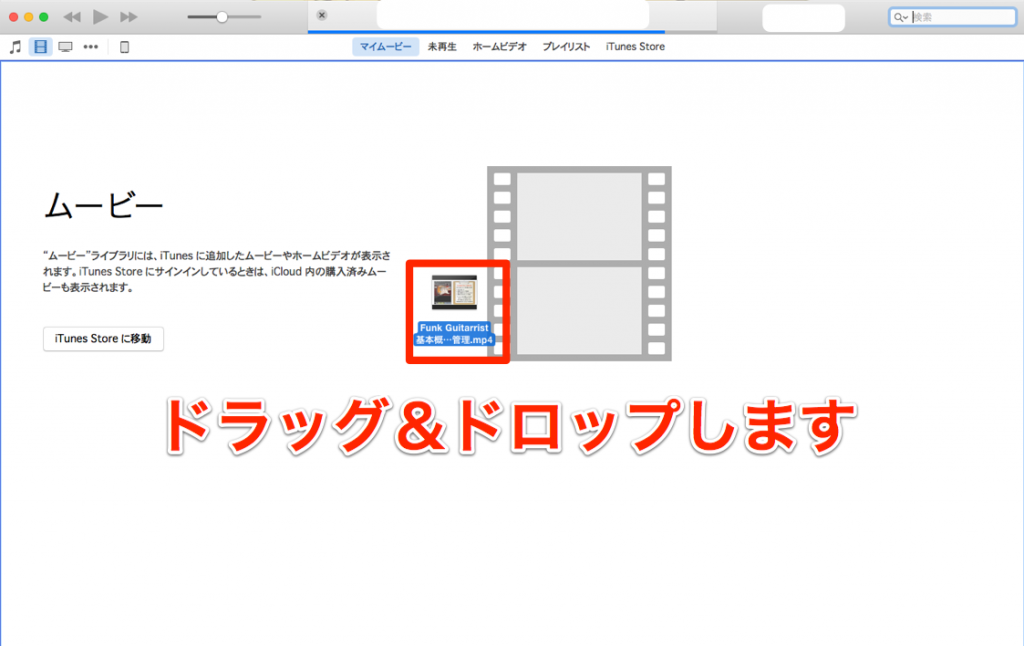
Simply drag and drop your videos.
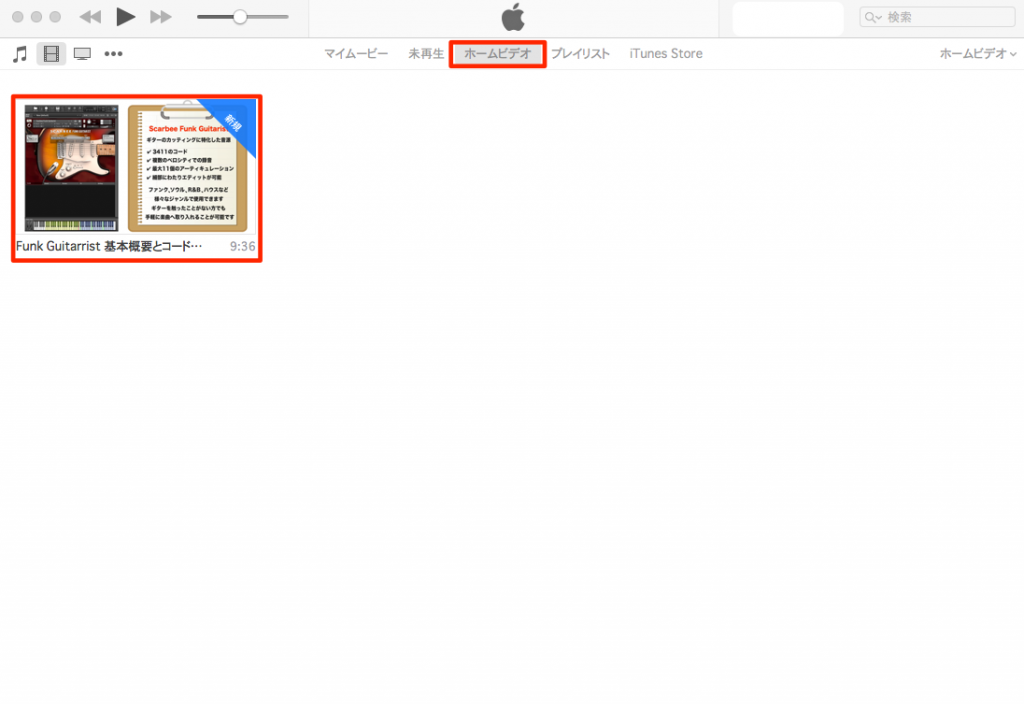
You can find them under "Home Videos."
Adding Videos to iPhone/iPad
This is also very easy.
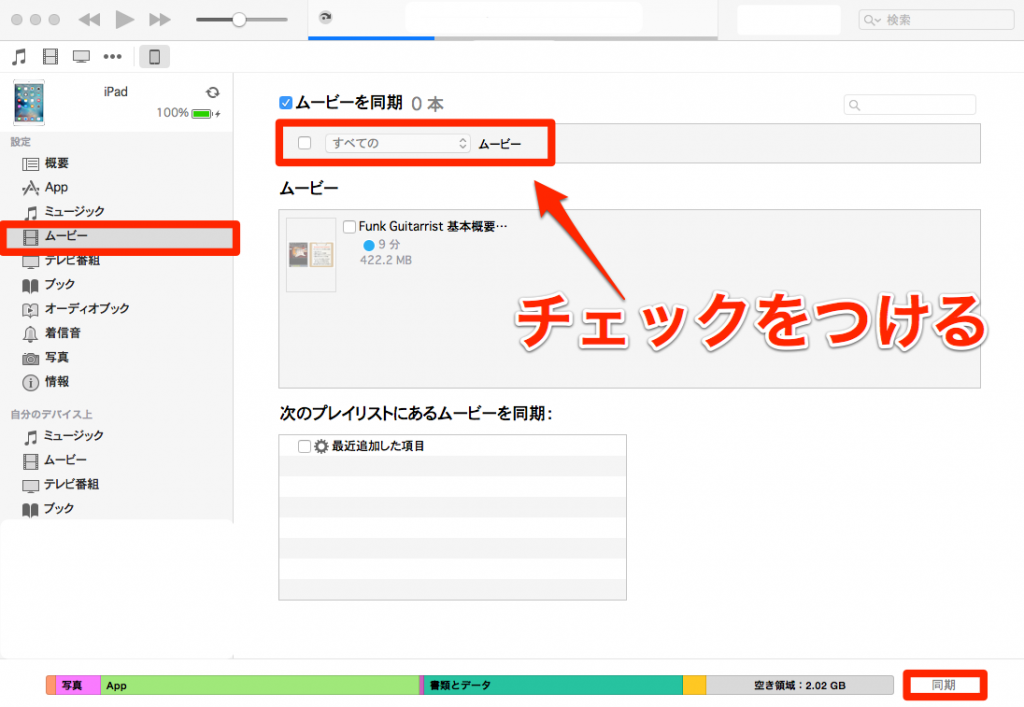
↑ Select your iPhone/iPad, and on the "Movies" tab,
simply check "Sync Movies."
The videos in iTunes are now copied to your iPhone/iPad.
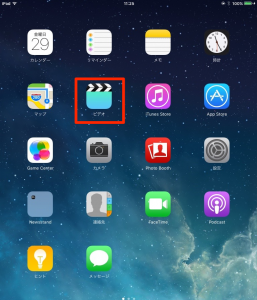
↑ You can watch them in the "Videos" app on your iPhone/iPad.


Frequently asked questions
Q1. How do I add video files to iTunes?
Switch from Music to "Movies" and simply drag and drop the video files. After adding them, you can find them under Home Videos.
Q2. Where can I watch videos saved to my iPhone?
You can watch them in the "Videos" app on your iPhone/iPad. If you enable syncing in iTunes, they are transferred automatically.
Q3. Can I manage multiple video files at once?
Yes. You can add multiple videos to the iTunes Movies library and manage all your files in one place. Syncing to iPhone/iPad also supports transferring multiple files.
NEW ARTICLES
Latest English Articles











