
MIDI 2.0 expands velocity resolution from MIDI 1.0's 7-bit range of 0–127 to a 16-bit range of 0–65,535, allowing finer control of performance dynamics. In this article, a professional pianist helps us compare classical, pop and jazz performances using compatible equipment, including Ivory 3 and the Roland A-88MKII. We explore the differences we hear in these recordings and what they might mean for producers working primarily with piano. Equipment compatibility and operating-system information below describe the June 2024 test environment.
How much can MIDI 2.0 affect the sound of your music?
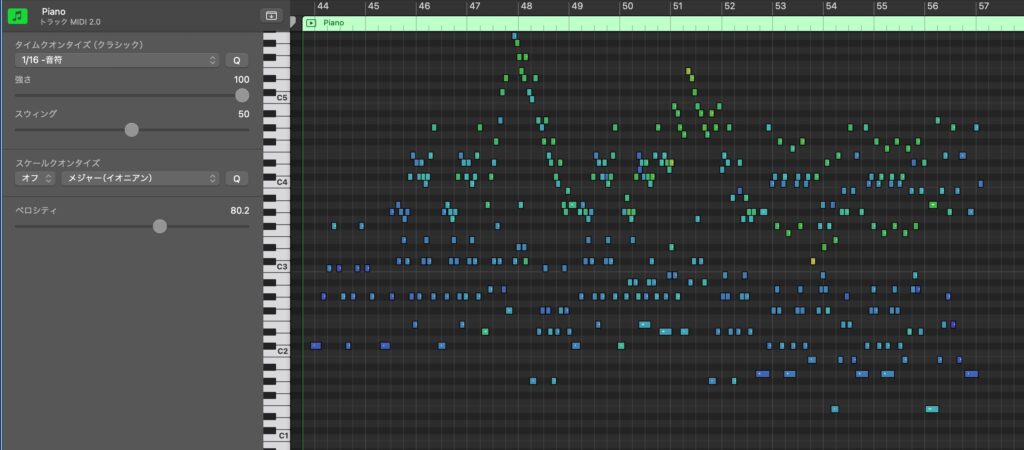
At the time of this June 2024 review, five years had passed since MIDI 2.0 was announced in 2019, and compatible products were gradually appearing.
Here, we focus on one of MIDI 2.0's key features: high-resolution velocity and investigate how much the sound differs between MIDI 1.0 and MIDI 2.0 in practice.
We felt the results could influence future equipment choices.
To investigate, we invited a professional pianist to take part in the test.
Video: Testing MIDI 2.0 with a professional pianist
About MIDI 2.0
MIDI 1.0 is the familiar standard used for programming parts in a DAW. MIDI 2.0 can make MIDI more convenient to work with while enabling greater precision and more expressive performances.
Of these features, the one that particularly interests us is higher-resolution MIDI data.
For performance dynamics, or velocity, the familiar MIDI 1.0 values run from 0 to 127.

With MIDI 2.0, velocity is expanded to 16 bits: 0–65,535.
This should allow finer nuances and expression closer to a live performance.
Note: In this test, Logic Pro records velocity to one decimal place, providing more than 1,000 displayed levels.
Equipment needed for MIDI 2.0 recording and programming
Those figures may make you want to try MIDI 2.0 straight away.
However, getting a compatible system together was still challenging at the time of this test.
Let's review the requirements for using MIDI 2.0 in music production as of June 2024.
Your DAW needs to support MIDI 2.0
First, your DAW must support MIDI 2.0.
Among the major DAWs available at the time, Cubase 13 and later, and Logic Pro, offered support.
Windows support was not yet available in June 2024
At the time of the original test, Windows itself did not yet support MIDI 2.0, so operating-system support was still awaited.
Consequently, the MIDI 2.0 setup described here did not work on Windows even with a compatible DAW such as Cubase 13. This is a June 2024 compatibility statement, not a claim about current Windows versions.
Your virtual instrument needs to support MIDI 2.0
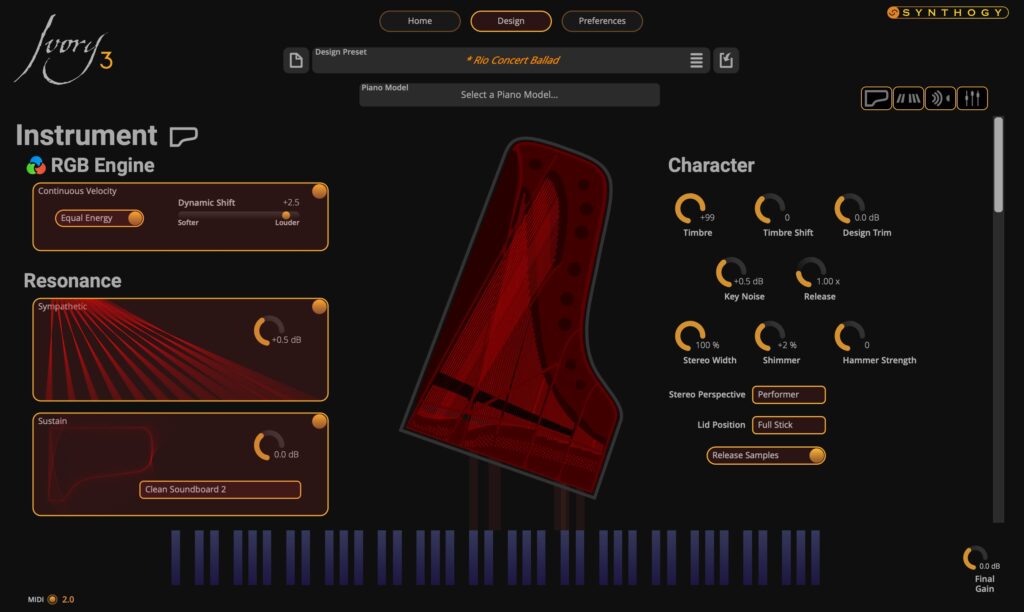
There were also relatively few compatible virtual instruments, with even fewer options that could be used inside a DAW.
Ivory 3 supported MIDI 2.0 at the time, so we used it for these comparisons.
Your MIDI keyboard needs to support MIDI 2.0

Of course, the keyboard sending your performance velocities to the DAW must also support MIDI 2.0.
Several products were being advertised as MIDI 2.0 compatible at the time, but the model offering the velocity support needed for this test was the Roland A-88MKII.
After installing the firmware update available at the time, you could switch between MIDI 1.0 and MIDI 2.0.
Comparing MIDI 1.0 and MIDI 2.0
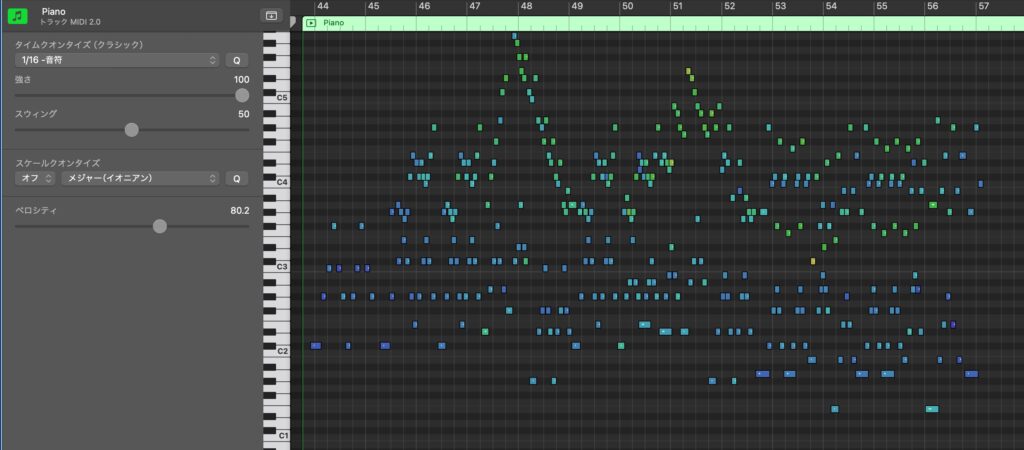
We recorded MIDI 2.0 performances using the equipment described above.
At the same time, we recorded exactly the same performances as MIDI 1.0.
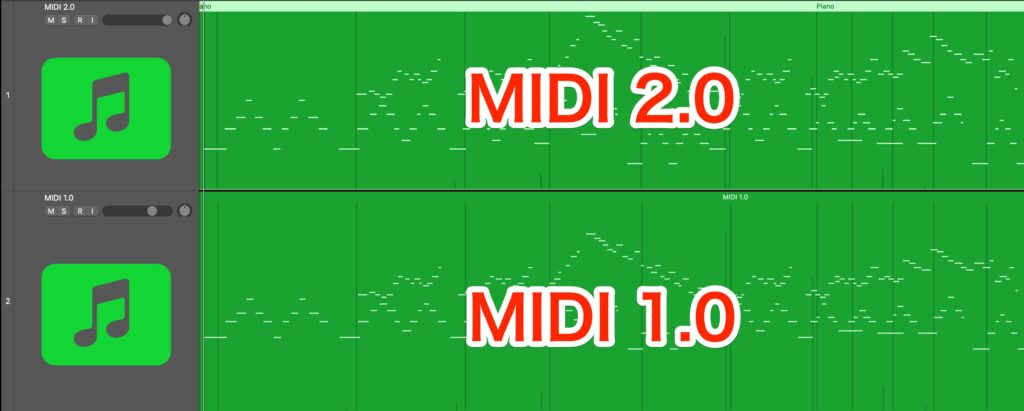
We then assigned both recordings to the same virtual instrument, Ivory 3, to compare the sound.
We recorded examples in three styles: classical, pop ballad and jazz.
Classical
A: MIDI 1.0 / B: MIDI 2.0
Pop / Ballad

A: MIDI 1.0 / B: MIDI 2.0
Jazz

A: MIDI 1.0 / B: MIDI 2.0
What do you think?
In these comparisons, we heard a clear difference between the two versions.
After listening to the MIDI 2.0 examples, the MIDI 1.0 recordings sounded flatter and less expressive to us.
The finer performance nuances suggest that MIDI 2.0 is worth considering if piano plays a central role in your productions.
We look forward to more acoustic-instrument libraries supporting MIDI 2.0.
The article below explains MIDI 2.0 in more detail.
Take a look if you would like to learn more.

Performance: Ko Miura, a pianist who turns feelings into sound

Born in Tokyo on November 23, 1989.
After studying on the piano performance course at Tokyo College of Music, he completed a master's degree at its graduate school.
He won first prize and the Grand Prix at the European International Piano Concours in Japan and performed in its gala concert.
His musical perspective centers on original piano works inspired by nature and emotion, alongside a growing classical repertoire.
He gives solo recitals across Japan, including performances at Hakuju Hall and Tokyo Opera City.
Following his first concert tour, “Prologue” in 2022, and second tour, “SONGS” in 2023, his third tour, “natural,” was scheduled for 2024 when this article was written.
The tour's final performance was scheduled for Ginza Oji Hall.
Website / Main YouTube channel / Second YouTube channel / Instagram / X
Ko Miura recital information: 2024 archive

Ko Miura at Oji Hall: “natural” Tour Finale
- Date: Sunday, September 15, 2024. Doors: 1:00 p.m. / Performance: 1:30 p.m. (Japan time). This event date has passed.
- Venue: Ginza Oji Hall
- Original ticket-page URL (historical event):
https://t.pia.jp/pia/event/event.do?eventCd=2409660 - Original event inquiries:
080-4689-3648, 10:00 a.m.–7:00 p.m. (JST), organizer: MM Planning. This is the contact information printed for the 2024 event.
Frequently asked questions
Q1. What is the main difference between MIDI 2.0 and MIDI 1.0?
A key difference is velocity resolution, which represents performance dynamics. MIDI 1.0 uses 128 values, from 0 to 127, while MIDI 2.0 provides 65,536 values, from 0 to 65,535, allowing finer distinctions in a performance.
Q2. What equipment is needed to use MIDI 2.0?
The setup requires a compatible DAW, such as a supported version of Cubase or Logic Pro, a compatible instrument such as Ivory 3, and a compatible MIDI keyboard such as the Roland A-88MKII. In the June 2024 test described here, the lack of Windows operating-system support meant using a Mac.
Q3. Can you hear a difference between MIDI 2.0 and MIDI 1.0?
In the recordings presented here, we found the MIDI 2.0 versions more nuanced and natural, while MIDI 1.0 sounded somewhat flatter by comparison. You can use the audio examples to judge the difference for yourself.
Q4. Could this MIDI 2.0 setup be used on Windows at the time of the test?
As of June 2024, the Windows operating system did not support MIDI 2.0 in the setup described here, even with compatible DAW software and a keyboard. Operating-system updates were still awaited. This answer describes the test period rather than current Windows compatibility.
Q5. Could instruments other than piano benefit from MIDI 2.0?
Higher velocity resolution can be useful for other instruments that support it, too. However, this article tests a piano library, so our recommendation is aimed particularly at producers whose work centers on piano.
NEW ARTICLES
Latest English Articles











