"Coestation," released by Toshiba Digital Solutions, is a free iOS app that lets you register your own voice and have it speak any text. Just by recording 10 example sentences, speech synthesis AI technology generates your personal voice, and you can also express emotion and adjust speed. It also has a game-like element where adding more example sentences improves the accuracy of the voice, and it can be expected to be useful for all kinds of purposes, such as video narration and DTM production.
Create your own voice with speech synthesis
Toshiba Digital Solutions has released an iOS app called "Coestation."
It's a very unique app that, once you register your own voice, can speak whatever text you type.
You can download the app here.
*The app can only be downloaded from the iPhone App Store.
Official Coestation video
You register your voice by speaking 10 example sentences into your iPhone, and it analyzes them.
It also incorporates the idea of raising a voice that gets even closer to your own as you speak more example sentences.
It's also fun that you can specify emotions and add intonation!
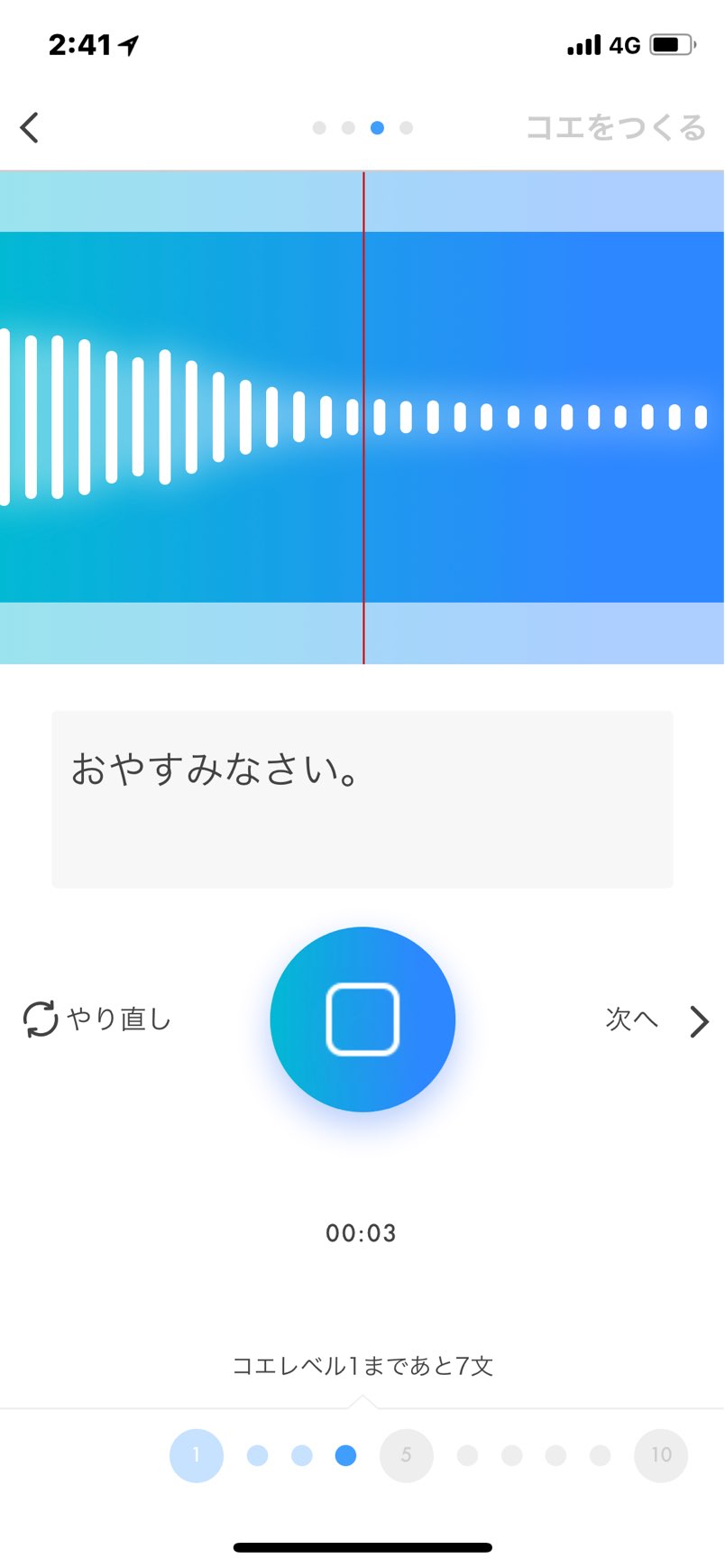
You record 10 example sentences like this.
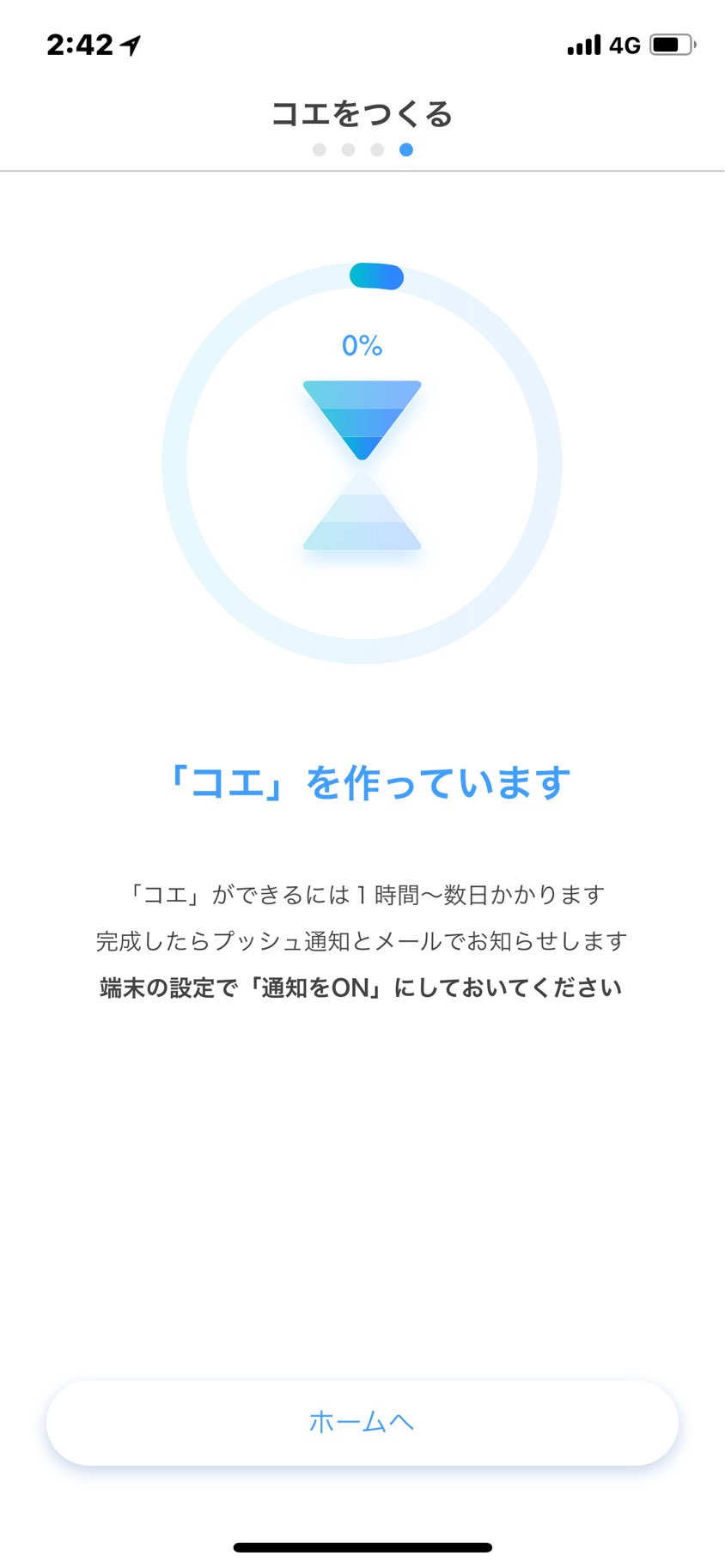
After recording, the voice analysis begins.
Creating the voice can take quite a long time, from half a day to a full day.
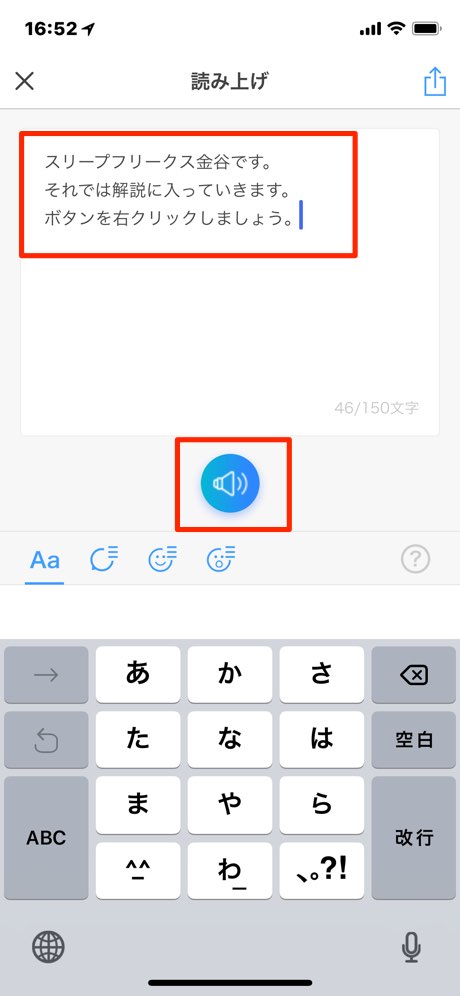
After the analysis, type the words you want it to say in the text area and press the speaker button in the center.
Your own voice starts speaking.
This is what it can already do at level 1.
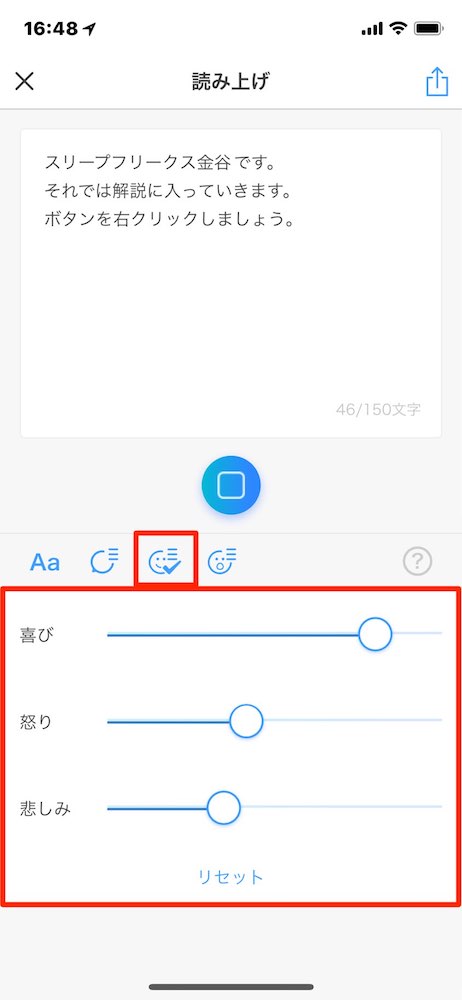
You can also change the emotional expression and speed.
Here, let's go with strong joy.
This is the result.
It's more expressive now.
It gets a little half-hearted at the end.
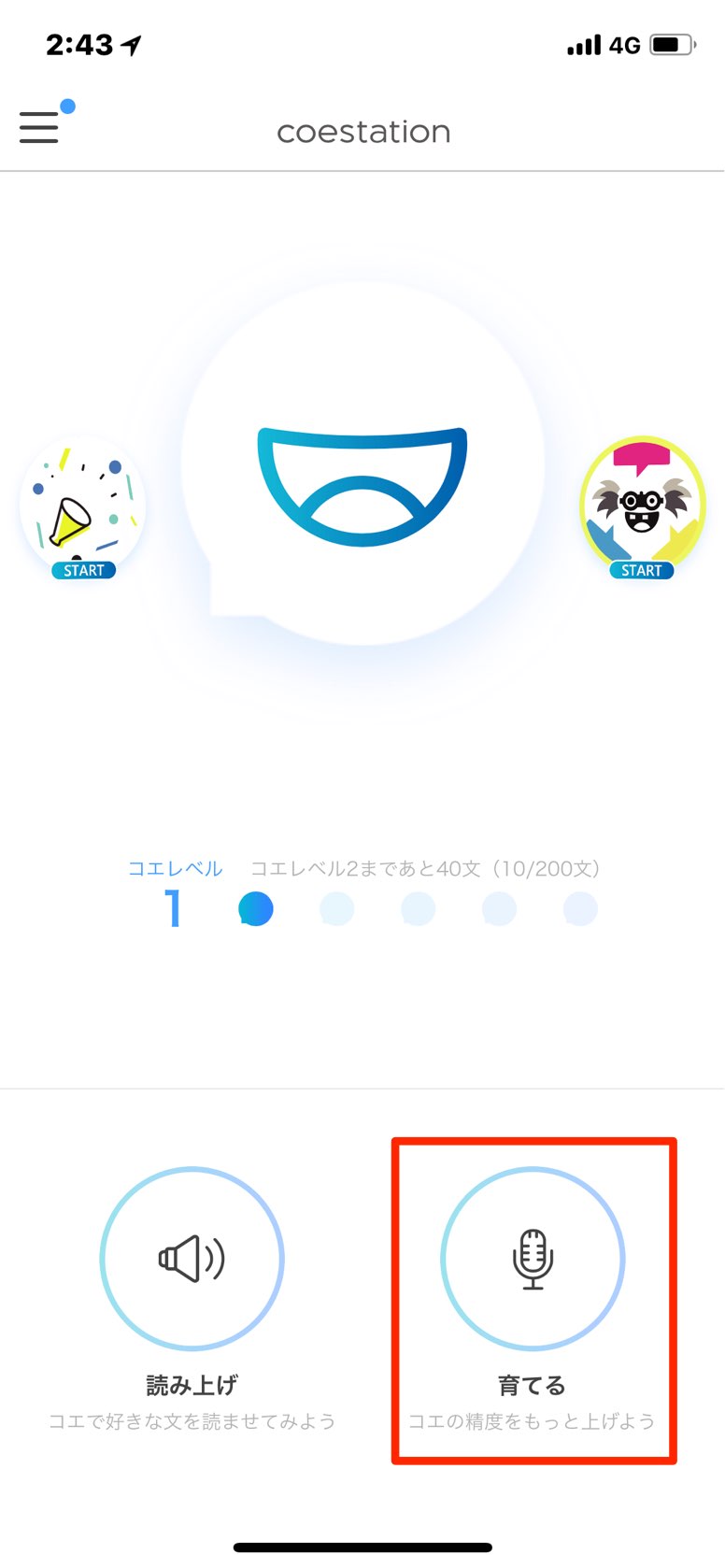
From here, you can train the voice to be more accurate by speaking more example sentences.
It's fun that it incorporates game elements too.
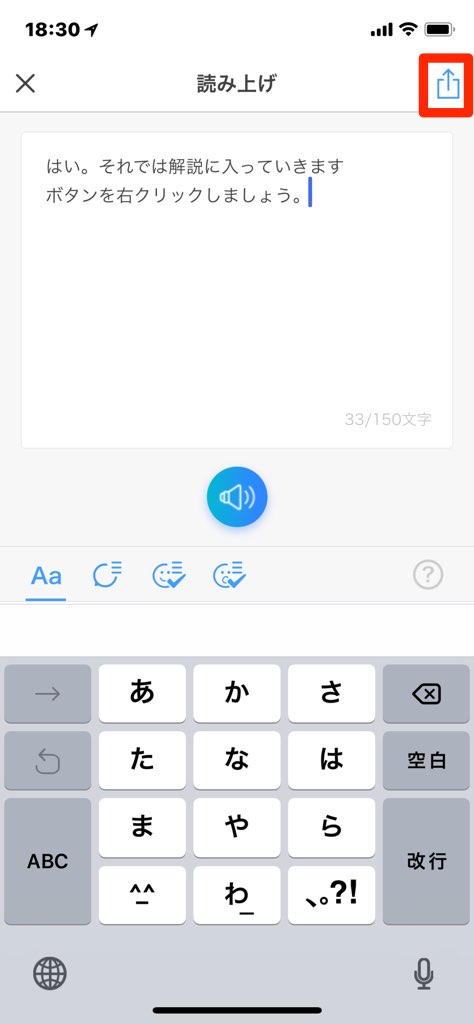
And you can send the voice you've created to Facebook, Twitter or LINE using the share button at the top right.
Send it to friends and see how they react.
What did you think?
Words of thanks you're usually too embarrassed to say, warnings to others you've avoided for fear of being disliked, video narration and so on.
It seems it could be useful in lots of situations.
Depending on your ideas, you might even be able to use it for DTM.
Please give it a try!
Frequently asked questions
Q1. How does Coestation learn your voice?
You register your voice by reading 10 example sentences aloud into your iPhone. The app then analyzes the audio to learn and generate your personal voice. By adding more example sentences, you can improve the accuracy so it gets closer to your own voice.
Q2. How long does it take to generate the voice?
Generating the voice for the first time can take from half a day to a full day. Processing time may vary depending on the number of example sentences registered and the state of your device.
Q3. How can I use the audio I've created?
The generated audio can be shared on Facebook, Twitter and LINE. It can be expected to be useful for many purposes, such as video narration, sending messages and DTM production.
NEW ARTICLES
Latest English Articles