

Chordify is an innovative tool that automatically analyzes the chord progressions of songs uploaded to YouTube. Even the free version lets you analyze YouTube songs and display chord diagrams, and its auto-scroll feature, which follows song playback, eliminates the hassle of switching between multiple screens. The paid version offers advanced features such as analyzing songs on your computer, MIDI export and key changes, and an iOS version is also available. It lets you easily grasp the chord progressions of songs that are hard to transcribe by ear, making it an essential chord analysis tool for composers and music learners.
Automatically Analyze the Chords of Songs Uploaded to YouTube
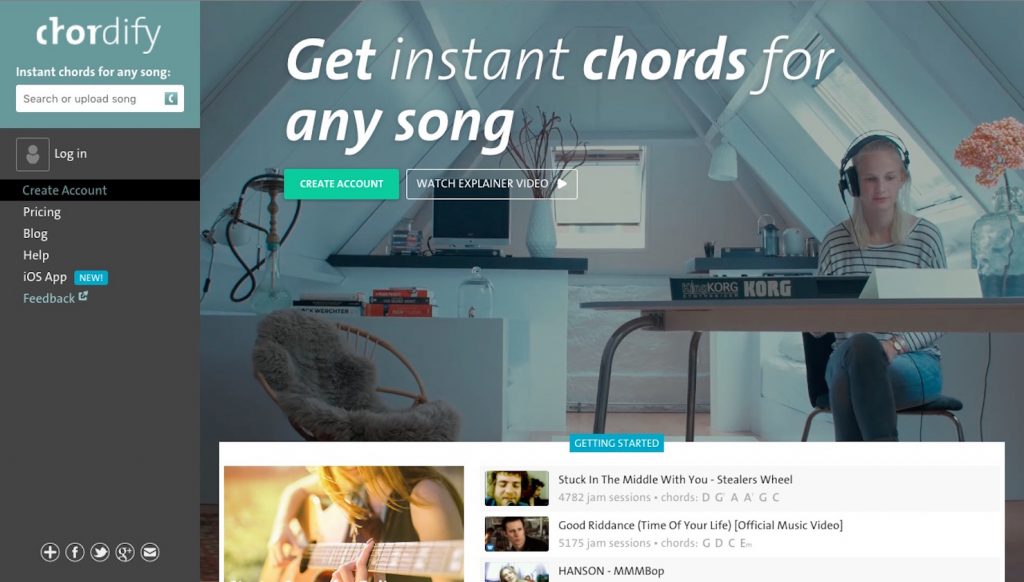
When looking up a song's chord progression, have you ever thought,
"The chord progression for the song I wanted didn't come up..."
"Switching back and forth between the music player and the chord site is a pain..."
Have you had experiences like these?
Many of you have probably given up looking, or reluctantly started transcribing by ear from scratch.
This time, we introduce a handy service called chordify that solves all of these problems at once.
What You Can Do with Chordify

Chordify's main function is the very convenient ability to "load songs uploaded to YouTube and automatically analyze their chords".
The service has a free version and a paid version, which differ as follows.
- Free version
- Analysis of songs uploaded to YouTube
- Display of chord diagrams
- Auto-scroll that follows song playback
- Paid version
- Upload and analyze songs on your computer
- Export analyzed chords as MIDI and print them
- Change the key and tempo of the chords
That's the gist of it.
These are all exciting features!
Now let's look at how to use it in detail.
How to Register for Chordify
Chordify is displayed in English, but registering and using it is surprisingly easy.
Go to the site.
https://chordify.net
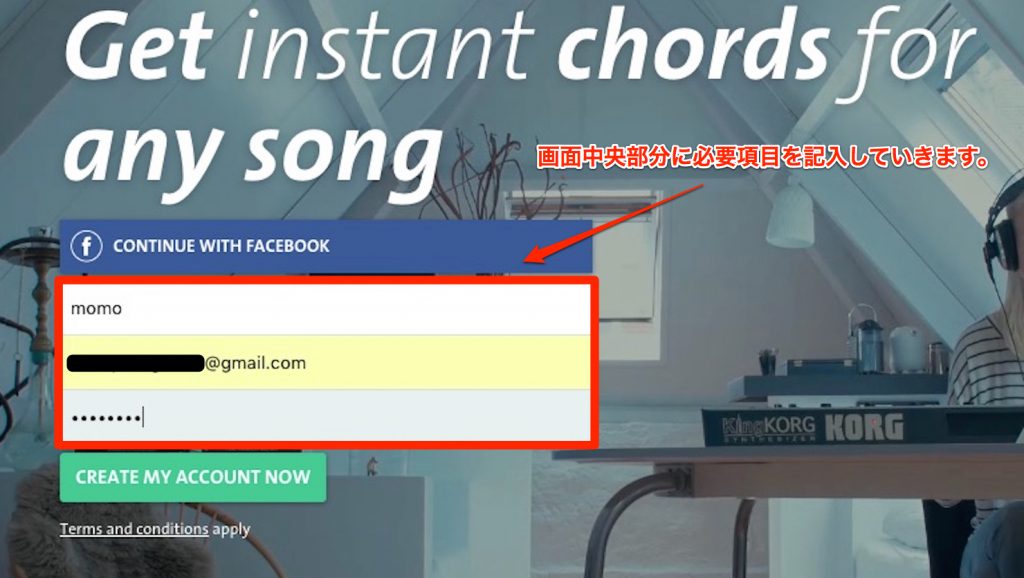
First, enter your name, email address and password.
A nickname is fine for the name.
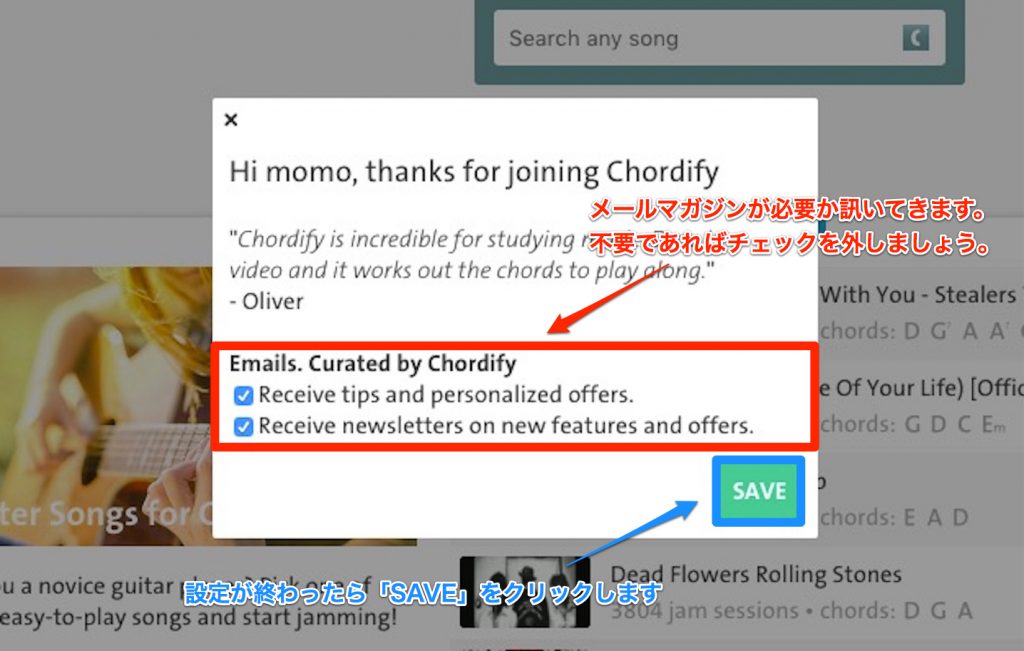
You will be asked "Do you want to subscribe to the newsletter?" If you don't need it, uncheck the box and continue.
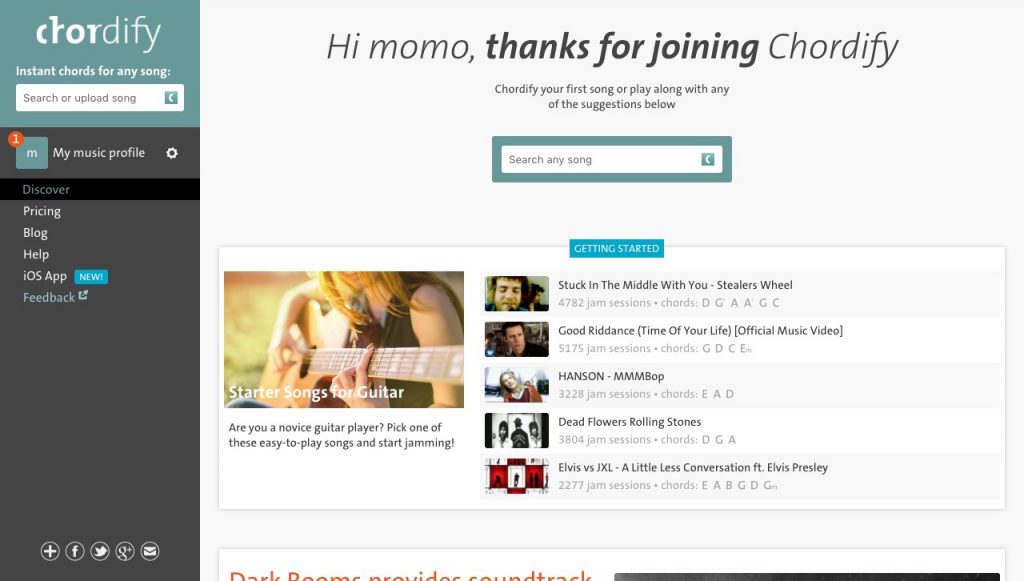
Registration is now complete.
Analyzing a YouTube Song
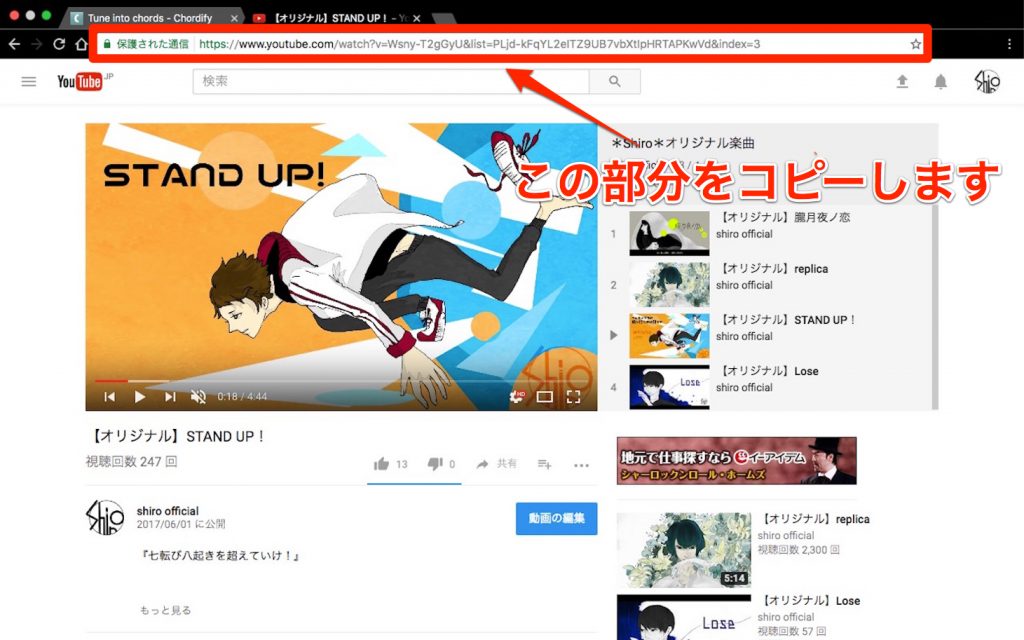
First, copy the URL of the song you want to analyze.
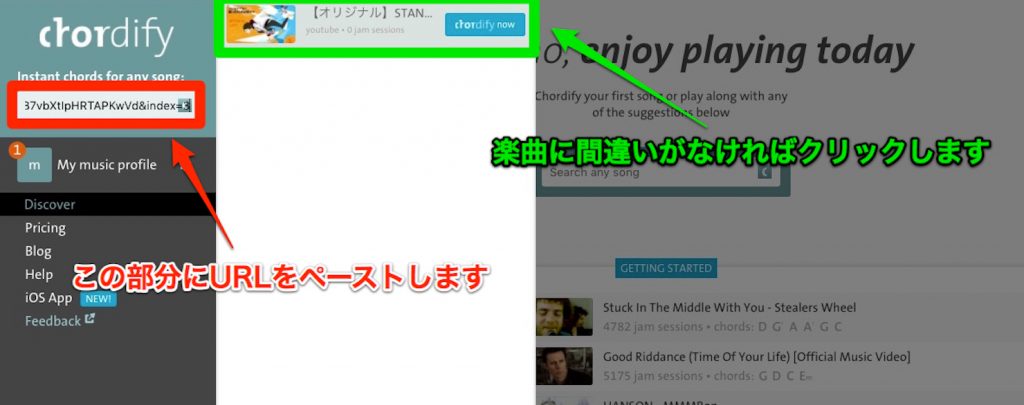
Paste that URL into Chordify.
The field where you paste the URL also works as a YouTube search box, so you can enter a song title directly here to search for it.
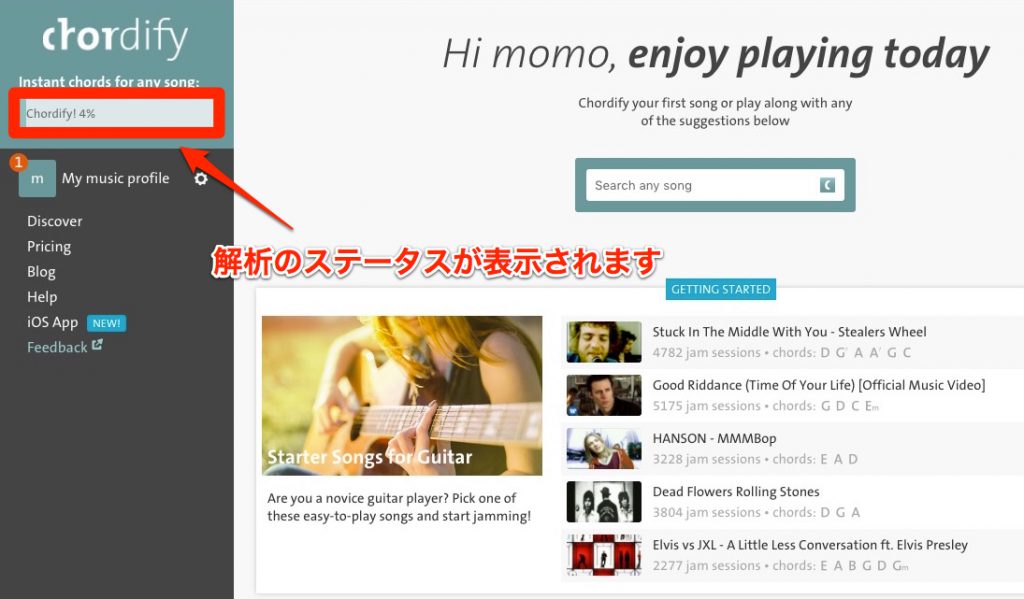
The analysis of the song begins.
By the way, once a song has been analyzed, it remains in Chordify's database, so next time the chords can be displayed without analyzing it again.
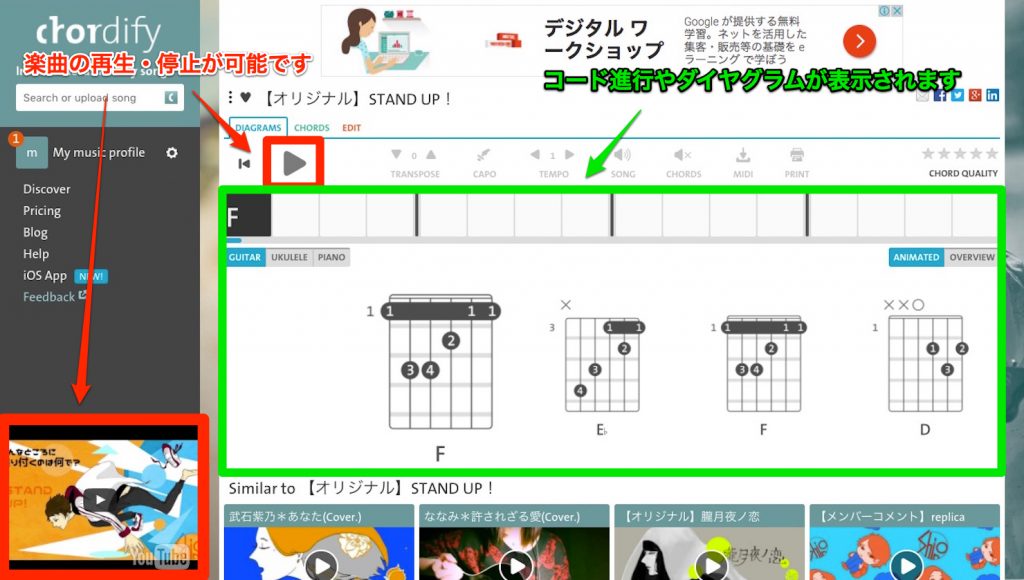
When the analysis is finished, the display switches to this.
What's really convenient is the "auto-scroll that follows song playback" mentioned earlier.
The YouTube thumbnail is displayed at the lower left of the screen, and when you click it, the chord progression scrolls along with playback.
Conversely, by selecting a specific point in the chord progression, the YouTube song jumps to that playback position.
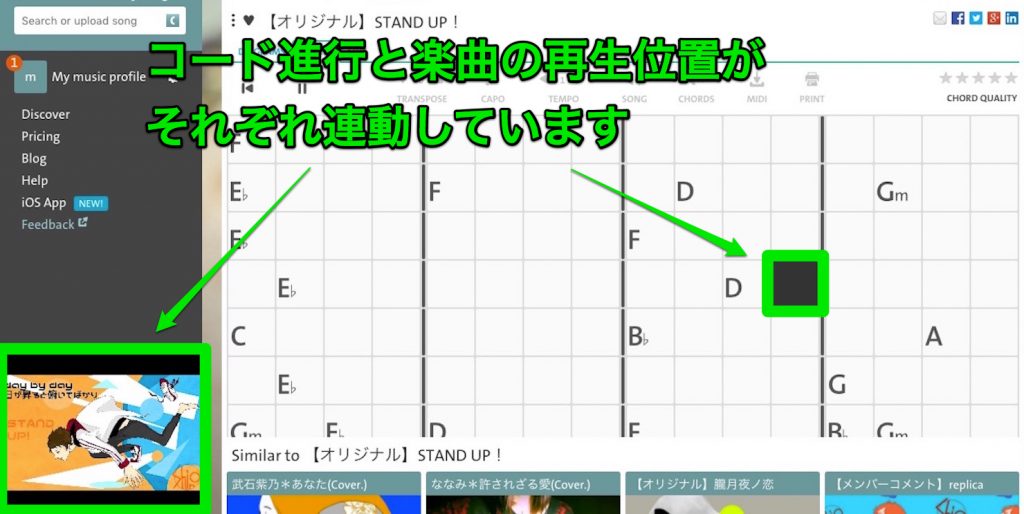
It's very convenient to be able to do everything on one screen without looking back and forth between screens.
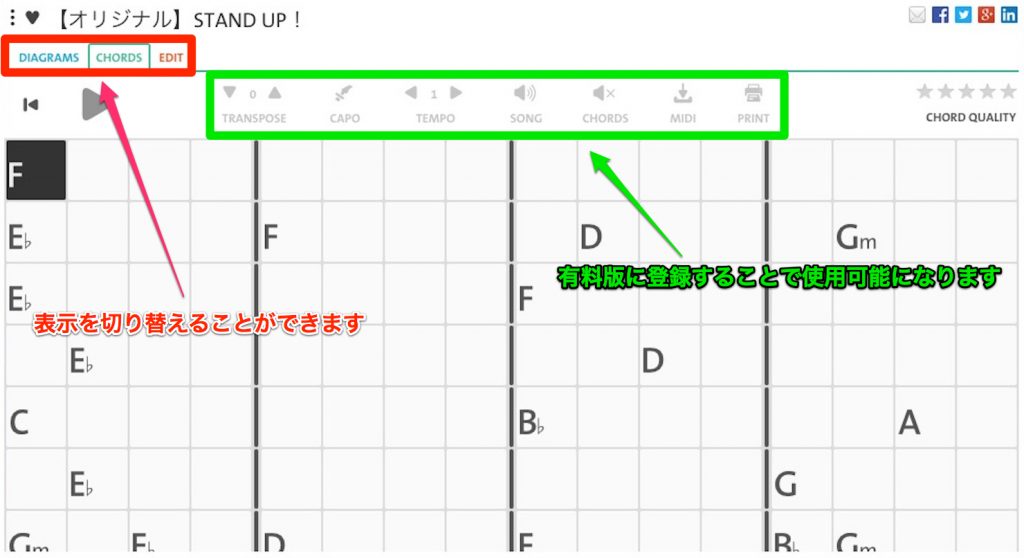
Switching the tabs at the top displays the diagrams, the chord chart and the edit screen.
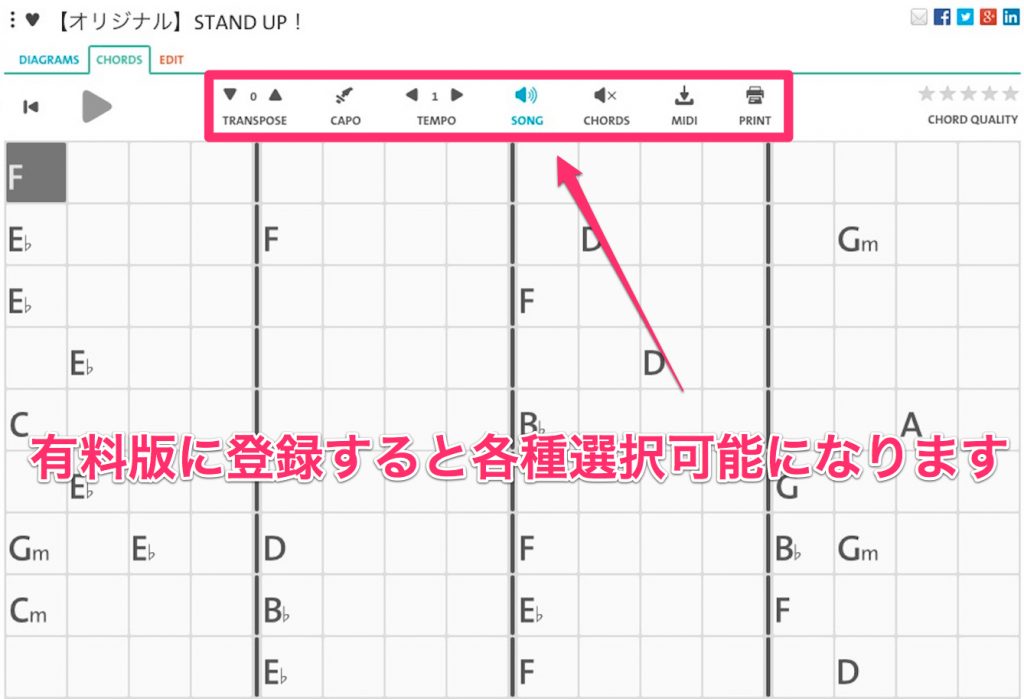
"Paid features"
These are grayed out in the free version, but by subscribing to the paid version, you can use features such as MIDI export and key changes.
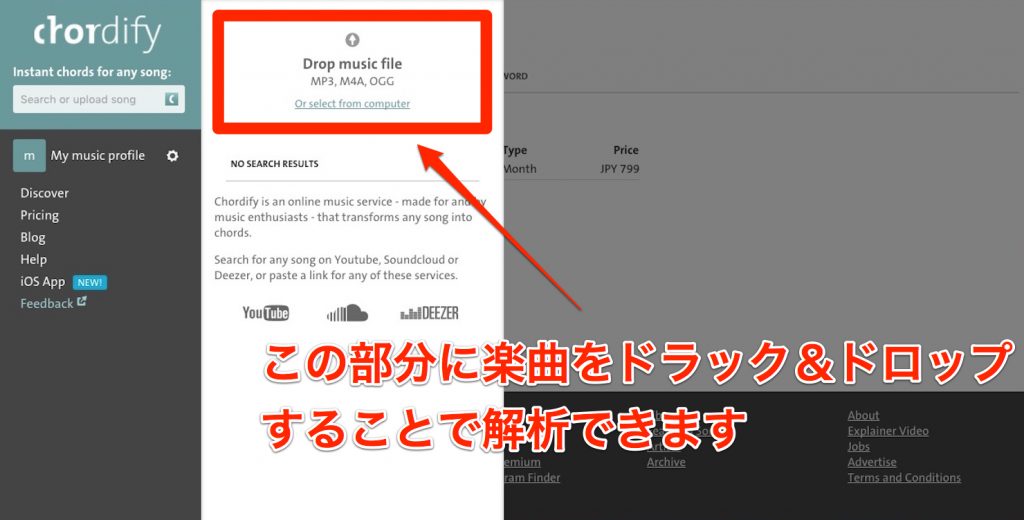
Another feature of the paid version is that you can analyze chords by dragging and dropping a song onto the upper left of the screen.
This feature is also very convenient.
In addition to what we've introduced so far, an iOS version of Chordify has also been released.

You can use almost the same features as the PC version, such as analyzing not only YouTube songs but also songs on your iPhone, so if you're interested, be sure to try it.
What did you think of Chordify, which lets you easily analyze chord progressions?
It might be fun to analyze all kinds of songs and explore your favorite music to your heart's content.
Frequently Asked Questions
Q1. Can I really use Chordify for free?
Yes. The free version lets you analyze YouTube songs and display chord diagrams. However, advanced features such as MIDI export and key changes are only available in the paid version.
Q2. Can I register and use it even if I'm not good at English?
It is displayed in English, but registration and basic use are very simple. Registration is complete once you enter your name, email address and password, and analysis starts as soon as you paste a URL.
Q3. Are there differences in features between the PC and iOS versions?
The iOS version offers almost the same features as the PC version. It can analyze both songs on your iPhone and YouTube songs, supporting chord analysis on mobile.
Q4. Do I need to analyze a song again once it has been analyzed?
No. Analyzed songs are stored in Chordify's database, so next time the chords can be displayed without analysis.
About the Author

momo (Mamoru Tanoue)
Born in 1995. Digital Performer user. Moved from Fukuoka to Tokyo as a composer after graduating from music school.
Debuted as a writer in August 2017, composing and arranging for Tsukicula's "STARDUST."
With the motto "songs that pierce the heart," momo is a multi-player who handles everything from lyrics, composition and arrangement to recording.
Also active as the composer and arranger of the art unit "Shiro."
Twitter ID: @momo_tanoue
Shiro : @shiro_unit or https://www.shiro.space/
NEW ARTICLES
Latest English Articles











