

Amazon Music HD is the long-awaited high-resolution music service that streams more than 65 million lossless tracks, including Ultra HD quality up to 192kHz/24bit. It costs ¥1,780 per month for Prime members and ¥1,980 per month for regular members, and comes with a 90-day free trial. Through the apps for Mac, Windows and iOS, you can enjoy high-resolution sound depending on what your audio interface supports, and the difference in quality compared with conventional compressed audio is clearly noticeable.
More Than 65 Million Lossless Tracks / Millions in Ultra HD
The long-awaited high-resolution music streaming service "Amazon Music HD" has launched.
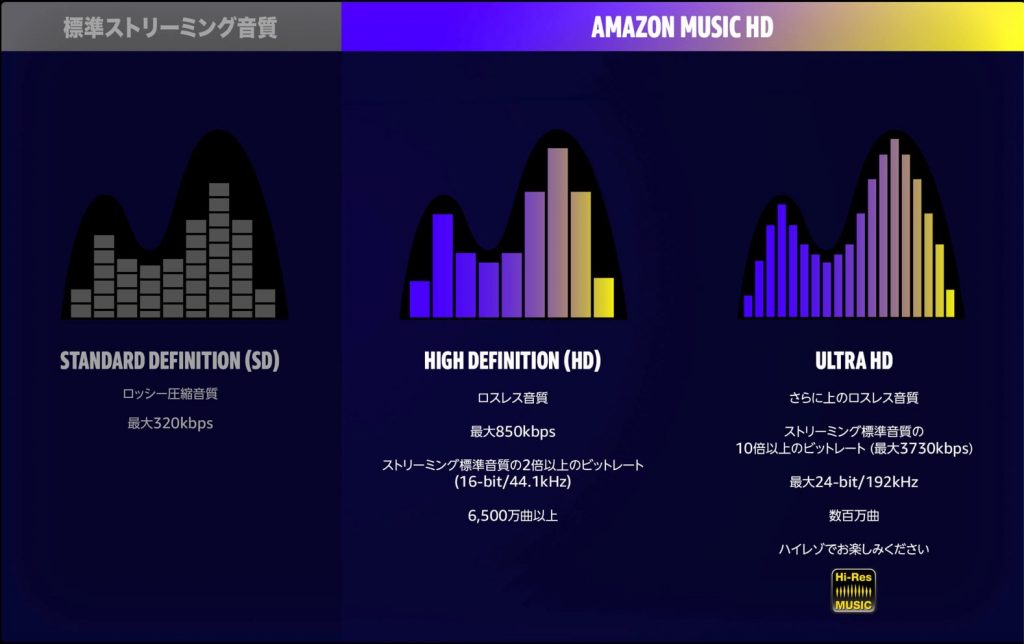
- More than 65 million tracks in 44.1kHz/16bit "lossless quality (HD)"
- Millions of tracks in "Ultra HD" up to 192kHz/24bit
The catalog is already very extensive from launch.
The prices are as follows.
- Amazon Prime members: ¥1,780 per month
- Regular Amazon members: ¥1,980 per month
Amazon Music HD can be tried free for 90 days.
Settings for Listening to High-Resolution Audio
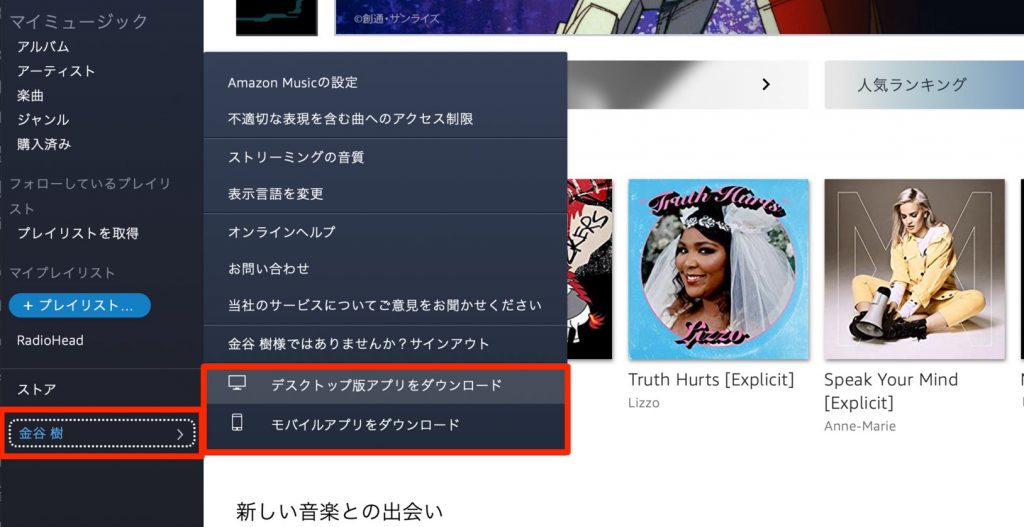
To listen in lossless or Ultra HD, you need to use the app version.
iOS is also supported.
First, install "Amazon Music".
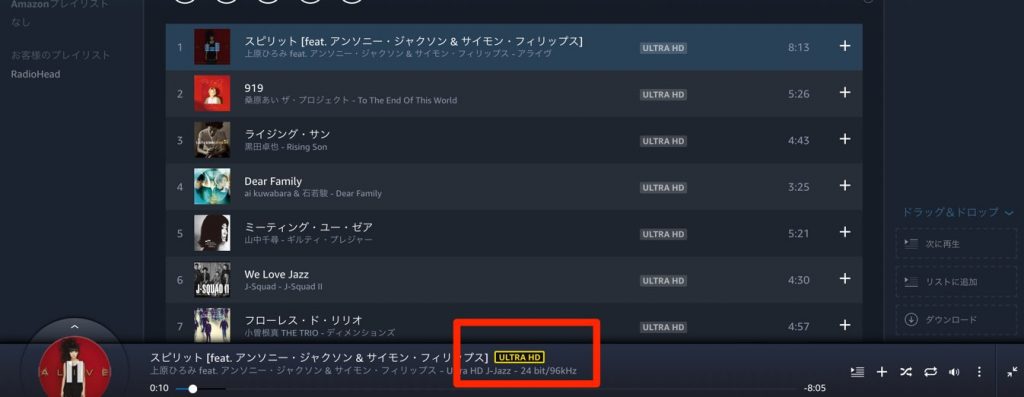
When you launch Amazon Music and play a track, the track is labeled "HD/ULTRA HD".
This indicates the sound quality. If you click this icon,
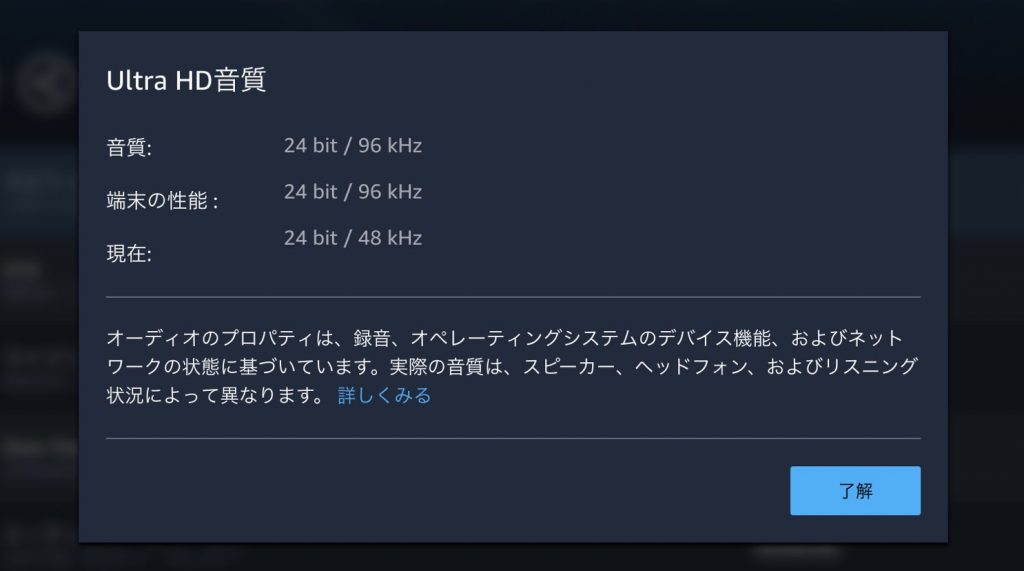
- Sound quality: Quality information for the track being played
- Device capability: The quality your computer or audio interface can play
- Current: The quality currently being played
If the "device capability" supports the track's "sound quality", configure the settings.
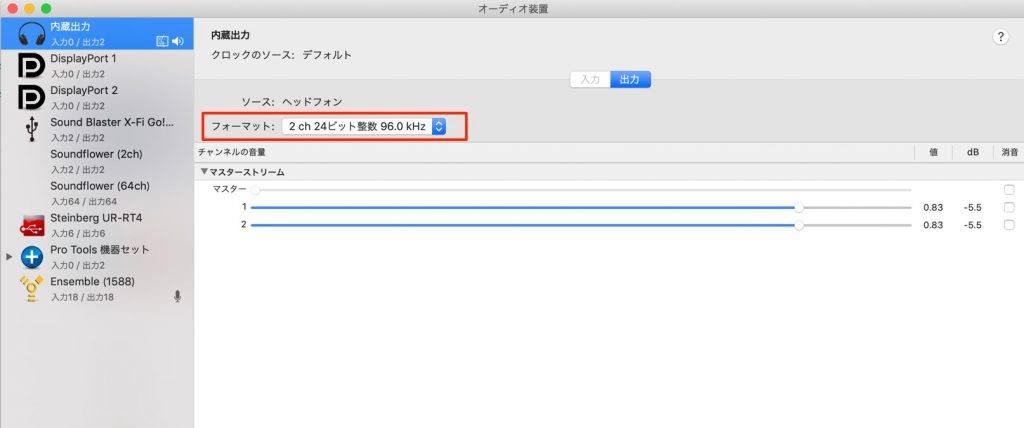
On a Mac, set the device's audio quality from "Applications folder" → "Utilities" → "Audio MIDI Setup".
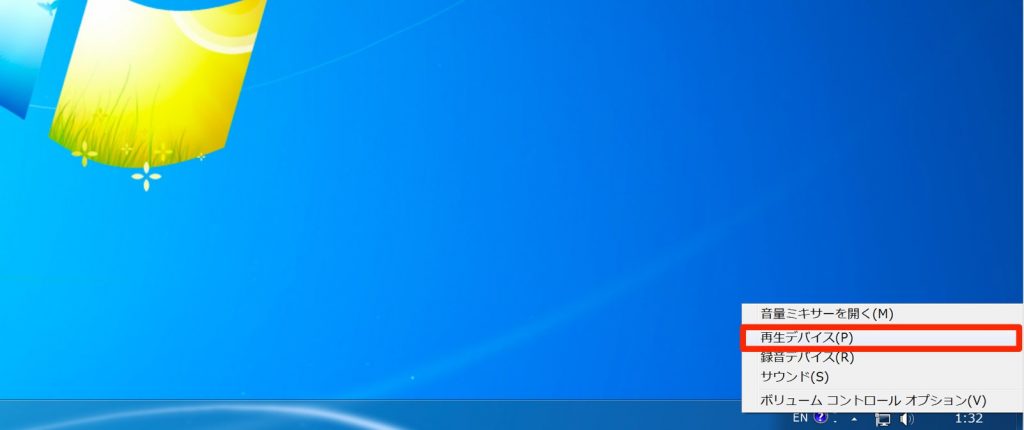
On Windows, right-click the speaker icon at the bottom right and select "Playback devices".
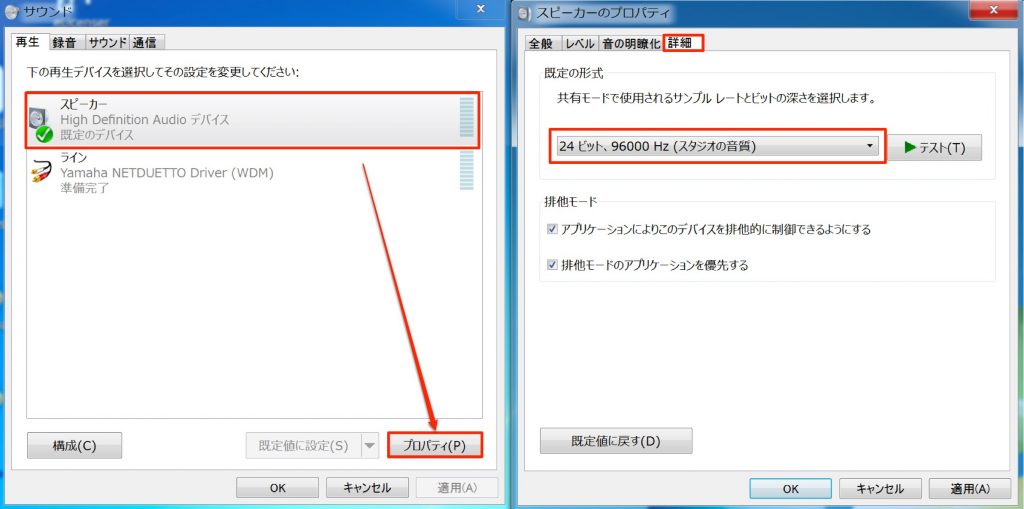
Select the playback device, choose "Properties", and set the audio format under "Advanced" in the window that appears.
We actually compared the sound with iTunes, and the difference was considerable, not just our imagination.
Please experience high-resolution sound with your own ears.
Product page: https://amzn.to/382mgAw
Frequently Asked Questions
Q1. What do I need to play high-resolution audio on Amazon Music HD?
You need to use the Amazon Music app rather than the web version. You also need to confirm that your computer or audio interface supports high-resolution playback and change your OS audio settings to a high-resolution format.
Q2. How is Amazon Music HD priced?
It costs ¥1,780 per month for Amazon Prime members and ¥1,980 per month for regular Amazon members. Both come with a 90-day free trial, so you can try it before deciding.
Q3. Can I listen to high-resolution audio on an iPhone?
Yes, iOS is supported. If you install the Amazon Music app on your iPhone, you can play high-resolution audio in combination with a high-resolution-capable device.
NEW ARTICLES
Latest English Articles











