
This 2023 survey explores AI-assisted music-production tools for generating melodies, drum patterns and chord progressions, changing timbres and assisting with mixing. Examples include Mixed In Key Pilot Plugins, EVAbeat Melody Sauce 2 and Audiomodern Playbeat 3. Genre and character controls help guide the results, while human arrangement and editing remain important. Versions, availability, pricing and development-stage comments below describe the original review period.
AI tools for music production in 2023

AI was attracting widespread attention in 2023, and many music-production plug-ins offered assistance with composing and more efficient workflows.
Here we select products we found useful, alongside tools whose innovative concepts still left room for improvement at the time.
What AI could do for music production in 2023: a tool roundup
Listen to tracks made with AI assistance
For this project, Tomoki Miyakawa and Tsuyoshi Okamoto of Sleepfreaks tried various products and made tracks using their favorites.
Both tracks followed the same concept: rely on AI as much as practical, starting from the initial ideas.
Tomoki Miyakawa's track
Tomoki Miyakawa — complete demo
AI was used for the following tasks:
- Generating bass lines, arpeggios and countermelodies
- Generating the main melody
- Generating variations on drum patterns
- Addressing masking with EQ
The emphasis was on generating musical parts.
Tsuyoshi Okamoto's track
Tsuyoshi Okamoto — complete demo
AI was used for the following tasks:
- Developing chord-progression and rhythm-track ideas
- Continuing a partially written melody
- Generating synthesizer sounds
- Transforming recorded guitar into another instrumental timbre
- Preparing the mix and master
This track focused more on ideas and timbre generation than on generating phrases.
Tools that suggest MIDI phrases
We will now introduce the products Miyakawa and Okamoto used, grouped by function.
Mixed In Key — Pilot Plugins

These instrument plug-ins were responsible for much of Miyakawa's track.
Separate instruments generate chords, arpeggios, bass and melodies. Each also includes built-in sounds using the Phase Plant synthesizer engine.
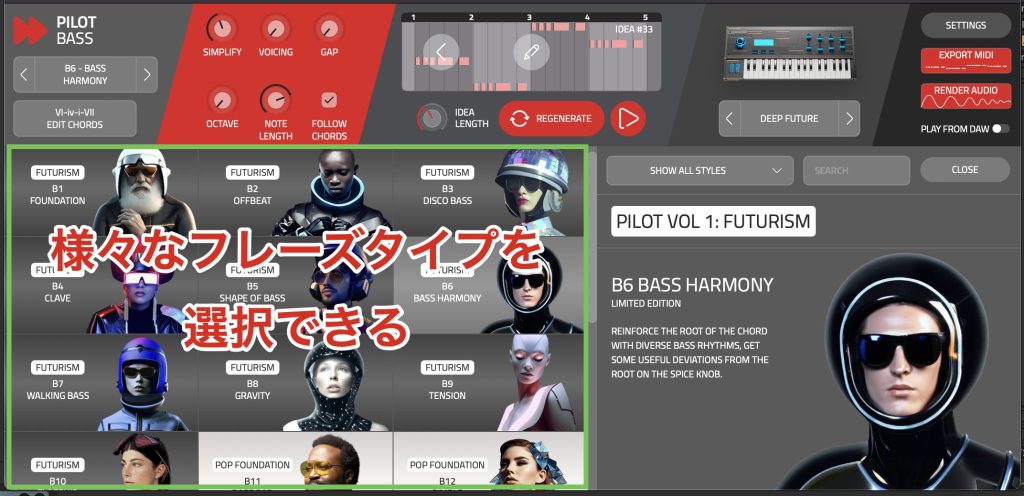
Each plug-in lets you choose a phrase character and generate material that follows a chord progression you specify, making it easier to get phrases that suit your taste.
Randomizing each plug-in's character over the same chord progression can produce foundations like these examples.
Pilot — example 1
Pilot — example 2
Pilot — example 3
Pilot — example 4
EVAbeat — Melody Sauce 2
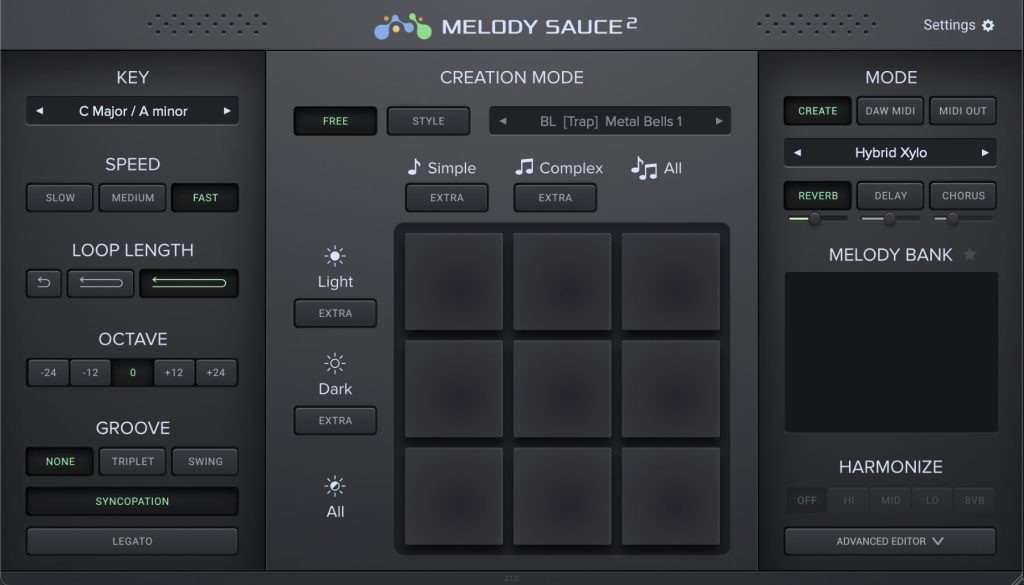
This instrument plug-in generates melody lines suited to a chosen genre.
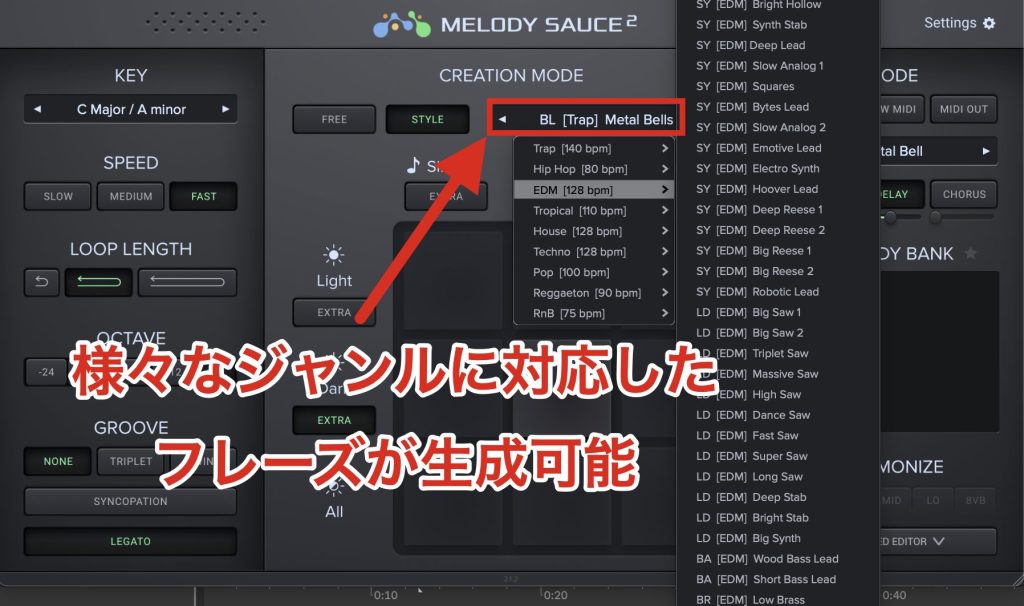
With specific choices such as EDM and Trap, we found it easier to steer the generated phrases toward the intended style.
It also includes a simple sound engine for immediately auditioning results and can generate melodies that follow a chord progression.
Genre selection helps guide the results, and quickly generating unlimited variations made the workflow approachable in our test.
Melody Sauce 2 — generated with the EDM melody setting
FIMMIGRM
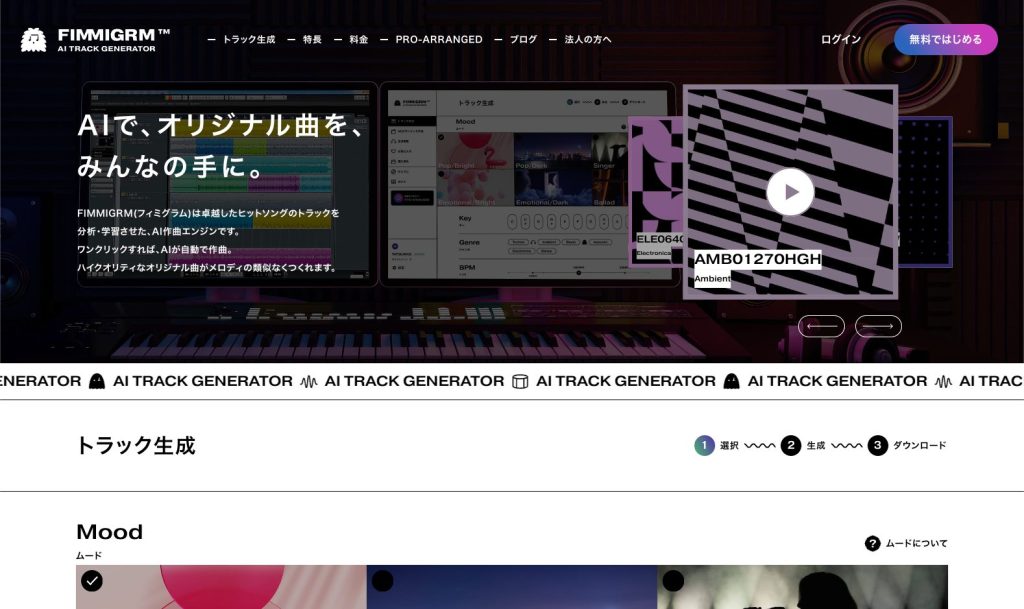
This web-based melody-generation service was produced by Kenji Tamai of agehasprings.
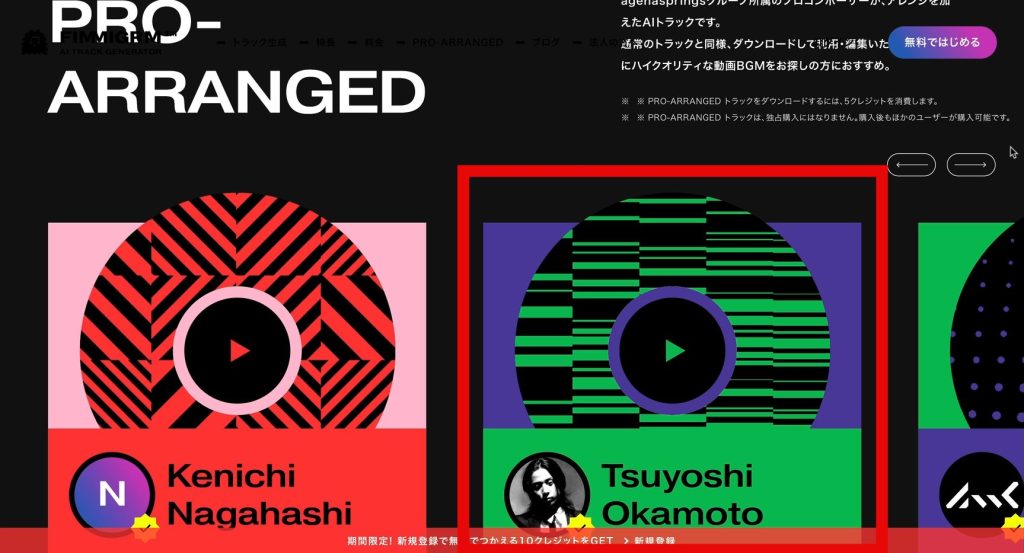
We did not use it in these tracks because they were instrumental rather than vocal pieces. Okamoto did, however, contribute to its Pro Arrange service, in which professionals arrange a generated melody.
The service was trained through analysis of melodies, particularly hit songs, with an emphasis on vocal-style melodies. Controls for mood and genre helped users steer the output.
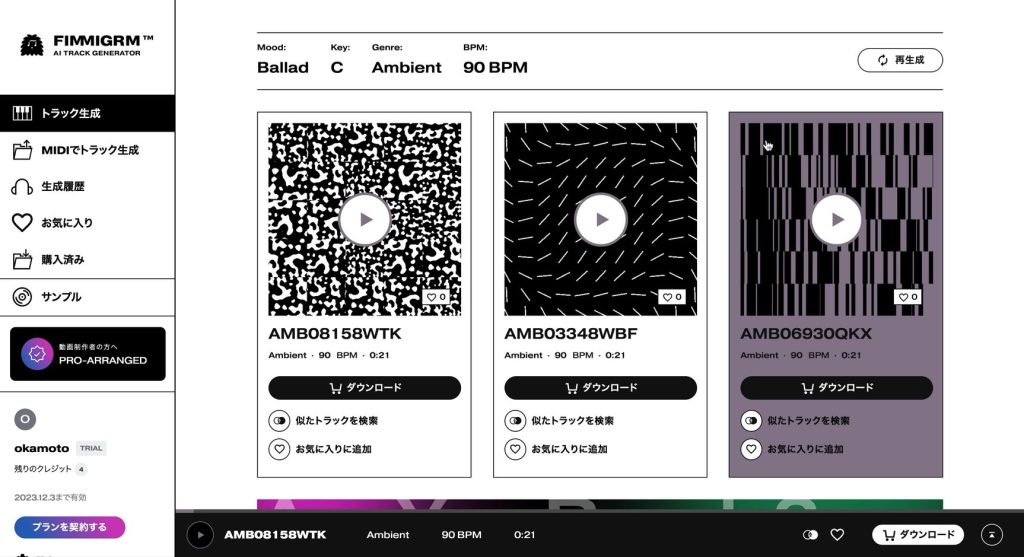
At the time of this review, generating and previewing phrases was free; charges applied when downloading MIDI or audio files. These are historical service terms.
FIMMIGRM — random generation: melody type Ballad, genre Ambient
Audiomodern — Playbeat 3
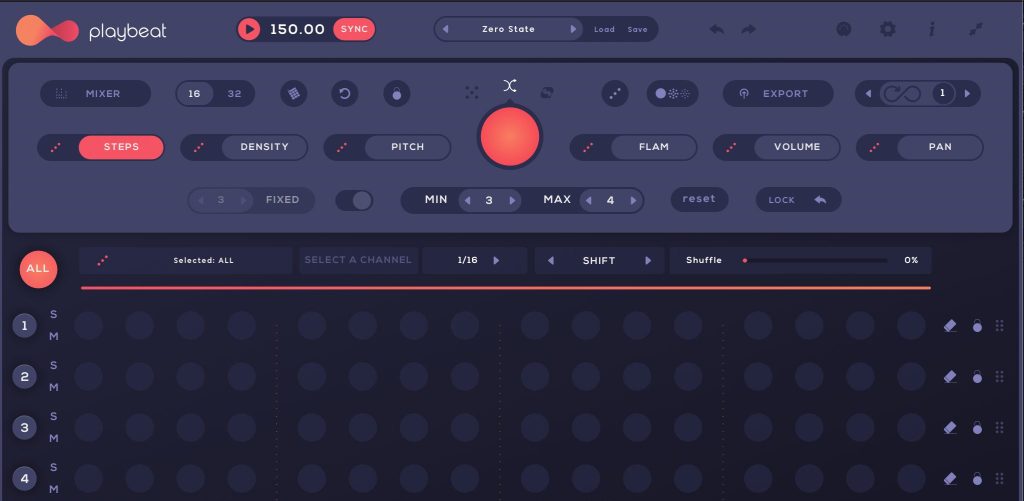
This drum sampler and sequencer generates rhythmic variations from an existing pattern, including presets.
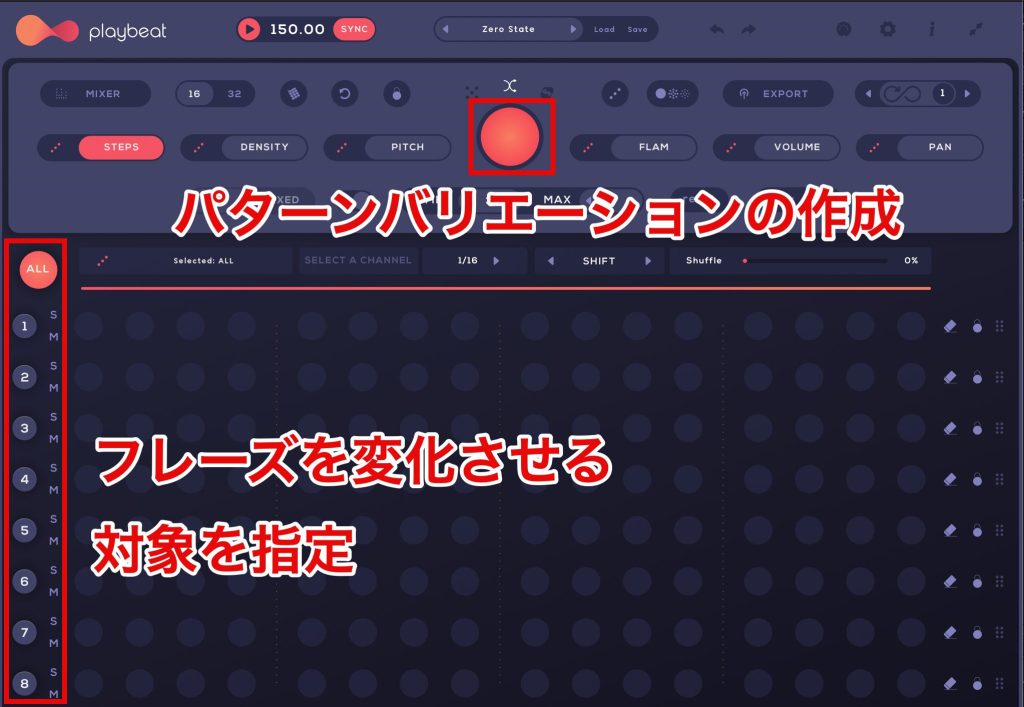
Variations can be generated for the entire pattern or individual tracks, such as the kick or snare.
We found the supplied drum samples and pattern presets immediately useful and rated it highly as a drum instrument in its own right.
Playbeat 3 — rhythm variation example
Humanizing tools
These tools can help make mechanically programmed parts feel more organic.
Magenta Studio Groove

The Magenta Studio configuration reviewed here was a free collection of AI tools in Max for Live format, used inside Ableton Live. This describes the reviewed setup rather than every edition of Magenta Studio.

Groove analyzes a drum phrase you enter and generates a new version based on its learned performance model.
Select the clip, adjust Temperature to control how strongly the result can vary, and press Generate.
Because the model learned from human drummers, it can add timing and dynamic variations that help programmed acoustic drums feel more natural.
Magenta Studio Groove — before and after processing
Audialab — Humanize

This sample-randomization plug-in aims to reduce the machine-gun effect caused by repeatedly triggering an identical drum sample.
It generates variations from an imported one-shot and randomly changes the sample on each trigger.
Humanize — repeated snare hits
The alpha version we tested was sometimes unstable, but we found the concept very interesting. This describes its development status in 2023.
Tools for working with timbre
guk.ai — Sistema
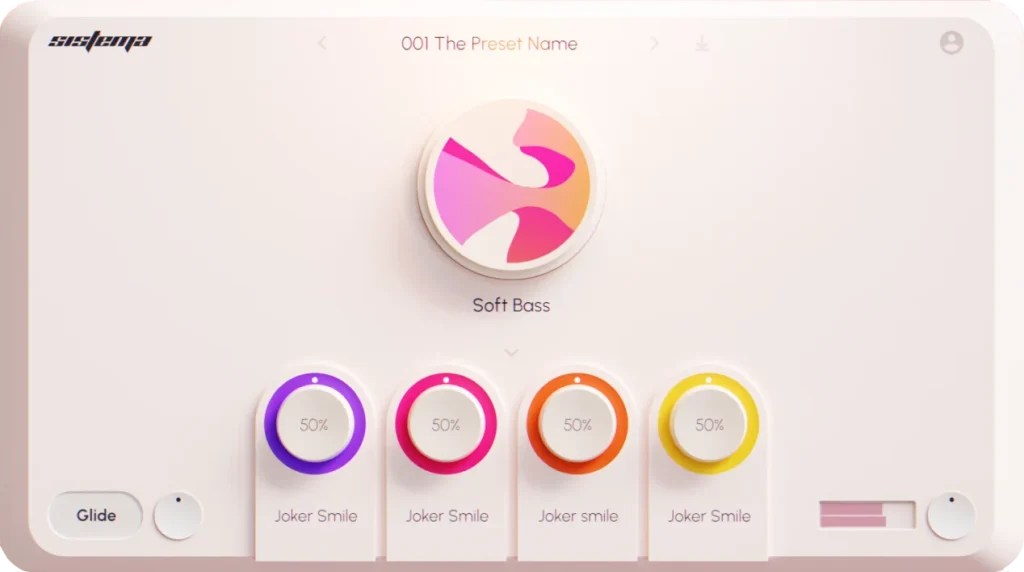
This instrument plug-in uses AI to generate synthesizer sounds.
Choose a sound type and press the central button to generate a new sound. This lets you search for a timbre that fits the song without adjusting individual synthesis parameters.
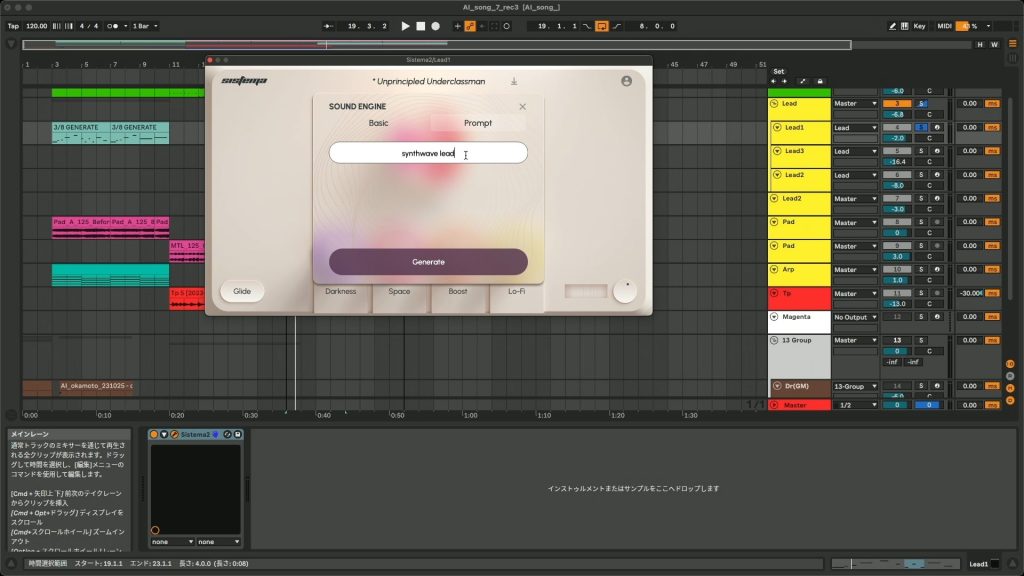
You can also enter your own prompt, making it possible to explore sounds using broad descriptions such as genre or type.
In our test, it handled versatile, general-purpose sounds well but was less successful at distinctive sounds. We also wished for finer editing of the generated result. These impressions concern the version reviewed in 2023.
Sistema — sound generated from the prompt “Hardcore, Bass”
DDSP VST

This audio-effect plug-in transforms a monophonic performance into another instrumental timbre.
It aims to retain the pitch and dynamic expression of the original while changing its timbre. For instrumentalists, this can offer an alternative to programming a part note by note.
The main melody of Okamoto's demo was originally played on guitar, then transformed into a trumpet sound with DDSP.
DDSP — original guitar and converted trumpet sound
Emergent Drums 2
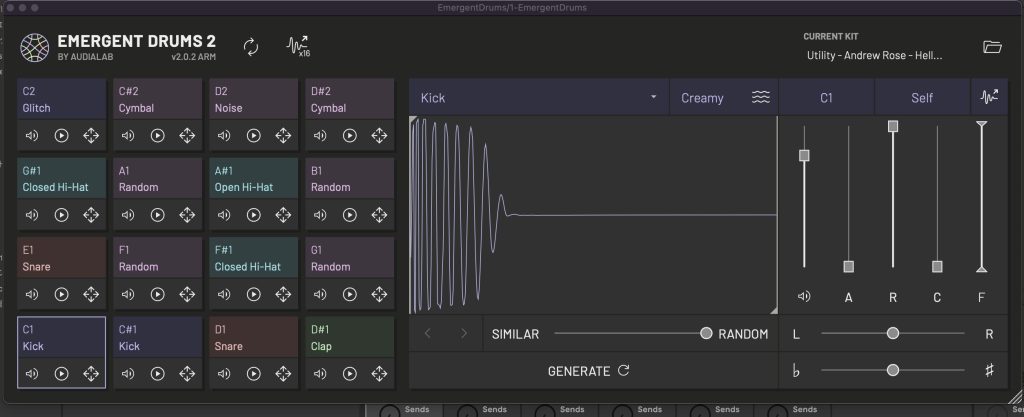
This drum-sampler instrument, available in VST3 and AU formats in the reviewed version, generates kick, snare, percussion and other drum samples.
It can generate an entire kit at once or regenerate individual samples.
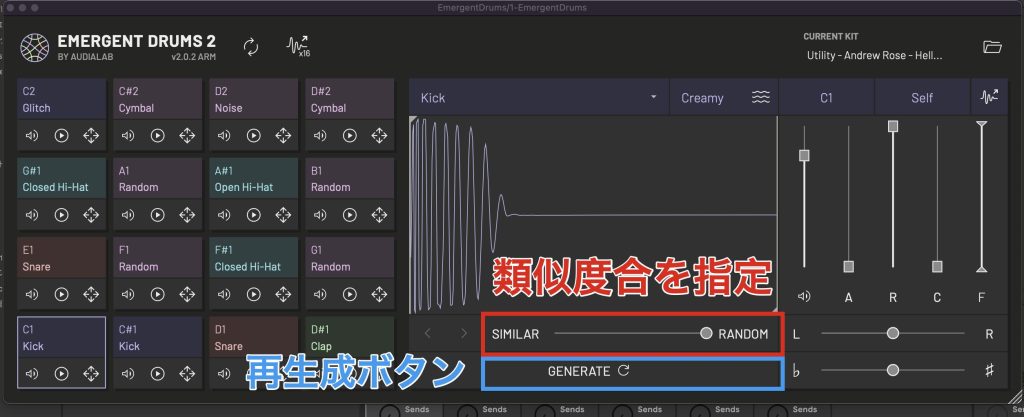
You can adjust how similar or different the generated sound should be compared with the current one. This is useful when you want a closely related variation.
We felt the generated sounds leaned toward synthesized drums rather than acoustic drums or percussion, making them particularly suited to electronic music.
Emergent Drums 2 — drum example
Mixing tools
sonible — smart:EQ
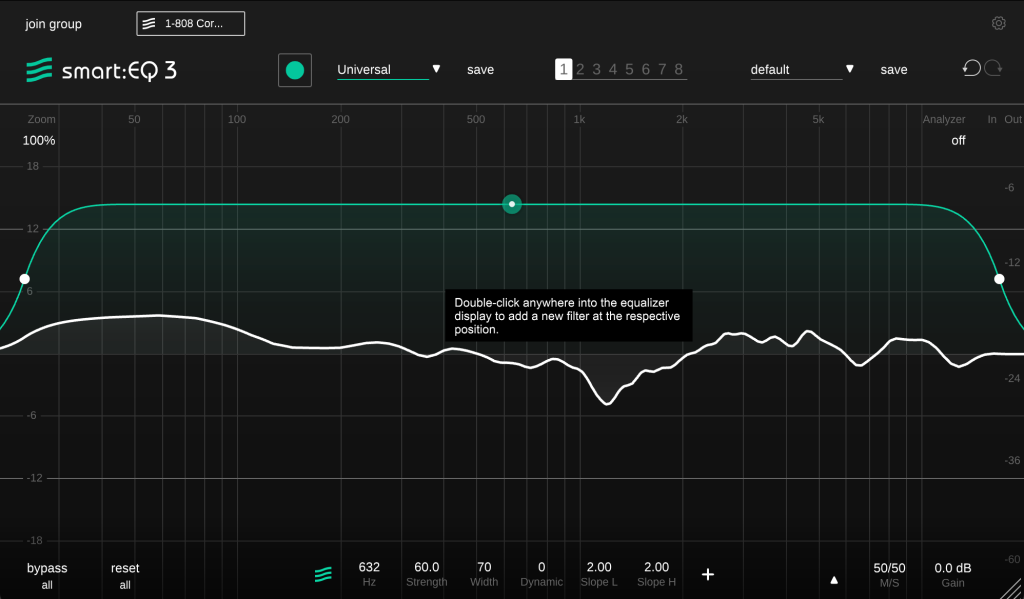
sonible's smart series includes AI-assisted EQ, compression and reverb. Among them, we felt smart:EQ offered particularly useful ways to save mixing time.
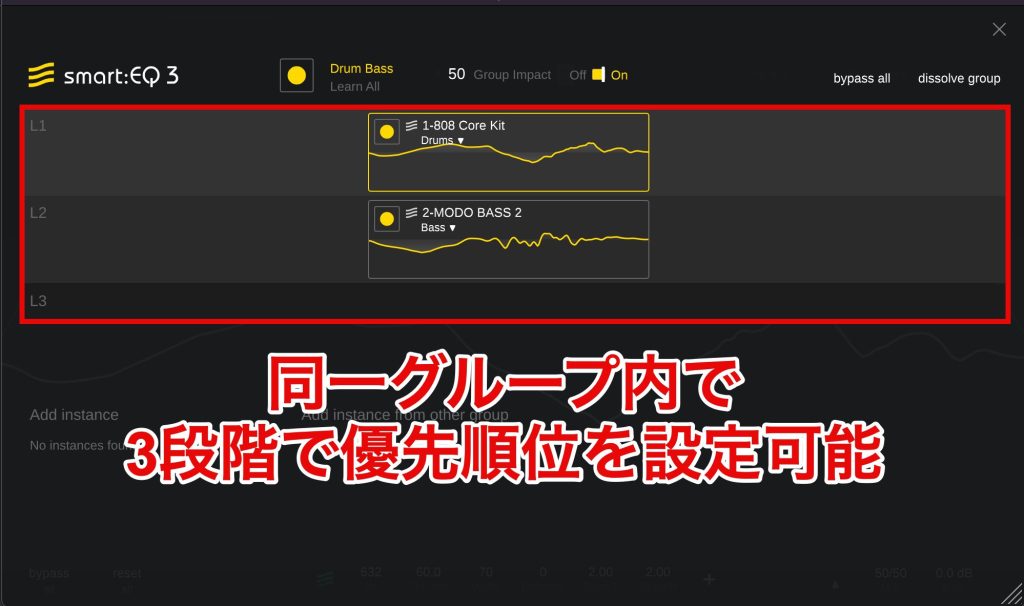
Beyond selecting a track profile and automatically deriving an EQ curve, instances on multiple tracks can work together to address overlapping frequency content, or masking.
Its group view has three priority levels. Tracks at the top are maintained or brought forward, while lower-priority tracks are processed to sit farther back.
The result will not always match your preference, but we found it useful, especially for people less confident with EQ.
▶ Automatic EQ example: drums prioritized in front, bass placed farther back (bypassed → processed)
smart:EQ — bypassed, then processed; drums forward and bass back
What did you think?
We hope these examples give a picture of the quality and research directions of music-production AI tools as they stood in 2023.
Compared with a person, the tools we tested struggled with musical context—including genre and individuality—and with suggesting how to develop a partial idea into a finished piece.
On the other hand, they could propose ideas we might not have thought of ourselves, which made them useful when searching for inspiration.
Overall, there was still plenty of room for development, but we encountered many groundbreaking concepts. If readers are interested, we would like to continue following and introducing AI music products.
Frequently asked questions
Q1. Can AI plug-ins help make music feel human?
They can assist. Genre and character controls can guide generated phrases, while human arrangement and editing shape the finished track. Humanizing tools can also add variation to mechanically programmed parts. The examples here reflect our 2023 tests, not guaranteed results.
Q2. Were these AI tools approachable for beginners?
Several had straightforward controls. At the time of the review, FIMMIGRM offered free phrase generation and previews, and Magenta Studio Groove used a simple generate workflow. Availability, setup requirements and service terms can change.
Q3. Do these tools cost money?
It depends on the product. Magenta Studio was free, while some plug-ins were paid products. FIMMIGRM's reviewed model charged for downloads after free previews. These are the terms described in the original review, rather than current pricing information.
Q4. Were the generated drum patterns suitable for professional work?
We found Playbeat 3's supplied sounds and pattern variations useful for production, including as a conventional drum instrument. Suitability for a professional project still depends on the material and the producer's choices; quality is not guaranteed simply by generating a pattern.
Q5. Which genres could the melody generators handle?
Many tools offered several styles. Melody Sauce 2 included specific choices such as EDM and Trap, while FIMMIGRM offered types such as ballad and ambient. These controls helped steer the results in the versions reviewed.
NEW ARTICLES
Latest English Articles











