
Ableton Live's Warp function is a tool that automatically stretches or shrinks audio files imported into your DAW to fit when they don't match the song's tempo. Just turn on Warp, create a marker, and drag it to the bar you want, and you can adjust drum loops, sound effects, and more to any length. Mastering this function solves tempo mismatch problems and lets you incorporate sample material into your songs more efficiently.
Fit audio files that don't match the song's tempo
For example, you find a cool one-bar drum loop and import it into your DAW,
but because the loop's tempo doesn't match the song's tempo, they drift apart.
This is where the "Warp function" comes in.
Arranging with time stretch
*This video uses Cubase, but the concept is the same
How to use the Warp function
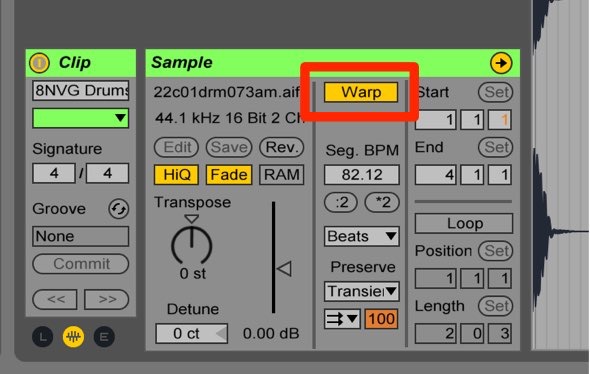
Turn on "Warp" for the clip.
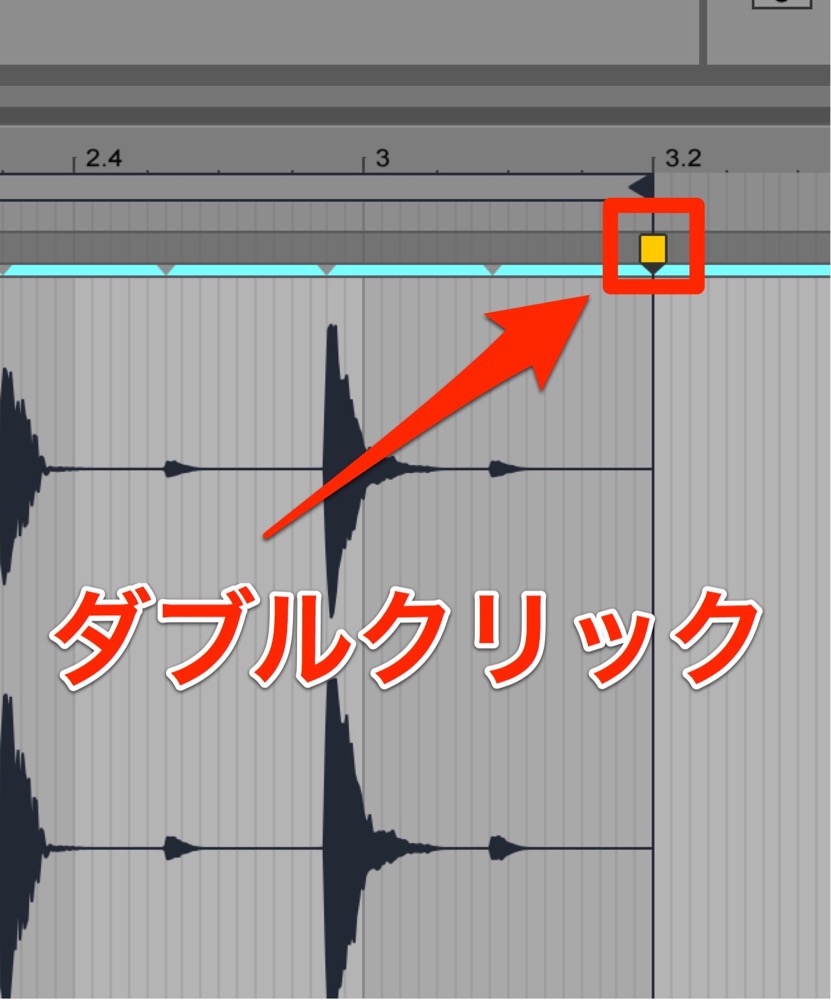
"Double-click" the end of the clip to create a marker.
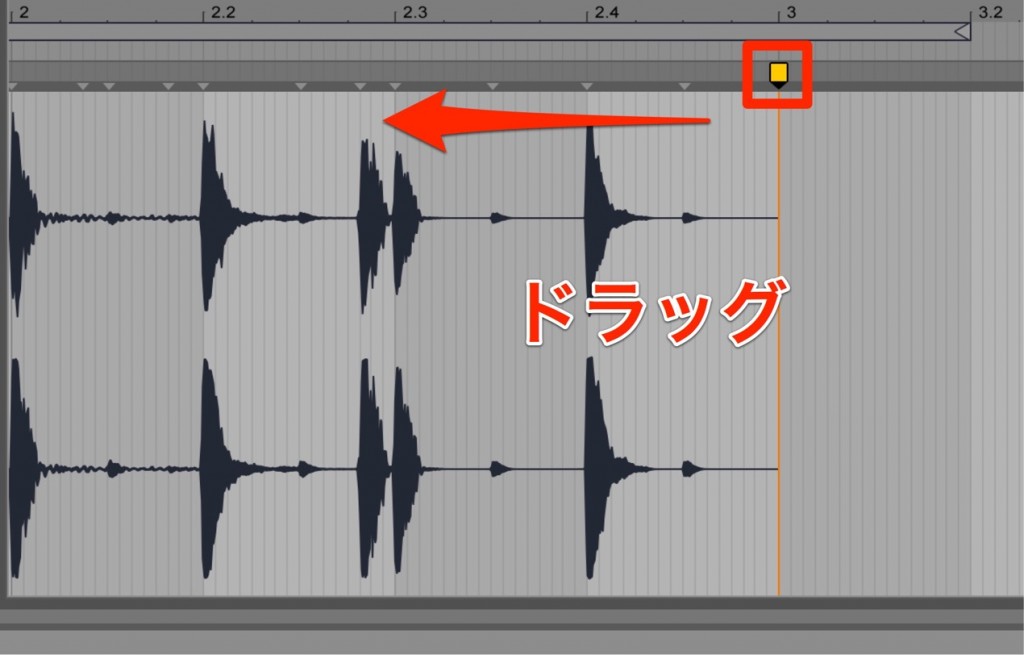
Drag the marker to the bar you want.
The clip is now stretched to fit the tempo.
This time we made the audio longer to fit the tempo, but of course you can also make it shorter.
You can also change "sound effects" to any length you like with this method.
Frequently asked questions
Q1. Can the Warp function be used in DAWs other than Ableton Live?
Yes. Functions based on the same concept, called time stretch, are found in mainstream DAWs such as Cubase, Logic Pro, and Studio One. Names and operations differ by DAW, but the basic principle is the same.
Q2. Does stretching audio with Warp degrade the sound quality?
The warp functions in modern DAWs use advanced algorithms, so as long as you stretch within a moderate range, quality loss is minimal. However, extreme speed changes may affect the sound quality.
Q3. Besides drum loops, what material can Warp be used for?
It can be applied to any audio material, such as vocal samples, instrument recordings, and sound effects. It's especially handy when incorporating material from sample libraries or existing audio at a different tempo into your songs.
NEW ARTICLES
Latest English Articles











