
This article explains how to export and import SMF (Standard MIDI Files) in Ableton Live. When you want to reuse MIDI clips you created in another DAW or song, exporting them as SMF lets you share just the MIDI data, which is small and contains no sound information. With simple operations, exporting from the right-click menu and importing by drag and drop, you can handle many workflows, such as saving drum patterns, exchanging song files with others, and reusing your programming in different songs. It is useful knowledge for making DTM production more efficient.
Exporting a Song's MIDI Files
This is the procedure for using MIDI files created in one song in other songs or DAWs.
- You want to save a favorite drum pattern
- You want to give someone only the MIDI file and have them replace the sounds
- You want to bring your programming into another song
It can be used in many situations like these.
This kind of MIDI file is called an SMF (Standard MIDI File).
The file contains no sounds, only MIDI data, so it is very small.
About SMF (Standard MIDI Files)
How to Export SMF in Live
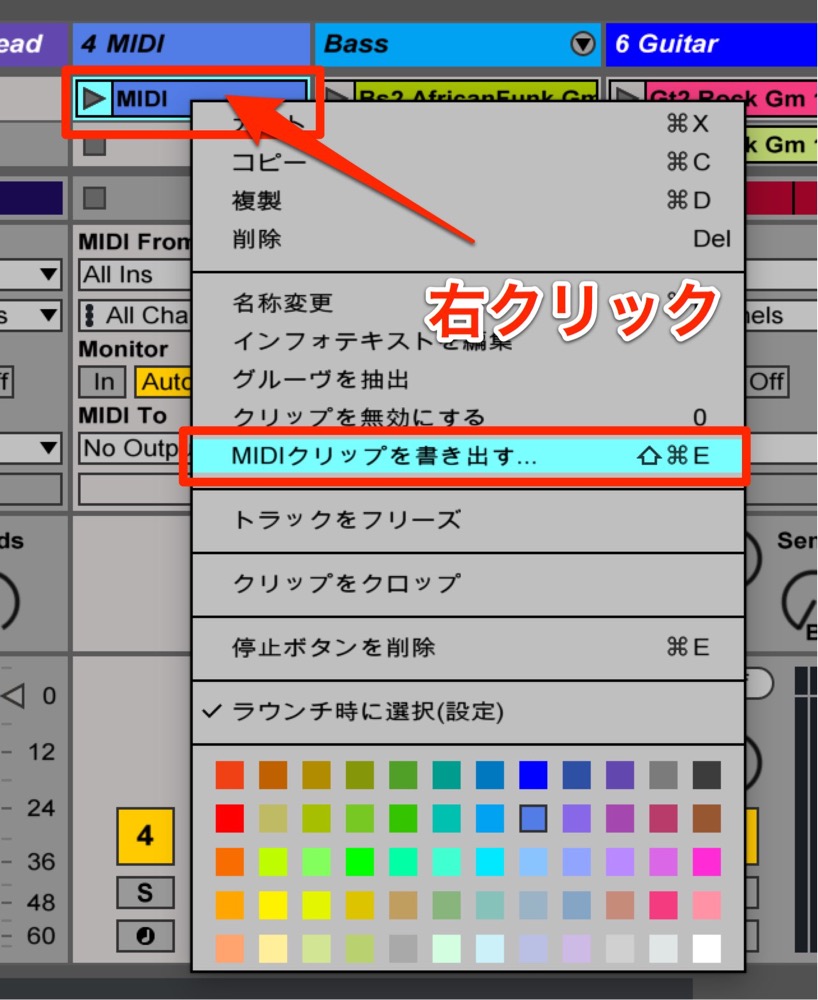
Right-click the MIDI clip you want to export
and select "Export MIDI Clip."
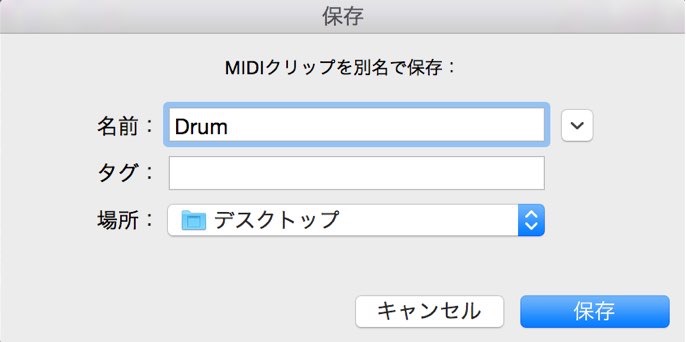
Specify a name and location, then select "Save."
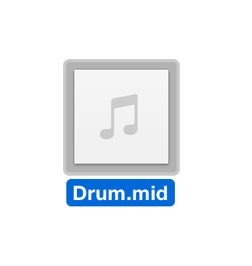
The SMF is exported like this.
How to Import SMF
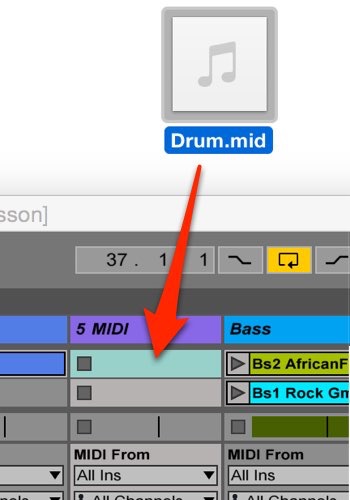
Drag and drop the SMF you want to import onto a clip slot.
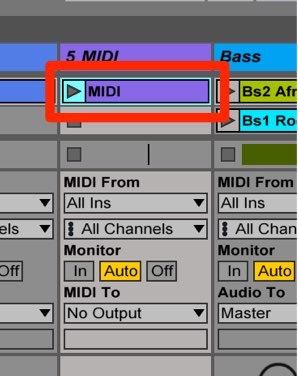
The file has now been imported.
You can freely replace the sounds or edit the MIDI data.
Frequently asked questions
Q1. What is SMF, and how is it different from a regular MIDI file?
SMF (Standard MIDI File) is a standard format that stores only MIDI data. Because it contains no sound information, the files are very small and highly compatible across different DAWs and plugins, making it ideal for reusing MIDI data.
Q2. How do I export a MIDI file in Ableton Live?
Right-click the MIDI clip you want to export, select "Export MIDI Clip," specify a file name and location, and save. It only takes a few simple steps.
Q3. Can I import SMF files created in another DAW into Ableton Live?
Yes. Just drag and drop the SMF file into Ableton Live's clip area and it is imported automatically. You can then freely edit the MIDI data or change the sounds.
NEW ARTICLES
Latest English Articles











