
Invert (phase inversion) is a function in Ableton Live that flips an audio waveform, used to correct phase differences when recording with multiple microphones and to improve sound quality. In particular, it solves the problem of a blurred image when the waveforms of two mics placed on the top and bottom of a snare drum are out of phase, and it can be done simply by enabling the phase inversion function of the Utility effect. It can also be applied to guitars, basses, and other multi-mic recordings, giving you professional results quickly, making it an essential technique in music production.
Inverting the waveform
If you zoom in on a sound,
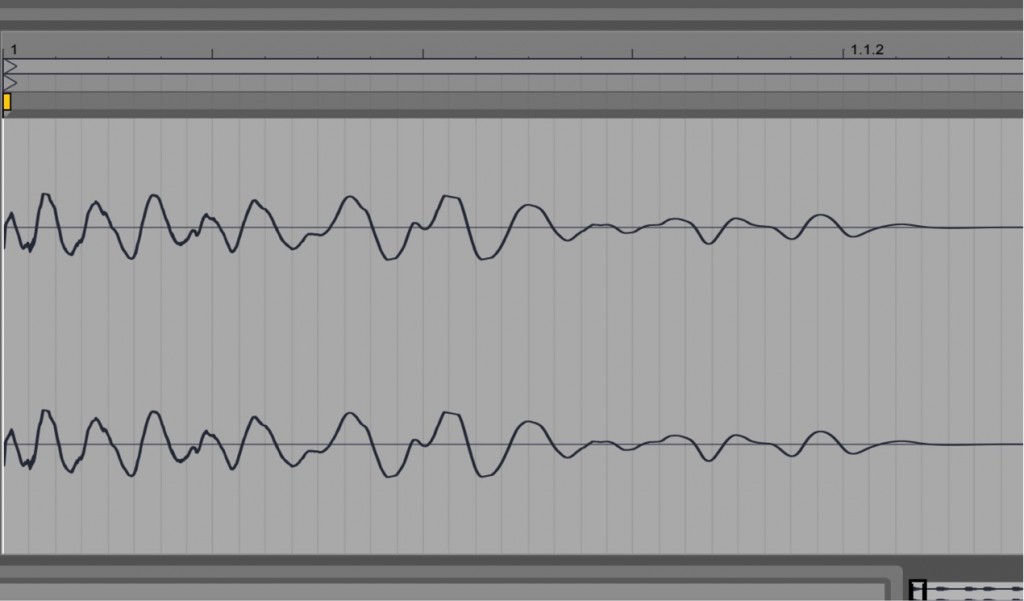
↑ it always looks like a wave like this.
"Flipping" this wave is called "inverting."
This "flip" is meaningless when played on its own.
It has an effect when played together with other tracks.
Explanation of inverting
Extracting a vocal using phase inversion
Go to the product details page

Example of inverting
A well-known example is the "snare drum."
The "snare," the center of the rhythm, is often recorded
with two microphones.
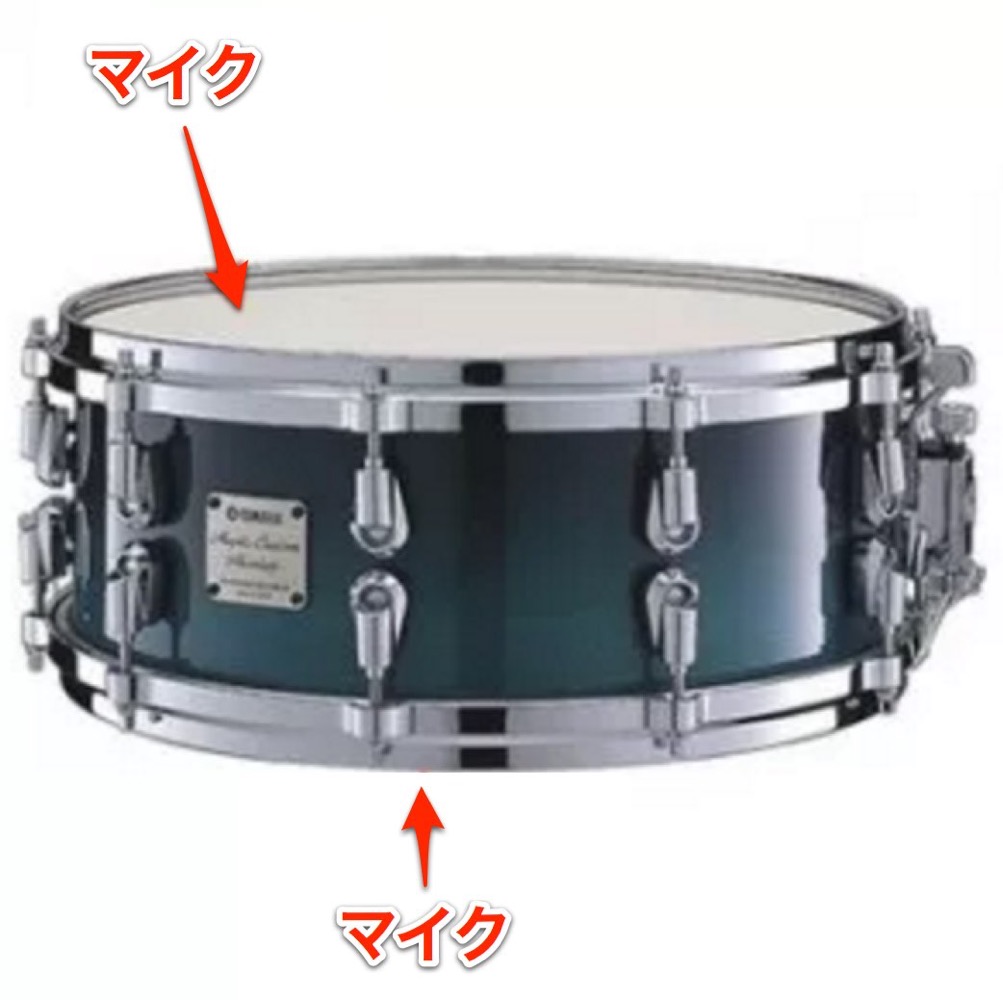
Mics are placed on the snare's "top head" and the "bottom (snares),"
but in the recorded waveforms, the waveforms end up inverted.
As a result, the core of the sound becomes blurred.
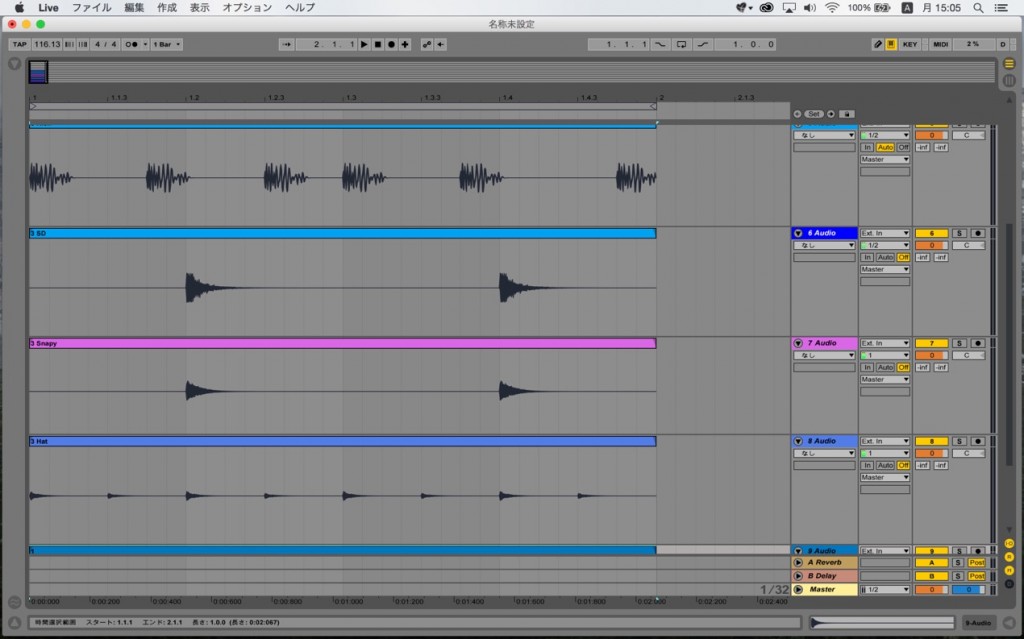
These are the waveforms after recording the drums.
Let's check the snare waveforms among them.
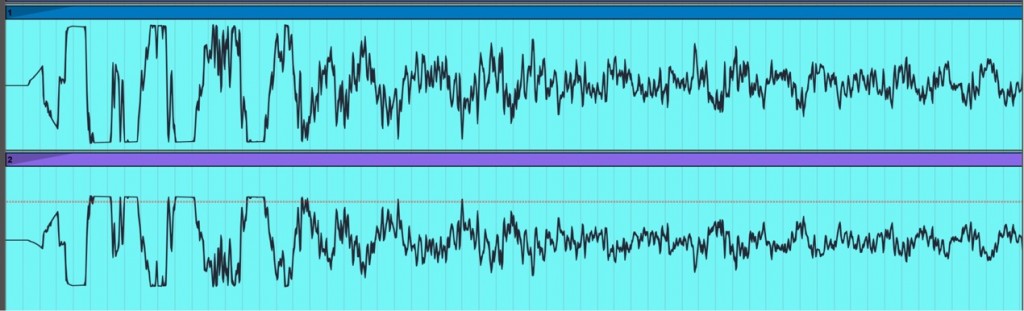
The top is the "top head" and the bottom is the "snares" waveform.
The peaks of the waveforms are completely opposite.
This blurs the sound image.
This is where "invert" comes in.
Invert the "snares" waveform to match the "top head" waveform.
How to apply invert in Live
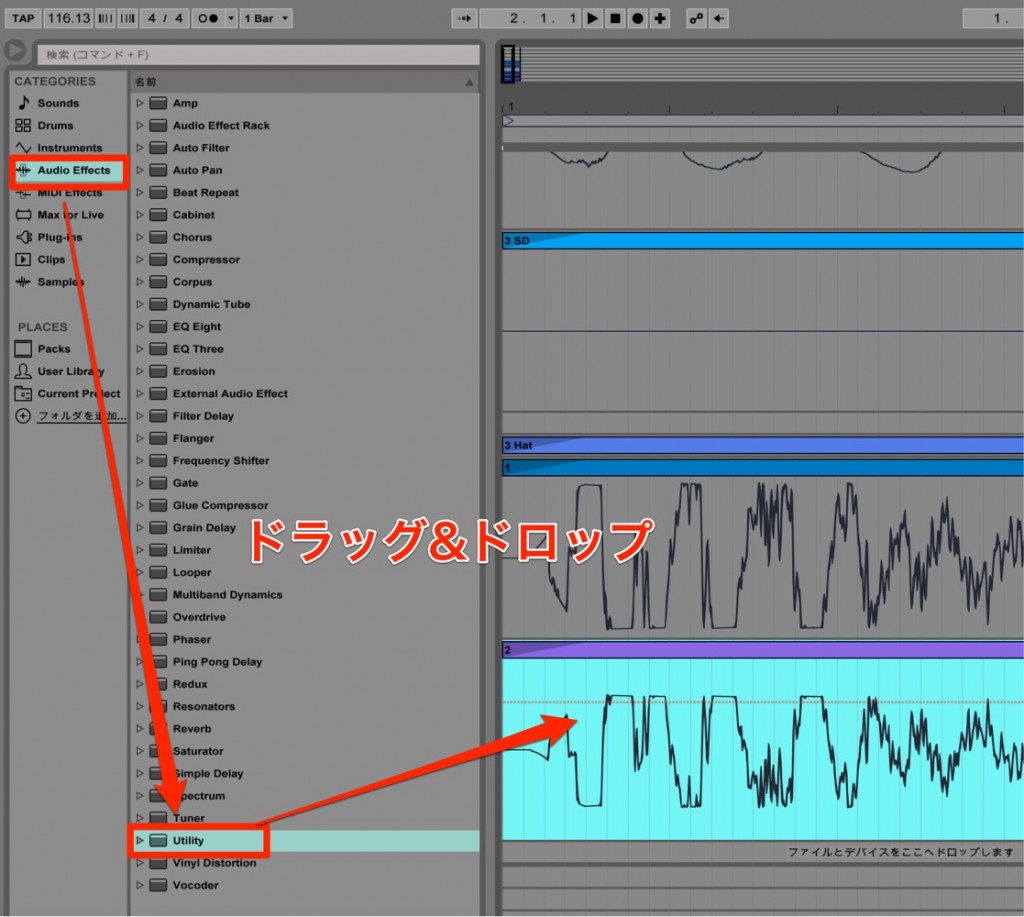
Drag and drop "Audio Effects" → "Utility" onto the track.
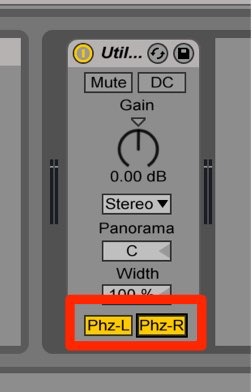
Turn on "Phz-L" and "Phz-R."
That's it.
Let's check the sound.
"Before inverting"
"After inverting"
You can hear the snare become cleaner and come forward.
You can improve the sound this quickly and easily.
There's no reason not to use it.
In addition, for other instruments recorded with multiple microphones,
such as "guitar," "bass," and "other drum mics,"
you can actively use the "invert" function in your sound design.
Frequently asked questions
Q1. How do I use the invert function in Ableton Live?
Just drag and drop the Utility effect from Audio Effects onto the track and turn on the Phz-L and Phz-R buttons to apply phase inversion. It's a very simple operation.
Q2. Why is inverting meaningless when played alone?
Because inverting corrects phase differences between multiple tracks, and the effect of flipping the waveform can't be heard on a single track. It takes effect when played together with other tracks.
Q3. Why is inverting needed when recording a snare drum?
The waveforms of the two mics placed on the top and bottom (snares) are out of phase, blurring the image, so aligning the phase with invert makes the core of the snare clean and clear.
Q4. Can the invert function be used on things other than snare?
Yes. You can use it actively for sound design on any instrument recorded with multiple mics, such as guitar, bass, and other drum mics.
NEW ARTICLES
Latest English Articles











