
Ableton Live's Arrangement View is an important feature for turning the material you made in Session View into a finished song. In this view, you place clips along the bar ruler to efficiently build song structures such as verses, pre-choruses, and choruses. You can mute and solo tracks in the track list, adjust volume balance and panning, and record knob and fader movements for detailed performance control, taking your Session View work further into more advanced songwriting. Understanding the basic structure of Arrangement View is an essential skill for DTM beginners aiming for professional music production.
Building Song Structure in Arrangement View

"Basics_Session View" covered the core concepts.
Now we move on to "Advanced_Arrangement View", which builds on them.
Session View & Arrangement View Video
Go to the product details page

Arrangement View has the following features:
- Adding structure such as verse, pre-chorus, and chorus
- Detailed performance control over clips
- Recording and controlling knobs and faders
and more.
You can turn the material you prepared in Session View into a finished song.
The Concept of Arrangement View
First, it is important to get a quick overview of the structure of Arrangement View as a whole.
Below is the view after clips have been moved over from Session View.
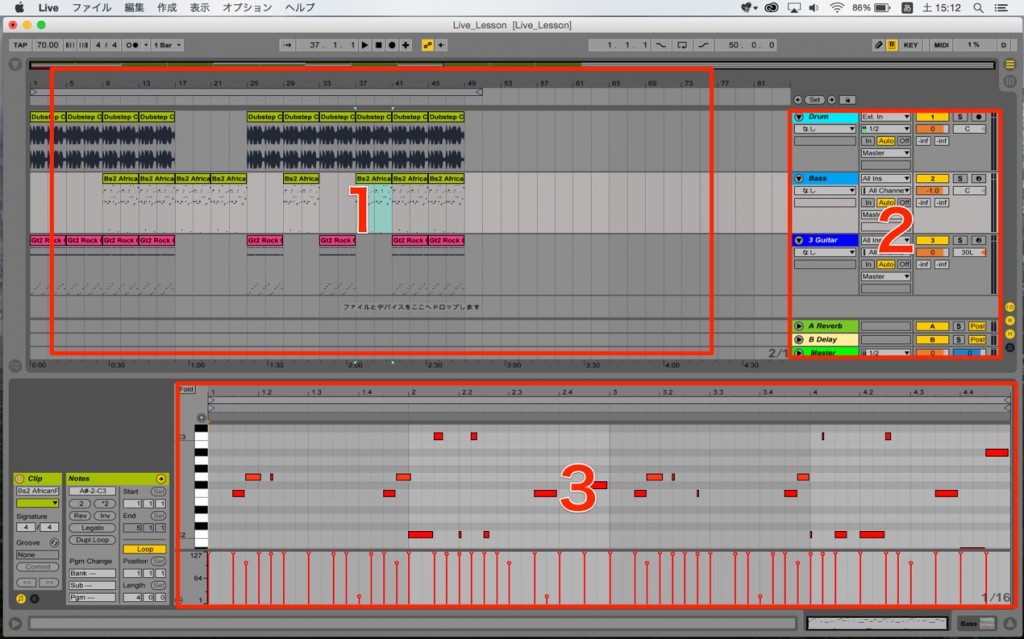
1_The Bar Ruler and Clips
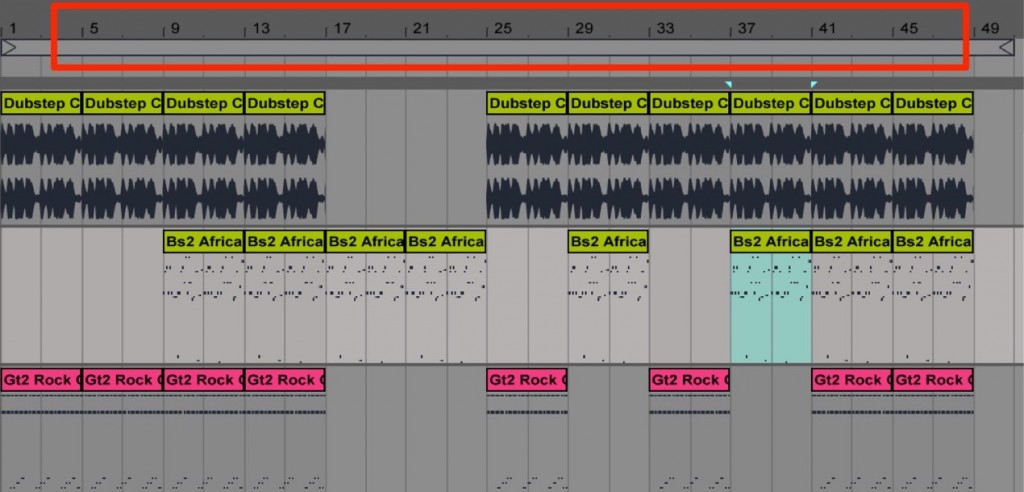
Numbers run along the top.
They represent bars, and this is called the "ruler".
You place clips using these bars as a reference.
This lets you create song structures such as verses and choruses.
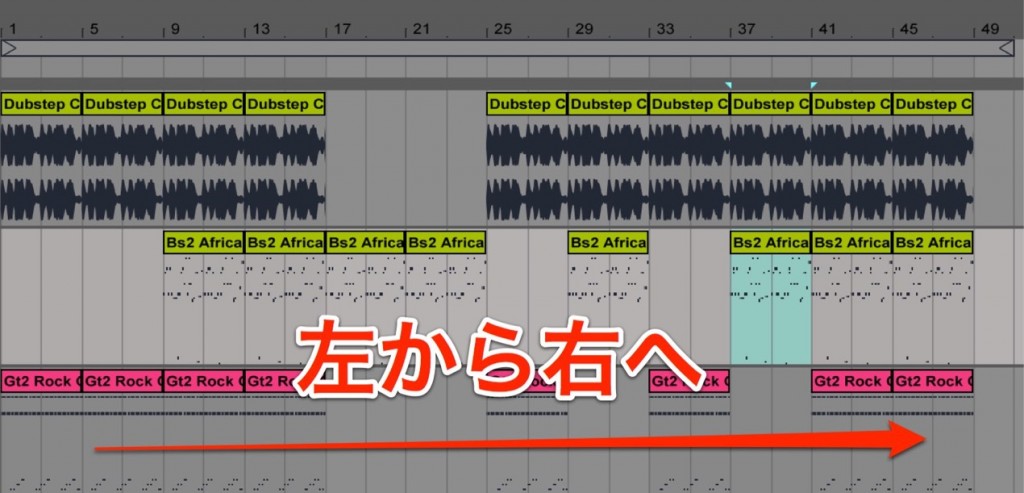
Basically, the performance progresses from left to right.
2_The Track List
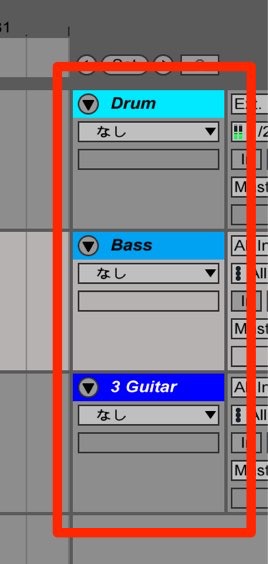
The tracks you created in Session View are lined up here.
You can also control things like mute and solo, volume balance, and pan (stereo position).
One sound per track is the basic rule.
3_Device Details
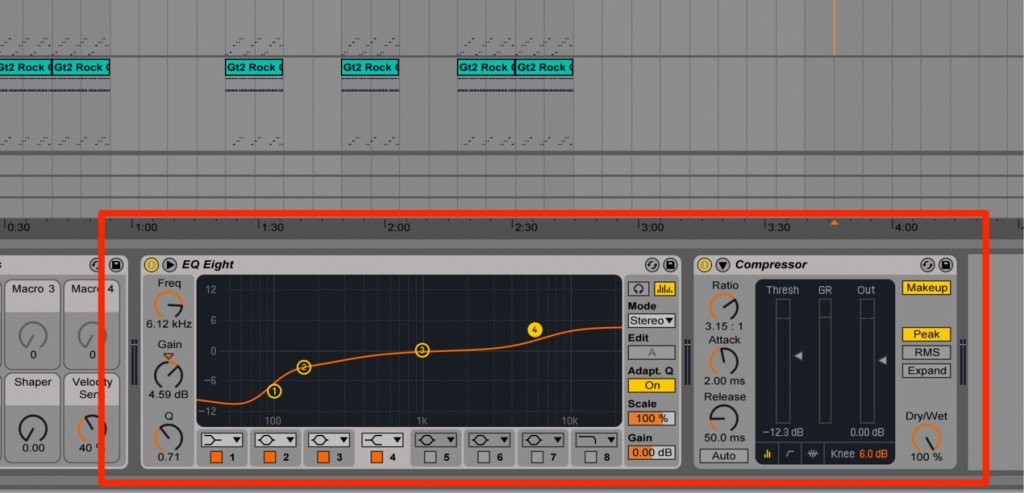
This is the same as in Session View.
It can show the contents of the selected track or clip.
Frequently asked questions
Q1. What is the main difference between Ableton Live's Arrangement View and Session View?
Session View is suited to creating material centered on loop playback, while Arrangement View is for placing clips bar by bar to build the structure of the whole song. By moving material made in Session View into Arrangement View, you can efficiently build song structures with verses, choruses, and so on.
Q2. What specific operations can I perform in Arrangement View?
You can place clips along the bar ruler to build the song structure, adjust mute, solo, volume balance, and pan for each track, and record and control knobs and faders for detailed performance control. This lets you turn Session View material into a professional song.
Q3. What should Arrangement View beginners understand first?
First, it is important to grasp the concept of the bar ruler and the basic structure in which the performance progresses in time from left to right. Next, learning the layout of the track list and each track's basic controls will help you move on to working efficiently in Arrangement View.
NEW ARTICLES
Latest English Articles











