
In music production, the reverse technique flips an audio waveform to create unique sounds that don't exist in reality. It's often used for transitions that build up a song's development, and it can be done in every major DAW, including Pro Tools, Logic, and Cubase. The basic operation is simple, and with creativity, such as where you place the reversed sound or reversing only the reverb component, you can achieve a wide variety of arrangements and make your song structure more refined.
Use reverse to build up the development
"Reverse" is a technique that flips an audio waveform.
It creates a unique nuance that can't occur in reality.
Reverse is often used to connect the sections of a song,
with the aim of making transitions smoother.
"Reverse sound"
Creating the sound
Reversing an audio file
The procedure is simple.
Reverse the audio waveform.
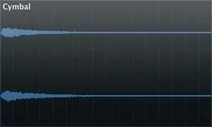
↓
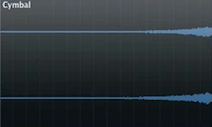
How to create a reverse
 Logic
 Cubase
 Ableton Live
 Studio One
 FL Studio
For transitions between sections
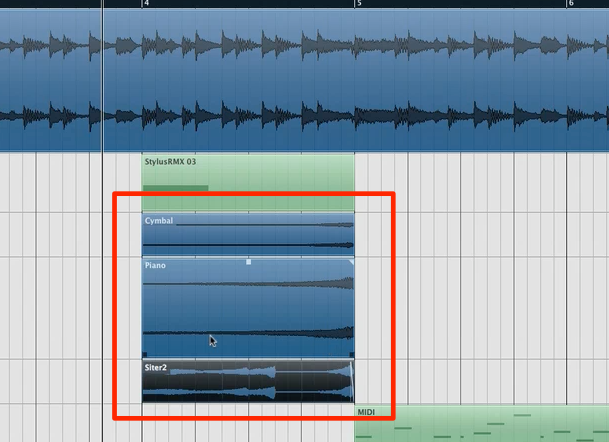
Placing it at transitions between sections
makes the development smoother.
Of course, it's not just for transitions:
placing it within a section, reversing only the reverb component, and so on,
you can create all kinds of effects depending on your ideas.
Frequently asked questions
Q1. Which DAW should I use to create reverse effects?
All major DAWs, including Pro Tools, Logic, Cubase, Ableton Live, Studio One, and FL Studio, have a reverse function. You can do it without problems in the DAW you're used to.
Q2. Where in a song is a reverse most effective?
It's common to place it at transitions between sections to smooth the development. However, depending on your ideas, you can place it anywhere in the structure and get creative in many ways.
Q3. What is the difference between reverse and invert?
Reverse flips the audio waveform along the time axis, while invert is a different effect that controls phase. You need to use them according to your purpose.
NEW ARTICLES
Latest English Articles











